In 2026, businesses have more software, automation, and data than ever. But work can still feel messy and slow. Companies think their workflows are fine. Yet delays, extra costs, and unhappy customers keep showing up. Regular reports only show what should happen. They do not show what really happens.
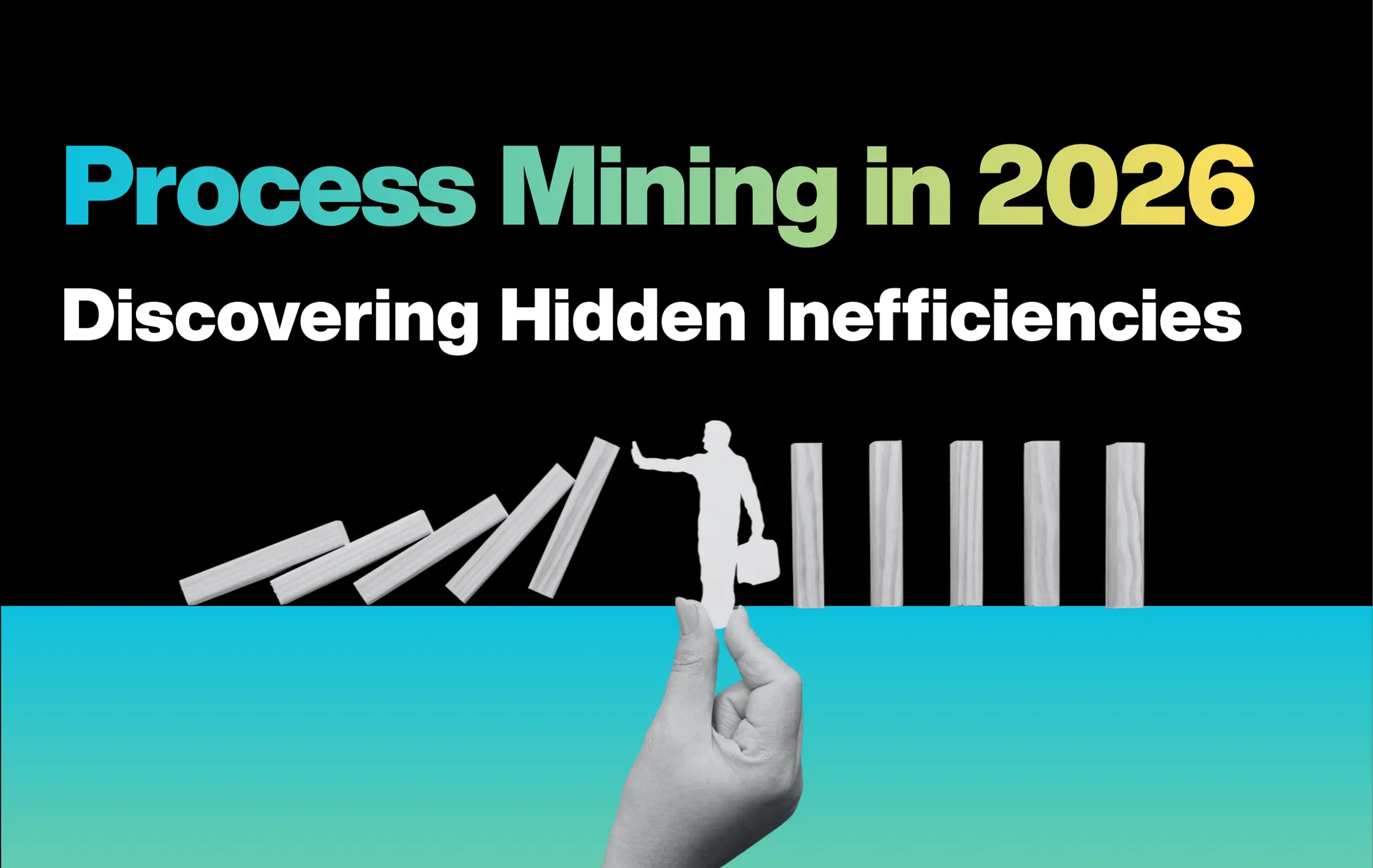
This is where process mining in 2026 can help. It is like a CCTV camera for your business. It watches how work actually moves in your systems. Faster tools and real-time data make it easier to see hidden problems.
Process mining shows why delays happen and where costs grow. Using process optimization analytics, businesses can fix problems, make work faster, and run smoother.
Contents
Process Mining: Key Facts and Stats
- In 2020, Gartner reported $550 million in process mining licenses and maintenance. This was 70% more than the year before.
- By 2022, Gartner expected the market to reach over $1 billion. Growth was 40–50%, showing strong business interest.
- The global process analytics market is growing fast. From $185 million in 2018, it could reach $1.42 billion by 2023. That is a 50% yearly growth.
- Celonis leads the market with more than 1,000 clients and 200 partners in 2021. This shows real business use, not tests.
- How companies use process mining: 38% for discovering processes, 28% for improving them, 34% for checking rules.
- Process mining helps automation too. 78% of RPA users said it improved their results (2020 Sector Scan).
- Using process mining in RPA can increase business value by 40%, finish projects 50% faster, and cut project risks by 60% (QPR study).
What Is Process Mining and How It Works
Process mining in 2026 is a method that uses real data from your business systems to show how work actually happens. Unlike old methods that rely on interviews or guesses, it gives a clear, system-based view of your processes. This helps spot hidden delays, extra costs, and inefficiencies.
Key Concepts:
- Event logs are digital records from your systems showing when and how each step happens. These logs provide the data for process mining.
- Process discovery builds a model from these logs, revealing the real workflow and hidden problems.
- Conformance checking compares actual processes with the expected ones to spot deviations and ensure rules are followed.
- Performance analysis tracks repeated steps, bottlenecks, and delays for smoother operations.
- Process enhancement uses insights to redesign workflows, reduce delays, and introduce automation.
With inefficiency detection at its core, process mining in 2026 helps businesses see what really happens in operations and make smarter, faster decisions.
3 Major Types of Process Mining
Wil van der Aalst, a pioneer in process mining research, helped define the field. Today, there are three main types of process mining: discovery, conformance, and enhancement. Each type helps businesses understand and improve their workflows.
- Discovery:
Also called business process discovery, this type uses event log data to create a process model from scratch. It shows the real workflow without relying on old models. Discovery is the most common type because it uncovers hidden steps and inefficiencies in actual operations.
- Conformance:
This type compares the real process with the intended model. It finds deviations and ensures that workflows follow rules. Conformance is important for compliance and keeping processes consistent across teams.
- Enhancement:
Enhancement uses extra information to improve existing process models. For example, it can identify bottlenecks from conformance checking. Its goal is to optimize workflows, reduce delays, and make operations more efficient.
10 Best Tools for Process Mining in 2026
In 2026, businesses face faster systems, more data, and rising complexity in workflows. Process mining helps uncover hidden inefficiencies and optimize operations using real system data. Many organizations now rely on specialized tools. It helps in analyzing processes effectively, spot delays, and drive smarter decisions across departments.
Tool 1: Celonis
Celonis is a leading process mining tool. It uses its Execution Management System (EMS) to show how work moves in real time. The tool finds delays and shows bottleneck identification so teams can improve processes. Its simple interface makes it easier for staff to use without much training.
Key Features:
- AI helps find deep insights in workflows
- Works well with most business software
- Easy-to-use interface for faster learning
Pros:
- Strong analytics to improve processes
- Good for companies wanting real data to guide decisions
Cons:
- Expensive for small businesses
- Setup can be tricky and may need special help
Pricing:
- Free plan available
- Custom pricing for large companies
Tool 2: UiPath Process Mining
UiPath Process Mining is a top tool that joins Robotic Process Automation (RPA) with process mining. It shows which tasks can be automated to save time and cut costs. It supports flow analysis through process discovery, checking, and improvement. Companies can see real work patterns and spot delays fast.
Key Features:
- Works smoothly with RPA for automation
- Scales for small to large businesses
- Large community and support to help users
Pros:
- Great for combining automation with workflow
- Can improve efficiency across many tasks
Cons:
- Harder to learn if new to RPA
- Costs can rise with heavy automation
Pricing:
- Free plan available
- Basic: $25/month
- Standard & Enterprise: contact sales
Tool 3: IBM Process Mining
IBM Process Mining is made for big companies that need to study and improve complex workflows. It gives process optimization analytics by showing real processes, checking for differences, and helping improve them. It works well with other IBM software for smoother operations.
Key Features:
- Scales well for large organizations
- Deep integration with IBM products
- Offers strong analytics and reporting
Pros:
- Great for large companies with complex workflows
- Helps improve processes and efficiency
Cons:
- High cost for small companies
- Setup can be tricky and may need experts
Pricing:
- Free trial available
- On-premises: $2,885/month
- SaaS: $4,250/month
Tool 4: ARIS Process Mining
ARIS Process Mining is made for companies that need to see their processes as they happen. It helps spot delays, bottlenecks, and deviations right away. It also checks that processes follow set models, which is useful for compliance and keeping work consistent.
Key Features:
- Track processes in real time as activities happen
- Check processes against pre-defined models for conformance
- Integrates with major ERP systems for smooth workflows
Pros:
- Helps spot issues instantly
- Good for organizations that need fast insights
Cons:
- Can be complex for non-technical users
- Requires training to use fully
Pricing:
- Contact vendor for pricing
SAP Signavio Process Intelligence is built to help businesses analyze and improve workflows inside SAP systems. It shows the full process, highlights inefficiencies, and lets teams make improvements together. It is ideal for businesses working on process mining in 2026 to get real insights and better coordination between departments.
Key Features:
- Smooth integration with SAP systems
- End-to-end process visualization and analysis
- Collaboration tools to align business and IT teams
Pros:
- Great for large SAP-based organizations
- Helps improve workflows and team alignment
Cons:
- Limited use outside SAP
- Can be expensive for small businesses
Pricing:
- Free trial available
- Contact SAP for detailed pricing
Tool 6: Pega
Pega helps businesses see how their work affects customers. It shows what is happening in real time and points out slow or wrong steps. Companies can fix problems quickly. Pega can check processes, find mistakes, and make improvements in customer-focused work.
Key Features:
- Combines process automation with customer care
- Real-time reports to make fast decisions
- Works for small and big companies
Pros:
- Helps improve customer experience
- Shows problems fast
Cons:
- Can be hard to learn
- Price is not public
Pricing:
- Free trial available
- Contact Pega for details
Tool 7: Apromore
Apromore is for big companies that want to see all their processes clearly. It started as open-source but now gives smart data insights. It helps businesses find slow steps, follow rules, and make daily work smoother.
Key Features:
- Shows process details for better decisions
- Easy to use
- Makes charts and simulations for workflow analysis
Pros:
- Good for checking complex processes
- Finds problems clearly
Cons:
- Not free anymore
- Needs a license for full features
Pricing:
- Contact Apromore for details
Tool 8: QPR Process Analyzer
QPR ProcessAnalyzer helps businesses watch their processes closely. It finds problem areas, shows root causes, and helps predict future issues. This is useful for companies that need to follow rules and manage risks. It supports checking, improving, and discovering workflows.
Key Features:
- Advanced analytics to spot inefficiencies
- Dashboards that you can adjust for your needs
- BPMN modeling for clear process visuals
Pros:
- Good for compliance and risk management
- Shows detailed insights
Cons:
- May need special training
- Pricing is not public
Pricing:
- Contact QPR Software for details
Tool 9: ABBYY Timeline
ABBYY Timeline focuses on document-heavy workflows. It helps companies see real workflows using AI to extract events from unstructured data. This makes it easier to spot delays, mistakes, and opportunities for automation. ABBYY Timeline also supports bottleneck identification to improve efficiency.
Key features:
- Expert data analytics and process optimization
- Custom solutions for different business needs
- Handles complex, large-scale processes
Pros / Cons:
- Services can be expensive
- Requires data sharing and collaboration
Pricing: Free 30-day trial; enterprise pricing contact ABBYY
Tool 10: iGrafx Process360 Live
iGrafx Process360 Live is an all-in-one process intelligence platform. It gives companies a full view of their operations and workflow analysis by combining process mining, modeling, and simulation. This helps businesses see how work actually flows, spot problems, and improve processes step by step.
Key features:
- Advanced concurrency detection for accurate process mapping
- Custom dashboards for different user roles
- Predictive analytics to fix potential issues before they happen
Pros / Cons:
- Users new to process intelligence may need training
- Pricing not publicly listed
Pricing: Free 30-day trial; contact iGrafx for details
How to Choose the Right Approach for Process Mining
Choosing the right process mining approach helps with inefficiency detection and improving business processes. The right choice depends on your goals, the type of data you have, and how complex your operations are.
Follow these 5 steps before choosing the right approach:
Step 1: Define Company Needs and Use Cases
Start by identifying which processes matter most. Is it supply chain, customer service, finance, or HR? Decide if you need to focus on a single process or multiple processes at once. Check which features matter for your business:
Ask these questions:
- Data integration: Can the tool connect with your ERP, CRM, or spreadsheets easily?
- Process visualization: Does it provide clear process maps, dashboards, and drill-down options?
- Process analysis: Can it track trends, spot root causes, and measure performance?
- Also, consider whether you need custom reports or standard templates for your team.
Step 2: Research and Evaluate Vendors
Look for vendors that understand your industry. Check case studies or examples where they solved similar problems. Read customer reviews and ask about support quality.
Compare pricing plans, contract terms, and see if the vendor can scale as your business grows. A good vendor should also provide guidance for implementing process mining effectively.
Step 3: Align With Your Data Strategy
Make sure the tool can work with your current systems and data sources, like cloud storage, ERP, or spreadsheets. Check how easy it is to import and integrate data.
Confirm that it meets data security and privacy rules, like GDPR or HIPAA. Choosing a tool that aligns with your data strategy reduces errors and speeds up insights.
Step 4: Ease of Use, Trial, and Demos
A tool should be simple for your team to learn and use. Look for an intuitive interface, clear dashboards, and easy navigation. Test it with your real data, not sample data, to see if it gives accurate process insights. Evaluate onboarding materials, tutorials, and customer support for smooth adoption.
Step 5: Pricing and Total Cost of Ownership (TCO)
Compare subscription or license fees, but also include extra costs like training, support, and customization. Consider how updates, future features, and scalability will affect long-term ROI.
A tool with higher upfront cost may save more by reducing inefficiencies and improving workflows over time.
How GO-Globe Helps Businesses Achieve Full Potential of Process Mining
Many businesses struggle with slow workflows, hidden delays, and rising costs. Retail, logistics, healthcare, and corporate teams often cannot see where problems happen. Process mining helps by showing the real flow of work and pointing out inefficiencies.
GO-Globe helps businesses turn this data into action. Using business process discovery, we give clear insights that are easy to understand. Our solutions are made for real business needs, not one-size-fits-all software.
How GO-Globe helps:
- Business Reports & Dashboards: Watch key metrics and workflows in real time.
- Sales Dashboards & Smart Reports: Find delays, track opportunities, and see revenue trends.
- Performance Analytics: Fix inefficiencies, improve operations, and save costs.
With GO-Globe, process mining data becomes simple actions. Teams can see where work slows down, fix it, and make business faster and stronger.
Conclusion
Process mining in 2026 is helping businesses see the real way work happens. It shows hidden delays, bottlenecks, and areas to improve. With it, companies can make better decisions, save time, and reduce costs.
Industries such as retail, healthcare, logistics, and finance can benefit the most from process mining. But using these tools well requires expert guidance. That’s where GO-Globe comes in. We are experts in dashboards, smart reports, and performance analytics. GO-Globe helps businesses turn process mining insights into real improvements. Our team assures companies use the right approach for their workflows and goals.
Book free consultation now to explore our solutions!
FAQs
What is process mining and why is it important in 2026?
Process mining is a method to analyze how work actually flows in a business using real system data. In 2026, it helps organizations detect inefficiencies, reduce delays, and make smarter operational decisions.
How does process mining differ from data mining?
Process mining focuses on mapping actual workflows to improve efficiency. Data mining studies large datasets to find patterns and trends, like predicting customer behavior or spotting risks.
Which industries benefit most from process mining?
Industries like retail, healthcare, logistics, finance, and corporate operations gain the most. These sectors often deal with complex workflows and need accurate insights for faster decisions.
Can small businesses use process mining?
Yes, though some tools have higher costs or complex setups. Small businesses can benefit by focusing on key processes and using scalable, user-friendly solutions.
What tools are commonly used for process mining?
Popular tools include Celonis, UiPath, IBM Process Mining, ARIS, SAP Signavio, Pega, Apromore, QPR, ABBYY Timeline, and iGrafx Process360 Live. Each offers unique features for workflow analysis and optimization.