...

Odoo ERP Sales, Productivity, Operations

Odoo Enterprise Resource Planning (Odoo ERP) is one of the most in-demand management systems for processing the routine transactions of a business organization. It uses ERP software along with cloud technologies in processing the inflow of the data. It processes the voluminous data and presents it in the required format for easy comprehension and decision-making. The process will save time and money and enhance the productivity of your organization.

Odoo's ERP efficiently manages your business, allowing you to streamline all your business operations across multiple departments.

Sales & Services - Enhance sales and service capabilities with functionalities beyond core order management.
Inventory - Gain advanced inventory management tools for production environments.
Website - Build and manage a user-friendly website for your business.
Human Resources - Manage employee recruitment, performance reviews, and payroll processes.
Accounting - Extend accounting features beyond core functionalities for more complex financial management.
Manufacturing - Manage production processes, plan materials requirements, and track manufacturing workflows.
Marketing - Automate marketing campaigns, manage leads, and track marketing performance.
Productivity - Improve team collaboration and communication with productivity tools.
Themes - Customize the look and feel of your Odoo interface.
Enquiry Now

Sales & Customer Management

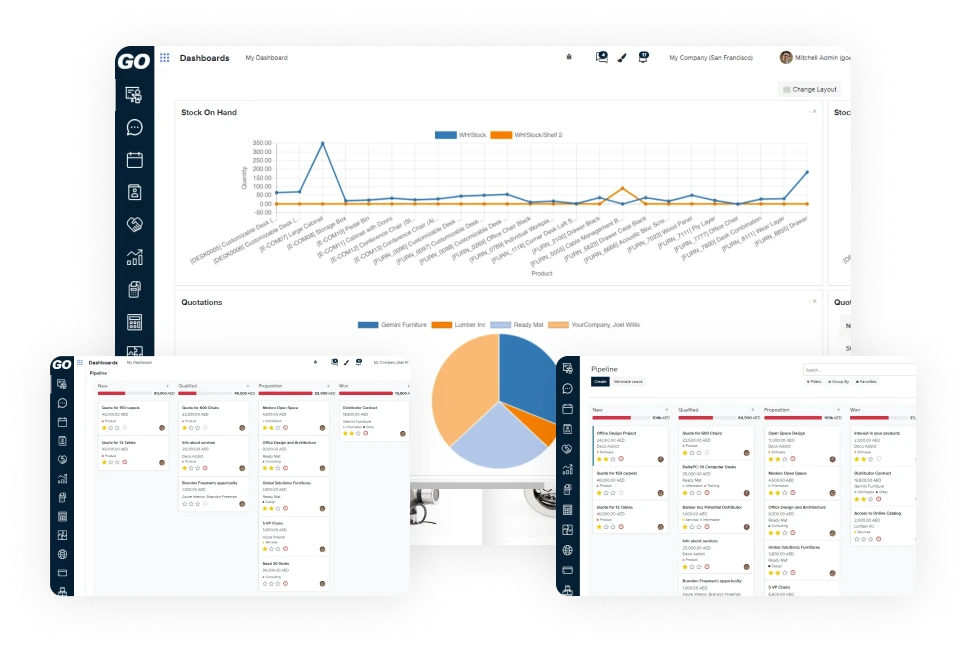
Sales & Order Reporting

  • Gain insights into sales performance with detailed reports that track overall sales volume, top-selling products, and sales trends.
  • Identify top-selling products through data-driven insights to refine product offerings and strategies.
  • Monitor sales team effectiveness by tracking individual or team performance metrics to optimize strategies and identify areas for improvement.

Customer Management Odoo ERP

  • Create and maintain comprehensive customer profiles for effective relationship management.
  • Track purchase history to understand customer buying patterns and preferences, facilitating personalised marketing efforts.
  • Analyze customer behavior to identify trends and segment the audience for targeted marketing campaigns.
Get Free Consultation

Point of Sale (POS)

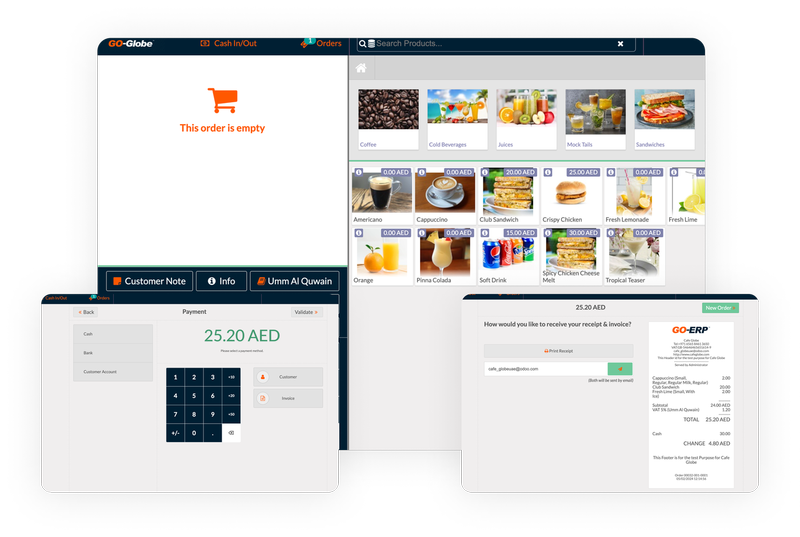
Efficiently process customer transactions, including sales registration, cash handling, and receipt printing.

Track sales activity accurately by opening and closing sales sessions.

Accept various payment methods to provide flexibility to customers.

Manage customer profiles directly from the POS interface for an efficient checkout experience.

Let's Get Started

Invoicing & Accounting

Create custom invoices with detailed product breakdowns and tax calculations for accurate billing.

Issue credit notes for product returns or cancellations to maintain precise financial records.

Track incoming customer payments and outgoing vendor payments for effective cash flow management.

Generate and manage bills payable to vendors for purchases.

Manage various financial aspects of the business, including journal entries, bank reconciliations, general ledger maintenance, and partner ledger access.

Let's consult

Purchases & Inventory Management

Purchase Management -  Create requests for quotations, manage purchase orders, and track vendor performance.

Inventory Operations -  Perform inventory transfers, product replenishment, inventory adjustments, manage product scrapping, and schedule automated inventory tasks.

Inventory Reporting & Configuration -  Generate detailed inventory reports, forecast inventory levels, analyze inventory valuation, and track product movement. Configure warehouse settings, manage operation types, product categories, and set up reordering rules to maintain optimal stock levels.

Let's Onboard

Odoo & Zatca

Odoo, a popular ERP software, now helps Saudi businesses meet ZATCA's e-invoicing rules. The ZATCA system, called Fatoora, makes digital invoicing mandatory to boost tax compliance. Odoo offers this feature in versions 15 and 16, ensuring compliance with Saudi regulations.

To integrate Odoo with ZATCA, companies must first review their invoicing to meet ZATCA's standards. This includes creating electronic invoices for all transactions in Arabic, with optional translations.

Next, businesses should set up Odoo's e-invoicing module. It must connect to the internet and interface with ZATCA's API.

Key aspects to focus on include generating invoices in XML or PDF/A-3 formats, adding security features like digital signatures and QR codes, and ensuring integration with ZATCA's platform.

Training staff on the new system is crucial. Ongoing support is also needed to keep up with ZATCA's updates.

Following these steps ensures compliance, boosts efficiency, and supports Saudi Arabia's economic goals. For more welcome to read more about GO-Globe and Zatca solution, or an interesting article from our blog about Zatca Invoicing.

Let's Setup Zatca

Choose GO-Globe for a brighter tomorrow and a better future.

The best way to predict the future is to create it.
Let’s future together

Get a Quick Call Back


    © 2005 - 2026 GO-Globe™ Driven by Your Success. Since 2005. All rights reserved.
    This site is protected by reCAPTCHA and the Google