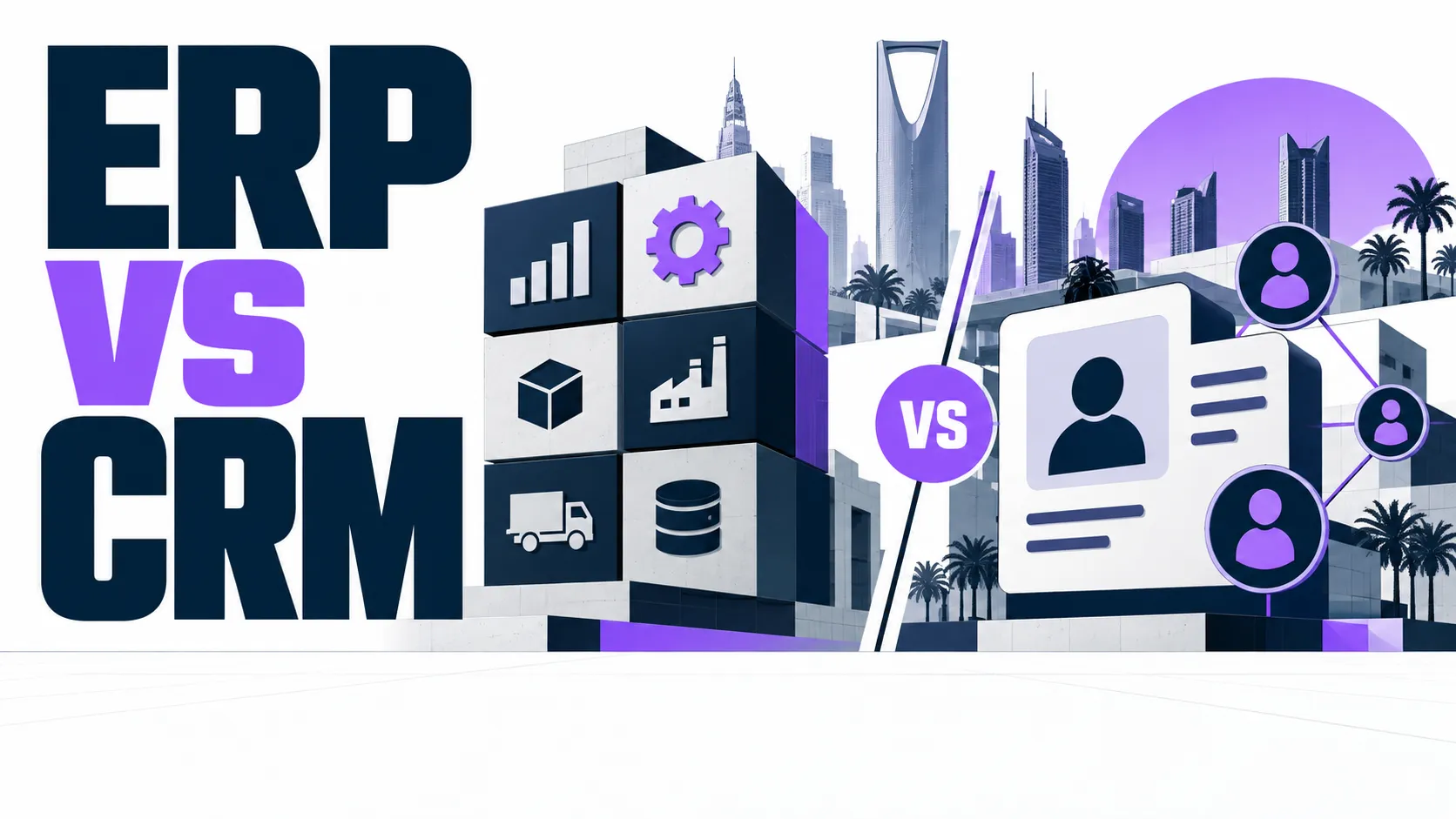
ERP runs your back office: finance, inventory, and operations. CRM runs your front office: sales, leads, and customer service. Most growing Saudi businesses end up needing both, and the biggest gain comes when the two systems share one connected database.

Contents
What Is ERP Software?
ERP stands for enterprise resource planning. An ERP system runs the internal side of a business. It tracks finance, inventory, purchasing, and production in one place. A Saudi manufacturer might use ERP to connect warehouse stock counts directly to its accounting ledger. When stock moves, the books update too. No one has to type the same number twice.
Companies use ERP software to replace scattered spreadsheets with one shared system. Every department pulls from the same data. A production manager sees the same inventory number as the finance team. A purchasing officer sees the same supplier cost as the person approving the budget. That matters most once a business grows past a handful of staff and can no longer track everything by memory.
Most ERP systems cover a set of core functions. These include accounting, inventory management, procurement, and production planning. Some also add human resources or project tracking. The point is not the list of features. The point is that all of it sits on one shared database instead of ten separate files.
What Is CRM Software?
CRM stands for customer relationship management. A CRM system runs the outward-facing side of a business: sales, leads, and support. It stores every contact, every call, and every deal stage in one record.
A sales team without CRM often works from memory and old email threads. Leads slip through. A follow-up gets forgotten because the rep who owned it left the company. A CRM platform fixes that by giving every rep the same view of a customer, from first contact through renewal.
Many older CRM tools were built for call centers, not for how sales actually happens now. They were built to log calls, not to guide a deal through a pipeline or track a relationship over years. That is part of why traditional CRMs are dying in their original form, and why newer CRM platforms focus more on the full customer journey than on call logs alone.
ERP vs CRM: The Core Difference
The core difference in ERP vs CRM comes down to direction. ERP looks inward, at the business itself. CRM looks outward, at the customer.
ERP answers operational questions. What do we have in stock. What did that order cost us. Can we afford to hire another driver this quarter. CRM answers relationship questions instead. Who is this customer. What have they bought before. Are they about to leave for a competitor.
Put simply, ERP manages resources. CRM manages relationships. A retailer's ERP tracks the shirt sitting on the shelf. Its CRM tracks the person who bought it, and when they might come back to buy another one.
| What You Want to Know | ERP | CRM |
| Main focus | Internal operations | Customer relationships |
| Typical data | Stock, costs, budgets | Contacts, deals, support tickets |
| Main users | Finance, operations, warehouse | Sales, marketing, support |
| Key question it answers | What do we have | Who are we selling to |
The confusion between the two often comes from marketing, not from the software itself. Some vendors sell ERP and CRM under one brand name, or bundle a light CRM module inside a larger ERP suite. That can blur the line on paper. In practice, the functions stay separate even when the label does not. A business still needs a clear answer to inventory and cost questions, and a separate, clear answer to customer and pipeline questions.
ERP vs CRM: How to Know Which One You Need First
Most businesses do not choose between ERP and CRM in the abstract. They choose based on where the pain shows up first.
Signs You Need ERP First
Pick ERP first if operations feel the strain. Watch for these signs.
- Finance and inventory live in separate spreadsheets that never quite match
- Orders get delayed because no one can see real stock levels in time
- Month-end reporting takes days of manual work instead of hours
- Different branches or warehouses keep their own separate records
An ERP system solves this by giving finance, operations, and inventory one shared source of truth. Once that exists, a manager can check stock and cost on the same screen instead of chasing three different files.
Signs You Need CRM First
Pick CRM first if the sales side feels the strain. Watch for these signs.
- Leads get forgotten between the first call and the follow-up
- Customer history lives in one rep's inbox instead of a shared system
- Repeat customers get treated like strangers because no one has their record
- Sales reports depend on someone remembering to update a spreadsheet
Fixing this usually starts with better customer loyalty strategies built into how the sales team actually works day to day, not just a new piece of software bolted on top of the same old habits.
Why Many Saudi Businesses Need Both, Connected
In practice, most growing companies end up needing both systems. The order just depends on which pain hits first, and how fast the business is growing.
The real problem tends to show up later, once both systems already exist. Many businesses buy an ERP from one vendor and a CRM from another, and the two never talk to each other. Sales cannot see whether a customer's invoice is overdue. Finance cannot see what a customer is about to order next. Someone ends up re-entering the same data in two separate places, and small mistakes creep in every time that happens.
This is where a connected system pays off. GO-Globe builds custom ERP and CRM systems that share one database from the start. A sale recorded in the CRM updates stock levels in the ERP automatically. An overdue invoice in the ERP shows up on that customer's record in the CRM, so a sales rep knows before making the next call. Nothing gets typed twice, and nothing quietly falls out of sync.
Take a distribution business as an example. Its sales team closes a deal in the CRM. Without a connection, someone then has to manually key that order into the ERP so the warehouse knows to ship it. With a connected system, the order flows through on its own. The warehouse sees it the moment it is signed, and finance sees the invoice the moment it ships. That single change removes a whole step where mistakes usually happen.
Ready to Connect Your ERP and CRM?
Whether your business needs ERP, CRM, or both, GO-Globe builds custom systems for companies across Saudi Arabia. We design ERP and CRM platforms that share one database from day one, so your sales and operations teams work from the same numbers instead of two separate stories. Get in touch to talk through what your business actually needs first.
Frequently Asked Questions
Do I need ERP or CRM first?
Start with whichever department feels the most pain right now. If operations and inventory are the problem, start with ERP. If sales and follow-up are the problem, start with CRM.
Can ERP and CRM work as one system?
Yes. A connected ERP and CRM setup shares one database, so data entered in one system appears automatically in the other, without anyone re-typing it.
Is CRM only for large companies?
No. Small sales teams benefit from CRM as soon as leads start slipping through the cracks, often well before the company is large enough to have a dedicated sales operations role.
Does ERP replace accounting software?
ERP usually includes accounting as one module among several, covering finance alongside inventory, purchasing, and operations in one connected system rather than replacing accounting software entirely.
Do ERP and CRM have to come from the same vendor?
Not always. Some businesses run each system from a different vendor with no real connection between them. That works, but staff have to check two places for the full picture, and data can drift out of sync over time.