Running a business should not mean spending hours every day on work that software can handle. Yet many companies still depend on spreadsheets, manual data entry, repeated emails, phone calls, and disconnected systems to manage daily operations.
These tasks may seem small at first. One employee updates a customer record. Another copies an order into a spreadsheet. Someone else sends a follow-up email. Over time, these small tasks can consume hundreds of hours.
This is where business automation services can help. They connect business systems and automate repetitive processes so teams can spend less time moving information and more time serving customers, closing sales, and growing the business.
The important part is knowing what to automate. Automation is not about adding software everywhere. It is about finding slow and repetitive processes and creating better ways to handle them.

Contents
- 1 What Are Business Automation Services?
- 2 Why Do Businesses Need Automation?
- 3 What Causes Business Automation Problems?
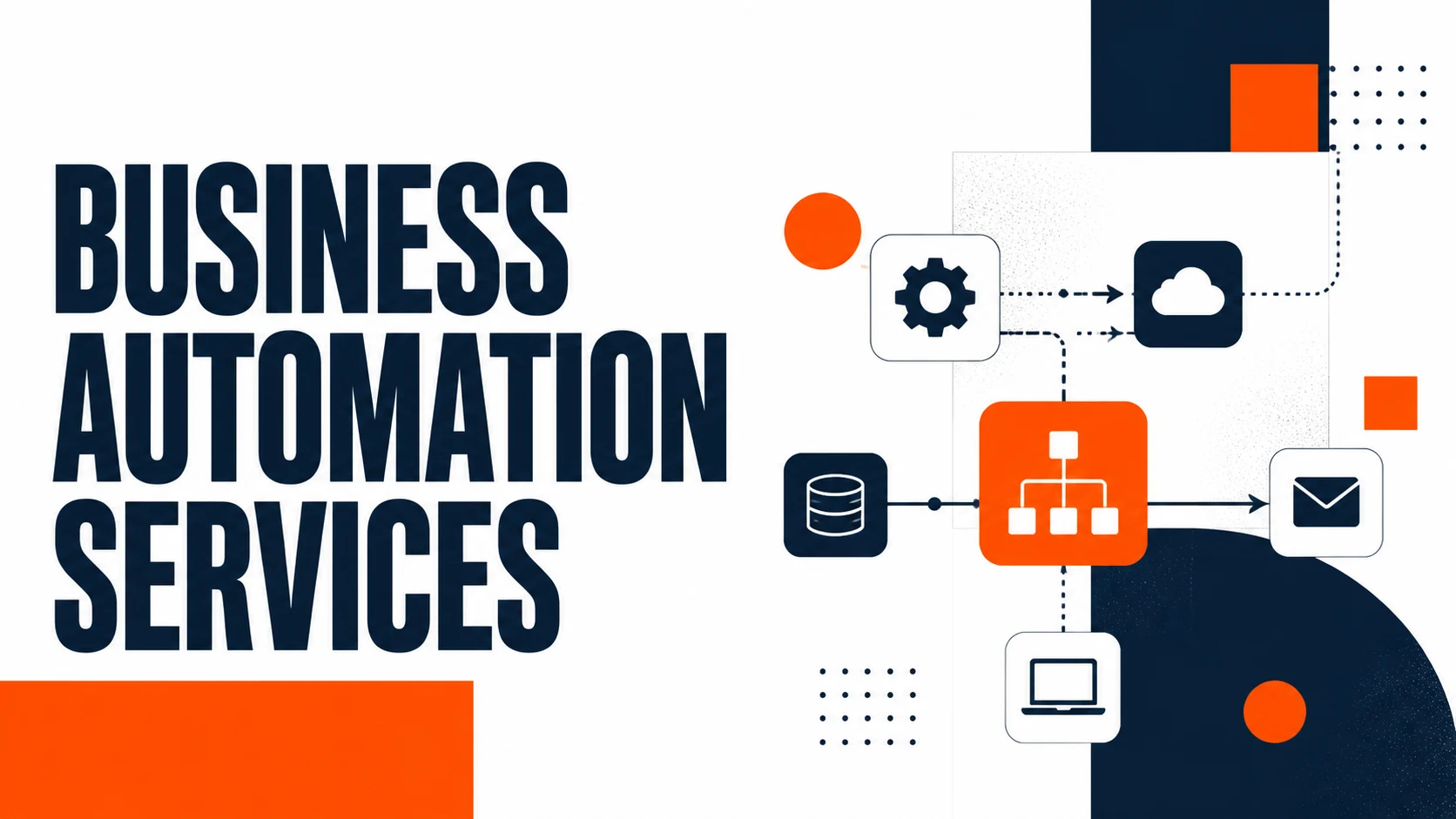
- 4 How Business Automation Services Work
- 5 Business Automation Examples
- 6 Business Automation Services for Small Businesses
- 7 Business Automation Services for Growing Companies
- 8 Automation vs. Manual Work
- 9 How to Choose Business Automation Services
- 10 Advanced Tips for Better Automation
- 11 How Do You Measure Automation ROI?
- 12 Conclusion
- 13 FAQs About Business Automation Services
- 13.1 What are business automation services?
- 13.2 What can business automation services automate?
- 13.3 Can small businesses use business automation services?
- 13.4 Can automation connect CRM and ERP systems?
- 13.5 Is custom software needed for business automation?
- 13.6 Can automation improve customer service?
- 13.7 How should a business start with automation?
What Are Business Automation Services?
Business automation services use software, integrations, workflows, and automated rules to handle repetitive business tasks with less human effort.
For example, imagine someone fills out a contact form on your website. Without automation, an employee may need to check the form, copy the information into a CRM, send a response, notify the sales team, and create a follow-up reminder.
With business automation services, these actions can happen automatically. The form can send the lead to the CRM. The CRM can create a customer record. An email can be sent immediately. A sales representative can receive a notification. A follow-up task can be created without anyone entering the information twice.
This does not remove people from the process. It removes unnecessary manual work.
Business automation services can be used across sales, marketing, finance, customer service, HR, and operations.
Common examples include:
- Lead management
- Customer onboarding
- Email follow-ups
- Invoice processing
- Data entry
- Appointment scheduling
- Employee onboarding
- Order processing
- Reporting
- Customer support
- Inventory management
- Document workflows
The goal is simple: make routine work faster, more accurate, and easier to manage.
Why Do Businesses Need Automation?
Many businesses do not have a technology problem. They have a workflow problem.
Employees often use several systems to complete one task. A sales employee may use email, a CRM, spreadsheets, messaging apps, and a project management platform during a single customer journey.
When these systems do not communicate, employees become the connection between them. That creates unnecessary work.
Business automation services can connect these systems and reduce the amount of information employees need to move manually.
Manual Work Takes Time
Consider a sales team that receives 50 leads every week. If employees spend five minutes entering and organizing each lead, that is more than four hours of repetitive work every week.
The same pattern appears in finance, customer support, HR, and operations. Business automation services can reduce this workload by moving information automatically between connected systems.
The time saved can then be used for work that needs human attention.
Manual Processes Create Errors
People make mistakes when they repeat the same task hundreds of times.
A customer name can be entered incorrectly. An invoice can be sent to the wrong person. A sales lead can be forgotten. A spreadsheet can contain outdated information. Automation follows predefined rules.
When a workflow is designed correctly, the same action happens in the same way each time. This can improve consistency and reduce common errors.
Slow Follow-Ups Can Cost Sales
Speed matters when a potential customer contacts a business.
If a person submits a quote request and waits several hours for a response, they may contact another company.
Business automation services can send an immediate confirmation while alerting the sales team.
The customer gets a faster response, and the employee gets a clear task to follow up.
What Causes Business Automation Problems?
Businesses sometimes buy new software before understanding the process they want to improve.
This can create an expensive technology stack without solving the real problem.
Before choosing business automation services, map the current workflow.
Ask:
- Where does the process start?
- Who handles the first step?
- Which systems are involved?
- Where is information entered?
- Which steps are repeated?
- Where do employees wait?
- Where do mistakes happen?
- What happens when someone forgets a task?
These questions help identify the real bottlenecks.
For example, a company may believe it needs a new CRM. But after reviewing the workflow, it may discover that the bigger problem is the lack of integration between its website, CRM, email platform, and sales process.
In another case, a business may already have an ERP system but still rely on spreadsheets because departments are not using the system effectively.
The solution is not always another tool. Sometimes it is better integration and workflow automation.
People also search for: SEO services for law firms
How Business Automation Services Work
A successful automation project starts with the process rather than the software.
1. Identify Repetitive Tasks
Start with tasks employees perform again and again.
Look for work that is:
- Repetitive
- Rule-based
- Time-consuming
- Prone to errors
- Dependent on several systems
For example, sending the same customer confirmation email hundreds of times is a strong automation candidate.
Strategic decisions, complex negotiations, and sensitive customer conversations usually need human involvement.
Business automation services should support these employees, not remove the human side of important business activities.
2. Map the Existing Workflow
Write down every step from beginning to end.
Suppose a company receives a new order.
The current process might look like:
Order received → Employee checks payment → Employee updates system → Invoice created → Customer notified → Warehouse notified
Now look for unnecessary manual steps.
A better workflow could be:
Order received → Payment verified → Invoice generated → Customer notified → Warehouse notified
Mapping the process makes these opportunities easier to see.
This is one of the most important stages of business automation services because automating a bad process can simply make a bad process faster.
3. Select the Right Business Systems
The right system depends on the company's needs.
A business may use ERP software for finance and operations, CRM software for sales and customer relationships, a customer portal for client communication, and a website for lead generation.
These systems should work together instead of creating isolated data.
For businesses with complex requirements, custom software development can also be useful when off-the-shelf tools cannot support important workflows.
Business automation services can bring these systems together into one connected workflow.
The goal is not to collect the most software. It is to build a system that supports the way the business actually works.
4. Connect the Systems
Integration is one of the most important parts of automation.
Imagine a website receives a new lead.
Instead of asking an employee to copy that lead into a CRM, an integration can transfer the information automatically.
The CRM can then trigger the next action.
This creates a connected process:
Website → CRM → Email → Sales notification → Follow-up task
Business automation services make these connections possible through integrations, APIs, workflow platforms, and custom solutions.
The employee only needs to handle the part that requires human judgment.
5. Create Automation Rules
Automation works through clear rules.
For example:
If a customer submits a quote request,
then create a CRM record,
send a confirmation email,
notify the sales team,
and create a follow-up task.
These rules create predictable workflows.
They also make it easier to find problems when something goes wrong.
A good automation workflow should clearly define what triggers an action, what happens next, and when a human needs to step in.
6. Test Before Launching
Never assume an automation will work perfectly on the first attempt.
Test normal situations and unusual ones.
What happens if a customer leaves a field empty?
What happens if a payment fails?
What happens if the same customer submits the form twice?
What happens if an employee changes the status manually?
Testing these situations helps prevent workflow failures after launch.
Proper testing is an important part of business automation services because even a small workflow error can affect many customers if it runs automatically.
Business Automation Examples
The best way to understand business automation services is to look at common business scenarios.
Automating Lead Management
A company can connect its website forms with its CRM.
When someone submits a form, the lead can automatically enter the CRM with the correct details.
The system can assign the lead to a sales representative based on location, service, or lead type.
A confirmation email can be sent immediately.
The sales employee can then focus on understanding the customer's needs instead of copying data between systems.
This is where CRM software becomes especially valuable. A well-connected CRM can become the central place for tracking leads, customer conversations, sales activities, and follow-ups.
Business automation services can connect the CRM with other business tools so the sales process requires less manual work.
Automating Customer Onboarding
Customer onboarding can involve many small steps.
A customer may need account access, documents, payment confirmation, welcome emails, and information about the next steps. Without automation, employees may need to manage each action manually. With business automation services, completing one step can trigger the next.
For example, after payment is confirmed, the system can create a customer account, send onboarding information, notify the account manager, and create a follow-up task. A customer portal can take this further by giving customers a central place to access documents, updates, requests, and other information.
This reduces repeated questions and gives customers a clearer experience.
Automating Finance Processes
Finance teams often spend a large amount of time handling repetitive information.
Invoice processing is one example.
An automated process can collect invoice information, send documents for approval, notify the relevant person, and update financial records.
Businesses using ERP software can also connect finance with inventory, purchasing, sales, and other operational processes.
Business automation services can help these departments share information instead of maintaining separate records.
This creates a more connected view of business activity.
Automating Customer Support
Customer support teams receive many questions that have simple answers.
A chatbot can handle common questions about services, pricing, order status, availability, or basic processes.
AI chatbot development can help businesses create customer support experiences that work outside normal office hours.
However, automation should not trap customers in a loop.
When a question is complex, the workflow should transfer the conversation to a human employee.
The best customer support automation combines fast automated responses with easy access to human help.
Business Automation Services for Small Businesses
Automation is not only useful for large companies.
Small businesses can often benefit even more because they have fewer employees and limited time.
A small agency may have one person handling sales, customer communication, invoicing, and project administration.
That person cannot spend half the day updating spreadsheets.
Business automation services can handle tasks such as lead notifications, appointment reminders, proposal follow-ups, invoices, customer onboarding, and feedback requests.
This gives a small team more capacity without requiring immediate hiring.
The key is to start with simple processes that provide a clear benefit.
A small company does not need a huge automation system. It needs the right automation for the problems it faces.
Business Automation Services for Growing Companies
Growth can expose weaknesses in manual processes.
A workflow that works for 20 customers may become difficult when the company reaches 500.
Employees may create separate spreadsheets. Customer information may become scattered. Follow-ups may be missed. Managers may struggle to understand what is happening across departments.
Business automation services can support scalable operations by creating repeatable workflows.
Instead of depending on one employee to remember every step, the process can be built into the system.
This also makes employee training easier. New employees can follow the same workflow without learning dozens of manual shortcuts.
As the company grows, automation can be expanded to additional departments and processes.
Automation vs. Manual Work
| Manual Process | Automated Process |
|---|---|
| Employee enters information | Information moves automatically |
| Follow-ups depend on memory | Follow-up tasks are created automatically |
| Reports require manual preparation | Reports can be generated automatically |
| Employees move data between systems | Connected systems share information |
| Processes vary between employees | Workflows follow defined rules |
| Work stops when someone is unavailable | Automated steps can continue |
Automation does not mean removing people from every process.
Some tasks should remain human.
A sales negotiation needs judgment. A difficult customer complaint needs empathy. A business strategy needs experience.
Business automation services remove repetitive work around these activities so employees can focus on the parts that actually need them.
How to Choose Business Automation Services
Choosing an automation provider should start with your business goals.
Do not begin by asking, “Which software should we buy?”
Start with:
“Which process is slowing our business down?”
A good automation provider should first understand your workflow.
Ask whether they can:
- Integrate with your current systems
- Build custom workflows
- Connect APIs and business applications
- Improve existing processes
- Protect business data
- Provide ongoing support
- Scale the solution as your business grows
- Measure automation results
The provider should also explain the solution in simple terms.
You should understand what will happen when a customer submits a form, places an order, makes a payment, or requests support.
Good business automation services should make the business easier to manage, not create another complicated system.
Advanced Tips for Better Automation
Start With One Process
Do not automate every department at the same time.
Choose one process with a clear problem.
For example, automate lead capture and follow-up first.
Measure the result.
Then move to customer onboarding, reporting, finance, or another area.
This approach reduces risk and makes the benefits easier to measure.
Keep Humans in the Loop
Not every decision should be automated.
Use human approval for financial decisions, sensitive customer issues, legal matters, and other high-risk actions.
Business automation services should support employees rather than remove important judgment from the process.
Keep Workflows Simple
A workflow with 30 unnecessary steps can become difficult to maintain.
Remove unnecessary actions before automating them.
A simple process is easier to understand, test, and improve.
Review Automations Regularly
Business processes change.
A workflow created when a company had 10 employees may not work well after the company grows to 100.
Review automated workflows regularly.
Remove outdated steps. Update integrations. Check failed workflows. Look for new opportunities.
Business automation services should evolve with the business instead of becoming another outdated system.
How Do You Measure Automation ROI?
The value of business automation services should be measured instead of assumed.
Start by recording how much time employees spend on the current process.
Then compare that number after automation.
You can also track:
- Processing time
- Number of errors
- Lead response time
- Completed follow-ups
- Customer response time
- Administrative costs
- Employee productivity
- Customer satisfaction
For example, if a team spends 20 hours every week on a repetitive process, reducing that workload to five hours creates 15 hours of additional capacity.
That time can be used for sales, customer relationships, strategy, or other valuable work.
The ROI is therefore not limited to software savings. It can also come from better productivity, faster business operations, fewer errors, and improved customer experiences.
Conclusion
The best business automation services do not simply automate random tasks.
They improve the way a business operates.
A website can send leads directly to a CRM. An ERP can connect important business processes. A customer portal can simplify communication. AI chatbot development can handle common support questions. Custom software can fill gaps when standard tools are not enough.
The result is a business where information moves faster and employees spend less time on repetitive work.
Start with one problem. Build one better workflow. Measure the result.
Then scale what works.
That is how business automation services can become a practical part of long-term business growth.
FAQs About Business Automation Services
What are business automation services?
Business automation services use software, integrations, and workflows to automate repetitive business processes. They help reduce manual work and improve how information moves through a company.
What can business automation services automate?
They can automate lead management, customer onboarding, email follow-ups, invoicing, reporting, data entry, appointment scheduling, notifications, order processing, and customer support.
Can small businesses use business automation services?
Yes. Small businesses can automate repetitive tasks such as lead follow-ups, appointment reminders, invoices, customer onboarding, and reporting without automating their entire operation.
Can automation connect CRM and ERP systems?
Yes. CRM and ERP systems can be connected through integrations and APIs so customer, sales, financial, inventory, and operational information can move between systems where appropriate.
Is custom software needed for business automation?
Not always. Existing software and integrations can handle many workflows. Custom software development may be useful when a business has unique processes that standard tools cannot support.
Can automation improve customer service?
Yes. Automated notifications, customer portals, email workflows, and chatbots can provide faster responses and reduce repetitive support work. Complex issues should still be transferred to human employees.
How should a business start with automation?
Start with one repetitive process that takes significant time or causes frequent errors. Map the process, remove unnecessary steps, automate the remaining workflow, test it, and measure the result.