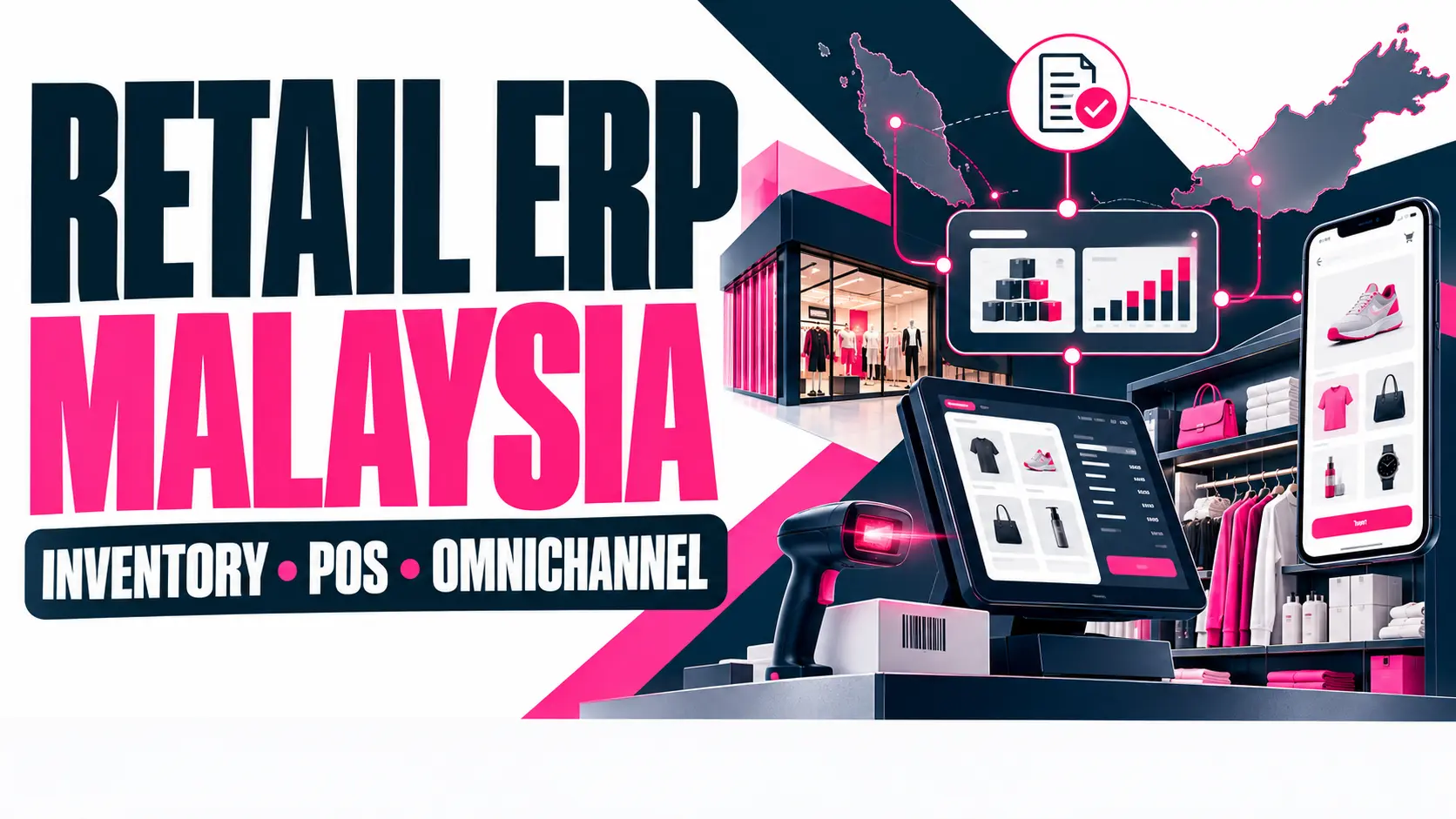
Retail ERP in Malaysia joins inventory, POS and online orders into one stock count. Supermarkets need barcode scanning, expiry tracking and offline POS. Retailers must also meet MyInvois e-invoice rules. Pick a system that fits your outlets, payments and growth plans.
Retail ERP in Malaysia links stock, sales, purchasing and accounts in one system. Store owners use it to stop overselling and cut errors. This guide covers inventory, supermarket POS, omnichannel selling, e-invoicing and vendor selection. Each section answers one question retailers ask when choosing software.
Contents
- 1 What Does Retail ERP in Malaysia Do for a Store Business?
- 2 How Does Retail ERP Manage Inventory Across Outlets?
- 3 What Should a POS System for Supermarket Include?
- 4 How Does Omnichannel Retail Work With ERP?
- 5 What Compliance Rules Affect Retail Software in Malaysia?
- 6 How Do You Choose Retail ERP in Malaysia for Your Business?
- 7 Which Mistakes Delay Retail ERP Projects?
- 8 What Should a Retail Software Partner Deliver?
- 9 Ready to Connect Your Stores, Tills and Online Shop?
- 10 Frequently Asked Questions
What Does Retail ERP in Malaysia Do for a Store Business?
Retail ERP in Malaysia records every sale, delivery, and stock move in one database. A cashier scans a tin of milk at 6 pm. The stock count drops in every report. Finance, buyers and store managers all read the same live figures from that database.
Which Modules Does a Retail ERP System Include?
A retail ERP system has six core modules. They are inventory, point of sale, purchasing, accounting, customer management, and reporting. Each module writes to one shared database. A buyer's purchase order updates stock forecasts and supplier payables. Nobody has to retype the same data twice.
Add-on modules cover loyalty programs, staff scheduling, e-commerce and delivery. Malaysian retailers often start with inventory and POS. Purchasing and accounting follow later. Starting small works when the design allows new modules later. Nobody has to rebuild the system or re-import years of sales history.
How Is Retail ERP Different From a General ERP System?
Retail ERP handles high transaction volume, thin margins, and fast stock turnover. A general ERP system suits manufacturers and service firms with fewer, larger transactions. A busy supermarket rings up thousands of small receipts daily. Retail ERP processes each one at the till without delay.
Retail adds promotions, barcodes and multi-outlet transfers on top of core finance. For HR, finance, and supply chain basics, read the ERP system in Kuala Lumpur overview. This guide stays on store operations, so it skips ERP basics. Stock, tills and shop routines come first.
How Does Retail ERP Manage Inventory Across Outlets?
Retail ERP manages inventory through one shared stock record. Every receipt, transfer, and sale updates that record. Every outlet, warehouse, and online store reads the same record. The result is a single stock count. Branches stop keeping separate spreadsheets, and buyers stop guessing at totals.
Why Does Real-Time Stock Visibility Matter?
Real-time stock visibility prevents two costly errors. One is selling items that no longer exist. The other is holding stock that never sells. A manager in Johor Bahru can see spare units at a Penang branch. A stock transfer then replaces a new purchase order.
Late stock data causes lost sales at the shelf. It also ties up cash in the back room for months. Retail ERP shows stock by location, age, and sales speed. Managers act on slow movers early, with markdowns or transfers, before that stock goes dead.
How Do Barcodes, SKUs and Batches Work?
A stock keeping unit (SKU) is a unique code for one product variant. A size or color change always creates a new SKU. A barcode carries that SKU for fast scanning. Retail ERP links each scan to price, cost and stock level, with no retyping.
Supermarkets also track batch numbers and expiry dates. Systems with first expired, first out (FEFO) rules push the oldest stock to the front. Weighed goods such as fruit, meat, and rice use scale labels. Those labels print the price and weight inside a single barcode.
How Do Reorder Points and Purchase Orders Fit In?
A reorder point is the stock level that triggers a new purchase order. Retail ERP calculates that level from sales speed and supplier lead time. When stock reaches the level, the system drafts an order automatically. A buyer then approves or edits the draft order.
Approved orders flow into supplier records, goods received notes, and payables. Teams wanting formal approvals and vendor tracking can add procurement management software to the data. Clean purchasing records also sharpen the next reorder calculation. That accuracy compounds from one reorder cycle to the next.
What Should a POS System for Supermarket Include?
A POS system for supermarket use must scan fast, weigh produce, and accept local payments. It must also keep selling during network outages. Supermarket checkouts differ from boutique counters because baskets are larger and prices change often. Hardware and software must work as one unit.
Which Checkout Hardware Does a Supermarket Use?
A supermarket checkout lane uses 5 core devices. They are a barcode scanner, receipt printer, cash drawer, customer display, and weighing scale. Self-service lanes add a touch screen and a card payment terminal. Retail ERP must support the exact hardware models the store already owns.
Compatibility checks save money. A store with working scanners wants to keep them. Ask the vendor which drivers, connection types, and printer languages the software supports. Test every device in one pilot lane before ordering hardware for the full rollout. Surprises are much cheaper there.
How Does a Supermarket POS Handle Malaysian Payments?
Malaysian shoppers pay with cash, debit cards and credit cards. Many also use DuitNow QR and e-wallets such as Touch 'n Go eWallet and GrabPay. A POS system records each method separately. Split payments let one customer pay part by card and part by QR.
Daily reconciliation depends on clean payment data. Retail ERP matches POS payment totals against bank and e-wallet settlement reports. Finance teams spot gaps quickly. Without that match, a small gap can sit unnoticed for weeks. Month-end closing then takes much longer for the whole team.
What Happens at the Till When the Internet Drops?
Offline mode lets the POS keep selling when the connection fails. The till stores sales, prices, and stock data locally. When the network returns, the system syncs every saved transaction to the central ERP database. Cashiers keep scanning, and shoppers keep moving through the queue.
Offline mode has real limits. Gift voucher balances, loyalty points, and online order status need a live connection. Good systems flag those items clearly at the till. Managers can test offline mode during setup. Unplug the router and run 10 sample sales at one till.
How Do Promotions and Cashier Shifts Work?
Retail ERP sets prices and promotions centrally, then pushes them to every till. Examples include buy-one-get-one offers, member prices, and time-limited seasonal discounts. Cashiers apply nothing by hand at the counter. Shelf labels and receipts then match, which removes a common source of shopper complaints.
Shift controls track which cashier used each till and when. The system records opening floats, cash counts, and variances at close. Supervisors approve voids and refunds with a unique code. Audit trails then show who changed what, and at what time. Records settle disputes quickly.
How Does Omnichannel Retail Work With ERP?
Omnichannel retail sells through stores, a website, marketplaces, and social channels. All channels share one stock pool, one customer record, and one order history. Retail ERP acts as the central record for all of them. Each channel reads from it and writes back to it.
How Do Store and Online Stock Stay in Sync?
Stock stays in sync when the web store and till update one inventory record. A sale at the till reduces the item's website stock count immediately. Overselling drops because both channels draw from one shared number. Shoppers see what the shelf actually holds right now.
Retailers building or rebuilding an online shop can connect it to ERP through an API. An e-commerce development partner in Malaysia handles that link. Marketplaces such as Shopee and Lazada usually need their own connectors. Plan those connectors early, because each one has separate rules.
How Do Click and Collect and Returns Flow Through ERP?
Click and collect lets a shopper order online and pick up in a store. Retail ERP reserves the item at that outlet and alerts staff to pack the order. The shopper then receives a pickup message. Stock is reserved at order and deducted at collection.
Returns need clear rules across channels. A shopper may buy online and return in a store. The ERP matches the receipt and restocks the item or marks it damaged. It then refunds the original payment method. Accurate return records keep stock and revenue reports correct.
How Do Customer Profiles and Loyalty Connect to ERP?
Customer profiles join purchase history from every channel under one identity. A phone number or email address usually serves as that identity. Retail ERP supplies the raw sales data. A CRM system adds segments, campaigns, and follow-ups. Together they show frequent buyers and lapsed shoppers.
Retail CRM sits beside ERP, not inside the stock records. Marketing teams that want deeper tools can use a CRM software solution in Malaysia. It reads ERP sales data and manages member tiers, offers, and feedback. Clear ownership of each field keeps both systems consistent.
What Compliance Rules Affect Retail Software in Malaysia?
Two rules shape retail software in Malaysia. The first is the e-invoice mandate of the Inland Revenue Board of Malaysia (IRBM). The second is the Personal Data Protection Act 2010 (PDPA). One governs how retailers issue invoices. The other governs how they store customer data.
What Does MyInvois Mean for Retailers?
MyInvois is the IRBM platform that validates e-invoices in real time. After validation, the platform returns a unique ID and a QR code for the invoice. Retail ERP can send invoice data to MyInvois by API. It can also export invoice files for manual upload.
Phase 4 began on 1 January 2026 for turnover from RM1 million to RM5 million. Businesses below RM1 million are exempt. IRBM guideline version 4.6 allows consolidated e-invoices without penalty until 31 December 2026. That relief covers all taxpayers with turnover up to RM5 million.
A consolidated e-invoice bundles many small consumer sales into one document. That option suits retail counters with high receipt volumes. Rules change, so confirm the latest IRBM guidance before configuring POS receipts. Ask the ERP vendor how the system produces both individual and consolidated e-invoices.
How Does PDPA 2010 Affect Loyalty and Customer Data?
The Personal Data Protection Act 2010 (PDPA 2010) governs personal data in commercial transactions. Loyalty programs collect names, phone numbers, and purchase history. Retailers must state the purpose of collection when they first gather data. They must also protect stored data from loss or misuse.
Retail ERP supports compliance through user roles, access logs, and export controls. Cashiers see only the fields their job requires. Managers can correct or remove a customer record on request. Staff training matters as much as software settings. Both habits protect long-term customer trust.
How Do You Choose Retail ERP in Malaysia for Your Business?
Choose retail ERP in Malaysia by matching five factors. They are store type, outlet count, payment methods, integrations, and support. A single pharmacy and a 30-outlet grocery chain have very different needs. Write those needs down first. Then compare every vendor against the same list.
Should You Buy Ready-Made or Custom Retail Software?
Ready-made retail software costs less to start and installs quickly. Custom software fits unusual workflows, such as mixed wholesale and retail pricing. The right choice depends on how far the store's processes differ from standard retail practice. Most stores sit somewhere between those two extremes.
Many retailers start with a standard core. They add custom modules only where gaps cost real money. A custom software development team in Malaysia can build those modules. The team connects them to the core system. List every gap in writing before requesting any quotes.
Which Questions Reveal a Serious Retail ERP Vendor?
Ask every vendor the same questions and write down the answers. Vague replies about hardware, offline mode, or e-invoicing signal risk. Request a live demo using your own real product list. The six questions below separate serious retail ERP vendors from general office software sellers.
- Which POS hardware models does the system support?
- Does the POS work offline, and how does the sync run?
- How does the system send invoices to MyInvois?
- Can one system manage several outlets and an online store?
- How does the vendor handle data migration from current tools?
- What support hours and response times does the contract state?
Score each answer from 1 to 5 and total the results per vendor. Weak scores on offline mode or e-invoicing outweigh a low price. Cheap software that fails at the till loses more sales than a licence fee costs. Ask for references from similar stores.
How Should You Roll Out Retail ERP?
Roll out retail ERP in four stages. They are data preparation, pilot outlet, staff training and full launch. Clean product lists, supplier records and opening stock balances come first. Poor data creates stock errors from day one. Data migration gets its own checklist and owner.
A pilot outlet tests the full cycle of receiving, selling, returning and closing the day. Run the pilot for 2 to 4 weeks at one store before copying the setup. Problems surface early, while fixes still cost little. Every lesson feeds into the next outlet.
Which Mistakes Delay Retail ERP Projects?
Four common mistakes delay retail ERP projects. They are unclean product data, skipped hardware tests, weak staff training and unplanned integrations. Each mistake shows up within the first month of live trading. A short checklist and a named owner for every task prevent all four.
Product master data is the list of items, prices, costs and barcodes. Duplicate SKUs and missing barcodes break scans on day one. Clean the list fully before import. Assign one person to approve every new item afterward. That single habit protects the whole stock record.
Cashiers forget screens they never practiced. Hold short sessions at the till with real products. Place a one-page guide at each lane. Store managers learn reports, stock counts and refund approvals in a separate session. Different roles need different practice. Practice builds speed early.
What Should a Retail Software Partner Deliver?
A retail software partner delivers four core things. They are system design, integration, data migration, and post-launch support. Design maps store workflows to ERP modules. Integration connects POS hardware, payment providers, and the online shop. Support covers fixes and upgrades once real trading volumes arrive.
What Does GO-Globe Offer for Retail Systems?
GO-Globe is a custom development company founded in 2005 in Dubai. Its service list includes ERP software, POS systems, e-commerce platforms, payment integration, and shipping integration. ERP projects follow a clear five-step process. The process starts with a review of your current business processes.
The five steps run from business analysis to system planning, development, testing, and deployment. That sequence matches the rollout stages above. The final step adds ongoing support after launch. Retailers can request a demo. The demo shows stock, POS, and online orders in one dashboard.
Ready to Connect Your Stores, Tills and Online Shop?
Retail ERP projects work best when the vendor knows your tills, stock flow, and payments. GO-Globe can review your current store setup. The team then maps it to ERP and POS modules. Share your outlet count, product range,e and sales channels to start the conversation.
Retailers planning a new system can request a consultation with GO-Globe. The conversation covers inventory, POS, omnichannel goals, and e-invoice requirements. Bring a sample product list and a list of current tools. The team can then scope the next step and outline the work involved.
Frequently Asked Questions
What does retail ERP do for a store in Malaysia?
Retail ERP links stock, sales, purchasing and accounts in one database, so every outlet and sales channel reads the same live figures.
Can ERP run a POS system for supermarket use?
Yes. A retail ERP can include a supermarket POS with barcode scanning, scale support, local payment methods, and an offline selling mode.
Does retail ERP support MyInvois e-invoicing?
It can. The system sends invoice data to MyInvois by API or file export. Ask the vendor to demonstrate the exact method before signing.
How long does retail ERP implementation take?
Implementation takes a few weeks to several months, depending on outlet count, integrations, POS hardware, and the scope of data migration.
Can retail ERP connect an online store to physical outlets?
Yes. Both channels read and write one inventory record, which keeps stock counts aligned and cuts overselling across stores and the website.