...

Eliminate Manual Data Entry with Call-to-CRM Automation

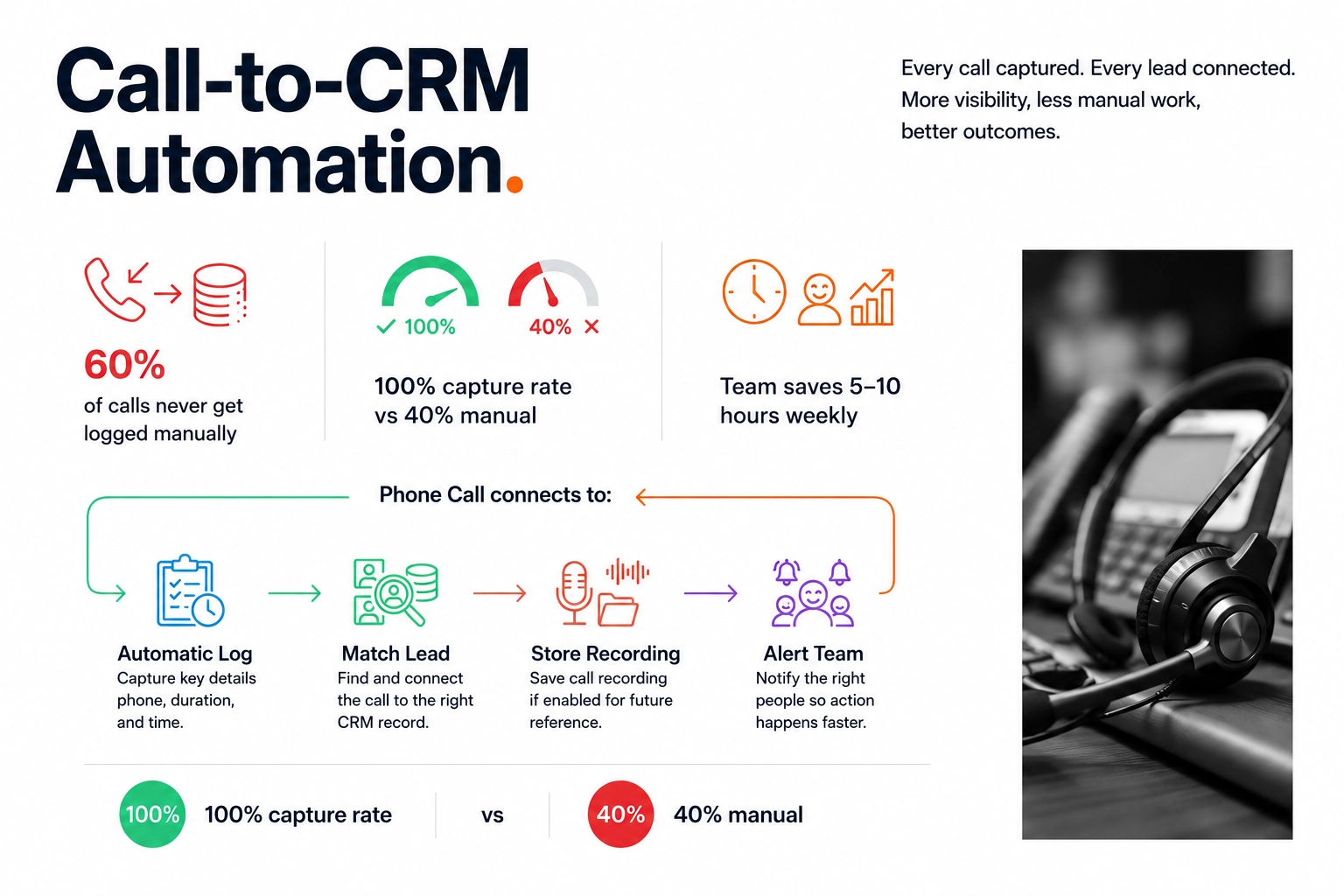
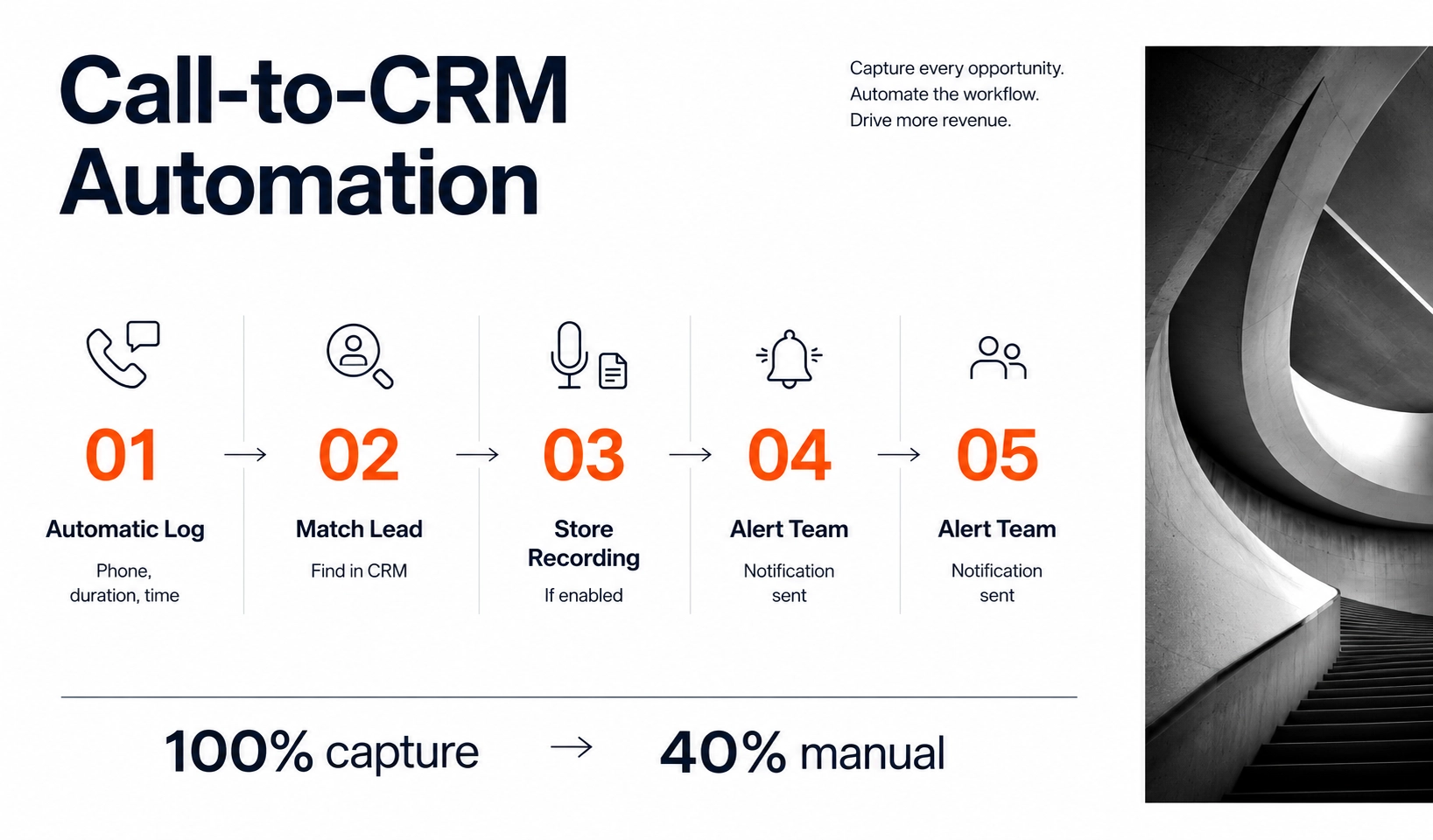
Capture every sales conversation without lifting a finger. Our Call-to-CRM Automation ensures a 100% call capture rate by automatically logging durations, timestamps, and recordings directly into your CRM. Save your sales team 5 to 10 hours per week of tedious manual data entry, improve management visibility, and ensure no revenue-generating lead ever disappears from your records again.
Recover My Sales Time

100% Call Capture Rate With Zero Manual Entry

Your sales team takes 30 calls daily. After hanging up, they're supposed to log details in CRM. Reality: 60% of calls never get logged.

Caller name, company, needs, next steps—all disappears from memory by end of day. Leads get forgotten. Opportunities die. Nobody knows who was supposed to follow up on what.

What this costs you:

  • Lost leads because no one remembers details
  • 5-10 hours weekly wasted on manual data entry per rep
  • Managers with no visibility into what's happening
  • Missed opportunities because information disappeared
Let's E-Commerce

Why Manual Call Logging Fails

People forget. Call ends at 10 AM. Rep means to log it. Next call comes in. By 5 PM, they remember the call but forgot the details.

It's tedious. Logging calls is boring. Sales people want to sell, not do data entry. So they skip it.

Critical details vanish. "Pretty sure they needed ERP... or was it CRM? Call back next week... or next month?" Timeline commitments, budget signals, decision-maker names—all lost.

No accountability. Manager asks "Did you follow up with that lead?" Rep says "Which one?" Nobody knows because nothing was logged.

Let's E-Commerce

How Call-to-CRM Works

Every call (inbound and outbound) automatically logs:

Caller phone number and duration - System knows exactly how long you spoke

Timestamp - Exact date and time call happened

Recording link (if enabled) - Access full recording when needed

Matched to existing lead - If phone number exists in CRM, call attaches automatically

Stored safely - Call logged even if caller isn't in system yet

No one has to remember. No details get lost. Every conversation captured automatically.

Smart CRM Integration

Appears as CRM activity - Shows up in lead/contact timeline just like manually logged calls

Updates lead status - Can automatically move lead to "contacted" status after call

Triggers workflows - Can kick off automated follow-up sequences based on call completion

Accessible to team - Managers see all calls without asking. Complete visibility.

Let's E-Commerce

What You Get

100% call capture - Every single call logged automatically vs. 40% manual logging

Complete history - Full call records for every lead and client. Never lose context.

Recordings available - Review important discussions. Train new reps on successful calls.

Team saves 5-10 hours weekly - Time spent selling instead of data entry

Management visibility - See who's calling, who they're reaching, what's happening—without asking

Typical Results: 100% call capture rate, sales team saves 5-10 hours weekly, managers have complete visibility.

Let's E-Commerce

Investment & Implementation

Timeline: 2-3 weeks implementation
ROI: Immediate through time savings

What's included:

  • VoIP system integration (RingCentral, Vonage, Aircall, Twilio)
  • CRM integration (Zoho, Salesforce, HubSpot, Pipedrive, custom)
  • Automatic call logging with recordings
  • Lead matching logic
  • Team training

Potential savings:
10-person sales team saves 50 hours weekly on manual logging. At $75/hour loaded cost: $195,000 annually in recovered productivity. Plus improved lead follow-up generates additional revenue.


See Integration Options

Stop Losing Leads to Forgotten Calls

Every call that doesn't get logged is a potential lost opportunity. Companies with automatic call logging maintain complete history and never forget follow-ups.

Calculate Time Savings

Frequently Asked Questions

We integrate with most VoIP systems. If you use traditional phones, VoIP upgrade included in implementation.

Yes. Logging works without recording. You choose whether to record, customers hear disclosure message.

System logs the call in "new leads" area. Your team adds details, system creates CRM lead, call record attaches automatically.

Any queries? We are eager to boost your profit!

A Good Business has only two functions – marketing and innovation.
Let’s GO and do it together

Get a Quick Call Back


    © 2005 - 2026 GO-Globe™ Driven by Your Success. Since 2005. All rights reserved.
    This site is protected by reCAPTCHA and the Google