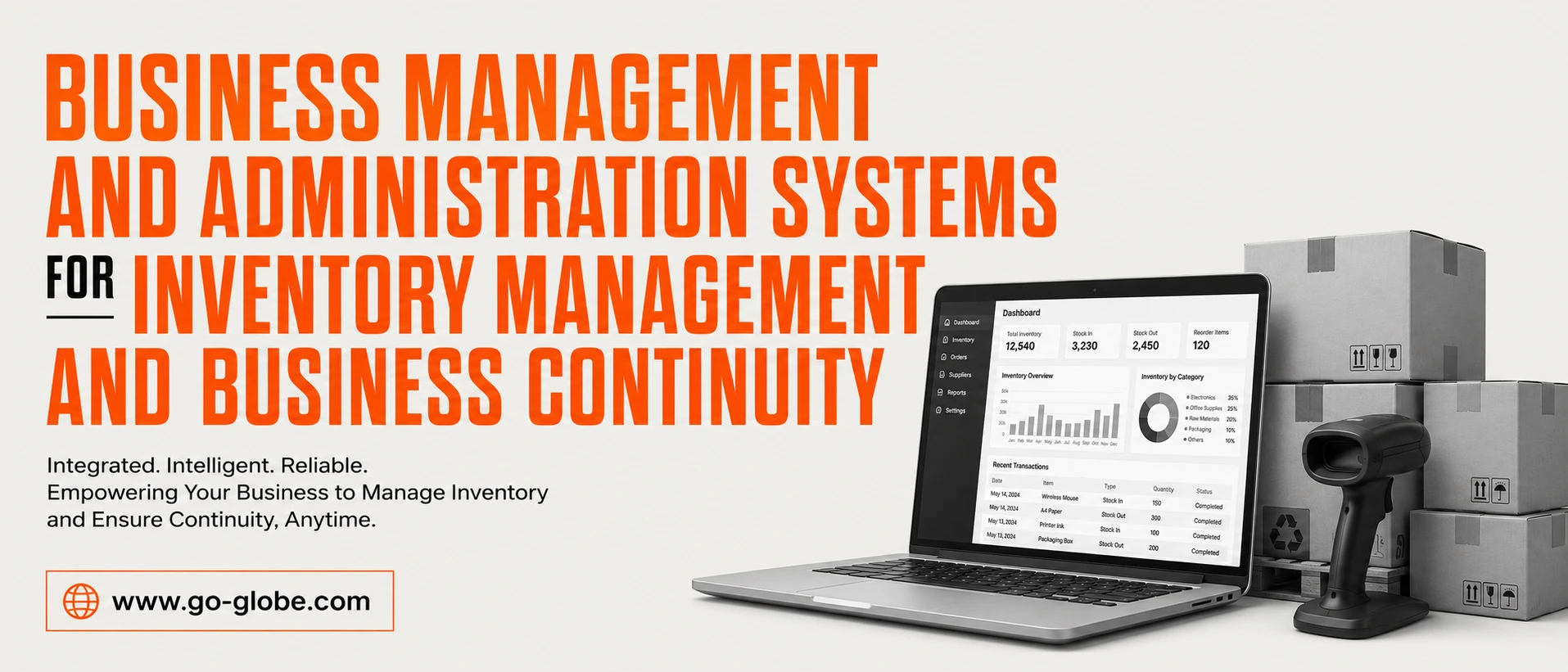
Every growing business reaches a point where spreadsheets, manual processes, and disconnected systems are no longer enough. As operations expand, managing inventory, customer relationships, finances, employees, and business risks becomes increasingly complex.
Many organizations struggle with inventory shortages, delayed decision-making, inefficient workflows, and operational disruptions that affect profitability and customer satisfaction.
This is where business administration and management systems become essential. Modern businesses need integrated solutions that help streamline operations, improve inventory visibility, strengthen customer relationships, and ensure business continuity during unexpected disruptions.
In this guide, we will explore how business management systems, ERP solutions, CRM platforms, and business continuity strategies help organizations improve efficiency, reduce risk, and support long-term growth.
Contents
- 1 The Problem: Why Businesses Struggle With Operations and Growth
- 2 Why Do These Challenges Exist?
- 3 The Solution: Building an Integrated Business Management Framework
- 3.1 Step 1: Implement a Comprehensive Business Management System
- 3.2 Step 2: Leverage ERP Solutions for Operational Efficiency
- 3.3 Step 3: Improve Customer Relationships Through CRM Systems
- 3.4 Step 4: Strengthen Small Business Inventory Management
- 3.5 Step 5: Accelerate Growth Through Digital Transformation
- 3.6 Step 6: Invest in Custom Software and Business Applications
- 3.7 Step 7: Build a Strong Online Presence
- 3.8 Step 8: Implement Business Continuity Management Software
- 3.9 Step 9: Work With Business Management Experts
- 4 Real-World Example
- 5 Advanced Strategies for Long-Term Success
- 6 Conclusion
- 7 Frequently Asked Questions
The Problem: Why Businesses Struggle With Operations and Growth
As organizations grow, operational challenges become more difficult to manage.
Many businesses rely on multiple disconnected systems for accounting, inventory tracking, customer management, and reporting. This creates data silos, reduces visibility, and increases the likelihood of errors.
Common challenges include:
- Inventory shortages and overstocking
- Poor communication between departments
- Manual and repetitive processes
- Inaccurate reporting
- Slow decision-making
- Customer service inefficiencies
- Supply chain disruptions
- Lack of business continuity planning
These issues not only increase operational costs but also limit a company's ability to scale effectively.
Without a structured management framework, businesses often spend more time solving operational problems than focusing on growth opportunities.
Why Do These Challenges Exist?
Understanding the root causes helps organizations identify the right solutions.
Disconnected Business Processes
Many companies use separate tools for different functions. Inventory may be managed in one system, customer information in another, and financial reporting somewhere else.
This fragmentation creates inefficiencies and makes it difficult for leadership teams to gain a complete view of business performance.
Poor Inventory Visibility
Effective small business inventory management requires real-time data.
When inventory information is outdated or inaccurate, businesses face stock shortages, excess inventory, delayed shipments, and lost sales opportunities.
Without visibility, inventory becomes difficult to control and forecast.
Limited Customer Management Capabilities
Customer relationships are critical to business success.
However, many businesses still rely on spreadsheets or manual tracking methods to manage leads, sales opportunities, and customer communications.
This often results in missed opportunities and inconsistent customer experiences.
Lack of Business Continuity Planning
Unexpected disruptions such as cyberattacks, supply chain interruptions, natural disasters, or system failures can significantly impact operations.
Organizations without continuity plans often struggle to recover quickly and efficiently.
The Solution: Building an Integrated Business Management Framework
Modern businesses need a connected approach that combines technology, process optimization, and strategic planning.
Step 1: Implement a Comprehensive Business Management System
A modern business management system serves as the foundation of operational success.
It centralizes critical business functions, including:
- Inventory management
- Finance and accounting
- Procurement
- Human resources
- Customer management
- Reporting and analytics
By connecting departments through a unified platform, businesses gain better visibility and control over daily operations.
This reduces inefficiencies and improves collaboration across the organization.
Step 2: Leverage ERP Solutions for Operational Efficiency
Enterprise Resource Planning (ERP) systems help businesses integrate core processes into a single environment.
ERP solutions provide visibility across:
- Inventory and warehouse management
- Supply chain operations
- Financial management
- Procurement workflows
- Project management
- Resource planning
Instead of managing separate systems, organizations can streamline operations through one centralized platform.
ERP implementation helps reduce manual work, improve data accuracy, and support informed decision-making.
For businesses experiencing rapid growth, ERP solutions create the operational foundation needed for scalability.
Step 3: Improve Customer Relationships Through CRM Systems
Operational efficiency alone is not enough.
Businesses also need strong customer management capabilities.
Customer Relationship Management (CRM) systems help organizations:
- Track leads and opportunities
- Manage customer interactions
- Automate follow-up processes
- Improve customer retention
- Strengthen sales performance
- Generate valuable customer insights
When ERP and CRM systems work together, businesses gain a complete view of both operations and customer activities.
This integration improves collaboration between sales, marketing, customer service, and management teams.
Step 4: Strengthen Small Business Inventory Management
Inventory is one of the most important assets for many businesses.
Effective small business inventory management helps organizations maintain optimal stock levels while minimizing operational costs.
Modern inventory management solutions provide:
- Real-time stock visibility
- Automated inventory tracking
- Demand forecasting
- Supplier management
- Warehouse optimization
- Inventory reporting and analytics
These capabilities help businesses improve efficiency, reduce waste, and meet customer expectations more consistently.
Inventory management becomes even more powerful when integrated with ERP and CRM systems.
Step 5: Accelerate Growth Through Digital Transformation
Businesses today operate in an increasingly digital environment.
Companies that rely on outdated systems often struggle to compete with more agile organizations.
Digital transformation initiatives help businesses:
- Automate workflows
- Improve productivity
- Modernize legacy systems
- Enhance customer experiences
- Improve operational visibility
Organizations often invest in custom software development, process automation, cloud solutions, and system integrations to support these goals.
By modernizing business operations, companies become more adaptable and better prepared for future growth.
Step 6: Invest in Custom Software and Business Applications
Every organization has unique operational requirements.
While off-the-shelf software can solve common challenges, many businesses benefit from custom solutions designed around their specific processes.
Custom business applications can support:
- Inventory management
- Customer portals
- Workflow automation
- Employee management
- Reporting systems
- Industry-specific requirements
Custom software enables organizations to improve efficiency while maintaining flexibility as business needs evolve.
Step 7: Build a Strong Online Presence
Business growth also depends on customer accessibility.
Professional web development solutions help organizations create digital experiences that support both customer engagement and operational efficiency.
Modern business websites can integrate with:
- ERP systems
- CRM platforms
- Inventory management tools
- Customer portals
- E-commerce platforms
These integrations improve user experiences while streamlining internal operations.
A well-designed website becomes an important part of the overall business management ecosystem.
Step 8: Implement Business Continuity Management Software
Operational disruptions can occur at any time.
This is why businesses need comprehensive continuity strategies supported by modern technology.
Business continuity management software helps organizations:
- Identify operational risks
- Conduct business impact assessments
- Develop recovery plans
- Manage crisis communications
- Improve compliance
- Monitor organizational resilience
These tools ensure that businesses can continue operating during unexpected disruptions.
Continuity planning reduces downtime, protects revenue, and strengthens organizational stability.
Step 9: Work With Business Management Experts
Technology alone does not guarantee success.
Organizations often benefit from small business management consulting services that help align technology investments with business goals.
Consultants can assist with:
- Process optimization
- ERP implementation
- CRM strategy
- Inventory management improvements
- Digital transformation planning
- Business continuity development
Expert guidance helps organizations maximize the value of their systems and investments.
Real-World Example
Consider a growing distribution company struggling with inventory inaccuracies, delayed reporting, and inconsistent customer communication.
The company relied on multiple disconnected systems and manual workflows.
To improve efficiency, they implemented:
- An ERP solution for operations and inventory
- A CRM platform for customer management
- Business continuity planning software
- Workflow automation tools
As a result, inventory accuracy improved, customer response times decreased, reporting became faster, and operational visibility increased significantly.
The company was able to scale operations without increasing administrative complexity.
Advanced Strategies for Long-Term Success
Prioritize System Integration
Disconnected tools create inefficiencies.
Organizations should focus on integrating ERP, CRM, inventory management, and reporting systems into a single ecosystem.
Use Data to Drive Decisions
Real-time reporting allows leadership teams to identify trends, manage risks, and improve operational performance.
Automate Repetitive Tasks
Automation reduces manual workloads and allows employees to focus on higher-value activities.
Continuously Improve Processes
Successful organizations regularly review workflows, technology systems, and operational performance to identify improvement opportunities.
Focus on Business Resilience
Business continuity should be part of long-term strategic planning rather than a reactive measure.
Organizations that prioritize resilience recover faster from disruptions and maintain stronger market positions.
Conclusion
Effective business administration and management requires more than managing day-to-day operations. Modern organizations need integrated systems that connect inventory management, customer relationships, operational processes, and business continuity planning.
By combining ERP solutions, CRM platforms, inventory management systems, custom software, web development, digital transformation services, and business continuity management software, businesses can improve efficiency, strengthen resilience, and position themselves for sustainable long-term growth.
Organizations that invest in connected business systems today will be better prepared to adapt, compete, and succeed in an increasingly complex business environment.
Frequently Asked Questions
What is business administration and management?
Business administration and management involve planning, organizing, directing, and controlling business operations to achieve organizational goals efficiently.
Why is inventory management important for businesses?
Inventory management helps businesses maintain accurate stock levels, reduce waste, improve cash flow, and meet customer demand effectively.
How do ERP systems support business operations?
ERP systems integrate multiple business functions into a single platform, improving visibility, efficiency, and decision-making.
What role does CRM play in business management?
CRM systems help businesses manage customer relationships, improve sales processes, and enhance customer experiences.
Why is business continuity management important?
Business continuity planning helps organizations prepare for disruptions, reduce downtime, and maintain critical operations during unexpected events.
Why Are Some Kuala Lumpur Businesses Winning Online?
Two businesses can offer similar products, target the same customers, and operate in the same Kuala Lumpur market.
Yet one appears everywhere online.
It ranks on Google. Customers find it through search. Its content answers questions before people even contact the business.
The other business struggles to get visibility despite investing time and money into marketing.
The difference is usually not the size of the company.
It is the digital strategy behind it.
Digital marketing in Kuala Lumpur has become more competitive as customers rely on search engines, social media, and online reviews before making decisions.
For businesses operating in KL, being online is no longer enough. The challenge is building a digital presence that attracts the right audience and creates trust.
This guide explores why some businesses succeed online, why many campaigns fail, and what companies in Kuala Lumpur need to understand about digital growth in 2026.
Contents
- 1 How Has Digital Marketing Changed for Businesses in Kuala Lumpur?
- 2 Businesses in Kuala Lumpur Focus on Traffic Instead of Intent
- 3 Businesses in Kuala Lumpur Ignore Search Behavior
- 4 Businesses in Kuala Lumpur Treat Every Channel Separately
- 5 Multilingual Audiences in Kuala Lumpur
- 6 Mobile-First Customers in Kuala Lumpur
- 7 Strong Competition Across Kuala Lumpur Industries
- 8 What Digital Marketing Strategies Work Best for Kuala Lumpur Businesses?
- 9 Digital Marketing Trends Kuala Lumpur Businesses Should Watch in 2026
- 10 Lessons From Working With Digital Marketing Projects
- 11 How Businesses in Kuala Lumpur Can Improve Their Digital Presence
- 12 Conclusion
- 13 FAQs
How Has Digital Marketing Changed for Businesses in Kuala Lumpur?
The Kuala Lumpur market has changed significantly over the last few years.
Customers now research before buying.
They search for solutions on Google, compare brands, check reviews, watch videos, and look for proof before contacting a company.
This has changed how businesses approach marketing.
Traditional methods like referrals and offline advertising still have value, but digital channels now influence almost every stage of the customer journey.
A customer may discover a business through:
- Google search
- Social media
- Online reviews
- Blog content
- Video platforms
- AI-powered search tools
Businesses that understand this journey are better positioned to attract customers.
Why Do Many Businesses in Kuala Lumpur Struggle With Digital Marketing?
Many companies invest in websites, advertisements, and social media but fail to see consistent results.
The problem is often not the marketing channel.
It is how the channel is being used.
Businesses in Kuala Lumpur Focus on Traffic Instead of Intent
More visitors do not always mean more customers.
A website receiving thousands of visitors may still generate few inquiries if those visitors are not searching with buying intent.
Successful digital marketing focuses on attracting the right audience, not just increasing numbers.
Businesses in Kuala Lumpur Ignore Search Behavior
People search differently depending on location, language, and industry.
In Kuala Lumpur, customers may search using:
- English
- Bahasa Malaysia
- Mandarin
- Industry-specific terms
Understanding these search patterns helps businesses create content that matches customer needs.
Businesses in Kuala Lumpur Treat Every Channel Separately
SEO, social media, advertising, and content marketing work better when connected.
A blog can support SEO.
SEO can increase website traffic.
A good website can convert that traffic into leads.
Digital marketing works best as a complete system.
What Makes Digital Marketing in Kuala Lumpur Different?
Kuala Lumpur is a diverse and competitive business market.
A strategy that works in another location may not always work the same way here.
Multilingual Audiences in Kuala Lumpur
Businesses need to consider how different audiences search and consume information.
A company targeting local customers may need content strategies that reflect different language preferences and search habits.
Mobile-First Customers in Kuala Lumpur
Most online journeys begin on mobile devices.
Customers expect:
- Fast websites
- Easy navigation
- Clear information
- Quick responses
Poor mobile experiences can reduce trust before customers even contact a business.
Strong Competition Across Kuala Lumpur Industries
From restaurants and property companies to professional services and eCommerce brands, businesses compete for the same online attention.
Visibility has become a major advantage.
What Digital Marketing Strategies Work Best for Kuala Lumpur Businesses?
A successful strategy usually combines multiple channels.
SEO Helps Kuala Lumpur Businesses Build Long-Term Visibility
Search Engine Optimization helps businesses appear when customers actively search for information, products, or services.
Effective SEO includes:
- Technical improvements
- Helpful content
- Keyword research
- Internal linking
- Authority building
Want to improve your Google rankings and attract more qualified visitors? Explore our SEO services to build a stronger search presence and grow your online visibility.
Unlike short-term campaigns, SEO can continue generating value over time.
Content Marketing Helps Kuala Lumpur Businesses Build Trust
Customers often search for answers before making decisions.
Helpful content allows businesses to educate audiences and establish expertise.
Examples include:
- Guides
- Industry insights
- Case studies
- Educational articles
The goal is not simply publishing more content. The goal is answering real customer questions.
Paid Advertising Helps Kuala Lumpur Businesses Reach Customers Faster
Platforms such as Google Ads and social advertising allow businesses to reach targeted audiences quickly.
However, advertising success depends on:
- Audience targeting
- Landing page quality
- Budget management
- Conversion tracking
Social Media Helps Kuala Lumpur Brands Stay Connected
Social platforms help businesses build familiarity and trust.
Customers often check social media before deciding whether a brand feels reliable.
Digital Marketing Trends Kuala Lumpur Businesses Should Watch in 2026
AI Search Is Changing How Customers Discover Businesses
Search behavior is evolving.
Customers are increasingly using AI tools to find information and recommendations.
This means businesses need content that is:
- Clear
- Helpful
- Well-structured
- Trustworthy
Answer Engine Optimization (AEO) is becoming an important part of future search strategies.
Video Content Is Growing in Kuala Lumpur
Short-form videos are becoming a powerful way for businesses to introduce products, explain services, and build brand awareness.
Platforms like TikTok, Instagram, and YouTube are influencing customer discovery.
Local Search Is Becoming More Important
Customers often search for nearby solutions.
Businesses that optimize local visibility through accurate information, reviews, and location-focused content can capture more opportunities.
Lessons From Working With Digital Marketing Projects
At Go-Globe, our experience working on digital projects has shown that successful online growth usually comes from alignment.
A business can have strong advertising but weak conversion.
It can have good content but poor visibility.
It can have traffic but no clear customer journey.
The strongest results usually happen when businesses combine:
- Technical website improvements
- Search visibility
- Useful content
- Clear conversion paths
- Data-driven decisions
The biggest mistake businesses make is treating digital marketing as a collection of separate tasks instead of a complete growth system.
How Businesses in Kuala Lumpur Can Improve Their Digital Presence
Businesses looking to improve their online performance should start with:
Understanding Customer Search Intent
Find out what customers are actually searching for.
Improving Website Experience
Make sure visitors can quickly understand:
- What you offer
- Why they should trust you
- What action they should take
Creating Useful Content
Answer customer questions instead of only promoting services.
Measuring Performance
Track:
- Website traffic
- Leads
- Conversion rates
- Customer acquisition cost
Data helps businesses improve continuously.
Conclusion
Digital marketing in Kuala Lumpur is no longer about simply having a website or running advertisements.
The businesses that succeed online are the ones that understand their customers, create useful experiences, and build trust across multiple digital channels.
As competition continues to grow, companies need strategies based on real customer behavior instead of guesswork.
The future of digital growth in Kuala Lumpur belongs to businesses that combine technology, creativity, and a clear understanding of their audience.
FAQs
What is digital marketing in Kuala Lumpur?
Digital marketing in Kuala Lumpur refers to online strategies businesses use to attract customers through search engines, websites, social media, content, and advertising platforms.
Why is digital marketing important for businesses in Kuala Lumpur?
Digital marketing helps businesses reach customers who search online, build visibility, and create stronger connections with their audience.
How does SEO help businesses in Kuala Lumpur?
SEO helps businesses improve search visibility and attract people who are actively looking for relevant products, services, or information.
What are the biggest digital marketing challenges in Kuala Lumpur?
Common challenges include high competition, changing customer behavior, poor online visibility, and ineffective marketing strategies.
Are social media platforms important for businesses in Kuala Lumpur?
Yes. Social platforms help businesses build awareness, communicate with customers, and strengthen brand trust.
What are the biggest digital marketing trends in Kuala Lumpur for 2026?
AI search, video marketing, local SEO, automation, and content-focused strategies are expected to play a major role.
Running a pharmacy is becoming more complex every year. Pharmacists are expected to manage increasing prescription volumes, maintain accurate inventory, reduce medication errors, and provide faster patient service.
Manual processes often create delays, mistakes, and unnecessary workload.
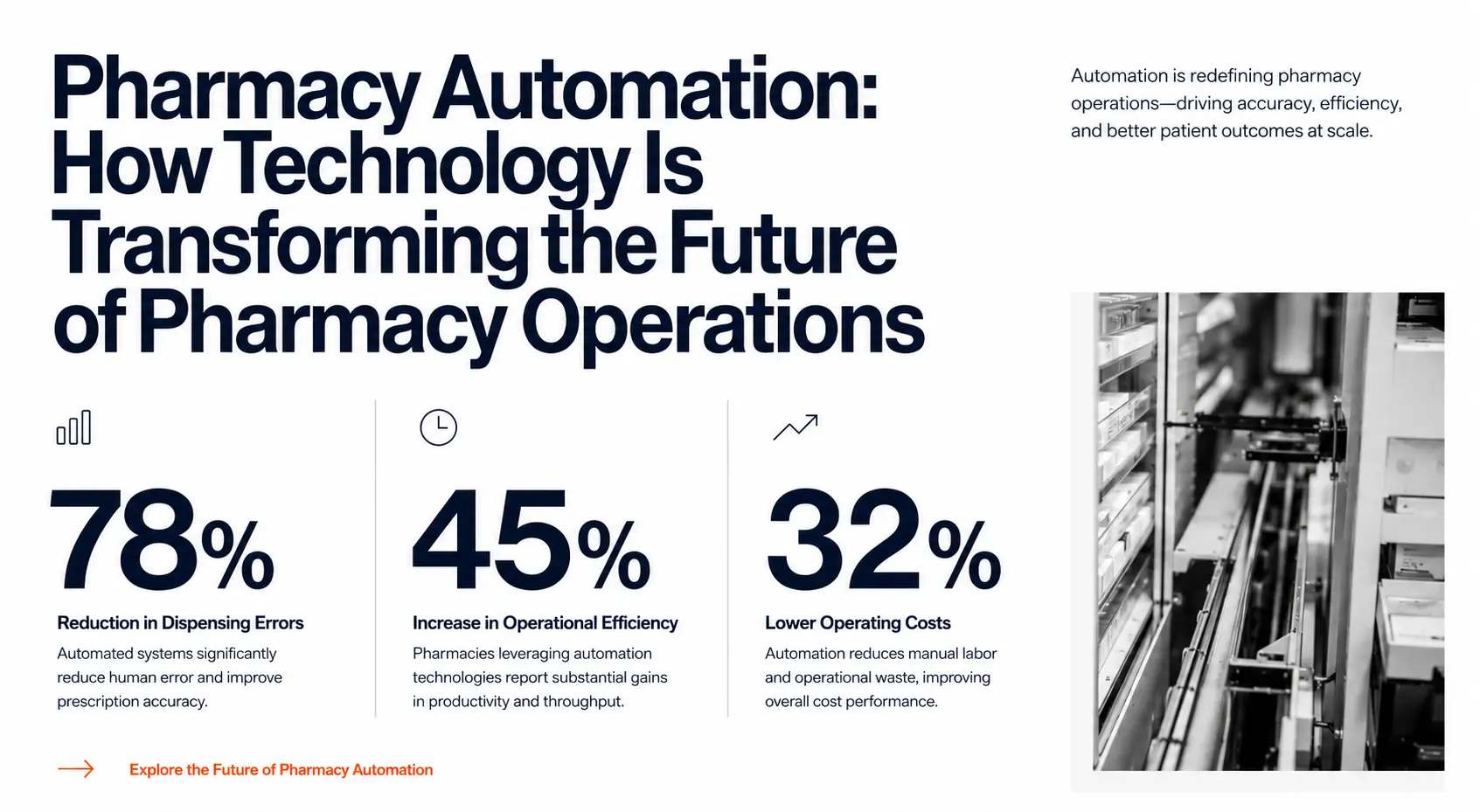
This is where pharmacy automation is changing how modern pharmacies operate. By using smart technology, pharmacies can improve accuracy, streamline daily tasks, and create better experiences for both staff and patients.
From inventory tracking to prescription processing and dispensing workflows, automation helps pharmacies work smarter instead of harder.
Looking to modernize your pharmacy operations? Discover how our Pharmacy Management System helps pharmacies automate inventory, streamline prescription management, and improve daily workflows. Explore our Pharmacy Management System solution.
Contents
- 1 Why Pharmacies Are Moving Toward Automation
- 2 What Causes Pharmacy Operations to Become Inefficient?
- 3 How Pharmacy Automation Works: Step-by-Step
- 4 Real Example: How Automation Helps a Growing Pharmacy
- 5 Key Benefits of Pharmacy Automation Systems
- 6 Future of Automation in Pharmacy
- 7 How to Choose the Right Pharmacy Automation Approach
- 8 FAQs
- 9 Conclusion
Why Pharmacies Are Moving Toward Automation
Many pharmacies still depend on manual processes for important operations.
Staff may spend hours:
- Checking medicine availability
- Managing stock records
- Updating prescription information
- Tracking expiry dates
- Handling repetitive customer requests
These tasks take valuable time away from patient care.
As pharmacy demand increases, traditional methods become harder to manage.
The biggest challenges include:
- Human errors in medication handling
- Slow prescription processing
- Inventory shortages or overstocking
- Difficulty managing growing pharmacy operations
- Limited visibility into daily performance
Modern pharmacies need better ways to handle these challenges, which is why automation in pharmacy is becoming a major industry shift.
What Causes Pharmacy Operations to Become Inefficient?
Increasing Prescription Volumes
Pharmacies process thousands of prescriptions depending on their size and location.
Manual handling increases the risk of:
- Incorrect data entry
- Prescription delays
- Communication issues
- Medication mistakes
Automation helps reduce repetitive tasks and improves workflow accuracy.
Complex Inventory Management
Managing medicine inventory is one of the biggest challenges for pharmacies.
Pharmacists need to monitor:
- Stock availability
- Expiry dates
- Batch information
- Supplier orders
- Medicine demand
Without proper systems, pharmacies may experience unnecessary waste or stock shortages.
Growing Need for Better Patient Experience
Patients expect faster service, accurate information, and convenient communication.
Long waiting times and inefficient processes can negatively affect customer satisfaction.
This is why many businesses are exploring pharmacy automation solutions to improve daily operations.
How Pharmacy Automation Works: Step-by-Step
1. Automating Inventory Tracking
One of the biggest benefits of automation is improving stock visibility.
Modern solutions help pharmacies:
- Track medicine availability
- Monitor expiry dates
- Identify low-stock items
- Improve purchasing decisions
This reduces waste and helps pharmacies maintain the right inventory levels.
2. Improving Prescription Management
Prescription handling requires accuracy.
Automation helps pharmacies organize prescription information and reduce manual mistakes.
Benefits include:
- Faster prescription processing
- Better record organization
- Reduced human errors
- Improved communication between healthcare providers and pharmacies
This is especially useful for pharmacies handling high prescription volumes.
3. Using Automated Pharmacy Dispensing Systems
Large pharmacies and healthcare organizations are increasingly adopting automated pharmacy dispensing systems.
These systems help improve:
- Medication accuracy
- Dispensing speed
- Workflow efficiency
- Staff productivity
Automation allows pharmacists to spend more time focusing on patient care rather than repetitive administrative work.
4. Improving Pharmacy Workflow With Smart Software
Modern pharmacy automation software connects different pharmacy operations into one workflow.
It can support:
- Inventory monitoring
- Prescription tracking
- Reporting
- Customer communication
- Operational insights
Instead of managing multiple disconnected processes, pharmacies can create a smoother digital workflow.
Automation is even more powerful when all pharmacy operations are connected through one intelligent platform. Learn how our Pharmacy Management System centralizes inventory, prescriptions, reporting, and customer management in one solution. See how it works.
Real Example: How Automation Helps a Growing Pharmacy
Imagine a pharmacy that manages hundreds of daily prescriptions.
Before automation:
- Staff manually check stock
- Employees update records manually
- Expired medicines are discovered late
- Patients wait longer during busy hours
After implementing automation:
- Stock updates happen faster
- Expiry alerts prevent waste
- Prescription processing becomes smoother
- Staff spend more time helping customers
The result is a more organized and efficient pharmacy operation.
Want similar results for your pharmacy? Our Pharmacy Management System is designed to simplify complex workflows, reduce manual tasks, and support long-term business growth.
Key Benefits of Pharmacy Automation Systems
Better Accuracy
Automation reduces repetitive manual work, lowering the chances of human mistakes.
Faster Service
Automated workflows help pharmacies process requests faster and improve customer satisfaction.
Reduced Operational Costs
By reducing waste, improving inventory control, and saving employee time, automation helps pharmacies operate more efficiently.
Easier Growth
Growing pharmacies need scalable solutions.
Modern pharmacy automation systems help businesses manage increasing workloads without adding unnecessary complexity.
Future of Automation in Pharmacy
The pharmacy industry is moving toward smarter digital solutions.
Future trends include:
- Artificial intelligence in healthcare
- Predictive inventory management
- Digital prescriptions
- Smart patient communication
- Advanced pharmacy analytics
As technology develops, automation will continue improving how pharmacies manage operations and deliver healthcare services.
How to Choose the Right Pharmacy Automation Approach
Before adopting automation, pharmacies should consider:
Identify Operational Problems
Understand where time is being wasted.
Examples:
- Inventory issues
- Prescription delays
- Manual reporting
- Customer communication problems
Choose Scalable Technology
A good automation solution should support future growth.
Consider:
- Multiple locations
- Increasing prescriptions
- New workflows
- Integration needs
Focus on User Experience
Technology should make work easier, not harder.
The best systems are simple for pharmacists and staff to use daily.
FAQs
What is pharmacy automation?
Pharmacy automation is the use of technology to improve pharmacy operations such as inventory management, prescription processing, dispensing, and workflow efficiency.
How does automation help pharmacies?
Automation helps pharmacies reduce manual tasks, improve accuracy, save time, and provide better patient service.
What are pharmacy automation systems?
Pharmacy automation systems are digital solutions designed to automate pharmacy tasks such as inventory tracking, dispensing workflows, reporting, and operational management.
What are automated pharmacy dispensing systems?
Automated pharmacy dispensing systems use technology to improve medication dispensing accuracy, speed, and efficiency.
Is pharmacy automation only for large pharmacies?
No. Pharmacies of different sizes can use automation depending on their operational needs and growth goals.
Conclusion
The pharmacy industry is changing rapidly as businesses look for smarter ways to improve efficiency and patient care.
Pharmacy automation helps pharmacies reduce manual workload, improve accuracy, and create smoother daily operations.
With the right automation approach, pharmacies can prepare for future growth while delivering faster and more reliable healthcare services.
Hiring the wrong employee can create more than productivity issues. It can expose sensitive company systems, customer records, and internal data to cyber threats. That is why many organizations now use cyber background checks to reduce hiring risks before giving candidates access to digital environments.
A traditional background screening process may verify identity, education, or criminal history. A cyber-focused screening goes deeper. It evaluates digital behavior, cybersecurity awareness, online activity, and technical credibility for roles connected to IT infrastructure, data access, or security operations.
As cybercrime continues to grow, businesses are under pressure to hire people they can trust with sensitive systems and information.

Contents
- 1 Why Hiring Risks Have Increased in the Digital Workplace
- 2 What Causes Cyber Hiring Risks?
- 3 What Is Cyber Background Checks and Why Does It Matter?
- 4 How Businesses Can Use Cyber Background Checks Step-by-Step
- 5 Define High-Risk Roles First
- 6 Verify Technical Credentials
- 7 Review Digital Footprints Carefully
- 8 Check Exposure in Data Breaches
- 9 Assess Cybersecurity Awareness
- 10 Create Consistent Screening Policies
- 11 Realistic Example of Cyber Hiring Risk
- 12 Advanced Tips to Strengthen Cyber Hiring Security
- 13 FAQs About Cyber Background Checks
- 14 Conclusion
Why Hiring Risks Have Increased in the Digital Workplace
Modern companies rely on cloud platforms, remote access tools, SaaS systems, and shared databases. Employees can access large amounts of information from almost anywhere.
This creates a major security challenge.
One weak hiring decision can lead to:
- Data breaches
- Insider threats
- Credential theft
- Compliance violations
- Financial loss
- Reputation damage
Many cyber incidents now involve human error or internal misuse. This is why companies are adding cyber security background check processes during recruitment, especially for technical and remote roles.
Businesses in industries like finance, healthcare, eCommerce, SaaS, and government services face even higher risks because they manage sensitive customer and operational data.
Ready to grow your business? Partner with our SEO Malaysia experts to boost rankings, drive qualified traffic, and generate more leads.
What Causes Cyber Hiring Risks?
Several factors increase digital hiring risks today.
Remote Hiring Limitations
Remote recruitment makes it harder to verify technical experience, identity, and workplace behavior. Fake profiles and fraudulent resumes have become more common.
Access to Critical Systems
Employees often gain access to:
- Internal networks
- Customer databases
- Financial platforms
- Email systems
- Cloud storage
- Security tools
Without proper screening, businesses may unknowingly give high-level access to risky individuals.
Rising Cybersecurity Threats
Cyberattacks are evolving quickly. Threat actors increasingly target employees through phishing, credential theft, and social engineering.
Organizations need staff who understand security protocols and follow safe digital practices.
Lack of Technical Verification
Some candidates exaggerate cybersecurity certifications or technical skills. Without verification, companies may hire underqualified employees into sensitive positions.
What Is Cyber Background Checks and Why Does It Matter?
Many employers ask, what is cyber background checks and how is it different from traditional screening?
Cyber background checks focus on evaluating a candidate’s digital footprint, cybersecurity awareness, technical credibility, and online risk indicators.
These checks may include:
- Identity verification
- Employment history validation
- Certification verification
- Social media analysis
- Dark web exposure checks
- Breach database monitoring
- Criminal record screening
- Device or account misuse history
- Cybersecurity policy awareness
The goal is to identify potential digital risks before onboarding employees into sensitive environments.
For cybersecurity roles, these checks help businesses validate trustworthiness and technical integrity.
How Businesses Can Use Cyber Background Checks Step-by-Step
Define High-Risk Roles First
Not every position needs the same level of screening.
Focus first on roles involving:
- Customer data access
- Financial systems
- IT administration
- Cloud infrastructure
- Security operations
- Remote network access
Prioritizing high-risk positions helps businesses manage resources efficiently.
Verify Technical Credentials
Many applicants list certifications without proof.
Companies should verify credentials like:
- CISSP
- CEH
- CompTIA Security+
- CISM
- AWS Security certifications
This reduces the risk of hiring candidates with false technical claims.
Review Digital Footprints Carefully
Public online activity can reveal professional behavior and security awareness.
A cyber security background check may evaluate:
- Professional forums
- Open-source contributions
- Security research participation
- Public breach involvement
- Unsafe digital behavior
The purpose is not invasive surveillance. It is risk assessment related to professional responsibility and cybersecurity trust.
Check Exposure in Data Breaches
Some organizations monitor whether candidate emails or credentials appear in known breach databases.
Frequent exposure may indicate poor password hygiene or unsafe digital habits.
This step is especially important for employees managing sensitive systems.
Assess Cybersecurity Awareness
Technical skill alone is not enough.
Employees should understand:
- Phishing attacks
- Password management
- Multi-factor authentication
- Data handling policies
- Device security
- Remote access protection
Security awareness assessments help companies reduce internal vulnerabilities.
Create Consistent Screening Policies
A structured process reduces legal and operational risk.
Businesses should define:
- Which roles require enhanced screening
- What checks are allowed legally
- How candidate data is stored
- How long records are retained
- Compliance requirements by region
Consistency also improves fairness during hiring.
Realistic Example of Cyber Hiring Risk
Imagine a SaaS company hiring a remote system administrator without proper cyber background checks.
The candidate appears technically skilled and performs well during interviews. After onboarding, the company discovers the individual used stolen credentials in previous freelance projects and had exposure in multiple breach incidents.
Within months, unauthorized access activity appears inside the company network.
The business now faces:
- Security investigation costs
- Customer trust issues
- Operational downtime
- Compliance concerns
A stronger screening process could have identified warning signs earlier.
Advanced Tips to Strengthen Cyber Hiring Security
Combine HR and Security Teams
Hiring decisions for technical roles should involve both recruiters and cybersecurity professionals.
Security teams can identify risks HR teams may overlook.
Use Role-Based Access Control
Even trusted employees should only access systems necessary for their responsibilities.
Limiting access reduces damage from insider threats.
Monitor Security Behavior After Hiring
Cybersecurity screening should continue beyond onboarding.
Businesses can improve protection through:
- Security training
- Access monitoring
- Device management policies
- Phishing simulations
- Periodic compliance reviews
Stay Updated With Privacy Regulations
Different countries have different employee screening laws.
Businesses should follow legal requirements related to:
- Consent
- Data privacy
- Digital monitoring
- Background screening practices
Compliance protects both employers and candidates.
Explore: Which web design company is right for your business? Learn how our experts create fast, responsive, SEO friendly websites.
FAQs About Cyber Background Checks
What is cyber background checks?
Cyber background checks are screenings focused on identifying digital, cybersecurity, and online-related risks connected to job candidates. They help businesses evaluate trustworthiness for roles involving sensitive systems or data access.
Why are cyber security background check processes important?
A cyber security background check helps reduce insider threats, fraud risks, data breaches, and hiring mistakes by identifying digital risk indicators before onboarding employees.
Which industries benefit most from cyber background checks?
Industries handling sensitive information benefit the most, including healthcare, finance, SaaS, government, legal services, and eCommerce businesses.
Do cyber background checks replace traditional background screening?
No. Cyber-focused checks usually support traditional screening methods like employment verification, criminal record checks, and education validation.
Are cyber background checks legal?
Yes, but businesses must follow local employment, privacy, and consent laws when conducting digital or cybersecurity-related screening.
Conclusion
Digital hiring risks are increasing as businesses rely more on remote work, cloud systems, and online infrastructure. Traditional screening methods alone are no longer enough for many modern roles.
Cyber background checks help organizations identify security risks early, verify technical credibility, and strengthen overall digital protection. Companies that combine cybersecurity awareness with smart hiring practices can reduce insider threats, protect customer data, and build more secure teams for long-term growth.
An ecommerce website should do more than display products.
It should attract visitors, create trust, and turn potential customers into buyers.
However, many businesses invest in an online store and fail to achieve the results they expected.
Slow performance, poor user experience, and limited functionality often prevent growth.
That is why more businesses are investing in custom ecommerce website Malaysia solutions designed around their unique goals instead of relying on generic approaches.
In this guide, we explore the challenges businesses face, how custom development solves them, and what to look for when choosing an ecommerce development partner.
Contents
- 1 Why Many Ecommerce Websites Struggle to Generate Sales
- 2 Why Generic Solutions Often Fall Short
- 3 The Benefits of Custom Ecommerce Website Development
- 4 What Successful Ecommerce Website Design Malaysia Projects Have in Common
- 5 Why a Website in Malaysia Can Improve Customer Engagement
- 6 Why SEO Should Be Built Into Every Ecommerce Website
- 7 What to Look for in an Ecommerce Development Partner
- 8 Why Businesses Choose GO-Globe for Ecommerce Development
- 9 Frequently Asked Questions
- 10 Conclusion
Why Many Ecommerce Websites Struggle to Generate Sales
Many online stores look professional at first glance.
Yet they often fail to convert visitors into customers.
Common problems include:
- Slow loading pages
- Poor mobile responsiveness
- Difficult navigation
- Complicated checkout processes
- Weak search engine visibility
- Limited scalability
These issues create friction throughout the buying journey.
Even small obstacles can cause potential customers to leave before completing a purchase.
The Cost of a Poor Ecommerce Experience
When customers encounter difficulties online, businesses often experience:
- Lower conversion rates
- Higher bounce rates
- Reduced customer trust
- Increased marketing costs
- Missed sales opportunities
For growing businesses, these challenges can become major barriers to success.
Why Generic Solutions Often Fall Short
Every business has different goals.
A company selling fashion products has different requirements than a manufacturer, wholesaler, or healthcare provider.
Yet many ecommerce websites are built using the same structure regardless of industry.
This creates limitations.
Businesses may struggle to add custom functionality, integrate internal systems, or create a unique customer experience.
As customer expectations continue to evolve, flexibility becomes increasingly important.
The Benefits of Custom Ecommerce Website Development
A custom ecommerce website is built specifically around business requirements.
Rather than adapting operations to fit a predefined system, the platform is designed to support how the business works.
Key advantages include:
- Tailored functionality
- Better website performance
- Stronger security
- Improved user experience
- Easier scalability
- Flexible integrations
- Greater control over branding
These benefits help businesses create an online presence that supports long-term growth.
What Successful Ecommerce Website Design Malaysia Projects Have in Common
The most effective ecommerce websites focus on customer experience from the beginning.
They make it easy for users to:
- Find products quickly
- Access important information
- Browse on mobile devices
- Complete purchases with confidence
Successful ecommerce website design Malaysia projects typically include:
- Mobile-first development
- Fast page speed
- Clear navigation
- Secure payment processing
- SEO-friendly architecture
- Conversion-focused design
When these elements work together, websites become more effective at generating leads and sales.
Why a Website in Malaysia Can Improve Customer Engagement
Malaysia is a diverse market with customers who prefer different languages.
For many businesses, offering a website in Malay helps improve communication and accessibility.
Benefits may include:
- Better engagement with local audiences
- Stronger customer trust
- Improved user experience
- Increased conversion opportunities
A multilingual ecommerce strategy can help businesses reach a wider audience while creating a more personalized experience.
Why SEO Should Be Built Into Every Ecommerce Website
Many businesses focus on design while overlooking visibility.
If customers cannot find your website, generating sales becomes more difficult.
A successful ecommerce website Malaysia strategy should include:
- Search-friendly website architecture
- Optimized category pages
- Internal linking
- Fast loading speeds
- Mobile optimization
- High-quality content
SEO should be part of the development process from the start rather than an afterthought.
What to Look for in an Ecommerce Development Partner
Choosing the right development partner is one of the most important decisions a business can make.
Look for a company that understands both technology and business growth.
Important qualities include:
- Experience with custom ecommerce development
- Strong UX and UI expertise
- SEO knowledge
- Scalability planning
- Integration capabilities
- Long-term support
A development partner should focus on creating solutions that align with business objectives rather than delivering a generic website.
Why Businesses Choose GO-Globe for Ecommerce Development
A successful ecommerce website requires more than technical development.
It requires an understanding of customer behavior, digital strategy, and business growth.
GO-Globe develops custom ecommerce solutions designed around each client's requirements.
Instead of relying on one-size-fits-all templates, every project is planned to support performance, scalability, and long-term success.
From ecommerce website design Malaysia projects to multilingual solutions that include a website in Malay, the focus remains on creating online experiences that help businesses attract customers and increase conversions.
This approach has helped businesses across industries build stronger digital foundations and prepare for future growth.
Frequently Asked Questions
What is the best ecommerce website Malaysia businesses can invest in?
The best ecommerce website is one that aligns with business goals, customer needs, and future growth plans. Custom ecommerce development often provides the greatest flexibility and scalability.
Why is ecommerce website design Malaysia important?
Professional ecommerce website design improves user experience, strengthens credibility, and helps businesses convert more visitors into customers.
Should I create a website in Malay?
Yes. A website in Malay can improve communication with local audiences and create a more accessible customer experience.
How does custom ecommerce development support growth?
Custom development allows businesses to add tailored functionality, improve performance, and scale more effectively as requirements evolve.
Can SEO help increase ecommerce sales?
Yes. SEO helps businesses attract qualified traffic from search engines, increasing visibility and creating more opportunities for conversions.
Conclusion
A successful ecommerce website Malaysia businesses can rely on should do more than process transactions.
It should create a seamless customer experience, support search visibility, and provide the flexibility needed for future growth.
Whether you are launching a new online store or upgrading an existing platform, investing in custom ecommerce website design Malaysia services can help create a stronger foundation for success.
GO-Globe develops custom ecommerce solutions designed around business goals, helping companies deliver better customer experiences while supporting sustainable growth in an increasingly competitive digital marketplace.
Customers in Singapore expect fast and reliable service.
Whether they are shopping on an e-commerce store, booking a clinic appointment, or contacting a financial service provider, they want instant responses. If businesses delay replies, users quickly switch to competitors.
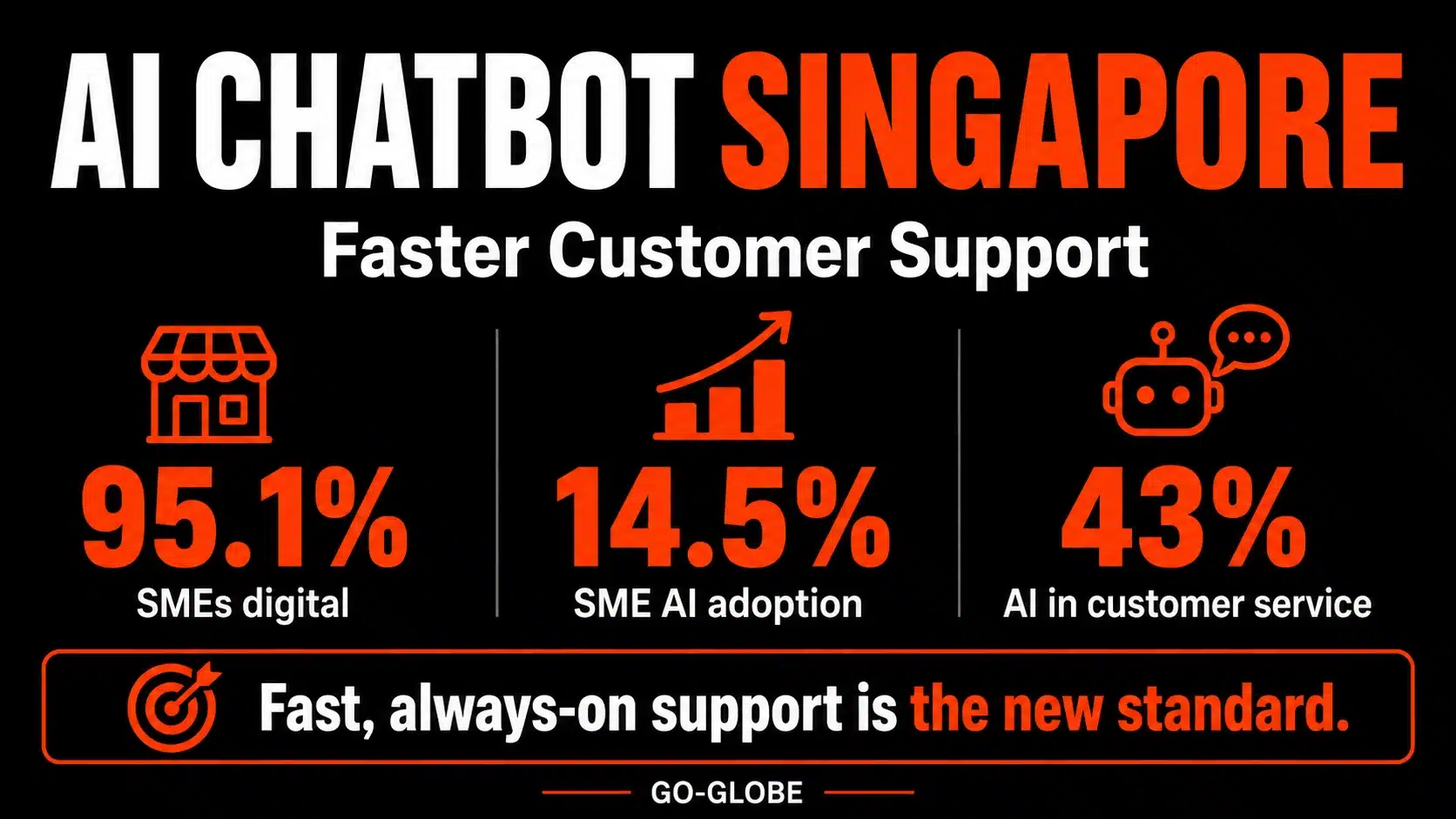
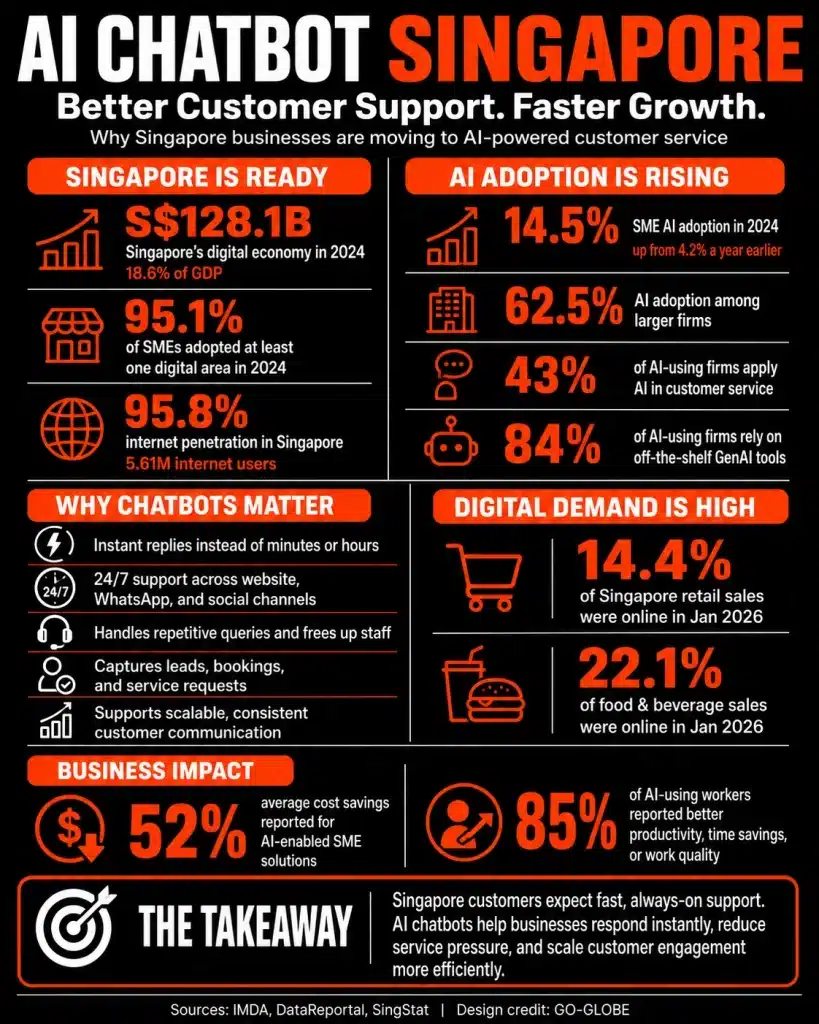
This is why AI chatbot Singapore solutions and professional chatbot services are becoming essential for modern businesses. They help automate customer conversations, improve service quality, and reduce operational pressure.
In this guide, you will learn what AI chatbots are, how they work, and how Singapore businesses use them to improve customer experience and growth.
Contents
- 1 TL;DR: AI Chatbot Singapore Overview
- 2 AI Chatbot Singapore: Key Facts for Business Growth
- 3 What Is AI Chatbot Technology Explained
- 4 How AI Chatbots Work in Real Time Flow
- 5 AI Chatbot Singapore Benefits for Modern Firms
- 6 Why Singapore Businesses Need AI Chatbots Today
- 7 Customer Support Gaps in Singapore Companies
- 8 AI Chatbot Solutions for Singapore SMEs
- 9 AI Chatbot Singapore vs Traditional Support Model
- 10 Industries Using AI Chatbots in Singapore Market
- 11 Real AI Chatbot Use Cases in Singapore
- 12 AI Chatbot Singapore Implementation Guide Steps
- 13 Advanced AI Chatbot Optimization Tips
- 14 Frequently Asked Questions
- 15 Key Takeaways
- 16 Conclusion
TL;DR: AI Chatbot Singapore Overview
- AI chatbots automate customer conversations using AI and NLP
- They provide 24/7 instant customer support
- Businesses use them for leads, sales, and service automation
- They reduce costs and improve efficiency
- Widely adopted by Singapore SMEs and enterprises
AI Chatbot Singapore: Key Facts for Business Growth
- Singapore businesses use AI chatbots for digital transformation
- Response times drop from minutes to seconds with automation
- Chatbots integrate with WhatsApp, websites, and CRM systems
- They improve customer satisfaction and operational efficiency
- AI chatbots support multilingual customer bases in Singapore
What Is AI Chatbot Technology Explained
An AI chatbot is a software tool that uses artificial intelligence (AI), natural language processing (NLP), and machine learning to understand and respond to customer queries.
Unlike rule-based systems, modern AI chatbots understand intent and context, making conversations feel more natural.
Businesses in Singapore use AI chatbots to:
- Answer customer questions
- Handle support requests
- Generate and qualify leads
- Provide product recommendations
- Automate repetitive communication
How AI Chatbots Work in Real Time Flow
AI chatbots follow a structured process to respond to users:
- A customer sends a message
- The chatbot analyzes intent and context
- AI searches its knowledge base or training data
- A relevant response is generated
- Complex queries are transferred to human agents
This ensures fast support while maintaining service quality.
People Also ask for: Best SEO Company in Singapore
AI Chatbot Singapore Benefits for Modern Firms
| Benefit | Impact on Singapore Businesses |
| Instant Responses | Faster customer engagement |
| 24/7 Support | Covers different time zones |
| Lead Generation | More conversions from website traffic |
| Lower Costs | Reduces customer service workload |
| Consistent Messaging | Improves brand trust |
| Scalability | Handles high inquiry volumes easily |
These AI chatbot benefits are especially valuable in Singapore’s fast-paced digital economy.
ai chatbot singapore
Why Singapore Businesses Need AI Chatbots Today
Singapore is one of Asia’s most digitally advanced markets.
Customers expect instant communication across industries like retail, banking, healthcare, and education.
However, businesses face challenges such as:
- High customer expectations
- Rising operational costs
- Limited support staff
- Multichannel communication complexity
AI chatbots solve these challenges by automating customer interactions and improving efficiency.
Customer Support Gaps in Singapore Companies
High Volume of Repetitive Queries
Most customer questions involve:
- Pricing and packages
- Business hours
- Appointment booking
- Delivery tracking
- Product availability
Limited Human Capacity
Support teams in Singapore often struggle during peak hours.
Multichannel Pressure Across Platforms
Customers contact businesses through:
- Websites
- Facebook Messenger
Managing all channels manually slows response time.
AI Chatbot Solutions for Singapore SMEs
AI chatbot development Singapore services help businesses create customized chatbot solutions for customer support, lead generation, sales automation, and digital communication workflows.
They can:
- Handle FAQs automatically
- Respond instantly to customers
- Capture leads from websites
- Schedule appointments
- Support e-commerce purchases
- Escalate complex issues to agents
This creates a smoother customer journey and reduces operational pressure.
Businesses can use website chatbot development Singapore solutions to add intelligent chat assistants directly to their websites. These chatbots help answer visitor questions, capture leads, and improve customer engagement.
AI Chatbot Singapore vs Traditional Support Model
| Use Case | Traditional Support | AI Chatbot Solution |
| Response Time | Minutes to hours | Instant |
| Availability | Business hours only | 24/7 |
| Cost Efficiency | High staffing cost | Low automation cost |
| Scalability | Limited | High scalability |
| Customer Experience | Inconsistent | Consistent |
Industries Using AI Chatbots in Singapore Market
Retail & E-Commerce Singapore Growth
Chatbots help customers browse products, check availability, and complete purchases.
Healthcare Services Automation
Clinics use chatbots for appointment booking and patient support.
Education & Training Sector
Schools and universities automate admission and course queries.
Real Estate Agencies in Singapore
Agents use chatbots to qualify leads and schedule property viewings.
Banking & Finance Digital Support
Banks use AI chatbots for account queries and customer support.
Real AI Chatbot Use Cases in Singapore
A retail brand in Singapore uses AI chatbots to handle late-night customer inquiries and improve online sales.
A healthcare clinic automates appointment booking, reducing staff workload.
A university improves admission response time by using chatbot-based student support.
These examples show how AI chatbots for business improve efficiency across Singapore industries.
AI Chatbot Singapore Implementation Guide Steps
Step 1: Analyze Customer Queries in SG Market
Identify common questions such as:
- Pricing
- Services
- Bookings
- Support issues
Step 2: Set Business Objectives Clearly
Examples include:
- Lead generation
- Customer support automation
- Sales conversion
- FAQ handling
Step 3: Build Chatbot Flow Structure Properly
Include:
- Greeting messages
- FAQ responses
- Lead capture forms
- Human escalation option
Step 4: Train With Business Data Set
Provide:
- Service details
- Product information
- Policies
- Customer scenarios
Step 5: Optimize Using Real Data
Improve chatbot performance using real conversation data.
Advanced AI Chatbot Optimization Tips
Chatbot Integration Services Singapore Businesses Need
Professional chatbot integration services Singapore companies use help connect AI chatbots with websites, CRM platforms, WhatsApp, and existing business systems. Integration allows businesses to automate conversations while keeping customer data connected.
Combine AI With Human Agents
Use AI for simple queries and humans for complex issues.
Personalize Customer Experience
Use customer data to improve response relevance.
Connect CRM Systems in Singapore Workflow
Store conversations and improve customer insights.
Track Key Performance Metrics
Monitor:
- Response time
- Conversion rate
- Customer satisfaction
- Resolution rate
Poeple also ask for: CRM Software in Singapore
Frequently Asked Questions
What is AI chatbot technology in Singapore?
An AI chatbot in Singapore is a software system that uses artificial intelligence and natural language processing to understand customer queries and respond automatically. Businesses use it to handle customer support, lead generation, and communication across digital platforms. Unlike rule-based systems, AI chatbots understand intent and context, making them more effective for modern customer service.
What are AI chatbot benefits for Singapore businesses?
AI chatbot benefits include faster customer support, lower operational costs, and 24/7 availability. They help Singapore businesses automate repetitive tasks, improve customer engagement, and manage multiple conversations at once. This leads to better customer satisfaction and higher efficiency across industries like retail, healthcare, and finance.
Can AI chatbots replace customer service teams?
No, AI chatbots cannot fully replace human agents. They are designed to support customer service teams by handling repetitive and simple queries. Human agents are still needed for complex, emotional, or sensitive issues. The best results come from combining AI automation with human support.
Are AI chatbots useful for Singapore SMEs?
Yes, AI chatbots are highly useful for SMEs in Singapore. They help small businesses provide professional customer support without large teams. Chatbots can answer questions, capture leads, and operate 24/7, making them cost-effective and scalable for growing businesses.
What should an AI chatbot template include?
An AI chatbot template should include welcome messages, FAQs, lead capture forms, service details, and escalation options. A well-structured template ensures consistent communication and improves user experience across customer interactions.
Key Takeaways
- AI chatbots improve customer service speed and quality in Singapore
- Businesses reduce costs and improve efficiency through automation
- Chatbots support SMEs and large enterprises equally
- Human + AI hybrid systems perform best
- AI chatbot Singapore adoption is increasing across all industries
Conclusion
Businesses in Singapore are rapidly adopting automation to meet rising customer expectations.
An AI chatbot Singapore solution helps companies improve response time, reduce costs, and deliver better customer experiences. By understanding what is AI chatbot technology and applying it strategically, businesses can build scalable and efficient customer service systems for long-term growth.
Many business owners struggle to attract customers online. They may have a great service, a professional team, and competitive pricing, but they still fail to appear where customers are searching.
Today, people use Google, online directories, maps, and local search results to find nearby products and services. If a business is not visible in these places, it can lose potential customers to competitors.
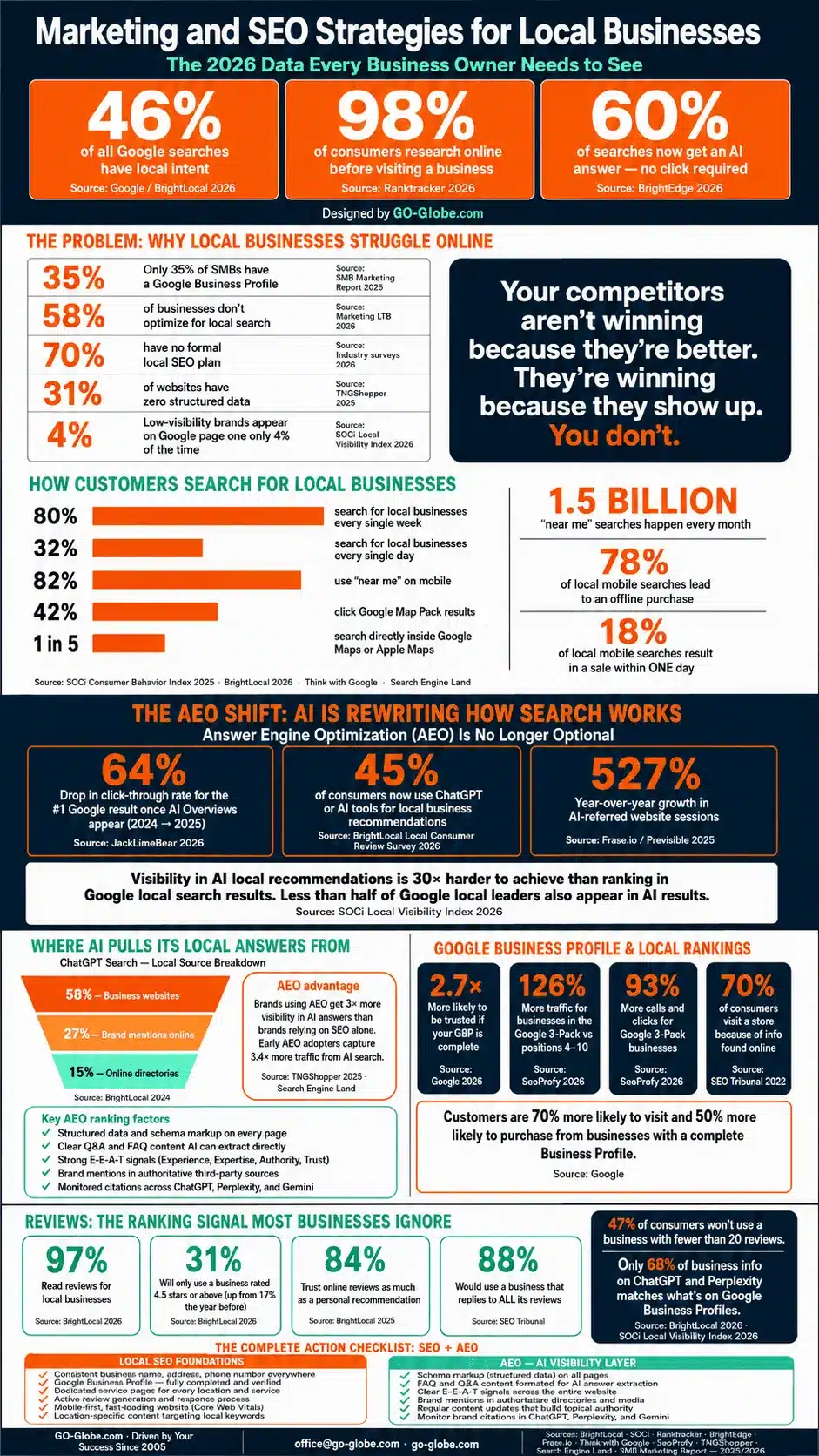
This is why local businesses need a strong digital presence. From local directories to SEO and digital marketing, the right strategy can help businesses increase visibility, generate leads, and drive long-term growth.
In this guide, you'll learn how local business directories, marketing tactics, and SEO strategies work together to help businesses grow.
Contents
The Problem: Why Many Local Businesses Struggle Online
Local competition is stronger than ever.
Customers have more choices and higher expectations. Most people search online before contacting a business or visiting a location.
Common challenges include:
- Low visibility in local search results
- Poor Google Business Profile performance
- Inconsistent business information online
- Limited website traffic
- Few customer reviews
- Weak online reputation
- Low lead generation
Even businesses with excellent services can struggle if customers cannot find them online.
This is why local marketing and SEO have become essential growth strategies.
Why Local Businesses Face Visibility Challenges
Several factors contribute to poor local search performance.
Incomplete Directory Listings
A business that is missing from a local business directory loses opportunities to appear in search results and local citations.
Accurate listings help search engines verify business information.
Poor Website Optimization
Many local websites are outdated, slow, or not optimized for search engines.
Without proper optimization, businesses struggle to rank for local keywords.
Limited Local SEO Efforts
Businesses often overlook important ranking factors such as local citations, reviews, service pages, and location-specific content.
This weakens local search visibility.
Increased Competition
More businesses are investing in digital marketing than ever before.
Companies that fail to adapt can quickly lose market share.
Weak Google Business Profile Optimization
A poorly optimized profile can reduce visibility in Google's local pack and map results.
Businesses that ignore profile optimization miss valuable traffic and leads.
Marketing and SEO Strategies
How to Grow Local Businesses Through SEO and Digital Marketing
A successful growth strategy combines directory management, SEO, website optimization, and digital marketing.
Step 1: Get Listed in Trusted Local Business Directories
Online directories help improve visibility and build trust with search engines.
Business owners should ensure their:
- Business name
- Address
- Phone number
- Website URL
- Operating hours
remain consistent across all listings.
Accurate directory listings strengthen local SEO and improve credibility.
Step 2: Invest in Local SEO
Effective local SEO for service area businesses helps companies appear when customers search for nearby services.
Important local SEO activities include:
- Optimizing service pages
- Building local citations
- Earning customer reviews
- Creating location-based content
- Improving website speed
- Adding schema markup
These actions help businesses rank higher in local search results.
Step 3: Optimize Your Google Business Profile
Businesses looking to improve your local ranking on Google Business Profile help should focus on profile optimization.
Best practices include:
- Adding complete business information
- Uploading quality photos
- Responding to customer reviews
- Posting regular updates
- Selecting accurate business categories
An optimized profile increases visibility in local searches and Google Maps.
Step 4: Use Digital Marketing to Generate Leads
Successful digital marketing for local businesses extends beyond SEO.
Businesses should combine multiple channels, including:
- Search engine optimization
- Content marketing
- Social media marketing
- Email campaigns
- Paid advertising
A multi-channel strategy helps attract customers at different stages of the buying journey.
Step 5: Improve Website Design and User Experience
A strong website is often the first impression customers receive.
Professional local business web design should focus on:
- Fast loading speeds
- Mobile responsiveness
- Clear calls to action
- Easy navigation
- Service-focused content
A well-designed website improves both conversions and search rankings.
Step 6: Work With Local Marketing Experts
Many businesses choose professional local business marketing services to accelerate growth.
Experienced agencies can provide:
- SEO audits
- Content creation
- Google Business Profile management
- Citation building
- Reputation management
- Lead generation campaigns
These services help businesses compete more effectively in local markets.
Real-World Example of Local Business Growth
Consider a plumbing company serving several nearby cities.
The company had a website but received very little organic traffic.
After implementing a growth strategy, they:
- Added listings to major directories
- Optimized their Google Business Profile
- Created service area pages
- Improved website performance
- Collected customer reviews
Within several months, local search visibility increased significantly.
The business generated more phone calls, website inquiries, and booked appointments.
This example shows how local SEO and digital marketing can directly impact business growth.
Advanced Strategies for Long-Term Success
Focus on Review Generation
Customer reviews influence trust and local rankings.
Businesses should create a process for requesting reviews after successful customer interactions.
Build Location-Specific Content
Content targeting local areas helps search engines understand where services are offered.
This strategy improves visibility for regional searches.
Track Local SEO Performance
Monitor metrics such as:
- Local rankings
- Website traffic
- Calls
- Direction requests
- Lead submissions
Data helps businesses refine their strategy over time.
Combine SEO With Paid Advertising
SEO builds long-term visibility.
Paid advertising generates immediate traffic.
Together, they create a stronger marketing strategy.
Invest in Scalable Marketing Solutions
Effective local business marketing solutions should support long-term growth rather than short-term gains.
Businesses that continuously improve their online presence often outperform competitors.
Frequently Asked Questions
What is a local business directory?
A local business directory is an online platform that lists businesses and provides information such as contact details, services, reviews, and locations.
Why is local SEO important for local businesses?
Local SEO helps businesses appear in search results when nearby customers are looking for products or services.
What are the benefits of digital marketing for local businesses?
Digital marketing increases visibility, generates leads, improves brand awareness, and helps businesses connect with local customers.
How can businesses improve their Google Business Profile rankings?
Businesses can improve rankings by completing their profile, collecting reviews, adding photos, posting updates, and maintaining accurate information.
Do local businesses need a professional website?
Yes. A professional website improves credibility, supports SEO efforts, and helps convert visitors into customers.
Conclusion
Growing local businesses requires more than simply having a website. Businesses need a strong presence across directories, search engines, maps, and digital marketing channels.
By combining local SEO, directory listings, website optimization, and strategic marketing efforts, businesses can increase visibility, attract more customers, and build sustainable growth. Companies that invest in these strategies today will be better positioned to compete in increasingly competitive local markets.
In the decentralized finance and blockchain tech industry, performance is more than a simple metric — it is the currency of trust. For blockchain projects, the unique demands of the crypto ecosystem, such as sudden traffic spikes during token generation events, place a serious strain on traditional hosting environments.
Therefore, to maintain reliable uptime, security, and fast load speeds and stay competitive, industry leaders are shifting towards dedicated server solutions.
In this article, we’ll explore how a dedicated server architecture transforms website performance, enhances SEO, and builds long-term user trust to help you thrive in the volatile crypto market.
Contents
How Dedicated Servers Enhance Latency and Speed
In the blockchain industry, latency is more than a technical delay – it is the difference between a successful trade and a failed transaction. Unfortunately, sharing resources on a standard hosting service imposes performance ceilings that limit blockchain projects.

Consider how dedicated servers eliminate these limits to improve performance:
Eliminating the “Noisy Neighbor” Effect
In shared or some cloud VPS environments, your website’s performance is tied to the activities of other users. So, if one project on the same physical hardware experiences a massive traffic spike or DDoS attack, your site’s resources are throttled.
In contrast, a dedicated server provides bare metal isolation. On this server, every hertz of processing power and every byte of memory is reserved exclusively for your project. This setup ensures that during a high-volatility market event, your site remains responsive and stable, regardless of what is happening elsewhere in the data center.
Direct Hardware Access and NVMe Storage
In a standard hosting environment, hypervisors make all requests pass through a software layer before they reach the hardware. While seamless for other websites, it causes micro-stutters for data-intensive blockchain applications, especially those running on RPC nodes or indexing large volumes of on-chain data.
Conversely, dedicated hosting provides direct access to the hardware, improving speed. In fact, when paired with Non-Volatile Memory Express (NVMe) storage, read/write speeds increase exponentially. This exponential speed helps ensure:
- Faster Database Queries: Essential for block explorers and DeFi dashboards.
- Rapid Asset Loading: These help high-resolution NFT galleries load instantly.
- Seamless API Responses: Supports dApps that rely on real-time data feeds.
Strategic Global Connectivity
Although blockchain is a borderless technology, physical distance still dictates its speed. With dedicated servers, you can select a data center location with the lowest latency to major internet exchanges — a choice that’s unavailable on standard hosting.
By reducing the physical distance between the server and end users, your project can achieve near-instantaneous interaction speeds that modern crypto users expect. Choosing data centers also allows you to comply with GDPR regulations.
Exploring the Security Benefits of Dedicated Servers
Security is another important foundation of trust in the blockchain ecosystem. When your infrastructure manages token sales, handles private keys, or stores sensitive translation logs, you’re practically running a digital vault, and you must secure it from bad actors. Consider how a dedicated server can help.
The Power of Single-Tenant Environments
The greatest risk in a shared hosting setup is lateral movement, where a breach on one site exposes others on the same host. However, a dedicated server eliminates this risk by providing a single-tenant environment.
In this setting, you’re the only inhabitant of that physical machine. This physical isolation eliminates cross-contamination risk, providing a strong layer of protection for your projects that must adhere to strict data privacy and security standards.
Custom Security Hardening
Unlike the one-size-fits-all security configuration of managed hosting, dedicated servers provide full administrative and root access. This full control allows you to modify and customize security to your preferred level.
For example, you can add kernel-level hardening that optimizes the OS to disable unnecessary services and close off potential attack vectors. You can also add custom firewall rules and intrusion detection systems (IDS).
Advanced DDoS Mitigation
Blockchain websites are primary targets for Distributed Denial of Service (DDoS) attacks. These are often timed to coincide with high-traffic periods, such as a community airdrop. However, a dedicated server enables you to integrate a robust DDoS mitigation service at the edge.
With dedicated hosting, your server can absorb and filter high-volume traffic spikes that would otherwise crash a standard shared environment. This ensures that your site stays online when your community needs it the most.
Reliability During Volatility: Handling the Crypto Surge
In the crypto industry, market conditions can change within seconds. In these moments, your infrastructure is either your greatest asset or your biggest point of failure. A dedicated infrastructure proves an important asset due to its scalability, uptime, and performance under load.
Scalability on Demand
A common myth about dedicated hosting is that it is rigid. In reality, though, high-quality hosting, such as Bacloud crypto dedicated servers, is built for modularity. These servers give you the agility to scale your hardware resources when anticipating a major event.
Ultra-Reliable Uptime
There are no business hours in the crypto industry, where the market never sleeps. So, communities can interpret a simple downtime as a sign of technical incompetence or even project abandonment. To prevent this, dedicated servers offer 99.9% uptime for your site and dApps.
With direct access to the system metrics, you can configure automated alerts that trigger before your server reaches a critical threshold. In addition, direct access to your hardware enables you to respond quickly when an issue arises.
Consistent Performance Under Load
When traffic surges, shared hosting sites often resort to queuing users or slowing down requests. This can lead to incomplete transaction submissions or user drop-offs. In contrast, a dedicated server allows your infrastructure to handle high concurrent connections by optimizing resource management and server-side caching.
As a result, the user experience with a minting button or staking dashboard remains fast and functional, even under the heaviest load. This stability and reliability provide a good anchor for your reputation and user trust.
SEO and User Trust: Your Invisible Competitive Edge
In the digital landscape, your website’s performance is a primary signal to search engines. Google’s algorithms prioritize websites that load quickly, remain stable during interactions, and offer a secure browsing experience. So, for blockchain projects, where competition for visibility is fierce, server choice is a foundational decision.
One of the most critical SEO metrics is Time to First Byte (TTFB) — the time it takes a server to respond to a user’s request. While TTFB ofte spike on shared hosting when processing requests for other sites, dedicated servers minimize the overhead that causes these delays.
Thus, your site loads faster and has lower bounce rates, which signal to search engines that it provides a high-quality, relevant experience for users.
Security and reputation are also tied to SEO performance. However, when you share an IP address with hundreds of other websites on a shared hosting, you risk incurring guilt by association.
This can happen when another site on the shared hosting triggers spam filters or is blacklisted by search engines because of malicious content. Your domain reputation and ability to rank will also be affected because of your shared IP address.
Dedicated crypto servers can help you prevent this by providing a clean reputation under your full control. By investing in dedicated hosting, you’re buying more than hardware; you’re investing in technical signals to keep you at the top of result pages.
Below is a table offering a visual comparison between shared, VPS, and dedicated hosting for blockchain projects:
| Feature | Shared Hosting | VP Hosting | Dedicated Hosting |
| Resource Allocation | Shared with 100s | Partitioned/Shared | 100% Exclusive (Bare Metal) |
| Performance | Unpredictable | Moderate/Stable | Maximum & Consistent |
| Security Risk | High (Cross-site) | Moderate | Lowest (Physical Isolation) |
| Root Access | None | Limited | Full Administrative Control |
| DDoS Protection | Basic | Standard | Advanced/Enterprise Grade |
| Payment Options | Fiat Only | Limited Crypto | Full Cryptocurrency Support |
Conclusion
In the highly competitive blockchain landscape, the technical foundation of your project is as important as the code within your smart contracts. As you’ve seen, choosing a dedicated crypto server is not a fancy technical upgrade — it is a strategic investment in your project’s sustainability, security, and market reputation. It gives you the granular control to harden your security and offers ultra-fast load times that bot search engines and users demand.
FAQs
Can a dedicated server improve my Google Search Rankings?
Yes, it can. By improving your Time to First Byte (TTFB) and ensuring a secure and stable hosting, you can directly satisfy Google’s Core Web Vitals and rank higher.
How does a dedicated server help with security for crypto projects?
A dedicated server offers physical isolation and gives you root access, allowing you to implement custom firewalls to optimize security more than is possible with standard hosting providers.
Is it difficult to switch my current website to a dedicated server?
Not necessarily. Migration can be seamless with the right support. Many dedicated hosting providers, such as Bacloud, offer expert migration assistance to ensure a smooth transfer with minimal downtime.
Contents
- 1 The Must-Have Web Development Tools
- 1.1 2. Code Editors and Integrated Development Environments (IDEs)
- 1.2 3. Version Control Systems
- 1.3 4. Front-End Libraries
- 1.4 5. Content Management Systems (CMS)
- 1.5 6. Task Runners
- 1.6 7. Package Managers
- 1.7 8. Performance Optimization Tools
- 1.8 9. Security Scanners
- 1.9 10. Testing and Debugging Tools
- 1.10 11. Content Optimization Tools
- 1.11 12. Schema Markup Generators
- 1.12 13. Performance Monitoring Tools
- 1.13 14. A/B Testing Platforms
- 1.14 15. Mobile App Development Frameworks
- 1.15 16. Accessibility Testing Tools
- 1.16 17. WebAssembly
- 1.17 18. Progressive Web Apps (PWAs)
- 2 Conclusion
- 3 Frequently Asked Questions (FAQs)
The Must-Have Web Development Tools
Web design frameworks are the backbone of modern web development, offering pre-built components and structured layouts that streamline the process of creating aesthetically pleasing and responsive websites. In 2026, popular frameworks such as Bootstrap, Foundation, and Materialize will continue to hold strong, while newer and more dynamic frameworks like Tailwind CSS and Bulma are expected to gain even more traction.
- Bootstrap remains a go-to choice for developers due to its comprehensive pre-designed templates, grid system, and mobile-first approach. It is a trusted framework that simplifies front-end development while ensuring a high level of responsiveness.
- Tailwind CSS, known for its utility-first approach, has become increasingly popular. By allowing developers to style elements directly within HTML, it reduces the need for writing custom CSS, which speeds up the development process and improves maintainability.
- Foundation, from Zurb, continues to be a favorite for building accessible and responsive websites, particularly among enterprise-level projects.
- Materialize, based on Google’s Material Design principles, is still a solid option for developers aiming to implement sleek, modern UI designs.
- Bulma, a flexbox-based CSS framework, is gaining ground due to its simplicity and flexibility, making it ideal for projects where developers seek a lightweight alternative to traditional frameworks.
Leveraging these web design frameworks in 2026 will help developers cut development time, ensure mobile compatibility, and achieve consistent design aesthetics across different platforms.
2. Code Editors and Integrated Development Environments (IDEs)
Efficient coding practices are vital for any successful web development project. In 2026, the landscape of code editors and IDEs will continue to be dominated by feature-rich platforms that enhance productivity and reduce development errors.
- Visual Studio Code (VS Code) stands out as a developer favorite, offering syntax highlighting, intelligent code completion (IntelliSense), debugging tools, and a vast library of extensions. It is particularly valued for its cross-platform compatibility and lightweight nature, making it suitable for both beginners and experienced developers.
- Sublime Text is praised for its speed and simplicity. It features multiple selections, split editing, and a distraction-free mode, allowing developers to focus solely on coding.
- JetBrains WebStorm and PhpStorm are premium IDEs known for their advanced coding assistance, error detection, intelligent navigation, and robust version control integrations. They are particularly favored by front-end and PHP developers who require comprehensive toolsets for both small and large-scale projects.
- Atom, although it faced some uncertainty in recent years, remains appreciated for its customizability and open-source community support. It supports GitHub integration, multi-pane editing, and real-time collaboration.
In 2026, choosing the right code editor or IDE will be crucial for optimizing the development process. Developers should prioritize tools that align with their project needs, enable seamless debugging, and offer extensions for modern frameworks and languages.
Combining advanced code editors with modern web design frameworks will empower developers to build faster, more efficient, and visually compelling websites in 2026.

aws resellers
3. Version Control Systems
In modern web development, collaboration and code management are fundamental for maintaining organized, scalable, and error-free projects. Version control systems play a critical role by tracking changes, managing multiple project versions, and allowing developers to work seamlessly in teams. In 2026, version control remains indispensable, with tools like Git, GitHub, GitLab, and Bitbucket continuing to dominate.
- Git is the most widely used distributed version control system, enabling developers to track changes, revert to previous versions, and merge code contributions efficiently.
- GitHub provides a cloud-based platform where developers can host repositories, collaborate through pull requests, and automate workflows with GitHub Actions. It is especially popular for open-source projects and team collaboration.
- GitLab is a self-hosted alternative to GitHub, offering built-in CI/CD pipelines, DevOps integrations, and enhanced security features, making it an excellent choice for enterprises and large teams.
- Bitbucket, a version control tool from Atlassian, is tightly integrated with Jira and Trello, making it ideal for agile development teams working on complex projects.
With the rise of AI-powered coding assistants, many version control systems in 2026 will incorporate AI-driven code suggestions, automated bug fixes, and smart merge conflict resolution. This will significantly boost efficiency and streamline collaboration for developers working across different time zones and locations.
4. Front-End Libraries
To create high-performance, dynamic, and interactive web applications, front-end libraries are essential tools for developers. In 2026, leading frameworks like React, Angular, and Vue.js will continue to evolve, offering faster rendering, better state management, and improved developer experience.
- React.js, developed by Meta (Facebook), remains one of the most powerful front-end libraries due to its component-based architecture and virtual DOM, which enables efficient updates and high-speed performance. The React ecosystem continues to expand with tools like Next.js for server-side rendering (SSR) and Remix for better developer experience.
- Angular, backed by Google, is a robust front-end framework known for its TypeScript-based structure, two-way data binding, and built-in dependency injection. In 2026, Angular will continue to be the preferred choice for enterprise applications, thanks to its powerful CLI and modular development approach.
- Vue.js has gained traction due to its lightweight nature, simple learning curve, and flexibility. With Vue 3 offering Composition API, improved performance, and better TypeScript support, it remains a top choice for building interactive and scalable web apps.
In 2026, newer front-end solutions like Svelte and Solid.js are also gaining popularity due to their zero-runtime approach and faster reactivity models. These libraries eliminate the need for a virtual DOM, making them more efficient and lightweight compared to traditional frameworks.
Choosing the right front-end library in 2026 depends on project requirements, performance needs, and developer expertise. As web development continues to advance, leveraging these modern front-end tools will be key to delivering high-quality, immersive user experiences.
5. Content Management Systems (CMS)
6. Task Runners
7. Package Managers
8. Performance Optimization Tools
9. Security Scanners
10. Testing and Debugging Tools

11. Content Optimization Tools
12. Schema Markup Generators
13. Performance Monitoring Tools

14. A/B Testing Platforms
15. Mobile App Development Frameworks
16. Accessibility Testing Tools
17. WebAssembly
18. Progressive Web Apps (PWAs)
Conclusion
Frequently Asked Questions (FAQs)
Q1: Can I use multiple web development tools together?
Q2: Are these tools suitable for beginners?
Q3: How often should I update my web development tools?
Q4: Do I need to learn all these tools to be a web developer?
Q5: Are there free alternatives to these paid tools?
Q6: How can I stay updated on the latest web development trends and tools?
Contents
China's Smartphone Market in 2036
China has the world's largest smartphone market. In 2024, it shipped 270 million devices. That is more than the US and Europe combined.
But the next 10 years will change almost everything. The brands, the technology, and how people use their phones will all look different by 2036.
This report walks through what the data shows. It covers 6G, AI-native devices, the brand race, foldables, and mobile commerce. At the end, it explains what these shifts mean for companies doing business in China or entering the market.
The Numbers at a Glance
These are the eight numbers that define the shift from 2025 to 2036.
| Metric | 2025 | 2036 Projected | Change |
| Annual shipments | 270M | 230M | Down 15% |
| Average selling price | $380 | $680 | Up 79% |
| Domestic brand share | 80% | 91% | Up 11 pts |
| Apple market share | 17% | 7% | Down 10 pts |
| 6G device penetration | 0% | 85% | New |
| AI-native device features | 18% | 82% | Up 64 pts |
| Foldable / flexible share | 3% | 28% | Up 25 pts |
| Mobile commerce (RMB) | 2.8 trillion | 6.2 trillion | Up 121% |
Sources: IDC, Canalys, GSMA Intelligence, MIIT projections, GO-Globe analysis.
The Brand Race
Five years ago, Apple was the most wanted phone in China. That has changed.
Huawei came back strong in 2023. Its Mate 60 Pro used a chip made entirely in China. That was significant. It showed China could build advanced chips without US suppliers.
By 2036, domestic brands will hold about 91% of the market. That is up from 80% today. Apple will not disappear. But it will drop from 17% share to around 7%. Its loyal base will stay. The aspirational middle market will not.
| Brand | 2025 Share | 2036 Projected | Primary Advantage |
| Huawei | 22% | 28% | Domestic chip + HarmonyOS |
| Xiaomi | 14% | 24% | IoT + EV + services platform |
| OPPO / OnePlus | 17% | 18% | Camera innovation, mid-market |
| vivo | 16% | 14% | Tier 3 and 4 city depth |
| Honor | 11% | 7% | Youth market, value-price |
| Apple | 17% | 7% | Global services, professionals |
| Other | 3% | 2% | Niche and export-only |
Huawei will be the biggest story. Vertical integration of chip, OS, and hardware gives it compounding advantages. Competitors cannot close that gap fast.
Xiaomi is not just a phone company. Its SU7 electric car, smart home devices, and HyperOS platform make your phone the hub of a larger ecosystem. By 2036, buying a Xiaomi phone means joining a connected world of products.
Apple holds a profitable niche. But the days of double-digit share in China are likely over.
6G: What It Is and When It Arrives
China plans to launch 6G commercially by 2030. This is credible. China deployed 5G faster than any country on earth. It built more 5G towers in 18 months than the rest of the world combined.
6G will bring three big changes to smartphones:
- Much faster speeds. We are talking terabit-level bandwidth. Downloads that take seconds today will take milliseconds.
- Near-zero lag. Real-time interaction becomes truly real-time. Holographic calls become practical.
- Better coverage. Satellite and ground networks will merge. Remote and rural areas in China will be fully connected.
By 2036, 85% of new phones sold in China will be 6G capable. That is up from zero today.
The bigger impact is what 6G enables on the side. On-device AI and cloud AI can work together without users noticing. The phone thinks faster because the network does not slow it down.
| For enterprise teams
Companies building employee portals and customer apps for China need to plan for 6G user expectations. Response times that feel fast today will feel slow in a 6G context. Build for speed now. It will matter sooner than you think. |
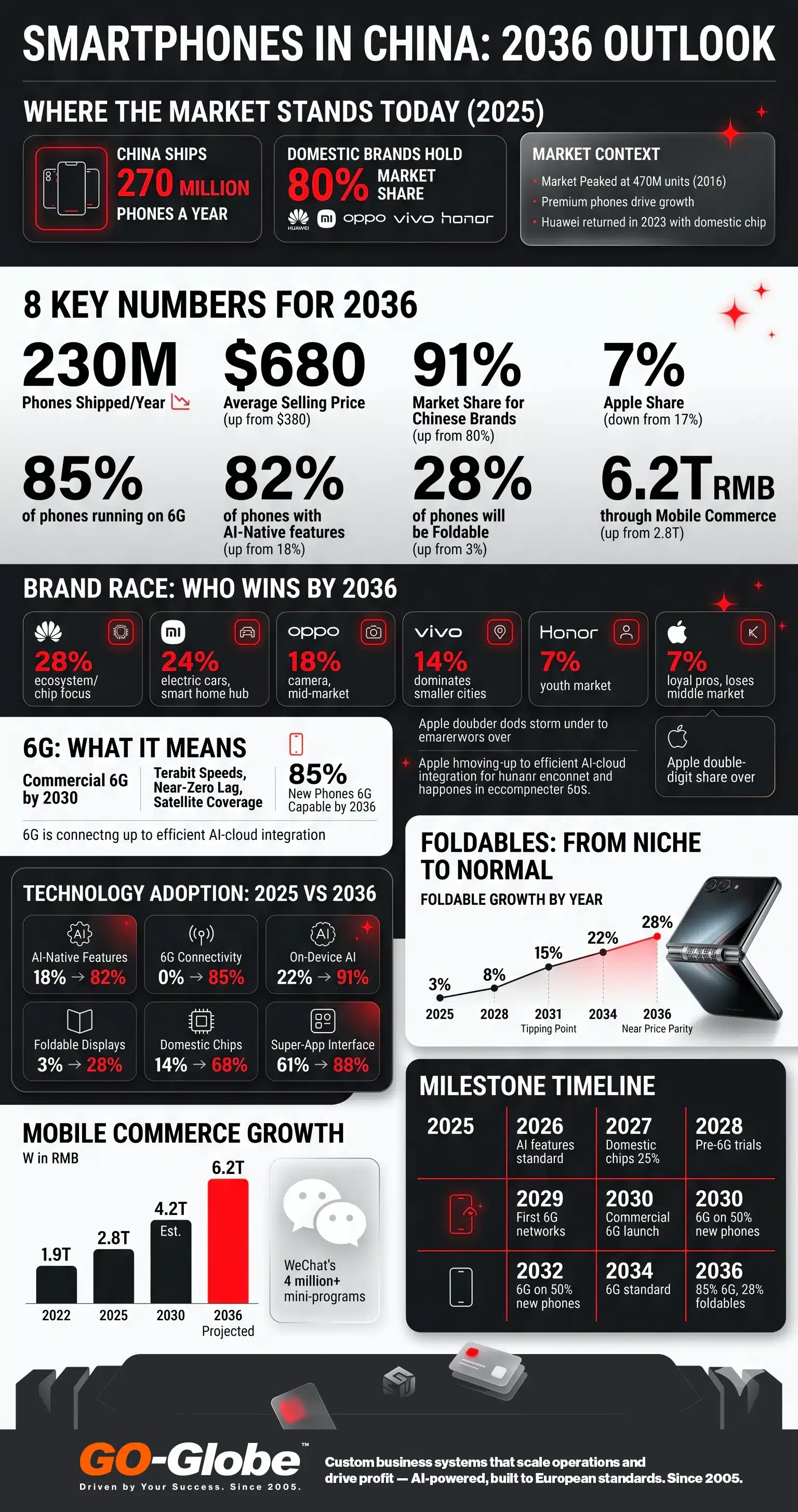
AI Phones vs Smart Phones
There is a real difference between AI-enabled and AI-native. It matters.
AI-enabled: your phone has AI features added on top. Better photos. Smarter autocorrect. A voice assistant you use sometimes.
AI-native: AI is how you use the phone. You do not tap menus. You tell the phone what you want. It works across all your apps. It remembers context from earlier in the day.
Technology Adoption: 2025 vs 2036
| Technology | 2025 | 2036 Projected | Change |
| AI-native device features | 18% | 82% | +64 pts |
| 6G connectivity | 0% | 85% | New |
| On-device AI processing | 22% | 91% | +69 pts |
| Foldable / flexible display | 3% | 28% | +25 pts |
| Domestic chip (non-TSMC) | 14% | 68% | +54 pts |
| Super-app as primary UX | 61% | 88% | +27 pts |
Chinese manufacturers are ahead on this shift. Huawei, Xiaomi, and OPPO are all building intent-based interfaces. The phone understands what you mean, not just what you say.
By 2036, 82% of Chinese smartphones will have AI-native features. That is up from 18% today. The shift is already happening. By 2036, it will be the expectation, not the exception.
| What this means for your apps
Enterprise software built on tap-and-navigate interfaces will feel dated in this environment. Systems need to expose AI-accessible APIs. If an employee can ask their phone to 'approve the supplier invoice from last Tuesday,' your system needs to support that interaction. |
Foldables Go Mainstream
China leads the world in foldable phones. Huawei, Xiaomi, OPPO, and vivo all make competitive foldable devices. China already accounts for over 60% of global foldable shipments.
Right now, foldables cost more than regular phones. They add about $300 to $500 to the price. That keeps most buyers away.
But manufacturing costs are dropping fast. The key technology is flexible OLED displays. Two Chinese companies, BOE and China Star, are the main global suppliers. They are getting better and cheaper every year.
Around 2029 to 2031, the price gap will close to about $150. At that point, foldables move from aspirational to mainstream.
Foldable Growth Trajectory
| Year | Foldable Share | Premium Price Gap | Status |
| 2025 | 3% | $300 to $500 | Early adopter |
| 2028 | 8% | $200 to $350 | Growing |
| 2031 | 15% | $100 to $150 | Tipping point |
| 2034 | 22% | Under $100 | Mainstream |
| 2036 | 28% | Near parity | Standard tier |
By 2036, foldable and flexible devices will make up about 28% of Chinese smartphone shipments. That is up from 3% today.
And the form will keep changing. Rollable displays are in prototype stage now. Screens that extend sideways from a compact body are coming. Stretchable displays, which curve around surfaces, are in labs in Shenzhen. The smartphone of 2036 may look very different from any device available today.
Mobile Commerce: The Super-App Economy
China's mobile commerce market is the most advanced in the world. In 2025, about 2.8 trillion RMB flows through mobile platforms every year.
By 2036, that number is projected to reach 6.2 trillion RMB. That is more than double in 10 years.
Mobile Commerce Growth (RMB Trillion)
| 2022 | 2025 | 2030 Est. | 2036 Projected |
| 1.9T RMB | 2.8T RMB | 4.2T RMB | 6.2T RMB |
Most of this flows through super apps. WeChat. Alipay. Douyin. These are not just apps. They are digital environments. Users shop, pay, book travel, talk to government services, and do banking all inside one platform.
WeChat alone hosts over 4 million mini-programs today. These are small apps that live inside the big app. By 2036, this model will be stronger, not weaker. AI will make super apps smarter and faster. The gap between them and standalone apps will grow.
If your business is not inside these ecosystems, you are not really participating in the Chinese market.
Key Milestones: 2025 to 2036
| Year | What Happens |
| 2025 | 5G mainstream at 65% of new devices. Huawei re-enters premium tier. Foldables in early adopter stage. Apple under share pressure. |
| 2026 | AI features become a standard selling point. On-device AI chips in all flagship phones. Xiaomi EV ecosystem integrates with HyperOS. |
| 2027 | Domestic chip share crosses 25%. Foldables drop below $1,000 for first time. Douyin becomes a serious commerce platform at scale. |
| 2028 | Pre-6G trials begin in major cities. AI agents inside super apps handle routine transactions. Foldable share reaches 8%. |
| 2029 | 6G standards finalised. First 6G test networks go live in Beijing and Shanghai. Rollable phones enter consumer market. |
| 2030 | Commercial 6G launch (China target). AI-native OS becomes default on flagship phones. Domestic chip share crosses 45%. |
| 2032 | 6G reaches 50% of new phone shipments. Foldable cost gap drops under $100. Super-app AI agents manage entire user workflows. |
| 2034 | 6G standard across all new phones. Foldables at 22% share. AI-native becomes the norm, not the premium option. |
| 2036 | 85% 6G penetration. 91% domestic brand share. Foldables at 28%. Mobile commerce reaches 6.2 trillion RMB. |
What This Means for Your Business
The smartphone shifts above are not just consumer stories. They define the environment your employees work in, the devices your customers use, and the technical standards your systems must meet.
Here are the most direct implications.
If you operate in China
Enterprise software built for Western markets usually fails three tests in China:
- No WeChat or Alipay login integration. Users need a separate login they will not bother with.
- Not optimised for HarmonyOS or Chinese Android. Things break. Performance drops.
- No AI agent API. AI assistants on Chinese phones cannot access your systems. Your software becomes invisible.
These are not minor issues. They reduce adoption, slow down teams, and cut you off from how Chinese users actually work.
If you are entering the GCC-China corridor
Chinese manufacturers expanding to UAE, Saudi Arabia, and Bahrain face a specific challenge. Their systems work in China. They do not work for GCC clients and partners.
A China-to-GCC digital infrastructure usually needs:
- Bilingual portals in Arabic and Mandarin, not just English.
- Dual payment setup: WeChat Pay and Alipay for the China team, local GCC gateways for clients.
- Supplier and customer portals that meet both China data regulations and GCC compliance rules.
- Workflow automation that connects Chinese manufacturing operations with GCC distribution and sales.
| GO-Globe works on this exact problem
We build enterprise digital infrastructure for companies operating across the GCC and Asia. Our Shanghai office focuses on the China-GCC corridor. If your digital systems are not ready for this market, we can assess the gaps in a free consultation. Visit go-globe.com or email [email protected]. |
Frequently Asked Questions
Will Apple recover its China share by 2036?
Unlikely. The decline is structural, not cyclical. Domestic brands have matched Apple's build quality. Huawei's chip progress removes a key dependency. Apple will keep a profitable niche around 7% share. Reclaiming double digits would need a significant shift in China's technology environment.
When will 6G actually launch in China?
China's Ministry of Industry and Information Technology has set 2030 as the commercial launch target. Given China's 5G track record, this is credible. Consumer 6G phones would become mainstream from 2031 onward. Near-ubiquitous 6G in urban areas is realistic by 2036.
Are foldables really going mainstream or staying niche?
In China specifically, they are on a genuine mainstream path. The key driver is cost. Once the price premium drops below $150, foldables move fast. BOE and China Star are the world's main flexible OLED suppliers. Their cost curves point to that threshold arriving around 2030 to 2031.
What is the difference between AI-native and AI-enabled?
AI-enabled adds AI features to a conventional OS. The interaction model stays the same. AI-native means AI is the primary interface layer. The device understands intent, maintains context, and acts across apps. Most Chinese flagships will be AI-native by 2036.
Does the Chinese smartphone market matter to GCC businesses?
Yes, in two ways. First, Chinese brands are expanding into GCC markets. Xiaomi, OPPO, and vivo already have strong Middle East presence. Second, Chinese companies entering GCC need digital infrastructure that works for both markets. That is a growing opportunity for anyone who can bridge the two.
The biggest mistake modern businesses make is assuming that, just because their company is ready to grow, expanding it will continue to grow the same way.
Many are proven wrong when they make moves to expand, while just analyzing their internal data without thinking about whether that new market is ready for them or not.
So, that's when it is useful to look up to leading global brands, as each of them had a different approach led by the same analysis. Because of elements such as customer behavior, underlying operational challenges, local conditions, etc., every step is made with a deep, detailed analysis.
Knowing all the major criteria they cover will make it easier over time to actually expand your business in the most efficient way.
The biggest mistake modern businesses make is assuming that, just because their company is ready to grow, expanding it will continue to grow the same way.
Contents
The Data Global Companies Analyze Before Expanding
Modern systems have taken business expansion strategy to another level; there are no more pure assumptions, and it depends on intuition and luck.
Integrated systems are found in every part of the company, no matter if it's for planning or customer relationships. Also, data analytics systems have been shown to be the real game changers when analyzing patterns and fixing problems.
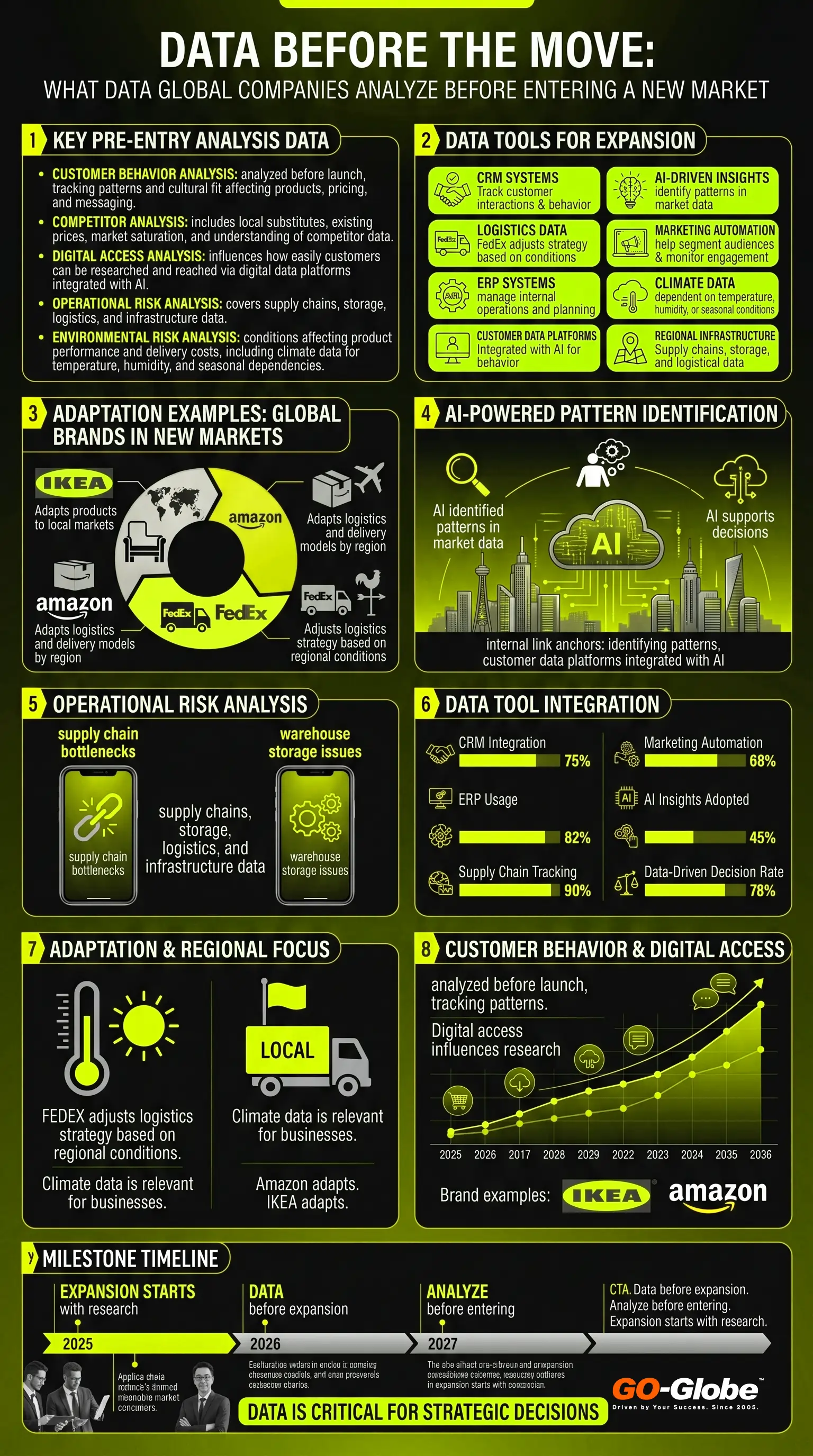
Customer Behavior and Cultural Fit Across Markets
As mentioned above, companies that live off the success in one location don't necessarily mean it will be the same when they expand.
The main issue here is the assumption that customers will behave the same way as those who are used to your brand and service.
Every company's goal is to get others to behave the way they want to, but to get there, each business has to oblige customers and the culture of that region.
That means that purchase behavior and price sensitivity are tied to the standard of living in a particular city or state. Also, timing and cultural expectations change the way customers view products and companies.
There are a few leading examples, one of which is IKEA. They have won the global market with fundamental analyses of cultures. They tailor product sizes and patterns to match local life.
Putting extra attention to culture and customers' lifestyles, as cultural mismatches are one of the leading causes why global extensions fail.
To overcome this bridge, luckily, there are integrated systems like a marketing automation platform and CRM. They can help track market segmentation and behavior, while also analyzing browsing patterns.
Competition, Market Saturation, and Digital Access
Closely tied to becoming familiar with customers, now companies have to face their competitors and break into the market.
Before even entering, there is analysis to go through, such as becoming familiar with locals, potential substitutes already on the market, the prices already offered, etc.
As a matter of fact, customer loyalty plays a huge role in this section, so using customer data platforms integrated with AI will help you in making further decisions on how to win those customers.
With that being said, competition has stopped being only physical a long time ago, so proper marketing strategies before even entering new markets are crucial.
For instance, through digital feedback and regular activities, Amazon adapts logistics and delivery models, building its infrastructure.
Digital access allows you to do your own research on the market, while having systems generate feedback and giving you reliable data. That way, businesses wait for perfect timing to enter new markets; if customers and competitors are not ready or informed, it will lead to failure.
Operational and Environmental Risks
Even if the market is ready for new business, and all factors match, there are underlying operational risks that have to be factored in.
Potential delays in supply chains or local climate affecting storage and internal operations are risks that are predictable with the right tools.
So, to avoid delays and inefficiencies, businesses once again face the need to analyze long-term patterns firsthand.
Here's a quick example of why knowing the infrastructure and climate of a new location is important:
If a business is closely tied to plant-based products, it must carefully evaluate climate conditions. Entering drought-prone markets can increase operational costs and result in customer complaints.
That's why many rely on data tied to historical weather for any location that may help them adapt their business to the new markets. Companies like FedEx are known to adjust their equipment and logistics strategies based on the regional climate.
Conclusion
These factors above are nothing new to the company, as it has already covered them once. Each of them represents functions that are a necessity for business maintenance.
However, problems arise when you have to keep the core system working while everything else is changing; that's the basis of successful expansion.
Introducing modern systems into your work and learning how to cooperate will put the company a few steps ahead.
Combining those internal and external data results in cost efficiency and mainly in reducing unnecessary risks.
AEO in Saudi Arabia 2026 is changing how people find answers online. Unlike regular SEO, which shows your site in a list of links, Answer Engine Optimization (AEO) helps AI search engines pick your content to give direct answers. Simply put, AEO makes your content the answer, not just a webpage.
AI search is growing fast in Saudi Arabia. Tools like ChatGPT and Google AI summaries are becoming common. About 50% of Google searches now show AI-generated summaries.
By 2028, this could reach 75%. Many local professionals are also using AI. In fact, 75% of Middle East employees use AI tools at work. This makes Saudi Arabia a perfect place to use AEO.
The chance is big. Businesses that use AEO early can get more visibility, especially for Arabic searches. If you ignore it, your brand may lose clicks and fall behind.
Contents
- 1 What Is AEO and Why Saudi Arabia Is the Next Frontier for AI Search
- 2 How Arabic Queries Behave Differently in AI Search Engines
- 3 The State of AI Search Adoption in Saudi Arabia in 2026
- 4 Why KSA Businesses Are Uniquely Positioned to Win with AEO
- 5 How to Build an AEO‑Ready Arabic Content Strategy for KSA
- 6 Schema Markup for Arabic Websites: A Step‑by‑Step Guide
- 7 AEO vs SEO for Saudi Businesses: Where to Start
- 8 GO-Globe Makes AEO Optimization Easy for You
- 9 FAQs
What Is AEO and Why Saudi Arabia Is the Next Frontier for AI Search
AEO in Saudi Arabia 2026 is changing how businesses appear in AI search. This is the next step after SEO. Saudi Arabia is quickly becoming a key market for AI-powered search tools and optimization.
What is Answer Search Engine Optimization (AEO)
AEO is the smart way to make your content the answer AI systems show. Unlike traditional SEO, which ranks pages in a list, AEO helps AI pick your content as the main source.
AI tools like ChatGPT or Google AI Overviews don’t just give 10 blue links anymore. They read many sources and make one clear answer. That’s why AEO matters.F
How AI Queries Work in Saudi Arabia
- Users might ask: “What is the best CRM for small businesses?”
- Or search: “How does schema markup work?”
- AI reads multiple sources and creates a single answer. You won’t just appear in a list.
- AEO ensures your content is the one AI cites.
AEO in Saudi Arabia: The Booming Growth
Answer engine optimization in KSA is growing fast. Saudi Arabia is becoming a hotspot for AI-powered search because of high internet use, rapid digital changes and widespread AI adoption. Businesses now need to think beyond keywords.
Shift from Keywords to User Intent:
AI now understands what users really want. Saudi businesses should focus on content that directly answers real questions. Topic clusters and semantic search help organize content logically for AI.
With AEO, your business becomes the source AI selects and cites, making you a go-to expert.
Enhanced Local SEO with AI:
AI search in Saudi Arabia boosts local discovery. Optimizing for geo-specific queries and business profiles helps regional audiences find you.
Content should match local culture and AI ranking factors. Proper local AEO improves visibility and helps businesses stand out in regional AI results.
Personalized Search Results: The New Frontier:
AI tailors answers using location, behavior, and preferences. Saudi businesses can use dynamic content, personalized landing pages, and user-focused strategies. Personalization increases engagement and makes AI more likely to cite your content as the authoritative answer.
How Arabic Queries Behave Differently in AI Search Engines
Arabic queries are unique. They follow patterns shaped by language and culture. Businesses need special strategies to succeed in generative AI search in KSA. Understanding these patterns helps brands reach more users and appear in AI-driven answers.
Arabic SEO: The Fundamentals
Generative AI search in KSA works best when content matches Arabic user behavior. The Arab world is huge. Over 250 million people speak Arabic across the Middle East and North Africa. Most of them, around 88%, search online in Arabic.
Arabic users search differently. They often use long, descriptive queries. They care about trust, cultural context, and relevance. For example, someone might search “أفضل مطاعم حلال في الرياض للعائلات” (best halal restaurants in Riyadh for families).
Businesses need a tailored approach:
- Go beyond simple keywords.
- Focus on localized, culturally aligned content.
- Structure content to match semantic meaning.
Differences Between Arabic and English SEO
Arabic SEO is different from English. This is because of how people search, the language itself, and technical issues.
Search Behavior Variations:
Arabic users often type long, question-style searches. For example, “أفضل فنادق دبي للعائلات” instead of “best hotels Dubai.” Content must match what users really want. AI reads and uses this content to give answers. Writing with the right intent helps your content get cited as the answer in AI search.
Technical Implementation Challenges:
Arabic websites need right-to-left (RTL) text. They also need correct fonts and layouts. Mixed-language pages must show correctly. Many platforms have trouble with Arabic URLs. If the site is not correct, AI may not read it well. Good technical setup makes AI indexing easy and improves AEO performance.
Keyword Complexity and Semantic Challenges:
Arabic has many dialects and vowel variations. The same idea can be written in 4–5 ways. AI finds it harder to understand these differences. Including all variations in content helps AI recognize it. This improves the chance your content is cited as the main answer in AI search.
Key Elements for Arabic SEO
Arabic SEO for AI search is different. You need to think about dialects, structure, and platforms. Clear text, good formatting, and culture-based content help your pages get cited and ranked in featured snippets in Arabic.
Dialect-Specific Optimization:
Use Gulf Arabic for local services, e.g., "تصليح تكييف". Use Modern Standard Arabic for formal content. Add common questions like "كيف" (how) or "أين" (where). This helps AI show your content correctly.
Content Structure Adjustments:
Keep paragraphs short. Arabic text grows longer than English. Use Arabic-friendly fonts. Don’t put text in images. Clean layout helps AI read your pages.
Platform-Specific Approaches
Make content fit the platform.
Such as:
- YouTube: Arabic titles get 3× more views.
- Instagram: Arabic hashtags work better.
- Google: Use exact-match keywords for better AI results.
The State of AI Search Adoption in Saudi Arabia in 2026
Saudi Arabia is leading the world in AI adoption. It ranked among the top in the Public Sector AI Adoption Index 2026. This ranking comes from research by Public First, a UK consultancy, and the Center for Data Innovation in the US.
The survey included 3,335 public servants from 10 countries. Adoption was measured across five areas: enthusiasm, empowerment, enablement, embedding, and education.
Around two-thirds of employees use AI daily, 77% report organizational AI investment, and nearly half have used AI for over a year. This shows strong readiness for AEO in Saudi Arabia 2026.
63% of Saudi Businesses are Ready to Grow with AI Automation in 2026
Saudi Arabia is entering a key stage in AI automation. Companies are making clear plans to use AI at scale.
A Nintex study shows that 63% of Saudi businesses will start a formal automation strategy in the next 7–12 months. Companies are moving from small experiments to full, organized AI adoption. The study looked at 500+ Saudi companies with more than 250 employees. Right now, 28% are just exploring AI, while 26% are using it in many business areas. This shows growing momentum.
Following Vision 2030, AI is now central for growth. This also creates new opportunities for answer engine optimization in KSA.
Saudi Businesses and AI Adaptation: Key Stats and Figures
Saudi Arabia leads the world in AI adoption. It ranked #1 in the Public Sector AI Adoption Index 2026. This shows it is ready for AI search in Saudi Arabia and AEO opportunities.
- 77% organizations invest in AI tools and infrastructure
Many Saudi companies are building AI systems. Investment shows serious focus on long-term AI use.
- Nearly 50% have used AI for over a year
This means adoption is sustained, not just a trial. AI is becoming part of daily work.
- Around 1/3 get direct support from management
Top-level support ensures AI projects get resources and attention.
- 84% received AI training
Most training is compliance-focused. There is still room for practical, hands-on learning.
- Daily AI use and clear policies
AI is part of workflows. It is not just experimental.
- Global comparison
Advanced adopters: Saudi Arabia, Singapore, India. Uneven adopters: US, UK, Brazil, South Africa. Cautious adopters: Germany, France, Japan.
- Global benchmark stats
74% adopted AI in the past year. 80% feel confident using AI tools.
Saudi Arabia now has one of the strongest AI ecosystems. Businesses here are ready for AI-driven search and AEO leadership.
Related: Building a Scalable Link Building Strategy
Why KSA Businesses Are Uniquely Positioned to Win with AEO
Saudi Arabia is a global leader in AI. It has invested over $100 billion and aims to be the third-largest AI market by 2030. This makes it an early mover in AI-driven search. Businesses here can benefit from AEO in Saudi Arabia 2026.
AI is a central part of Vision 2030. It is government-backed, not a side project. This ensures AEO adoption is supported across the ecosystem.
- Scale of investment: $14.9B announced at LEAP 2025.
- Economic impact: AI is expected to add $135B to GDP (PwC). These figures show strong AI infrastructure and long-term growth potential.
- Enterprise readiness: 81% of businesses use industry-specific AI.
- Professional adoption: 42% of citizens use generative AI at work. High familiarity with AI creates fertile ground for AEO success.
Saudi users search with intent-driven queries, such as “how to use AI” or “best AI tools,” making AEO content highly relevant.
- Business outcomes: 52% focus on customer satisfaction, 47% on revenue growth (SAP).
- Real impact: AI reduces knowledge retrieval time by 50%, showing clear value.
With high investment, deep adoption, and practical search behavior, Saudi businesses are perfectly positioned to lead in AI search and AEO visibility.
How to Build an AEO‑Ready Arabic Content Strategy for KSA
Building an Arabic content strategy for AI requires focus. Businesses must do keyword research, write culturally relevant content, optimize RTL layouts, get local backlinks, and design for mobile and voice.
This ensures AEO in Saudi Arabia 2026 aligns with AI search behavior.
1. Target Arabic Keyword Research
Arabic keyword research is tricky. Multiple dialects and formal vs. colloquial words make it complex. Tools like Google Keyword Planner and SEMrush help. Collaborate with experts like The WordWave.
Examples include “عبايات أنيقة” (elegant abayas) or “شراء عبايات أونلاين” (buy abayas online). Keywords must match user intent and AI citation needs.
2. Do Optimization for Right-to-left (RTL) Websites
Make sure your website supports RTL text and menus. Use Arabic-friendly fonts and readable sizes. Work with developers to fix layout problems in mixed-language pages.
Proper RTL formatting improves user experience. AI engines can crawl content better, which helps boost AEO in Saudi Arabia 2026 performance.
3. Write Culturally Rich, High Quality Content
Arabic readers like content that respects culture and traditions. Include local events like Ramadan. Write in formal Arabic that feels relatable. Give local examples, like skincare tips for desert climates.
High-quality, culturally relevant content increases trust and chances of being cited in generative AI search in KSA.
4. Focus on Local Backlinks
Build backlinks from trusted Arabic blogs, news sites, and influencers. Use guest posts and partnerships with Middle Eastern platforms. Backlinks show authority and trust to search engines.
They also improve AI recognition, helping your content get cited and ranked in the region for AEO success.
5. Do Optimization for Mobile and Voice Search
Over 60% of Middle East users go online via mobile. Ensure pages load fast and are mobile-friendly. Optimize for voice search using conversational Arabic and question-based phrases.
Example: “أين يمكنني شراء أحذية رجالية” (Where can I buy men’s shoes?). This boosts AEO strategy in Riyadh, Sharjah and overall performance with AI in UAE.
Schema Markup for Arabic Websites: A Step‑by‑Step Guide
Adding schema markup to Arabic websites helps AI and search engines understand your content better. It can boost rich results and citations in AI-generated answers. This is essential for getting featured snippets in Arabic and strengthening your AEO strategy.
Step 1: Create a Script that Google Prefers
Schemas are scripts that tell Google what your content is about. Google prefers JSON-LD format (JavaScript Object Notation for Linked Data). Manual coding is risky an done small error can break your page. Use tools to make it fast and accurate:
- Google Structured Data Markup Helper
- Merkle’s Technical SEO Schema Markup Generator
Merkle workflow:
Open blog and generator in tabs, copy URL, select ‘Articles → BlogPosting,’ and fill author, images, metadata. It takes under 5 minutes. This gives rich results and ensures AI and search engines can read and cite content correctly, boosting AEO in Saudi Arabia 2026.
Step 2: Test the Generated Schemas
Testing your schema scripts is very important. It makes sure AI and search engines read your content correctly and avoid errors.
Use the “G” icon on the top-right of your schema generator to start testing. You have two main options:
- Structured Data Testing Tool → Goes to schema.org and shows errors or warnings. Click the test, and make sure there are none.
- Google Rich Results Test → Checks if your schema gives rich snippets. Solve the captcha if needed and confirm expected results.
Successful testing ensures your schema is accurate, improves AI citations, and strengthens your AEO optimization.
Step 3: Implement Schema. Go Live
If your schema tests show no errors, it’s ready to go live.
- Direct method: Open the page’s source code. Copy your validated schema script. Paste it into the page. Done! Works for CMS like WordPress easily.
- Alternative method: Use Google Structured Data Markup Helper. Paste URL → Start Tagging → Tag data fields → Create HTML → Download script if needed.
After implementation, re-test with Schema Validator and Rich Results Test. Optional warnings are fine. Repeat for each page to ensure full structured data coverage.
Step 4: Repeat for Every Page
Schema markup must be added to each page one by one. The effort depends on how many pages your site has.
- It’s a one-time process that helps AI and search engines read your site better.
- Once applied, Google understands your content and connects it to the right audience.
- After finishing all pages, you can learn more about crawling, indexing, and ranking from extra resources.
Repeating this process carefully maximizes AEO and rich result chances for your whole website.
AEO vs SEO for Saudi Businesses: Where to Start
Saudi businesses need to understand the difference between SEO and AEO. SEO helps your site rank on traditional search pages. AEO focuses on AI-driven answers, featured snippets, and voice search results. In 2026, this is critical for businesses that want to stay ahead.
A strong AEO strategy in Riyadh, Sharjah and all over UAE ensures your content is seen in AI-powered search results, not just in regular links.
What is SEO? Core Components, and Objectives
SEO is the process of improving your website so it ranks higher on search engines. It focuses on relevance, authority, usability, and technical performance.
Core components include:
- On-Page SEO: Use keywords smartly, optimize title tags and meta descriptions, structure headings (H1–H6), link internally, and create high-quality content.
- Technical SEO: Improve site speed, make it mobile-friendly, use HTTPS, XML sitemaps, robots.txt, and structured data.
- Off-Page Signals: Build backlinks, gain brand mentions, use social signals, and do digital PR.
The goal is simple: higher rankings, more visitors, and strong online visibility in Saudi Arabia.
What is AEO: Best Strategies and Objectives
AEO means making your content easy for AI to read and answer questions. This helps your site appear in featured snippets, knowledge panels, and voice searches.
Why it matters: users want quick answers, not long lists of links. AI often shows zero-click results.
Key strategies include:
- Structured Content: FAQs, step-by-step guides, definitions, bullet points, and direct answers.
- Schema Markup: Use FAQ, How-to, Q&A, and entity markup for AI understanding.
- Voice Optimization: Write long-tail phrases, natural sentences, clear context, and precise responses.
The goal: become the main answer source for AI searches, boosting visibility in zero-click results and making your content a go-to reference.
GO-Globe Makes AEO Optimization Easy for You
Struggling to get your business seen in AI-driven searches? Confused about why your website isn’t appearing in featured snippets or voice search results? You’re not alone. Many Saudi businesses invest in content but miss AI visibility.
The solution: our AEO optimization services can solve this. GO-Globe helps you turn your content into AI-ready assets. We use proven steps:
- Conduct deep Arabic keyword research across dialects and local search intent.
- Implement precise schema markup for every page.
- Optimize content for voice search and mobile AI queries.
- Track performance with AI tools to continuously refine results.
Take the first step today! Talk to GO-Globe experts today and book your free consultation!.
Related: Dubai SEO Trends
FAQs
Q1. What is AEO (Answer Engine Optimization)?
AEO is the practice of structuring your content so AI engines like ChatGPT, Google AI Overviews and Perplexity quote it directly as the answer, instead of just listing your page among ten blue links. In Saudi Arabia it means optimising for both Arabic and English AI search.
Q2. How is AEO different from SEO in Saudi Arabia?
SEO aims to rank your page in a list of results. AEO aims to make your content the single answer an AI engine summarises. SEO targets keywords and links; AEO targets clear questions, structured data and concise, factual answers that AI can lift and cite.
Q3. Why does AEO matter for KSA businesses now?
AI search is growing fast in the Kingdom, and Saudi internet penetration sits near 99 percent. As AI Overviews answer more queries without a click, businesses that are not cited by AI engines lose visibility. Early AEO adopters, especially in Arabic, capture answers before competitors do.
Q4. How do I make my website AEO-ready for Arabic search?
Use clear question-and-answer formatting, add FAQ and Article schema, write concise factual answers, support right-to-left (RTL) Arabic layouts, and target real Arabic queries rather than English translations. Strong topical depth and trustworthy sources help AI engines choose your content.
Q5. How long does AEO take to show results?
AI engines re-crawl and update frequently, so well-structured answers can be picked up within weeks, often faster than traditional ranking gains. Results depend on your site's authority, content quality and how cleanly your answers and schema are implemented.
Q6. Does GO-Globe offer AEO services in Saudi Arabia?
Yes. GO-Globe provides Answer Engine Optimization for KSA businesses, including Arabic and English AI search, schema implementation, AI-friendly website structure and content built to be cited by AI engines. You can request a free consultation to review your current AI visibility.
Finding businesses online is changing without getting noticed. Today, ChatGPT marketing in UAE helps people discover services easily. Perplexity AI in UAE gives quick answers without scrolling through many search results.
People do not just type keywords anymore. They ask full questions like, “Where is the best coffee shop in Dubai?” or “Who delivers groceries fast?”. As per studies from Elon University, 52% of adults now use AI tools to search and get information.
Customers want instant answers. They do not like long lists of links. AI tools show only a few businesses. Companies that rely only on old SEO may lose visibility. Those with strong content and trust signals are more likely to appear.
Contents
- 1 How Customers Are Using ChatGPT and Perplexity AI to Find Local Businesses
- 2 Why Traditional Google SEO Alone Is Not Enough in 2026
- 3 How AI Search Tools Decide Which Businesses to Recommend
- 4 The Difference Between Being Found on Google vs Found by AI
- 5 5 Ways UAE Businesses Can Appear in ChatGPT and Perplexity Results
- 6 How to Create Content That AI Systems Trust and Cite
- 7 What UAE Businesses Should Do Right Now to Stay Visible
- 8 FAQs
How Customers Are Using ChatGPT and Perplexity AI to Find Local Businesses
Customers now use generative search in UAE to find local businesses. They do not browse many websites anymore. Instead, they ask full questions to AI tools like ChatGPT or Perplexity AI.
These tools give quick, curated suggestions. They pull information from trusted directories, reviews, and search indexes. This makes it faster for customers to find the right business.
They Prioritize Access to Directory Listings
Many businesses only use Google Business Profile. This is not enough. AI tools like ChatGPT and Perplexity AI check many sources.
Key directories AI uses:
- Bing Places: very important because ChatGPT uses Bing data.
- Yelp, Apple Maps, TripAdvisor, Foursquare, Yellow Pages: give extra details about businesses.
- Facebook About section: even small info helps AI trust your business.
Consistency is key. Name, address, phone, hours, and services should match across platforms. If the details are different, AI may ignore the business.
They Check Reviews Over Reputation
AI tools look at reviews more than brand reputation. Businesses that are “highly rated” or “top-reviewed” get shown first.
How AI reads reviews:
- Google Reviews and Yelp provide ratings, number of reviews, and comment keywords.
- AI can understand this structured data easily.
Best practices:
- Ask customers for reviews often.
- Reply to all reviews with helpful messages.
- Share top reviews on your website and social media.
Avoid short, generic replies like “Thanks for the feedback!” AI favors detailed and meaningful feedback when deciding which business to recommend.
They Prefer Websites with Structured Content
AI tools like ChatGPT and Perplexity AI in UAE use your website as a key source. They like sites that are easy to read for machines and humans.
- Use schema markup: Show business name, type, address, hours, reviews, and services. Plugins or an SEO partner can help.
- Local content: Add neighborhood names, landmarks, and locally relevant language.
Websites that are both machine-readable and human-friendly get cited more often in AI responses.
Optimization for Natural, Conversational Search Matters
AI understands full questions, not just keywords. People search with sentences like “Where can I fix my phone in Downtown?” or “Best brunch spot near me
For this, create FAQ pages, local service pages, and blogs answering real questions. Highlight unique offerings like same-day service or pet-friendly options.
The more your website matches natural speech, the more AI search in 2026 will reference your business correctly.
They Also Get Business Lists from Bing
Bing is a major source for AI tools like ChatGPT and Microsoft Copilot. Appearing on Bing boosts your chances of being recommended.
- Claim your listing, keep it updated.
- Make your website fast, mobile-friendly, and credible. Get backlinks from authoritative sites.
Check your business on Bing. Weak or outdated listings reduce AI visibility and lower the chances of being suggested to customers.
Why Traditional Google SEO Alone Is Not Enough in 2026
Traditional SEO alone cannot keep your business visible anymore. ChatGPT marketing in UAE is changing how people discover products and services online. Companies must now think beyond keywords and rankings to stay competitive.
Why Traditional SEO is Not Enough
Traditional SEO alone does not work well anymore. It only looks at keywords, backlinks, and rankings. AI discovery marketing in Dubai is changing this.
AI now checks brand trust, credibility, and connections between topics. Google rankings still matter, but AI picks what it thinks is reliable and helpful. Businesses need AI-focused SEO.
They must make content easy for AI to read and trust. Over 70% of UAE retailers use AI to understand customers and give personalized offers, boosting loyalty and sales by up to 15%.
What AI Search Engines Are Making Better
AI search engines like ChatGPT and Perplexity AI do not replace Google. They work alongside it. People now use AI for quick answers and conversations. They still use Google for deeper research. Search habits are changing.
Users mix AI queries with traditional searches depending on what they need. This creates new ways to show up online. Businesses can use this as an advantage. They should make content easy for AI to read and trust while keeping it strong for Google.
How AI Search Tools Decide Which Businesses to Recommend
AI assistants work differently from Google. Tools like ChatGPT marketing in UAE and Perplexity AI do more than check backlinks or keywords. They look for clear, structured information.
Many businesses miss out because they rely only on old SEO methods.
- Your Website (58% of AI data)
Your website is the main source for AI. Use clear headings, FAQs, and schema markup. AI reads your site to understand what you do and who you serve.
Keep content updated and complete. Old or messy websites get ignored.
- Mentions in Trusted Sources (27% of AI data)
AI checks mentions on news sites, LinkedIn, YouTube, and other trusted platforms. Press coverage, guest posts, and features help AI trust your business more. - Business Directories (15% of AI data)
List your business the same way on Google, Bing, Yelp, TripAdvisor, and others. Keep your name, address, phone, hours, and services consistent. AI cares more about consistency than the directory.
Fresh content improves visibility in generative search in UAE. AI prefers content it can easily find, read, and trust.
Use structured website content, trusted mentions, consistent directory listings, and fresh information. Visibility doesn’t happen automatically. You need to plan carefully for AI recommendations.
The Difference Between Being Found on Google vs Found by AI
Being found on Google and AI is very different. In regards to LLM SEO in UAE, Google shows ranked lists. AI platforms like ChatGPT select and synthesize answers.
This changes how users discover your business. Ranking matters on Google. Selection matters on AI. How people interact and click depends on which system they use.
What Does Being Found Mean in Google
Being found in Google means your page shows in search results for a relevant query.
Example searches:
- “Best CRM software for startups”
- “Email marketing tools comparison”
- “Project management tools pricing”
How Google Works
Google checks all indexed pages. It ranks them by relevance and authority. Users read titles and meta descriptions before choosing a page. Google links users to websites, it’s a connection engine.
Key Visibility Factors
- Keyword alignment
- Backlinks
- Page quality
- Technical health
- Internal linking
- Topical authority
Traffic drives success. First rank gets the most clicks. Second or third still get visitors. Metrics include rankings, impressions, click-through rate, sessions, and conversions.
On Google, being found is about appearing in the list. Rank is the main factor. AI does not rank like this. It selects content differently.
What Does Being Found Mean in AI Search
Being found in AI search is not the same as Google. Tools like ChatGPT and Perplexity AI in UAE do not show a list of links. They give direct answers to user questions.
How AI Generates Recommendations
Example searche
- “What is the best CRM for small businesses?”
- “Compare Asana and Monday for remote teams.”
- “Which marketing automation platform is easiest to use?”
AI picks certain brands. It summarizes their features, strengths, and differences. Sometimes it gives direct recommendations. If your business is mentioned, it is visible. If not, it is invisible.
Core Differences from Google
- Google shows ranked lists, links, and drives clicks.
- AI shows selected answers and shapes decisions.
- Traditional SEO is not enough. Content must be structured, trustworthy, and readable by AI.
5 Ways UAE Businesses Can Appear in ChatGPT and Perplexity Results
UAE businesses need smart AI strategies to appear in ChatGPT and Perplexity. ChatGPT marketing in UAE now requires structured data, clear answer-ready content, schema markup, bilingual support, and citation tracking. GCC AI adoption is growing fast. In fact, Arabic voice and conversational AI is rising at 34% CAGR, reaching $7.3B by 2031.
With AI searches growing fast in the GCC, companies that follow these tactics can capture more visibility and stay ahead of competitors.
1. Integrate Proper Knowledge Graph
Knowledge Graphs help AI understand your business. AI search in 2026 relies on them to link your brand, executives, services, and locations. Without it, AI may treat your company as unknown and skip recommending you.
- Knowledge Graph builds a clear foundation for AI recognition.
- Supports structured queries, connecting your offerings to real user questions.
Businesses must integrate Knowledge Graphs to be discovered by AI.
2. Use Answer-Ready Content
AI finds businesses through clear, structured answers. Generative search in UAE prefers content that is easy to parse. Also, LLM SEO in UAE ensures your content is picked up by AI.
- Build FAQs, How-To guides, comparison pages, and definitions for AI.
- Start with the direct answer in the first 200 words. AI reads concise responses first.
- Blogs are the #1 cited content type in AI summaries.
Well-organized, answer-ready content boosts chances that ChatGPT and Perplexity will mention your business in responses.
3. Prior Bilingual AI (EN+AR)
UAE businesses must speak both English and Arabic. AI discovery marketing in Dubai works best when content matches local languages.
- Make separate content for English and Arabic.
- Arabic voice searches are growing fast in the GCC.
- English-only content misses half the audience.
Bilingual content helps AI understand your business. It improves your chances of being chosen and cited in ChatGPT and Perplexity answers.
4. Inject Advanced JSON-LD Schema
Structured schema helps AI know your business clearly.
- Use JSON-LD types like FAQPage, HowTo, LocalBusiness, Service, Person, Organization, BreadcrumbList.
- Schema gives AI clear data about your offerings.
- Custom templates work better than generic plugins.
A good schema makes your business easy for AI to find. It ensures correct recognition and increases chances of being included in AI answers.
5. Monitor Citation Continuously
AI mentions change often. Also, 40–60% of citations change every month. This is why businesses must watch them to stay visible in ChatGPT, Perplexity, and other AI tools.
- Check ChatGPT, Perplexity, Google AI Overviews, and Gemini.
- Update old content or add new posts to replace lost mentions.
Tracking citations helps your UAE business stay visible in AI recommendations.
How to Create Content That AI Systems Trust and Cite
UAE businesses must create content that AI can trust. ChatGPT marketing in UAE works best when content is clear and structured.
You need content that AI can read, understand, and cite. Use multiple platforms. Show authority. Optimize technically. Measure results.
A smart, simple approach helps AI cite your business. This keeps your company visible in ChatGPT, Perplexity, and other AI tools.
Implement Discoverable, Multiplatform Content Strategy
AI reads content across many platforms. AI search in 2026 works differently on each tool.
- Google is for deep research.
- ChatGPT answers questions and helps users solve problems.
- Perplexity gives citation-heavy answers.
- Claude checks facts.
Make content fit the platform:
- Use bullet points, lists, and stats for citation-heavy tools.
- Use FAQ style and natural conversation for ChatGPT.
- Keep keywords, internal links, and on-page SEO for Google.
Add schema markup to all pages. It helps AI read and cite your content correctly.
Build Authority that AI Can Trust On
AI cites businesses it trusts. Trust comes from clear signals online.
- Citations: Track mentions of your brand.
- Internal links: Show depth with topic clusters.
- Source reliability: Use correct author info and fact-check content.
- Prompt-targeted content: Answer AI questions directly.
- Original research: Surveys and reports increase trust.
- PR & media: Appear in trusted publications.
- Community engagement: Participate on LinkedIn, Reddit, and forums.
Structured, clear content shows AI that your business is reliable. Focus on authority-building so AI will cite your brand.
Create Convertible Content Across Channels
Content must work for people and AI. AI discovery marketing in Dubai is competitive, so your content must drive actions too. In fact, about 40% of marketers struggle to get readers to act.
- Conversational yet complete: Use simple, natural language. Make it easy for humans and AI to read.
- Scannable structure: Use clear H2/H3 headings and bullet points.
- Answer-first format: Start sections with direct answers, then explain more.
- Full coverage: Cover topics from different angles; AI likes complete content.
- Facts & citations: Include stats, quotes, or research for credibility.
- Cross-platform consistency: Align blogs, social media, and AI overviews. Keep brand voice the same.
- SEO & topic clusters: Use natural keywords, group content around main topics.
- AI-specific nuances: ChatGPT values clear instructions; AI overviews care about authority.
Focus on clear, actionable, and AI-friendly content. Use examples, stats, and structured text to boost citation chances.
Achieve Universal Discovery with Technical Optimization
Technical optimization makes your content easy for AI and humans to find and use. Without it, even good content can go unseen.
- Page speed: Fast-loading pages help users and improve AI signals.
- XML sitemaps & robots.txt: Guide crawlers to important content.
- Schema markup: Use FAQPage, HowTo, LocalBusiness, Service, and more to feed AI structured data.
- Accessibility: Follow WCAG rules so everyone and AI can read your content.
- AI crawling setup: Let AI agents access content easily and efficiently.
- Content optimization: Include authorship, publication dates, and clear topic categories.
- Structured technical setup: Keep your site clean, organized, and AI-ready.
Explain how each element helps AI find and cite content. Show examples of best practices for visibility.
Be Ready to Measure and Optimize Your AI-Ready Content Performance
Tracking your content keeps your AI visibility strong. Continuous measurement ensures you stay in front of AI users.
- Track mentions: See if AI platforms like ChatGPT, Perplexity, Google AI, and Gemini cite your brand.
- Citation analysis: Check how AI quotes or references your content.
- Sentiment analysis: Make sure AI mentions convey a positive view of your brand.
- Channel traffic tracking: Separate AI traffic from Google traffic to measure real AI impact.
- Continuous optimization: Update or create new content if citations drop.
Every metric matters. Use tools to track mentions, citations, and sentiment. This keeps your UAE business visible and trusted by AI systems.
What UAE Businesses Should Do Right Now to Stay Visible
UAE businesses need to act now to stay visible. AI search in 2026 is changing how people find companies online. A strong, updated digital presence is very important.
Update operations and systems: Keep your website, content, and structured data current. Any service changes must be shown online. AI uses this information to recommend your business.
Follow government advice: Delays in flights or documents can affect in-person visits. Make sure your online services work well for customers.
Keep AI visibility high: Clear, structured digital platforms help ChatGPT, Perplexity, and other AI tools find and cite your business correctly.
Use digital and remote channels: Offer virtual meetings, online submissions, and remote services. This keeps your business accessible to both customers and AI.
NCEMA’s March 2026 advisory shows UAE has economic stability, supply chain continuity, and active national business plans. Businesses that act now stay visible and trusted.
The Solution?
AI search in the UAE is changing fast. Businesses that rely only on traditional websites or SEO risk being invisible on ChatGPT and Perplexity. Many companies miss out because AI needs structured, answer-ready content, bilingual support, and up-to-date citations to notice a brand.
This is where GO-Globe comes in. We help UAE businesses create AI-friendly ChatGPT marketing in UAE strategies that work:
- We implement structured data and Knowledge Graphs for AI understanding.
- We build content designed to be cited by ChatGPT and other AI tools.
- We monitor AI mentions and update content to stay visible.
Connect with GO-Globe experts today to map exactly how your business can be found by AI in the UAE and gain an edge over competitors.
FAQs
Q: How can my UAE business appear in ChatGPT search results?
Directly answer questions in content, use structured data, FAQ formats, and bilingual support. AI models like ChatGPT prioritize clear, up-to-date, authoritative information to recommend businesses in UAE queries.
Q: Do I need Arabic content for AI search in Dubai?
Yes. Arabic queries are growing fastest in the GCC. Bilingual content ensures ChatGPT and Perplexity correctly interpret and cite your business, capturing both English and Arabic audiences.
Q: Why is structured data crucial for AI discovery in UAE?
Structured data like FAQPage, HowTo, or LocalBusiness schema helps AI understand your services, location, and offerings. This increases the chance your business is cited accurately in AI answers.
Q: Why is structured data crucial for AI discovery in UAE?
Structured data like FAQPage, HowTo, or LocalBusiness schema helps AI understand your services, location, and offerings. This increases the chance your business is cited accurately in AI answers.
Q: How often should UAE businesses update content for AI?
Frequent updates improve AI trust. Refresh FAQs, stats, services, and blog content to maintain visibility in ChatGPT, Perplexity, and AI overviews, especially in fast-moving sectors like Dubai’s digital market.
Resistance to change is silently killing more companies than bad products, bad markets, or bad luck. Here's what the research says — and what you can do about it.
Contents
- 1 Picture This…
- 2 What Is Resistance to Change — And Why Does It Happen?
- 3 The Numbers Don't Lie: What Resistance to Change Actually Costs
- 4 Why This Matters — Even If You're 15 Years Old
- 5 Why Is Change So Hard? (And How to Fix It)
- 6 What 2026 and Beyond Looks Like
- 7 5 Quick Wins: Do These This Week
- 8 The Wheel Is Right in Front of You
- 9 Frequently Asked Questions
Picture This…
Imagine two workers pushing a heavy cart — no wheels, just brute force, sweating and struggling. A third person walks up holding two big stone wheels. "Want to try these?" they ask. One worker waves them off: "No thanks!" The other says: "We're too busy."
Sounds ridiculous, right? Nobody would actually do that.
Wrong. This happens every single day in thousands of businesses around the world. Maybe even in one near you.
The 'cart without wheels' is the old way of doing things. The wheels? That's automation, AI, better processes — the tools that could save your team hours every week. And yet, companies say no.
This article is about resistance to change — what it is, why it happens, what it costs, and how smart businesses (and smart people like you) can beat it.
| Key Insight: Research from McKinsey shows that up to 70% of all business change programs fail — and the #1 reason isn't technology or money. It's people resisting change. (McKinsey & Company, 2023) |
What Is Resistance to Change — And Why Does It Happen?
Resistance to change (also called change aversion) is when people or organizations actively avoid doing things differently — even when the new way is clearly better.
It's not always obvious. Sometimes it looks like:
- Saying "we've always done it this way"
- Agreeing in meetings but never actually changing anything
- Creating reasons why a new idea "won't work here"
- Getting so busy with daily tasks that no one ever improves the process
A Quick Timeline of Resistance to Change
This isn't a new problem. Here's how it's played out across history:
| Era | The "Wheel" Offered | The Resistance | What Happened |
|---|---|---|---|
| 1450s | The Printing Press | Scribes feared job loss | Books spread — scribes adapted or disappeared |
| 1800s | Steam Engines | Horse carriage industry lobbied against them | Railways transformed the world |
| 1990s | The Internet | "Nobody will buy online" (Blockbuster, 1998) | Amazon is now worth $1.8 trillion |
| 2010s | Cloud Computing | "We can't trust the cloud" | 99% of Fortune 500 now use cloud |
| 2020s | AI & Automation | "AI will never replace real people" | Still unfolding — the window is open NOW |
Every single time, the companies that embraced change early won. The ones that resisted? Most of them no longer exist.
The Numbers Don't Lie: What Resistance to Change Actually Costs
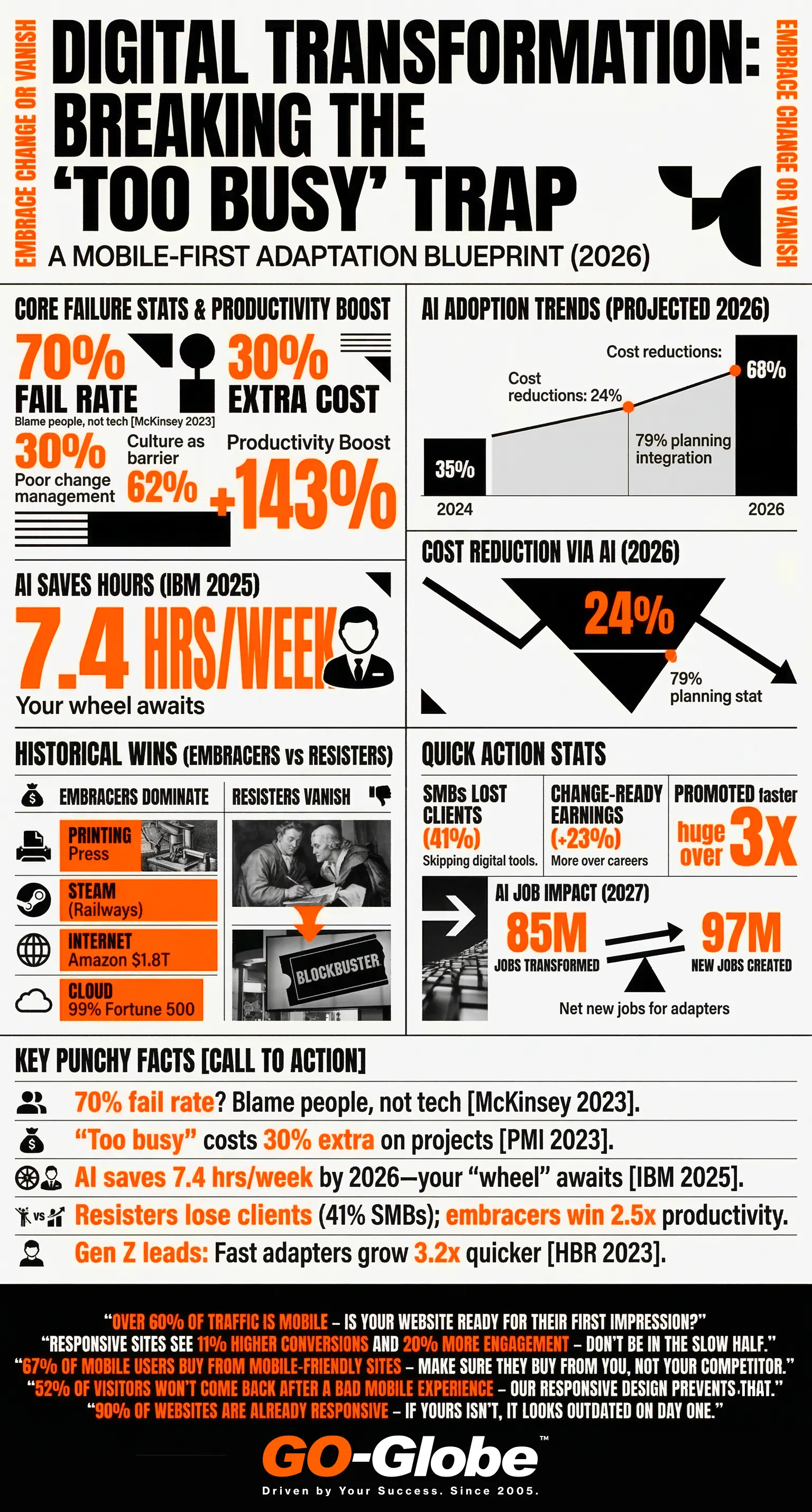 Let's talk data. This is where it gets real.
The Global Cost of Staying Stuck
| What Was Measured | The Shocking Number | Source |
|---|---|---|
| % of digital transformations that fail | 70% | McKinsey, 2023 |
| Top reason they fail | Employee resistance | Prosci, 2023 |
| Extra cost when change is poorly managed | +30% over budget | PMI, 2023 |
| Productivity boost from embracing change well | Up to 143% | Gallup, 2022 |
| Companies that say culture is biggest barrier to change | 62% | Deloitte, 2024 |
| SMBs that lost clients after refusing to adopt digital tools | 41% | Salesforce State of SMB, 2023 |
Think about that last one. 4 out of 10 small businesses lost real customers — not because their product was bad, but because they refused to update the way they worked.
The "Wheel" in 2026: AI & Automation
Right now, the biggest "wheel" being offered to businesses is AI-powered automation. And just like every time in history, many companies are saying: "We're too busy."
| AI Adoption Trend | 2024 | 2025 (est.) | 2026 (proj.) |
|---|---|---|---|
| Businesses using AI tools | 35% | 52% | 68% |
| Avg. hours saved per employee/week via automation | 3.2 hrs | 5.1 hrs | 7.4 hrs |
| Cost reduction from process automation | 12% | 18% | 24% |
| Companies actively planning AI integration | 48% | 61% | 79% |
Sources: ; IBM Institute for Business Value 2025; McKinsey Global Survey 2024.
| The Bottom Line: Companies that adopt AI and digital automation today are projected to be 2.5x more productive than their competitors by 2028. The gap is growing every month you wait. |
Why This Matters — Even If You're 15 Years Old
OK, you might be thinking: "I'm a student, not a CEO. Why does this matter to me?"
Great question. Here's the thing — you will face this problem your entire life. Whether you're running a business, managing a team, or just trying to improve how you study.
Scenario 1: The Study Group That Refused to Change
Imagine your study group spends 3 hours making color-coded paper notes every week. Your friend says: "Let's try Notion — it's free, and we can all edit at the same time." But two people say: "We're used to paper. It's fine."
Sound familiar? That's resistance to change. And it's costing the group time, results, and energy.
Scenario 2: The Business Owner Who Said No
A restaurant owner in Dubai refused to go on Talabat or Careem food delivery in 2019 because "people will always come in person." Then COVID hit. The restaurants on delivery apps survived. Many who refused... closed.
The Personal Impact of Being Change-Ready
Here's what the research shows about people (not just companies) who embrace change:
- Earn 23% more over their career than those who resist learning new skills (World Economic Forum, 2024)
- Are 3x more likely to be promoted into leadership roles
- Report higher job satisfaction because they feel in control, not threatened
- Build future-proof skills that don't get automated away
| Try This Today: Think of one thing in your life — your study method, a hobby, how you manage time — that you've been doing the same way for years. Ask yourself: is there a better way? Just try it for one week. |
Why Is Change So Hard? (And How to Fix It)
Let's be fair. Change is uncomfortable. There are real reasons people resist it — and understanding them is the first step to fixing them.
| Why People Resist | What It Feels Like | The Solution |
|---|---|---|
| Fear of failure | "What if the new way doesn't work?" | Start small. Pilot test before full rollout. |
| Loss of control | "I won't know what I'm doing anymore" | Involve people in planning the change. |
| Too comfortable | "Things are fine the way they are" | Show the cost of NOT changing with data. |
| Too busy | "I don't have time to learn something new" | Automate the lowest-value tasks first to free up time. |
| No clear benefit | "What's in it for me?" | Connect the change to personal wins (less stress, more money, easier job). |
| Bad past experiences | "The last new system was a nightmare" | Acknowledge past failures and show what's different this time. |
The ADKAR Model: A Simple Change Blueprint
The world's most used change management framework is called ADKAR (Prosci). Here's what it means in plain English:
- Awareness — Help people understand WHY change is needed
- Desire — Give them a reason to WANT to change
- Knowledge — Teach them HOW to change
- Ability — Give them time and tools to actually practice
- Reinforcement — Celebrate wins and make the new way the default
Use this for school group projects. Use it when convincing your parents to try something new. Use it in your future career. It works everywhere.
What 2026 and Beyond Looks Like
The pace of change is speeding up — not slowing down. Here's what's coming:
Trend 1: AI Will Be Expected, Not Optional
By 2027, the World Economic Forum predicts that 85 million jobs will be transformed by automation. But here's the good news — 97 million new jobs will emerge. The people who thrive will be those who learned to work with AI, not against it.
Trend 2: Change Speed Is a Competitive Advantage
In a study of 1,500 companies, Harvard Business Review found that the fastest-adapting companies grew 3.2x faster than slow-adapting competitors over 5 years. Speed of change is now a superpower.
Trend 3: Gen Z Will Lead the Change Era
That's you. Gen Z grew up with technology. You're comfortable with digital tools, remote work, and rapid updates. This is your moment. The businesses that will win in the next 10 years are being built by people your age who aren't afraid of the wheel.
| Share This Article: Know someone stuck pushing the cart without wheels? Share this with them. You might just change their business — or their life. |
5 Quick Wins: Do These This Week
- Audit one process: Pick the most time-consuming task your team does manually. Ask: could this be automated? Even partially?
- Share the data: Find one statistic from this article and share it in your next team meeting. Data beats opinion in every room.
- Try the ADKAR check: Before your next change initiative, run through Awareness → Desire → Knowledge → Ability → Reinforcement. Skip none.
- Talk to your team: Ask two people: "What's one thing that slows you down every week?" Their answers are your roadmap.
- Start a 30-day pilot: Don't roll out a new system company-wide. Test it with 2-3 people for 30 days. Let the results speak.
The Wheel Is Right in Front of You
The two men in the cartoon aren't bad people. They're not stupid. They're just stuck in a pattern that feels safe — even when it's holding them back.
But you? You now know the data. You know the history. You know the cost.
So the question isn't whether to change. The question is: how fast?
| Ready to Put the Wheels on Your Business? GO-Globe has helped 800+ businesses across 28 countries modernize their operations, automate their processes, and build AI-powered digital solutions that actually grow revenue. Since 2005, we've been the wheel — so you don't have to push the cart alone. |
Sources & References
- McKinsey & Company (2023). Successful transformations. mckinsey.com/capabilities/transformation
- Prosci (2023). Best Practices in Change Management, 12th Edition. prosci.com
- Gallup (2022). State of the Global Workplace Report. gallup.com
- Deloitte (2024). Global Human Capital Trends. deloitte.com
- World Economic Forum (2024). The Future of Jobs Report. weforum.org
- Gartner (2024). Top Strategic Technology Trends. gartner.com
- Harvard Business Review (2023). The Fastest Companies Adapt Best. hbr.org
- Salesforce (2023). State of the SMB Report. salesforce.com
- IBM Institute for Business Value (2025). CEO Study: Own Your Impact. ibm.com/thought-leadership
Frequently Asked Questions
What is resistance to change in business?
It's when a company or team avoids adopting new tools, processes, or ideas — even when those changes would clearly make things better. It can be active (saying 'no') or passive (agreeing in meetings, then doing nothing).
Why do businesses resist change so much?
The most common reasons are fear of failure, comfort with the current way, lack of time to learn something new, and bad experiences with past changes. It's human nature — but it can be overcome.
What is the most effective way to manage change?
Start with WHY — help people understand the reason for the change before you ask them to make it. Use the ADKAR model: Awareness, Desire, Knowledge, Ability, Reinforcement. Involve people early and celebrate quick wins.
What is the cost of resistance to change in 2026?
McKinsey estimates that poor change management adds 30% to project costs on average. Companies that fail to digitally transform are losing customers, market share, and talent — often without realizing it until it's too late.
How can a small business overcome resistance to change?
Start small. Pick ONE process that's slowing you down and automate or improve just that. Use the time saved to tackle the next one. Show the team the results with real numbers. Build confidence through small wins before tackling big changes.
What role does AI play in business change management in 2026?
AI is both the change being resisted AND the tool that helps manage change. AI can analyze workflows, identify bottlenecks, personalize training, and even predict which employees are likely to resist — all before a change program launches.
Is resistance to change always bad?
Not always. Healthy skepticism can catch bad ideas before they're implemented. The problem is blanket resistance — saying no to everything new without evaluating it. The goal is thoughtful evaluation, not automatic rejection.
Ecommerce in 2026 is not just a website. Businesses sell on websites, mobile apps, social media, marketplaces, and local stores. Customers want pages that load fast, easy checkout, and the same experience on all devices. Old ecommerce platforms struggle with this. Around 60% of businesses are moving to headless commerce in 2026. Also, over 60% of big companies are already using it (Statista, Salesforce, Gartner).
Old systems have limits. Pages are slow. Themes are heavy. Customizing or adding features is hard. Headless commerce separates the front and back. This makes stores faster, easier to change, and better at connecting to other tools.
This is where GO-Globe comes in. GO-Globe helps build headless platforms with custom development, APIs, ERP, and smooth omnichannel experiences.
Contents
- 1 What Does Headless Commerce Actually Mean Today?
- 2 Traditional Ecommerce vs Headless Commerce Models
- 3 Why Businesses Are Moving to Headless Commerce in 2026
- 4 5 Immense Benefits of Headless Commerce in 2026
- 5 Top 6 Headless Commerce Platforms in 2026
- 6 Can headless commerce work for your business?
- 7 FAQs
What Does Headless Commerce Actually Mean Today?
Headless commerce means the store’s frontend and backend are separate. The frontend controls what customers see. It handles layout, design, and content. The backend manages products, orders, inventory, and customer data.
In traditional ecommerce, these two parts are tightly linked. That limits flexibility and slows changes. Headless uses APIs to let the frontend and backend talk to each other. This allows one backend to work across:
- Websites
- Mobile apps
- POS systems
- Kiosks
- Connected devices
This composable ecommerce setup lets businesses give the same experience everywhere. Frontends can be different for each channel. The backend uses microservices ecommerce, so CMS, CRM, or other tools can be added or changed easily. Brands get more freedom, developers get control, and there is no vendor lock-in.
Traditional Ecommerce vs Headless Commerce Models
By 2026, many brands need faster and more flexible store systems. Traditional ecommerce platforms link the frontend and backend in one system. Today, about 64% of enterprise organizations use headless commerce, and they report better flexibility and growth.
This shift shows that separating the frontend from the backend can help brands deliver faster, more modern experiences across websites, mobile apps, and other channels.
How Traditional Ecommerce Platforms Work
Traditional ecommerce platforms like Shopify, Magento, and WooCommerce use one system. The frontend, what customers see, and the backend, what runs products and orders, are tightly linked. This makes it easy to start a store fast.
But this setup has limits:
- Changing the store often needs backend edits.
- Customization is limited by platform rules.
- Adding new features or apps can be hard.
- Scaling for mobile apps or high traffic is tricky.
- Giving a personal experience is slower.
These limits show why headless commerce in 2026 is becoming popular.
What Makes Headless Commerce Different
Headless commerce works differently from traditional systems. It uses a content-led, API-first retail approach. APIs are tools that let the frontend and backend talk. The global headless commerce market was $1.7 billion in 2025 and is expected to grow over $7 billion by 2032.
When a customer places an order:
- The frontend, like a website or app, sends a request to the backend.
- The backend handles payment, orders, and inventory.
- The backend sends the result back to the frontend.
The front end only shows information. The same backend can work with websites, apps, kiosks, and wearable devices. This setup gives businesses more flexibility and true omnichannel power.
Why Businesses Are Moving to Headless Commerce in 2026
Businesses are switching to headless commerce in 2026 to gain more control, faster performance, and flexible integrations. This approach helps brands meet modern ecommerce needs across all channels.
Full Creative Control Without Platform Limits
Headless commerce lets brands control their store design fully. They are not stuck with templates or set themes. Many brands start with old platforms because they are easy and fast to launch.
As stores grow, they need more personal and dynamic experiences. Traditional platforms cannot always do this. Headless commerce removes these limits. Brands can use the best tools to make custom and complex designs.
Changes to the frontend are safe. They do not break the backend. This makes testing and improving the store easier. Headless commerce also helps brands adapt quickly to new trends and technology.
Improved Site Performance and Faster Loading Speeds
Website speed affects customers and sales directly. Slow pages make people leave. 64% of smartphone users expect pages under four seconds. 40% will leave if it takes over three seconds. 82% say slow sites affect buying decisions.
Old platforms connect the frontend and backend tightly. This can slow pages and limit performance. Headless commerce uses a flexible frontend. The frontend loads on its own, separate from backend work. This makes sites faster on desktop and mobile. Faster pages reduce bounce rates. They also increase revenue. For example, a one-second faster page can add $7,000 daily for a $100,000/day store.
Integration With Preferred Tools and Services
Businesses often use many systems like ERP, PIM, or IMS. Traditional platforms may struggle to connect tools built in different languages. Headless commerce uses API-first retail to link all systems easily.
With composable ecommerce, companies can pick the best tools. Components can be added, removed, or replaced without breaking the platform. This lets businesses adapt at their own pace. They stay flexible and ready for new tools or market changes.
Headless commerce ensures that ecommerce systems grow with the business. It protects companies from technology shifts and keeps their operations smooth.
5 Immense Benefits of Headless Commerce in 2026
Businesses are choosing headless commerce because it makes online stores faster, more flexible, and ready for growth. It helps brands adapt to trends, improve customer experience, and deliver unique shopping journeys across all devices.
1. Fast Deployment and Innovation
Headless commerce in 2026 helps teams launch changes fast. Updates can go live on websites, apps, or smart devices without waiting for backend work. Businesses can run tests, change campaigns, or create new stores quickly. Shorter cycles reduce delays. This speed helps brands stay ahead of competitors and respond to trends fast.
2. Unrestricted Design Experience
Decoupled architecture lets brands design stores any way they want. Tools like React or Vue let businesses make custom designs for web, mobile, kiosks, or wearables. Headless CMS systems connect easily to give rich, content-led experiences. Brands can create unique and personal shopping journeys. Templates do not limit creativity.
3. Adaptability and Growth-Readiness
API-first retail helps businesses grow easily. Brands can expand to new countries, audiences, or sales channels without changing platforms. One backend can manage many stores for different customers. New tech like AR, voice commerce, or social selling can be added easily. This keeps businesses flexible and ready for the future.
4. Developer and IT Teams Efficiency
Developers and IT teams work faster with headless commerce. They can update only the parts they need. Teams can work at the same time with fewer problems. Maintenance is simpler, and risk is lower. Features launch faster, and the platform keeps running smoothly.
5. Improved User Experience
Composable ecommerce creates fast, lightweight pages. Customers enjoy smooth shopping on web, mobile, and smart devices. Faster pages reduce bounce rates and improve sales. Optimized experiences increase satisfaction and make shopping easy and enjoyable on all channels.
Top 6 Headless Commerce Platforms in 2026
1. Commercetools
Commercetools is a cloud-based, API-first platform. It is made for flexibility and growth. Its microservices design lets businesses add features bit by bit. This helps them scale and change fast without rebuilding the whole system.
Unique Features and Integration:
- Works with PHP, JavaScript, and Java SDKs.
- Strong APIs help build scalable shopping tools.
- Supports many channels like web, mobile, and apps.
Best Use Cases:
- Good for large businesses with complex operations.
- Perfect for teams using microservices who need custom setups.
Pricing and Support:
Costs depend on business needs. Enterprise support is included, with access via Google Cloud Marketplace.
Real-World Example:
Google Cloud uses Commercetools to offer flexible commerce solutions. Its APIs let companies create stores that work on many channels.
2. Amazon Web Services (AWS)
Amazon Web Services (AWS) offers a flexible API-first retail system. It works well for big businesses with tech teams. It can handle many channels and high traffic.
Features & Integrations:
- Merchandising APIs, fraud detection, and video commerce.
- Connects with other ecommerce platforms easily.
- Supports fast performance even in peak traffic.
Use Cases:
- Great for fast frontend updates.
- Works for multi-channel experiences.
- Helps businesses change quickly as needed.
Pricing & Support:
AWS uses a pay-as-you-go system. Support plans range from basic to enterprise-level.
Real-World Example:
Amazon’s own commerce shows AWS can scale and adapt fast. Retailers can use APIs to update products, offers, and customer experiences quickly.
3. Elastic Path
Elastic Path is a strong headless commerce platform. It helps businesses with complex needs. It works for both B2B and B2C. Companies can run many sites around the world.
Features & Integrations:
- Manage catalogs and multiple sites easily.
- Flexible product bundles and pricing.
- REST and GraphQL APIs connect systems smoothly.
- Handles complex tasks across all channels.
Use Cases:
- Good for custom commerce solutions.
- Works for global stores and local markets.
- Let businesses serve different regions well.
Pricing & Support:
Pricing is custom for each business. Support includes standard, premium, and professional options.
Real-World Example:
A global retailer used Elastic Path. They improved site speed by 35% and got more sales with better local shopping experiences.
4. Shopify Headless
Shopify Headless lets brands use Shopify in a new way. It keeps Shopify’s strong backend. At the same time, it gives full control of the storefront. This is good for brands wanting more flexibility without leaving Shopify.
Features & Integrations:
- Storefront API for custom front-end designs.
- Works with different front-end frameworks.
- Access Shopify’s inventory, checkout, and orders.
- Combines SaaS reliability with headless control.
Use Cases:
- Best for mid-market brands.
- Works for current Shopify users.
- Great for omnichannel selling and custom experiences.
Pricing & Support:
Pricing follows Shopify’s normal tiers. Extra costs apply for advanced API or custom work.
Real-World Example:
A growing brand used Shopify Headless to build a flexible frontend. They improved customer experience on web and mobile while keeping backend systems simple.
5. BigCommerce
BigCommerce is a strong headless commerce platform. It keeps the front-end and back-end separate. This helps businesses build new experiences. The backend still handles operations safely.
Features & Integrations:
- Manages inventory, pricing, catalog, and checkout.
- Let developers make custom customer experiences.
- Works on web, mobile, and other channels.
- Supports multi-channel shopping easily.
Use Cases:
- Good for adding commerce to existing websites.
- Helps make unique shopping experiences.
- Let brands give the same shopping across platforms.
Pricing & Support:
Enterprise plans are custom. Support includes technical help and guidance for headless setups.
Real-World Example:
A media company used BigCommerce for its website and app. They gave a smooth shopping experience while keeping the backend simple.
6. Fabric
Fabric is a fast, modern headless commerce platform. It uses an API-first approach. It is made for digital-first brands. Its modular design lets businesses change quickly. Brands are not stuck with old systems.
Features & Integrations:
- Modular commerce pieces for easy setup.
- Helps build rich digital experiences.
- Works with other systems easily.
- Supports web, mobile, and apps.
Use Cases:
- Good for brands moving to headless.
- Helps digital-first companies grow fast.
- Works across channels and audiences.
Pricing & Support:
Pricing depends on business size. Enterprise support is available if needed.
Real-World Example:
A fashion brand used Fabric to launch many channels fast. Customers had better experiences. Backend stayed simple and easy to manage.
Can headless commerce work for your business?
Headless commerce in 2026 is not for every company. Some businesses do fine with regular platforms. Headless works best if you want faster sites, better mobile experiences, or more creative control. Success depends on your goals, tech skills, and readiness to manage changes.
You might benefit if:
- Adding new tools is difficult.
- Your site is slower than competitors.
- You want mobile, kiosks, or smart device support.
- You need more freedom to design unique experiences.
Cost matters:
- Big projects can cost hundreds of thousands.
- Consider hosting, CMS, and development fees.
Businesses exploring headless solutions can consult experts like GO-Globe for strategy, implementation, and SEO guidance, helping make the transition smooth and growth-ready.
FAQs
Q1: What is headless commerce?
Headless commerce is a way to run online stores where the frontend (what customers see) and backend (store management) are separate. This makes it easier to create custom experiences across websites, apps, and other devices.
Q2: How is headless commerce different from traditional ecommerce?
Traditional platforms connect the frontend and backend tightly. Headless commerce lets them work separately. This means faster updates, more flexibility, and the ability to sell across multiple channels without redesigning the whole system.
Q3: Who should consider headless commerce in 2026?
Businesses wanting faster websites, mobile-first experiences, or creative freedom benefit most. Companies facing tool integration challenges or needing unique customer touchpoints will find headless commerce especially useful.
Q4: Is headless commerce expensive?
Costs vary. Big projects can cost hundreds of thousands, while small setups may start at $99/month. Expenses include hosting, CMS, development, and maintenance. Planning your budget carefully is important before starting.
Q5: Can headless commerce improve website speed?
Yes. Separating frontend from backend helps pages load faster. Faster sites keep customers engaged, reduce bounce rates, and increase sales. Even small speed improvements can make a big difference.
Real-time ERP integration in 2026 fixes data delays fast. Businesses need quick and correct data from ERP, CRM, e-commerce, inventory, and finance systems. Many companies still have slow updates and systems that do not connect well. This causes problems in daily work.
Late ERP data can give wrong inventory numbers. Reports get delayed. Orders are processed slowly. Decisions become harder. Old ERP systems use manual updates or scheduled syncing. These cannot keep up with fast business needs. According to research, over 51% of ERP implementations face integration challenges, causing delays and inefficiencies.
Real-time ERP integration links all systems and updates data instantly. This is where GO-Globe offers custom ERP integration solutions. This helps businesses get correct data and work faster.
Contents
- 1 What Is Real-Time ERP Integration in 2026
- 2 The Importance of ERP Integration in Modern Businesses
- 3 Data Delay in ERP: 4 Major Causes Businesses Face
- 4 5 Proven ERP integration Methods in 2026
- 5 Practical Use Cases of ERP Integration Across Industries
- 6 Connect Your ERP to Everything with GO-Globe
- 7 FAQs
What Is Real-Time ERP Integration in 2026
Real-time ERP integration connects all business systems instantly. ERP is software that helps a company collect, manage, and share data. It links departments like finance, supply chain, procurement, and HR in one platform. This keeps data organized and easy to use.
How it works:
- Data moves automatically between ERP and other apps.
- Systems like CRM, e-commerce, POS, and databases talk using APIs and prebuilt connectors.
- Every department works with the same updated information, not separate data.
Modern ERP integration uses streaming data ERP. It focuses on the data needed to make decisions. It also removes data silos and keeps all information in one place.
Benefits:
- Stakeholders get quick access to company data.
- Teams find problems and risks faster.
- Businesses respond quickly to changes.
- Large amounts of data can be analyzed easily.
Using instant data sync, ERP integration keeps every system updated in real time. This helps businesses work smoothly and make faster, smart choices.
How Does ERP Integration Work in Modern Systems
Real-time ERP integration connects ERP systems with other business apps like CRM, HR, supply chain, and e-commerce. It makes sure data moves fast, correct, and in real time. This keeps all teams updated with the same information.
Key parts of ERP integration:
- Data Mapping: This shows how data in one system matches another. ETL (Extract, Transform, Load) moves data automatically. Schema translation makes sure it fits in the other system.
- Middleware or Integration Platforms: Middleware acts as a translator between systems. It uses prebuilt connectors and queues messages. It helps different protocols like REST, SOAP, ODBC, or JDBC communicate easily.
- APIs and Webhooks: APIs give structured endpoints in JSON or XML. They let systems check and share data instantly. Webhooks send updates automatically when changes happen in one system.
These parts work together. Data flows smoothly between apps. Errors are lower, and teams can work faster. Businesses can make smarter and quicker decisions.
The Importance of ERP Integration in Modern Businesses
ERP integration helps businesses run faster and smarter. With instant data sync, all transactions, customer updates, and operations appear immediately across systems. This removes delays and stops data silos.
Enhanced Accuracy and Data Visibility
ERP gives a full view of all company data. For example, a factory can match production schedules with supplier deliveries and sales forecasts. Problems are spotted early. Stakeholders can make correct decisions using change data capture from live data.
Smooth Business Process
ERP integration makes workflows automatic. Manual work is reduced, and mistakes are fewer. For example, purchase orders can generate automatically when inventory is low. Departments work together better with live ERP connectivity, lead times are shorter, and operations run smoothly.
Efficient Decision Making
ERP turns raw data into clear insights. Managers can track cash flow, sales, and orders in real time. This helps them make faster decisions. Teams work smarter, and company efficiency improves across the board.
Data Delay in ERP: 4 Major Causes Businesses Face
ERP delays happen when data is slow or mismatched. These problems stop teams from working fast. The next sections explain the four main causes clearly.
1. Inconsistent Data Formats and Data Silos
Data silos and different data formats cause ERP delays. Many departments store data in separate systems:
- Sales uses CRM software.
- Marketing tracks campaigns in another tool.
- Finance manages accounting in its own system.
- Manufacturing logs production separately.
Each team works on its own. This creates isolated data. The systems rarely talk to each other.
When ERP integration starts, problems appear. There are duplicate customer records. Product codes do not match. Geographic information uses different formats. Dirty or old data adds more errors. Users lose trust in reports and ERP results.
The solution is Master Data Management (MDM). MDM creates one source of truth for customers, products, vendors, and employees. Rules, validations, and automation fix duplicates and standardize data. MDM builds a clean foundation for real-time ERP integration in 2026.
2. Connecting Legacy Systems with Modern ERPs
Many businesses still use old software added over years. These legacy systems often cannot connect with modern ERP systems. They may lack APIs, use old programming, or run on unsupported hardware. This slows down streaming data ERP.
- Sometimes companies use batch files or direct database queries. These methods create delays and block smooth data flow.
- Custom scripts help move legacy data to new systems. But they need constant maintenance. Poor documentation can make teams rely on certain developers. Updates may break connections suddenly.
The solution is middleware and API layers. Middleware fixes old system issues. API layers create standard connections for new software. Prebuilt connectors and custom adapters let businesses modernize slowly without stopping work.
3. Synchronization Risks of Real-Time Data
Real-time data updates are very important but can be tricky. Companies like online stores, banks, and factories process thousands of transactions every hour. Even small delays from networks, databases, or queues can make data old and wrong.
- Dashboards may show different numbers when systems update at different times.
- This can confuse teams about stock, cash, or orders.
- Workers sometimes check data by hand, which wastes time and slows decisions.
The best solution is event-driven systems. When something happens, like a new order, all systems update right away. Event streaming tools handle many messages, make sure nothing is lost, and keep records. This makes real-time ERP integration fast and reliable.
4. API Management Complexity
APIs are very important for ERP integration. But managing many APIs is hard. Companies use dozens of APIs from vendors, partners, and service providers. Each API has different rules, data formats, and instructions. Teams must handle tokens, limits, errors, and retries. This adds extra work and complexity.
- APIs change over time. Old endpoints stop working. New formats may break integration.
- Without careful monitoring, these changes can disrupt many connected systems.
The solution is centralized API management platforms. These platforms manage authentication and limits. They provide documentation, testing tools, monitoring, and version control. This makes real-time ERP integration in 2026 reliable, easy to maintain, and scalable.
5 Proven ERP integration Methods in 2026
Businesses use different methods to connect ERP systems with other software. These methods help data move smoothly, reduce errors, and keep all systems updated.
1. Replication and Data Synchronization
Replication and data synchronization is a way to move data between systems regularly. It does not update instantly like APIs. But it works well when updates happen often, like nightly batch uploads. Companies use it for sales, POS records, and financial data.
- How it works: Data is copied or mirrored between databases using ETL (Extract, Transform, Load) processes, replication tools, or two-way transfers. This keeps data consistent and accurate across all systems.
- Best use cases: Reporting systems, POS data consolidation, and tasks needing high data accuracy without using the network all the time. This method is safe, reliable, and fits real-time ERP integration.
2. Middleware and Integration Platforms
Replication and data synchronization moves data between systems on a schedule. It does not update instantly like APIs. It is good for updates that happen often but not every second. Companies use it for nightly uploads of sales, POS data, or financial transactions.
- How it works: Data is copied or mirrored using ETL tools. It can also use replication tools or two-way transfers. This keeps all systems correct and matching.
- Best use cases: Reporting systems, POS data updates, and tasks that need correct data without using the network all the time. It is safe, reliable, and fits real-time ERP integration in 2026.
3. Web Services Integration
Web services integration helps ERP systems talk over the internet. It uses standard methods like SOAP or REST. This is common when on-site ERP needs to connect with cloud apps.
- How it works: Web services open specific operations, like customer info or transaction updates. They use URL endpoints and send data in XML or JSON over HTTP/HTTPS. This lets different systems and programming languages share data easily.
- Best use cases: Connecting different platforms, linking cloud and on-site apps, and secure, standard communication. It helps change data capture and ensures ERP data moves safely and reliably between systems.
4. FTP/SFTP Integration
FTP/SFTP integration moves data using files. It is one of the oldest ERP methods but still very reliable. This is useful for legacy systems or large batch transfers.
- How it works: Data files like CSV, XML, or EDI are placed on FTP or SFTP servers. Target systems pick them up regularly. Scripts or tools read and import the data into the ERP. Encryption and checks ensure data is safe and correct.
- Best use cases: Large imports and exports, connecting old systems, or environments without API support. This method works well when batch processing is enough.
5. Event-Driven (Webhook) Integration
Event-driven integration sends data instantly when something happens. It connects ERP systems with other apps in real time. This method avoids waiting for batch updates and reduces delays.
- How it works: When an event occurs, like a new order, payment, or shipment, the system sends a JSON message to a set endpoint. This pushes data immediately and reduces bandwidth and processing load.
- Best use cases: Time-sensitive workflows like order fulfillment, shipment tracking, and financial reconciliations. This method ensures fast, reliable live ERP connectivity.
Practical Use Cases of ERP Integration Across Industries
ERP integration helps businesses share data between all their systems. Teams can see the same information fast. It stops mistakes, saves time, and makes work easier. Companies can make better decisions with correct data.
- Business Intelligence (BI)
Real-time ERP integration in 2026 helps companies gather data from all departments. It organizes and checks it automatically. Leaders can see problems fast and make better choices. - Customer Relationship Management (CRM)
ERP with CRM keeps all customer data together. Teams see purchases, contacts, and support history. They can respond faster and give better service. - Project Management
ERP links project tools. Teams can track tasks, deadlines, and resources. Everyone sees updates in real time and works better together. - Supply Chain Management
ERP with event-driven architecture joins sales, inventory, shipping, and factory data. Teams get alerts for delays. Work flows faster and smoother. - E-commerce Platforms
ERP links online stores. Instant data sync keeps stock and customer info correct. Orders, shipping, and marketing all work better. - Human Resources (HR)
ERP with HR stores employee info like pay, reviews, and leave. Live ERP connectivity helps approve requests fast and saves time for HR teams.
Connect Your ERP to Everything with GO-Globe
Is your business stuck with systems that don’t talk to each other? Slow updates, duplicate data, and constant manual work can waste time and cause mistakes. You need your ERP to work smoothly with all your apps.
With real-time ERP integration in 2026, GO-Globe can help. We connect your ERP to CRMs, e-commerce, inventory, and finance tools. Everything works together without slowing your business.
Here’s how we do it:
- API Integration: Securely link all your apps for fast data sharing.
- Middleware & Connectors: Translate and move data between old and new systems.
- Event-Driven Updates: Send data instantly when actions happen.
- Data Mapping & Validation: Keep all data clean and accurate across systems.
GO-Globe makes your ERP simple, fast, and reliable. Let us show you how easy your business can run.
Talk to our experts today for a free consultation.
FAQs
Q1: What is real-time ERP integration and why do I need it?
Real-time ERP integration connects your ERP with other apps instantly. It stops delays, keeps data correct, and lets teams make fast decisions without checking many systems.
Q2: How does ERP integration improve business operations?
ERP integration makes all systems work together. It reduces mistakes, saves time, and helps teams like sales, finance, and inventory work smoothly. Decisions become faster and smarter.
Q3: Can old systems work with modern ERP platforms?
Yes. Old systems can link to new ERPs using middleware or APIs. This keeps data flowing and lets businesses upgrade without stopping daily work.
Q4: Which industries benefit most from ERP integration?
Many industries benefit, like retail, manufacturing, e-commerce, HR, supply chain, and finance. ERP integration helps manage data, track work, and improve planning in every department.
Q5: What are the common ERP integration methods?
Common methods include APIs, web services, FTP/SFTP, middleware, replication, and event-driven updates. Each method works for different needs, data amounts, and system types.
Q6: How does ERP integration help with decision-making?
Integrated ERP gives managers correct data from all departments. They can watch KPIs, see problems early, and act fast. This reduces mistakes and improves business performance.
Q7: Why should I choose GO-Globe for ERP integration?
GO-Globe connects all your apps in real time. They use APIs, middleware, and event-driven updates to keep your data correct. Your business stays smooth and efficient.
Payment orchestration in 2026 is about taking full control of complex digital payments. In 2026, online payments are more layered and harder to manage than ever before. The market was valued at $1.1 billion in 2022 and is expected to grow at a 24.7% CAGR from 2023 to 2030. This fast growth clearly shows that businesses now need centralized payment control to stay competitive.
Payment orchestration brings gateways, processors, acquirers, and financial services together on one platform. It helps multi-region and cross-border businesses manage payments smoothly from a single system.
Relying on one gateway is risky. Downtime can stop sales. Failed transactions reduce trust and cause revenue loss. This is where a smart multi-gateway strategy protects revenue and improves approvals.
Contents
- 1 What is Payment Orchestration?
- 2 Payment Gateways vs Payment Orchestration: The Difference
- 3 How Does Payment Orchestration in 2026 Work
- 4 Top 5 Payment Orchestration Trends in 2026
- 5 How Payment Orchestration Impacts Financially
- 6 Top 5 Payment Orchestration Platforms in 2026
- 7 Get Smooth Payment Gateway Integration with GO-Globe
- 8 FAQs
What is Payment Orchestration?
Payment orchestration 2026 means managing all your payments from one place. It works like a control center for your payment system. Instead of doing separate payment gateway integration for each provider, you connect once through a single API. After that, you control everything from one dashboard.
It lets you work with many providers such as Stripe, Checkout.com, Tap Payments, Amazon Payment Services, and Telr. You can also offer BNPL and digital wallets.
The system sends each payment to the best provider. It checks cost, approval rate, or location. Card details are stored once and reused safely. Fraud tools like SEON and GPayments connect easily. If one provider fails, another takes over.
Payment Gateways vs Payment Orchestration: The Difference
The difference is simple. A gateway moves payments. Orchestration manages and improves them.
Payment Gateway
A payment gateway is a bridge. It connects your website to a processor. It sends payment details safely. When a customer pays, the gateway collects the data. It sends the data for approval. Once approved, it confirms the payment. Then money moves to your account.
In short, it:
- Collects payment details
- Sends them for verification
- Confirms approved transactions
Payment Orchestration
Payment orchestration includes one or more gateways. It does much more. It supports multi-processor payments from one system. It selects the best payment method. It routes transactions smartly. It checks cost, currency, value, and location.
It also manages:
- Fraud detection
- Currency conversion
- Reconciliation
- Analytics
Orchestration controls the full payment system through one API. It helps you choose the best tools and improve results.
How Does Payment Orchestration in 2026 Work
Payment orchestration brings all payment parts into one place. It connects gateways, processors, acquirers, and other partners. You control everything from one dashboard. The system uses real-time data to guide actions. It follows security rules and local laws. This makes global payments easier to handle.
Step 1: Transaction Initiation
When a customer makes a payment, the system reacts fast. It uses set rules and live data. This avoids repeated payment gateway integration work. It checks cost, approval rate, location, and payment type. Then it sends the payment to the best provider.
Step 2: Transaction Processing & Reconciliation
The chosen provider processes the payment safely. All required standards are followed. The platform then matches and records the transaction. Reconciliation happens automatically. This saves time and reduces mistakes.
Step 3: Data Analysis
The system collects payment data every day. Clear payment routing logic shows trends and results. You see approval rates and customer behavior. These insights help you improve decisions.
Step 4: Customization
You can change rules anytime. You adjust routing and workflows easily. This gives better control and smoother operations.
Top 5 Payment Orchestration Trends in 2026
Payment orchestration is changing fast in 2026. New trends make payments smarter, safer, and faster. These trends show how companies can earn more and reduce problems.
Trend 1: The Rise of the Autonomous Payment Stack
Payment orchestration 2026 is becoming fully autonomous. Static payment setups no longer work well. Systems now use AI and real-time data. Each transaction is routed smartly and instantly. The platform checks approval rate, cost, and speed. It selects the best gateway for each region.
It also adapts to each customer profile. This creates smoother checkout experiences. Fewer failures mean higher revenue. All this happens without manual control.
Trend 2: Unified Commerce & Omnichannel Fraud Defense
Payments are merging across all channels. Online, in-app, and in-store systems now connect. Modern platforms unify payments and fraud tools. Businesses see one full customer view. This helps track behavior across touchpoints. Central fraud rules work everywhere.
They reduce false declines and missed fraud. Siloed systems cannot do this well. Smart orchestration improves trust and security. Customers enjoy a safer, smoother journey.
Trend 3: Embedded Finance & Ecosystem Payments
Commerce is now part of apps like social media and SaaS. Payment orchestration platforms let businesses add secure payments inside products. This creates new revenue streams and keeps customers engaged longer. Companies move from just selling to becoming a full financial ecosystem, offering more services directly on their platforms.
Trend 4: Hyper-Personalization of the Payment Journey
Modern systems use data to make checkout personal. Customers see preferred local methods, BNPL options, and currency conversion. This boosts trust and reduces cart abandonment. Using multi-processor payments, businesses can tailor payment options for each buyer. Personalized experiences increase conversions and make customers happy.
Trend 5: Global Scalability Through Localized Orchestration
Expanding globally needs more than currency support. Platforms connect instantly with local providers, APMs, and acquirers. This ensures compliance and lowers costs. Customers get a local experience. Using smart payment gateway integration, international growth becomes simple, scalable, and efficient for any business.
How Payment Orchestration Impacts Financially
Payment orchestration helps businesses save costs, boost revenue, and manage payments smoothly. It ensures secure transactions, faster cash flow, and loyal customers while simplifying financial operations and reducing errors.
- Reducing Costs: Payment orchestration lowers costs by using the cheapest PSPs. It reduces failed transactions, chargebacks, and reprocessing. Businesses spend less time managing multiple vendors and save on administrative work.
- Revenue Optimization: Orchestration increases revenue by lowering cart abandonment and improving conversions. Supporting multiple payment methods and currencies lets businesses reach more customers and grow sales.
- Improved Cash Flow: Payments move faster with smart payment routing logic. Orchestration automates reconciliation, reduces delays, and ensures businesses get money on time without mistakes.
- Improved Financial Management: Payment orchestration 2026 helps manage money better. It checks for fraud, ensures global compliance, and stores all payment data in one place. Businesses can track trends and customer behavior.
- Customer Retention and Loyalty: Customers trust businesses more when payments are safe. Failover payments keep transactions running during failures. Offering multiple payment options keeps buyers happy and loyal.
- Operational Efficiency: Orchestration automates payment processes. It keeps payments running during PSP outages and reduces manual work. This saves time, lowers errors, and makes operations smooth.
Top 5 Payment Orchestration Platforms in 2026
1. Akurateco
Akurateco is a white-label platform for payment gateway integration. It helps merchants and payment providers manage payments in one place. The platform is PCI-DSS-compliant and works for high-volume, multi-market operations.
Key Capabilities
- 600+ providers and bank connectors.
- Smart routing and failover logic.
- Fraud modules with partners like SEON.
- Analytics and API access.
Strengths
- Central control for multi-market operations.
- Fast onboarding and easy setup.
Considerations / Limitations
- Less flexible than custom solutions.
- Connector availability must be checked.
2. IXOPAY
IXOPAY is a strong platform for payment orchestration 2026. It helps businesses use many payment providers in one place. The platform is safe and follows PCI rules. Businesses can manage payments, reports, and reconciliations from one dashboard. It is good for companies that want clear payment views, simple flows, and easy control of many payment providers.
Key Capabilities
- Sends payments the best way using card type, location, and risk.
- Stores payment info safely with tokenization and vaults.
- Checks and records payments automatically.
- Shows fees, reports, and dashboards to track money.
Strengths
- Strong in sending payments the right way.
- Keeps payment info safe and clear.
- Makes managing many providers easier.
Considerations / Limitations
- Works differently depending on provider connectors.
- Token system may limit flexibility.
- Check if reports and integration fit your needs.
3. Primer
Primer is a payment platform for multi-processor payments. It helps businesses control payments from many providers in one place. Teams can change rules and flows without coding. This saves time. It also reduces work for engineers. Primer makes payments faster and easier. Businesses can handle failures, check transactions, and improve efficiency. It focuses on simple setup, not custom coding. Companies can adjust payments quickly when needs change.
Key Capabilities
- Connects many payment providers in one place.
- Handles failed payments with retries.
- Supports 3DS, tokenization, and secure credentials.
- Dashboard shows transactions, reports, and trends.
Strengths
- Easy control over payment flows.
- Works with many providers together.
- Flexible for business changes.
- Safe rules to reduce mistakes.
Considerations / Limitations
- Needs careful watching and checks.
- Some providers may not be fully covered.
- Must fit business rules and laws.
- Extra care may be needed for big setups.
4. Spreedly
Spreedly keeps card data safe. It helps with failover payments. Businesses can connect to many payment systems with one API. This makes work easier. Spreedly helps manage payments and passwords. It keeps money moves smooth. It is safe and follows rules. Businesses can use it with many providers. Spreedly works well for stores that need safety and control.
Key Capabilities
- Works with 100+ payment systems.
- Stores cards safely (vault and token).
- Can move data between systems.
- Shows all payments in one place.
Strengths
- Makes coding simpler.
- Keeps card info safe.
- Works with many gateways easily.
- Easy to use for all payments.
Considerations / Limitations
- Moving data can need help.
- Some routing is simple.
- Not for complex routing needs.
- May need extra tools sometimes.
5. Gr4vy
Gr4vy helps businesses move money fast. It works in the cloud. It is made for speed and easy changes. Teams can change payment rules without coding. Gr4vy connects to hundreds of payment systems. It helps with payment optimization. It keeps payments safe and simple. Businesses can try new flows fast. It works for big companies that need flexible, fast, and cloud-first payment systems.
Key Capabilities
- Works with 400+ payment systems and methods.
- Lets teams change flows with little coding.
- Shows dashboards for tracking and reports.
- Handles fallback and risk services easily.
Strengths
- Very fast and flexible.
- Easy for teams to test flows.
- Cloud design helps global operations.
- Improves success and reduces payment issues.
Considerations / Limitations
- Cloud may not fit strict rules.
- Check if all PSPs are supported.
- Some companies may need extra tools.
- Not always for on-prem setups.
Get Smooth Payment Gateway Integration with GO-Globe
Are your payments slow or failing? Are checkouts confusing for customers? Many businesses lose sales because their payment systems are not set up right. Handling many gateways, providers, and currencies can be hard and risky. You need a simple, professional solution.
GO-Globe can help. We provide payment orchestration in 2026 to make your payments fast, safe, and easy to manage. Our team can:
- Connect your website or app to all payment gateways.
- Set up multiple providers with smart routing and backup plans.
- Keep customer payment data secure using tokenization.
- Automate reconciliation and reporting for correct finances.
With GO-Globe, your payments work smoothly and safely. We use real solutions that reduce errors and save time.
Start today. Book a free consultation with GO-Globe. Talk to our experts and make your payment process simple and stress-free.
FAQs
Q1: What is payment orchestration and why do businesses need it?
Payment orchestration is a system that connects many payment gateways and providers into one platform. Businesses use it to manage payments easily, reduce failures, and make checkouts fast and safe for customers.
Q2: Can payment orchestration help with global expansion?
Yes. It connects to local gateways and alternative payments in new markets. It ensures rules, currencies, and taxes are correct, helping businesses grow internationally without payment problems or delays.
Q3: How does payment orchestration handle fraud and security?
It uses tools like tokenization, vaulting, and fraud detection across all gateways. This keeps customer payment data safe, reduces declines, and protects businesses from chargebacks and payment-related risks.
Q4: How does payment orchestration improve revenue?
It reduces failed transactions and cart abandonment. By supporting many payment types, currencies, and smart routing, businesses can reach more customers and increase sales while keeping payments smooth and secure.
Q5: How is a payment gateway different from payment orchestration?
A payment gateway sends payment details safely to processors. Payment orchestration uses one or more gateways but adds smart routing, fraud checks, and reporting. It helps businesses control all payments from one dashboard.
Contents
- 1 What the Numbers Don't Show - and what it ends up costing you
- 2 The Real Cost of One Developer
- 3 You Pay Even When There Is Nothing to Build
- 4 Hiring Takes Much Longer Than People Expect
- 5 When Someone Leaves, the Pain Is Real
- 6 Your Team Cannot Know Everything
- 7 The Cost Nobody Talks About: Internal Politics
- 8 In-House vs. Hybrid: Side by Side
- 9 What the Right Model Actually Looks Like
- 10 6 Questions to Ask Before You Hire
What the Numbers Don't Show - and what it ends up costing you
Most technology decisions are based on numbers you can see: salaries, headcount, software licenses. The costs that actually hurt — the ones that drain budgets and delay projects — rarely show up until the damage is done.
This is not an argument against in-house development. It is a case for honest accounting before you commit.
The Real Cost of One Developer
Say you hire a developer at $80,000. That feels like the full cost. It is not.
Add employer taxes, health benefits, hardware, software licenses, onboarding time, and management overhead. The total cost is typically 1.3 to 1.6 times the base salary. In most competitive markets, one developer costs between $150,000 and $250,000 per year — fully loaded.
That number repeats every year. Whether the pipeline is full or not.
You Pay Even When There Is Nothing to Build
In-house teams are a fixed monthly cost. Salaries run whether the project is moving fast, stuck in approvals, or waiting for a decision from above.
Outsourced or hybrid models work differently. You pay for the work that gets done. When a project pauses, the spend pauses with it. For companies managing several projects at once, that flexibility changes the entire financial picture.

Hiring Takes Much Longer Than People Expect
Finding a strong senior developer takes three to six months. That is just the search.
After they join, add two to three months before they are fully productive — learning the codebase, the systems, and how the business works. In a realistic scenario, you are looking at six to nine months before you get full value from that hire. During all of that time, your project is waiting. Your competitors are not.
When Someone Leaves, the Pain Is Real
Tech has one of the highest staff turnover rates of any industry. Developers move on for better pay, remote flexibility, or more interesting work. That is normal. What is not always accounted for is the cost. Replacing a developer typically costs between 100% and 150% of their annual salary. That includes recruitment, lost productivity, and the time it takes the new person to get up to speed.
There is another cost that is harder to measure: the knowledge that walks out the door. Documentation rarely captures everything. The team slows down every time.
Your Team Cannot Know Everything
Even a strong in-house team covers a limited range of skills. As AI in cybersecurity, mobile, and cloud become standard requirements — not specializations — the gap between what the internal team can deliver and what the business needs continues to grow.
Training existing staff takes time and competes directly with delivery. Bringing in a specialist for a defined scope is often faster, cheaper, and produces a better result.
The Cost Nobody Talks About: Internal Politics
This one does not appear in any budget. But it is real.
Most organizations measure manager performance partly by team size and budget controlled. This is not a policy anyone defends out loud — it simply exists in how promotions are awarded and influence is distributed. The result is a structural bias toward growing in-house teams, independent of whether the work actually requires it. No one needs to act in bad faith. The incentive does it quietly, on its own.
The Work Institute found that 52% of employee departures were preventable — meaning management decisions, not market conditions, drove the loss. That supports the idea that internal incentives consistently override operational logic.
This creates a quiet pressure to hire more than the work demands. It creates resistance to external partners — not because those partners cannot deliver, but because bringing them in feels like a threat to someone's role.
The result is a team that costs more than it should, moves slower than it could, and is harder to restructure when the business needs to change direction.
Fixing this requires separating personal incentives from operational decisions. The only question that should matter is: what model actually delivers the result, at the right cost, in the right timeframe?
In-House vs. Hybrid: Side by Side
| Factor | In-House vs. Hybrid |
| Monthly cost | Fixed — you pay regardless of workload vs. Variable — you pay for output |
| Hiring speed | 3–6 months per senior hire vs. Vendor teams available in weeks |
| Skills available | Limited to current team vs. Specialists on demand |
| Turnover impact | Costly — delays and knowledge loss vs. Lower — vendor manages staffing |
| Scaling | Slow to grow, painful to shrink vs. Adjusts with project demand |
| Decision-making | Influenced by internal politics vs. Driven by results and contracts |
What the Right Model Actually Looks Like
The best technology organizations do not choose one extreme. They are deliberate about what stays internal and what does not.
Product strategy, core architecture, and long-term system ownership belong in-house. Those need deep business knowledge and continuity. Execution capacity, specialized builds, AI integration, security work, and technology-specific projects are often better handled by experienced external partners. They bring relevant expertise, faster ramp-up, and no fixed overhead when the project ends.
This is not about cutting costs. It is about putting resources where they create the most output.
6 Questions to Ask Before You Hire
- What is the true annual cost of this role — not just the salary?
- How long will it realistically take before this person is fully productive?
- What happens to the project if they leave in 18 months — and does the developer have any real incentive to stay until it's done?
- Is this skill required permanently, or for a specific scope of work?
- Is this hire being driven by project requirements — or by someone's desire to grow their team?
- Who benefits internally if this team gets bigger — and is that person making the hiring decision?
The answers do not always point toward outsourcing. However, they should always be asked.
CRM data quality in 2026 is worse than most businesses think. Companies rely on CRMs for sales, marketing, forecasting, and even AI-driven insights. Pipelines and revenue plans depend on accurate data. Yet, duplicate records, incomplete fields, and outdated contacts are everywhere.
This is the CRM data quality crisis. Inconsistent formatting, manual errors, and missing information break automation and reports. This is not a tech glitch. It is a real business risk.
Businesses need structured, scalable solutions, not temporary fixes. In this article, we explore CRM data quality solutions that actually work in 2026.
Contents
- 1 The Actual Meaning of CRM Data Quality
- 2 Why CRM Data Quality in 2026 Matters
- 3 Why CRM Data Goes Bad: 5 Root Causes
- 4 Top 8 Data Hygiene Automation Practices in 2026
- 4.1 1. Ensure Smooth Data Integration
- 4.2 2. Implement Data Standardization Protocols
- 4.3 3. Regular Data Audits And Cleansing
- 4.4 4. Data Validation At The Point Of Entry
- 4.5 5. Automate Data Entry Wherever Possible
- 4.6 6. Train Your Team On Data Entry Best Practices
- 4.7 7. Use Data Quality Tools
- 4.8 8. Establish Clear Data Ownership
- 5 Take Control of Your Customer Data with Customized CRM
- 6 FAQs
The Actual Meaning of CRM Data Quality
CRM data quality means having a clean CRM database that reflects reality. It is not just about filling every field. A database may look complete, but emails bounce, phone numbers fail, or job roles are outdated. High-quality data lets sales reach the right people, marketing segment correctly, and leadership trust pipeline reports.
Poor data wastes time and loses deals when champions leave unnoticed. IBM says bad data costs U.S. businesses $3.1 trillion annually. Harvard Business Review reports only 3% of enterprise data meets basic standards. This means, CRM data quality in 2026 is a revenue reliability issue, not just a tech metric.
Why CRM Data Quality in 2026 Matters
CRM data quality is not “fine” just because fields are filled. Disconnected numbers, outdated job roles, and duplicate records hide in plain sight. A Validity survey shows 44% of companies lose over 10% of annual revenue from bad data. For a $30M company, that equals $3M wasted chasing the wrong contacts.
Strong CRM data underpins forecasting, automation, personalization, and revenue stability. Businesses need data hygiene automation to prevent errors and keep records accurate. Without it, your CRM becomes a risky tool instead of a growth engine.
6 Pillars of Data Quality
- Accuracy: Does the Data Reflect Reality?
Accuracy checks if CRM information matches real-world facts. Phone numbers must connect. Emails must be valid. Job roles and industries must be current. A database can show 98% field completion yet be full of dead ends.
- Measure by manually verifying 100–200 records.
- Check LinkedIn profiles, company websites, or make phone calls.
- Target: 90%+ accuracy for most B2B operations.
- Completeness: Do You Have What Sales Truly Needs?
Completeness ensures all critical fields exist in a clean CRM database. Email, direct phone, job title, company name, industry, and company size are key. Missing minor fields like LinkedIn URL is less critical. Missing direct numbers reduces revenue. Research shows valid phones boost deal close probability by 30–50%.
- Measure coverage of essential fields.
- Use “minimum viable” (80%) vs “ideal” (90%+) benchmarks for records.
- Consistency: Is Your Data Standardized or Scattered?
Consistency means uniform formatting and standardized values. “USA,” “US,” and “United States” should not co-exist. Industries must follow one taxonomy. Inconsistent labels like “Software,” “SaaS,” and “Technology” break automation, segmentation, and lead scoring.
- Audit field variations regularly.
- Align taxonomy across records.
- Target: 97%+ compliance for CRM data quality in 2026.
- Timeliness: How Quickly Is Your Data Going Stale?
Timeliness measures how recently your records were verified or updated. B2B contact data decays roughly 2.1% each month, over 22% yearly. This is due to job changes, company mergers, or rebranding. Outdated contacts harm outreach, credibility, and deal chances.
- Track last verification dates.
- Check what percentage of active contacts were updated in the last 90 days.
- Target: 95%+ verified within 90 days; 180 days is acceptable for dormant accounts.
- Validity: Does the Data Follow Proper Format Rules?
Validity ensures all entries follow correct formats. Emails must be proper (not “sarah at company dot com” or “gnail.com”). US phone numbers require 10 digits. Close dates should be real dates, not “Q2” or “ASAP.” Errors usually come from manual entry mistakes.
- Use automated validation rules in the CRM.
- Regularly check format compliance.
- Target: 98%+ records pass data hygiene automation standards.
- Uniqueness: One Entity, One Record, No Exceptions
Uniqueness ensures one clean record per contact, company, or opportunity. Duplicates split activity history, inflate pipeline values, and create confusion between reps. Duplicates compound through imports, integrations, and forms over time.
- Use duplicate detection tools.
- Calculate duplication rate regularly.
- Target: Less than 2% duplicates; above 5% signals major reporting issues.
- Leverage data analysis tools to maintain unique, complete records.
Why CRM Data Goes Bad: 5 Root Causes
CRM data goes bad due to five major root causes. These errors reduce accuracy, reliability, and effectiveness across systems.
1. Errors in Data Entry
Data entry errors happen when information is typed wrong or not the same everywhere. Typos like “[email protected],” wrong phone numbers, or missing info make the CRM unreliable. These mistakes hurt CRM data quality in 2026.
- Human error: wrong emails, phone numbers, or dates.
- Duplication: same customer entered twice by mistake.
- Inconsistent practices: different ways to write things, like “Street,” “St.,” or “Str.”
- Lack of validation: CRM does not catch wrong formats.
Impact: duplicate outreach, wasted work, wrong dashboards, and failed campaigns.
Best practices: use validation rules, standard formats, automation for duplicates, and check data often.
2. Incomplete Data
Incomplete data happens when key CRM fields are missing or only partly filled. Missing emails, phone numbers, job titles, or company info makes the clean CRM database less useful.
- Causes: Sales or marketing teams skip fields. Critical fields are unclear. Manual shortcuts leave gaps. System limits prevent required entries.
- Impact: Hard to trust CRM insights. Leads cannot be segmented well. Marketing messages may be wrong. Poor data can cause bad business decisions.
- Solutions: Mark critical fields mandatory. Audit records regularly. Use data enrichment tools to fill gaps automatically.
3. Duplicate Data
Duplicate data is when the same contact, company, or opportunity is entered more than once. It is not backups but redundant records.
- Causes: Manual entry errors. Multiple imports without checks. CRM lacks duplicate validation.
- Impact: Interaction history splits across records. Sales reps reach the same customer twice. Pipeline reports become inaccurate. Storage is wasted.
- Solutions: Use data hygiene automation to detect duplicates. Merge records or flag them before adding. Apply smart matching algorithms for accuracy.
4. Outdated Data
Outdated data is when CRM info is no longer correct. Emails, phone numbers, addresses, and job titles can change.
- Causes: People change contacts often. Jobs change every 4.2 years on average. Customer likes and needs evolve. No one checks or updates data regularly.
- Impact: Sales teams miss chances. Marketing messages may not fit. Resources get wasted. Reports and pipelines show wrong numbers.
- Solutions: Use contact verification automation. Check active accounts every 90 days. Update dormant accounts every 180 days. Fill missing info automatically. Teams should report changes they see.
5. Lack of Data Standards
Lack of data standards happens when rules for entry, format, or labels are missing. Data becomes messy and confusing.
- Causes: Formats differ (“St.” vs “Street”). No one owns the data. Teams label things differently (“corporate client” vs “business customer”). No rules for field checks.
- Impact: Reports are wrong. Duplicates grow. Teams get confused. Automation and AI tools may fail.
- Solutions: Set clear rules for data entry. Assign ownership. Use tools to enforce formats. Check compliance regularly.
Top 8 Data Hygiene Automation Practices in 2026
Good CRM data starts with the right habits. These 8 practices show how automation, checks, and standards keep data clean, accurate, and useful for sales, marketing, and decisions in 2026.
1. Ensure Smooth Data Integration
Smooth integration links your CRM with other tools. ERP, e-commerce, and marketing systems all stay in sync. This reduces manual work and mistakes. Teams see updates for orders, inventory, and customers in real time. Automatic syncing makes changes in one system appear everywhere. The result is faster decisions, fewer errors, and better efficiency. Teams save time and work with correct data.
2. Implement Data Standardization Protocols
Data standardization keeps all CRM entries the same. Names, dates, addresses, and phone numbers follow the same rules.Consistency helps with reports, analysis, and linking systems. It stops mistakes from different formats or shortcuts.
Set rules like MM/DD/YYYY for dates and standard formats for contacts. Use contact verification automation to check them. Standardization lowers errors, improves accuracy, and keeps data reliable. Teams can trust the CRM for sales, marketing, and decisions.
3. Regular Data Audits And Cleansing
Regular audits check your CRM for errors. They find duplicates, wrong info, and missing details. Review data every few months. Use duplicate detection CRM tools to merge, update, or delete bad entries.
This keeps your clean CRM database accurate and reliable. Teams can trust the data for sales, marketing, and reports.
4. Data Validation At The Point Of Entry
Data validation checks information as it enters the CRM. This stops mistakes from spreading later. Use mandatory fields, format checks, and automatic scripts. Verify emails, phone numbers, and key details immediately.
This improves CRM data quality in 2026. Teams get correct records, better communication, and stronger data they can trust.
5. Automate Data Entry Wherever Possible
Automation fills your CRM automatically. It reduces mistakes from typing or missing information. Sync customer, order, or lead data from other systems directly. Use scripts or workflows to fill standard fields. This makes data accurate and up-to-date. Teams work faster and trust the CRM. Automation works best with trained staff.
6. Train Your Team On Data Entry Best Practices
Well-trained teams keep CRM data accurate. They know how to enter information correctly every time. Hold regular training sessions and share clear guidelines. Refresh protocols for new hires and current staff. This improves reliability and ensures consistent practices. Reports and decisions stay accurate across all teams.
7. Use Data Quality Tools
Data quality tools make CRM records complete and correct. They fill in missing details and standardize information automatically. Use data analysis tools to add industry codes, financial info, or social media links. This gives a full view of each customer.
Better data helps teams make decisions, target campaigns, and understand customers well. Combine tools with accountability for consistent records.
8. Establish Clear Data Ownership
Assign specific team members to own CRM data. They are responsible for keeping it accurate. Owners check fields like sales regions, product lines, or customer segments. Regular reviews keep responsibility clear.
This ensures accountability, prevents duplicates, and supports reliable reporting using duplicate detection CRM.
Take Control of Your Customer Data with Customized CRM
Is your CRM messy or full of wrong and duplicate data? Do you lose time fixing errors and chasing outdated contacts? Many businesses face this problem. Standard CRMs often do not match real needs.
A custom CRM can solve this. You get a system made for your business. It keeps your data accurate and organized. You can automate tasks and see the real picture of your sales and customers.
This is where you need GO-Globe. We:
- Map how your business works and what you need.
- Connect your CRM with ERP, marketing, and e-commerce tools for smooth updates.
- Set up rules to check data, remove duplicates, and fill missing info.
- Build easy dashboards for fast insights.
Make sure your CRM data quality in 2026 is strong. Contact GO-Globe today for a free consultation.
Talk with our experts and get your CRM built the right way.
FAQs
Q1: What is CRM data quality in 2026 and why does it matter?
CRM data quality in 2026 means having accurate, complete, and up-to-date customer information. Good data helps sales, marketing, and leaders make better decisions. Poor data leads to mistakes, wasted time, and lost money.
Q2: How can I know if my CRM data is accurate?
Check if phone numbers, emails, and job titles are correct. Sample some records manually or use tools. High accuracy means teams can reach the right people without mistakes or confusion.
Q3: Why do duplicates happen in CRM systems?
Duplicates happen when the same contact is entered more than once. Manual mistakes, imports from other systems, or missing validation rules cause them. Duplicates confuse teams and make reports wrong.
Q4: How can I fix incomplete data in my CRM?
Identify missing emails, phone numbers, or company info. Use mandatory fields and data enrichment tools to fill gaps. Regular audits also help keep your CRM clean and reliable.
Q5: How often should CRM data be updated?
Active accounts should be checked every 90 days. Dormant accounts can be reviewed every 180 days. Regular updates keep information accurate and prevent mistakes in sales and marketing campaigns.
You're staring at two quotes. One cloud ERP says $3,000/month. The on-premise vendor says $75,000 upfront. You do the math and think on-premise wins. You're wrong — and that mistake could cost your business hundreds of thousands of dollars.
Welcome to the cloud ERP 2026 reality check.
Most comparisons stop at the sticker price. This one doesn't. Here's the full cost picture — the hidden fees, the sneaky expenses, and the numbers ERP vendors really don't want you to see. Whether you're running a manufacturing firm, a distribution company, or a growing mid-market business, you need this before you sign anything.
Let's get started.
Contents
- 1 The Real Cost Gap Between Cloud and On-Premise ERP
- 2 On-Premise ERP's True Price Tag: Every Cost, Listed
- 3 Cloud ERP Pricing in 2026: Subscriptions, Gotchas, and What's Actually Included
- 4 How to Build an Honest ERP TCO Comparison
- 5 4 Scenarios Where On-Premise ERP Still Wins
- 6 Cloud ERP Pricing Models Compared: Per-User, Module, Tiered, and Consumption
- 7 The Hidden ERP Costs That Blow Up Budgets
- 8 Cloud ERP vs On-Premise Implementation Timelines: A Realistic Breakdown
- 9 How GO-Globe Helps Businesses Navigate This Decision
- 10 The Bottom Line: Which Should You Choose?
- 11 FAQs:
The Real Cost Gap Between Cloud and On-Premise ERP
Here's the headline number most vendors won't put in their pitch deck.
The global cloud ERP market is projected to hit $47.25 billion in 2025 and grow to $117 billion by 2030. That's not a fluke. Businesses are voting with their wallets, and they're voting cloud. In fact, 78.6% of organizations choosing a new ERP system in 2024 picked a cloud solution.
But here's what they know that you might not: on-premise ERP total cost of ownership is typically 66–71% higher than cloud over a 10-year period. That "cheaper" perpetual license turns into a very expensive decision fast.
What's Actually Driving That Gap?
The gap isn't the software license. It's everything else.
When you buy on-premises, you're also buying servers, IT staff time, maintenance contracts, security infrastructure, disaster recovery systems, and upgrade projects that come around every 3–5 years. Each one costs money. Together, they add up to something that makes that $75,000 license look like the cheap part.
Cloud ERP bundles most of that into one monthly fee. You're sharing infrastructure costs across thousands of customers. Your vendor handles updates, security patches, and backups. You just… use the software.
The CAPEX vs OPEX Shift
Here's a concept that matters a lot if your CFO is involved in this decision. On-premise ERP is CAPEX — capital expenditure. It shows up as a depreciating asset on your balance sheet, and it requires approval, board sign-offs, and big upfront cash.
Cloud ERP is OPEX — operating expenditure. It's a recurring monthly cost, like electricity or rent. For many companies, this is a huge deal. It preserves cash for other investments and makes budget planning much more predictable.
On-Premise ERP's True Price Tag: Every Cost, Listed
Let's build a real on-premise ERP cost picture. Not the vendor's version. The honest one.
Software Licenses: $100,000–$500,000+
This is what vendors quote you. Small implementations start around $100,000. Mid-market businesses commonly pay $250,000–$500,000. Enterprise implementations can exceed $1 million. And that's before you add modules — advanced warehouse management, CRM, specialized reporting. Each one costs more.
Infrastructure and Hardware: $50,000–$150,000
You need servers. Real ones, with redundancy. Application servers alone run $20,000–$40,000. Add database servers, networking equipment, storage, power backup systems, and cooling infrastructure. Expect $50,000–$150,000 just to get the hardware ready.
And you'll replace most of it within 5–7 years.
IT Staff: $80,000–$150,000/year
Someone has to manage all this. Whether you hire a dedicated ERP admin or lean on your existing IT team, this is a real labor cost. A mid-market company typically needs at least one dedicated person. At current salaries, that's $80,000–$150,000 annually — plus benefits, training, and turnover costs.
The Hidden Upgrade Tax
Here's what really kills the on-premise math. Every 3–5 years, your vendor releases a major version. You have to upgrade or fall out of support. Those upgrades aren't free. They often cost 20–40% of the original license price, require consultant fees, take 6–18 months to complete, and disrupt your team during the process.
Do that math over 10 years, and your "one-time" license becomes three purchases.
Cloud ERP Pricing in 2026: Subscriptions, Gotchas, and What's Actually Included
Cloud ERP has its own gotchas. You need to know them too.
Subscription Pricing: $3,000–$30,000+/month
Cloud ERP pricing is usually per-user, per-module, or tiered by company size. Small deployments run $3,000–$8,000/month. Mid-market implementations often land at $8,000–$20,000/month. Large enterprises can pay $30,000+ monthly.
The key thing to understand: your cost scales with your usage. More users, more modules, more storage — all cost more. Make sure you model your growth, not just your current headcount.
Implementation Costs: Still Real
Cloud doesn't mean instant. A proper ERP implementation still requires configuration, data migration, training, and testing. Cloud implementations are typically faster — 3–6 months versus 12–18 months for on-premise — but they're not free. Budget $50,000–$200,000 for a proper cloud implementation depending on complexity.
What Cloud Actually Includes (That On-Premise Doesn't)
When you compare the two honestly, cloud subscriptions cover a lot: automatic software updates, security patches, infrastructure management, disaster recovery, 99.9%+ uptime SLAs, and often built-in compliance features. That's not fluff — those are real costs you're not paying separately.
How to Build an Honest ERP TCO Comparison
This is where most businesses get it wrong. They compare license cost versus subscription cost. That's not a TCO comparison. That's a sales comparison.
A real on-premise vs cloud comparison looks at everything over 5–10 years:
For on-premise: Software licenses + hardware + IT staff + maintenance contracts + upgrade projects + security infrastructure + disaster recovery + downtime costs + customization work.
For cloud: Subscriptions + implementation + training + any add-on modules + integration costs.
When you build that full picture, cloud solutions reduce total cost of ownership by 30–50% over five years compared to on-premise deployments, according to recent industry research. Over 10 years, that gap widens further — often to 66–71%.
Build Your Own 5-Year Model
Don't trust anyone else's TCO calculator. Build your own. Here's what to include for each year:
For cloud: annual subscription cost (factoring in user growth), implementation amortized over year 1–2, training costs in year 1, and integration expenses.
For on-premise: license amortization, hardware depreciation and refresh, IT staff costs, annual maintenance (typically 18–22% of license cost), upgrade project costs every 3–5 years, and security investments.
Run both out to year 5. Then year 10. The crossover point is almost always earlier than you think.
4 Scenarios Where On-Premise ERP Still Wins
Let's be fair. On-premise isn't dead. It makes sense in specific situations.
You Have Deep Customization Needs
Some industries — defense contracting, specialized manufacturing, regulated financial services — need ERP systems customized far beyond what cloud solutions allow. On-premise gives you full control over the code. Cloud platforms are improving here, but they still have limits.
You Have Strict Data Sovereignty Requirements
If your regulations require data to sit on servers you physically control, on-premise may be your only compliant option. This is common in certain government, healthcare, and financial sectors. That said, private cloud deployments are increasingly meeting these requirements too.
You Have Major Existing Infrastructure Investment
If your company spent $2 million on infrastructure three years ago and it's running well, migrating to cloud before that investment is amortized may not make financial sense. The math changes when you factor in stranded assets.
Your IT Team Is Already Supporting It Well
If you have strong internal IT, low turnover, and an on-premise system that's current and working, the disruption of switching may outweigh the savings — at least in the short term. Run the 10-year numbers first.
Cloud ERP Pricing Models Compared: Per-User, Module, Tiered, and Consumption
Not all cloud ERP subscriptions are equal. There are four main models, and which one you choose significantly affects your long-term cost.
Per-User Pricing
Most common. You pay per named user per month. Works great if your user count is stable. Gets expensive fast if you need to add users regularly. Watch out for hidden minimums and tier jumps.
Module-Based Pricing
You pay for each functional module — finance, HR, supply chain, CRM, etc. Good for businesses that don't need everything. But costs escalate as you grow into more modules, so model your 3-year needs, not just today.
Tiered/Package Pricing
Some vendors bundle modules into tiers (Basic, Professional, Enterprise). Simpler to understand. Less flexible. You might pay for features you don't need, or find essential features are locked in the tier above yours.
Consumption-Based Pricing
Newer model, growing fast. You pay based on transactions processed, storage used, or API calls made. Can be very cost-effective for seasonal businesses. Can surprise you with spike costs during growth periods.
Pro tip: Always negotiate a price cap or growth rate protection into multi-year cloud ERP contracts. Vendors expect it.
The Hidden ERP Costs That Blow Up Budgets
Oh, you're going to want to sit down for this one.
Data Migration: $20,000–$100,000
Moving years of data from your old system is slow, complex, and expensive. Every ERP migration requires data cleansing, mapping, validation, and testing. Budget accordingly.
Change Management and Training: Often Ignored
New ERP means new processes. Your team will resist. Productivity drops during transition — typically 10–25% for the first 3–6 months after go-live. Training costs, change management consulting, and lost productivity are real costs that don't appear in any quote.
Customization Creep
You start with standard configuration. Then you need one custom report. Then an integration. Then a workflow modification. Before you know it, you've spent $50,000–$200,000 on customizations that make every future upgrade harder and more expensive.
Integration Costs
Your ERP doesn't live alone. It needs to talk to your CRM, e-commerce platform, payroll system, and a dozen other tools. API integrations require upfront development and ongoing maintenance. Budget $5,000–$50,000 depending on complexity.
Support Contracts: The Annual Tax
On-premise ERP vendors charge annual maintenance fees — typically 18–22% of the original license price. On a $300,000 license, that's $54,000–$66,000 every year, just to stay on support. And if you miss a payment, you may lose your upgrade rights.
Cloud ERP vs On-Premise Implementation Timelines: A Realistic Breakdown
You need a realistic timeline. Here it is, straight.
Cloud ERP: 3–9 Months Typical
Simple cloud ERP deployments for small businesses can go live in 6–8 weeks if the business processes are clean and customization is minimal. Realistic mid-market deployments take 3–6 months. Complex multi-entity or multinational deployments run 6–12 months even in the cloud.
What speeds up cloud implementation? Pre-built configurations, vendor-provided templates, and modern deployment tools. What slows it down? Data quality problems, scope creep, and change resistance.
On-Premise: 12–24 Months Typical
On-premise adds hardware procurement, network setup, and infrastructure testing before software configuration even begins. Add in the complexity of custom development that on-premise often requires, and 12–18 months is the realistic minimum for mid-market. Enterprise projects run 18–24+ months.
Every month of implementation has a cost too. Your team is distracted, consultants are billing, and your old system is still running in parallel.
This is where the right partner changes everything.
GO-Globe has been building custom ERP and enterprise systems since 2005. Their team works across the Middle East, Europe, and North America — and they've been through this cloud vs. on-premise conversation hundreds of times.
What makes their approach different is the focus on real TCO analysis before recommending anything. They look at your actual infrastructure, your IT capacity, your growth plans, and your compliance requirements. Then they model both options honestly.
Their enterprise application development practice includes cloud-based ERP deployment on Odoo and other platforms, as well as custom integrations that connect your ERP to your e-commerce platform, CRM, and other business tools. They've helped companies in manufacturing, retail, healthcare, logistics, and financial services make the switch.
And because they offer custom development services alongside ERP implementation, they can handle the tricky bits: data migration, custom modules, API integrations, and the change management support that most ERP vendors leave out.
Want to know which option makes financial sense for your specific situation? Book a free 30-minute consultation with GO-Globe's ERP team. They'll map your current costs, project both scenarios, and give you the honest answer — even if it's not the most expensive one.
The Bottom Line: Which Should You Choose?
Here's your honest answer.
For most growing businesses in 2026, cloud ERP wins the TCO analysis. It wins on upfront cost, implementation speed, ongoing maintenance burden, scalability, and security. The cloud ERP market is hitting $47 billion for a reason — businesses have done the math.
But "most" isn't "all." If you have real data sovereignty requirements, deep customization needs that cloud can't meet, or substantial existing infrastructure investment, on-premises deserves a serious look. Just run the full 10-year numbers, not the headline comparison.
And whatever you decide, make sure you model the real costs — not just the line on the quote. Hidden fees, upgrade costs, IT staff, and migration expenses are where the real decision lives.
Your ERP choice will shape your operations for the next decade. Take the time to get it right.
Ready to model your specific situation? Contact GO-Globe's ERP consulting team for a free 30-minute call. They'll help you build an honest cost comparison — and tell you which option actually makes sense for your business.
FAQs:
How much does cloud ERP cost per month for a mid-sized business?
Most mid-sized businesses (50–200 users) pay between $8,000 and $25,000 per month for a full-featured cloud ERP platform. That sounds like a lot until you factor in what it replaces: IT staff costs, hardware maintenance, security infrastructure, and annual support contracts. Add those up for your on-premise option and compare apples to apples.
The actual number depends on your user count, which modules you need, and which vendor you choose. NetSuite, SAP S/4HANA Cloud, Microsoft Dynamics 365, and Odoo all have different pricing models. Get quotes from at least three vendors before deciding.
Is on-premise ERP always more expensive long-term?
Almost always, but not always. On-premise can be more cost-effective if you have three things: significant existing infrastructure that's already paid for, a strong in-house IT team with low turnover, and deep customization requirements that cloud platforms can't meet.
For most businesses — especially those growing, adding locations, or supporting remote teams — cloud ERP comes out ahead at the 5-year TCO mark. The crossover point depends heavily on your specific situation, which is why a real TCO model matters.
How do I compare cloud ERP vs on-premise total cost of ownership fairly?
Don't compare license cost to subscription cost. That's the comparison vendors want you to make. Instead, add up every real cost for each option over 5–10 years: all software and licensing costs, all hardware (initial and refresh), IT staff, maintenance contracts, upgrade projects, security, disaster recovery, training, and implementation.
Once you run that full picture, the on-premise number typically comes out 30–70% higher than cloud. Use a spreadsheet, not a vendor's calculator.
Can a small business afford cloud ERP?
Yes — and honestly, small businesses often benefit most from cloud ERP. The reason is simple: you get enterprise-grade capabilities without enterprise-grade infrastructure costs. Entry-level cloud ERP platforms like Odoo start at a few hundred dollars per month. You don't need servers, you don't need an IT team, and you get automatic updates and backups included.
Cloud ERP is the reason small businesses today have access to tools that only Fortune 500 companies could afford a decade ago.
How long does it take to migrate from on-premise to cloud ERP?
Most migrations take 6–12 months from decision to go-live. The timeline depends on how much data you're migrating, how many customizations your current system has, and how clean your existing data is. Data quality problems are the number one cause of ERP migration delays.
A well-run migration project includes a data cleansing phase before migration begins, parallel running period after go-live, and structured training before cutover. Companies that skip these steps tend to have painful go-lives.
What's the biggest mistake companies make when choosing between cloud and on-premise ERP?
Deciding based on the upfront cost comparison. That $75,000 perpetual license looks so much better than $3,000/month... until you price out the servers, the IT team, the annual maintenance contract, and the upgrade project in year 4. Then it's not cheaper at all.
The second biggest mistake is underestimating implementation costs. Whether cloud or on-premise, getting an ERP running in your business takes time, consultant fees, training, and usually a few months of reduced team productivity. Plan for it.
Does cloud ERP have better security than on-premise?
This surprises a lot of people, but generally yes. Major cloud ERP vendors invest millions in security infrastructure — encryption, penetration testing, compliance certifications, and dedicated security teams. Most mid-market businesses can't match that with their own IT teams.
That said, you're trusting a third party with your data. If data sovereignty or specific compliance requirements are critical for your industry, work with your legal and compliance team to evaluate what cloud providers can certifiably offer.
What happens to my data if I stop using a cloud ERP?
This is a real and fair concern. Most reputable cloud ERP vendors will provide you a full data export in standard formats (CSV, XML) if you choose to leave. Get this guaranteed in your contract before you sign. Ask specifically about data export format, timeline, and any exit fees.
Vendor lock-in is a risk in cloud ERP. Mitigate it by choosing vendors with strong export tools, open APIs, and clear data portability policies. Don't let anyone tell you it's not something you need to think about.
Contents
- 1 Why Not Being Mobile-Responsive Costs You Sales Every Day
- 2 The Numbers Don't Lie
- 3 What "Responsive Design" Actually Means
- 4 The Business Impact (Real Numbers)
- 5 The Cost of Not Being Mobile-Responsive
- 6 But It's Not Just About Sales
- 7 The "We Have an App" Excuse
- 8 The "Our Customers Use Computers" Excuse
- 9 What Actually Changes When You Go Responsive
- 10 The Technology Has Caught Up
- 11 The SEO Advantage Nobody Talks About
- 12 The Implementation Reality
- 13 What Your Competitors Are Doing
- 14 The 2026 Reality
- 15 What Happens When You Fix This
- 16 Making the Decision
- 17 Getting Started
- 18 The Bottom Line
Why Not Being Mobile-Responsive Costs You Sales Every Day
The Problem You Can't See
Right now, someone is trying to visit your website on their phone. Maybe they're potential customers. Maybe they're trying to find your contact information. Maybe they're checking if you're a serious company before signing a contract.
Here's what happens:
Your website doesn't fit their screen. Text is tiny. They have to pinch and zoom. Buttons are too small to tap. The menu doesn't work. Images overlap text. Nothing loads properly.
They leave in 7 seconds.
You just lost a customer. And you never knew they existed.
This happens dozens of times every single day.
The Numbers Don't Lie
Let's look at what's actually happening in 2026:
62-64% of all internet traffic is mobile. That means most people see your website on a phone first, not a computer. If your site doesn't work on mobile, you're failing the majority of your visitors before they even read a single word.
90% of websites are already responsive. Your competitors figured this out. If your site isn't responsive, you instantly look outdated compared to everyone else. It's like showing up to a business meeting in clothes from 20 years ago.
52% of people won't engage with your business after a bad mobile experience. Not "might not." Won't. One bad visit and they're gone forever. They'll go to your competitor whose website actually works.
What "Responsive Design" Actually Means
Forget the technical jargon. Here's what responsive design means in plain language:
Your website automatically adjusts to fit any screen - phone, tablet, laptop, desktop. The layout changes. Text resizes. Buttons move. Everything reorganizes itself so it's easy to use no matter what device someone is using.
One website that works everywhere. You don't need a separate mobile site. You don't need an app. One website that simply works properly on every device.
That's it. That's responsive design.
The Business Impact (Real Numbers)
Companies that implement responsive design see:
11% higher conversion rates. More visitors become customers. Same traffic, more sales.
20% more user engagement. People stay longer. They read more. They click more. They take action.
62% of businesses report increased sales after making their site mobile-responsive. Not "better brand perception" or "improved user experience." Actual increased sales. Money in the bank.
67% of mobile users are more likely to buy from a mobile-friendly site. Your competitors with responsive sites are literally stealing your customers because their sites work and yours doesn't.
Up to 40% higher conversion rates on mobile-optimized sites. That's not a small improvement. That's game-changing.
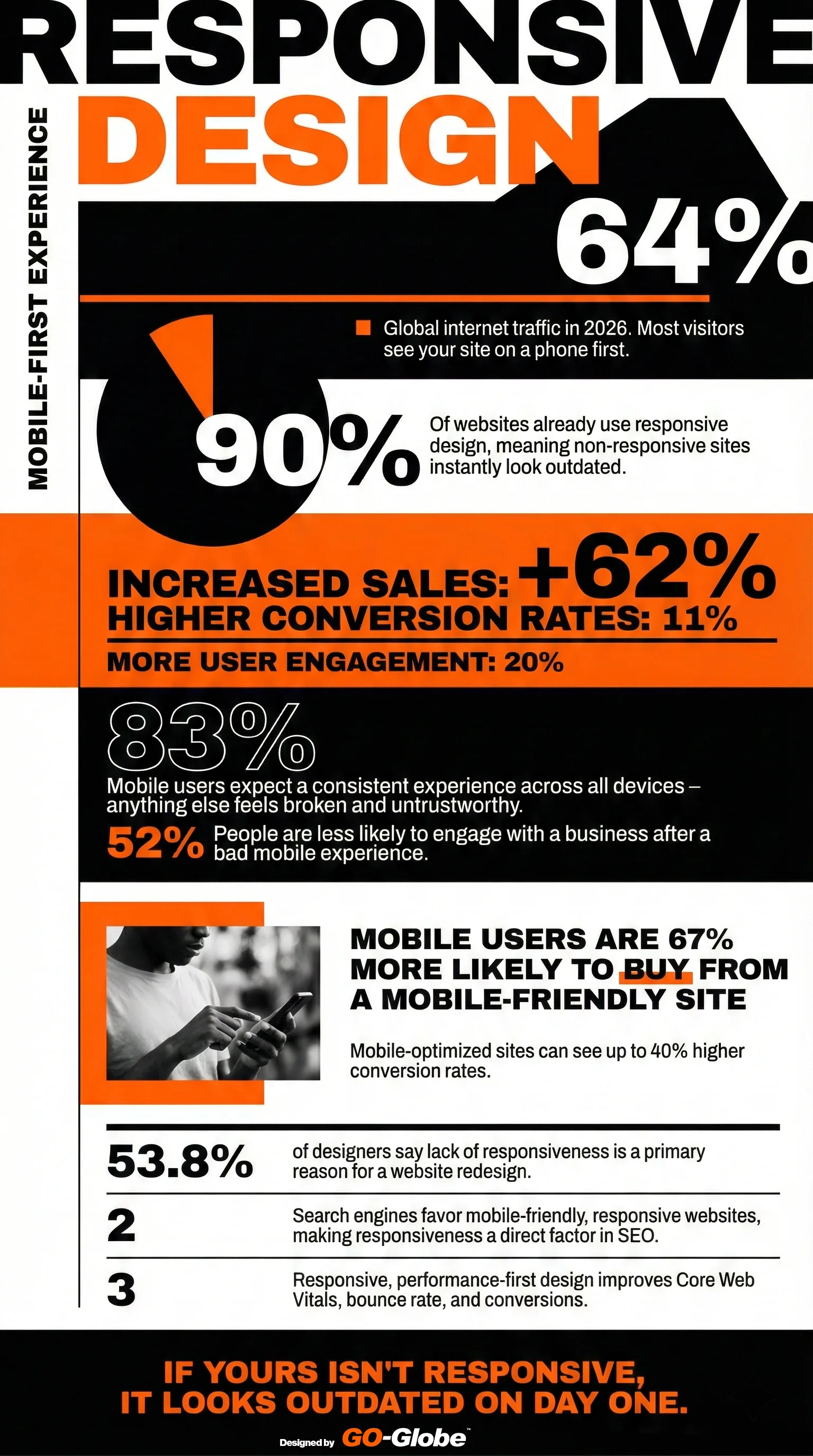
The Cost of Not Being Mobile-Responsive
Let's do some real math:
Scenario: Small business website
- Monthly visitors: 5,000
- 64% on mobile: 3,200 mobile visitors
- Without responsive design: 52% leave immediately = 1,664 lost visitors
- Average conversion rate: 2%
- Lost conversions per month: 33 potential customers
- Average sale value: $500
- Monthly lost revenue: $16,500
- Yearly lost revenue: $198,000
That's nearly $200,000 per year you're throwing away because your website doesn't work on phones.
Scenario: Medium business website
- Monthly visitors: 20,000
- 64% on mobile: 12,800 mobile visitors
- 52% leave immediately: 6,656 lost visitors
- 2% conversion rate: 133 lost conversions
- Average sale value: $1,000
- Monthly lost revenue: $133,000
- Yearly lost revenue: $1,596,000
Over 1.5 million dollars. Gone. Because your website doesn't fit on a phone screen.
But It's Not Just About Sales
Here's what else you're losing:
Search engine rankings. Google and other search engines favor mobile-friendly websites. If your site isn't responsive, you rank lower. Fewer people find you. Even fewer visitors to convert.
Professional credibility. When someone visits your non-responsive site on their phone, they assume you're either outdated, don't care about customers, or can't afford proper technology. None of these are good for business.
Employee productivity. Your own employees try to access your company website on their phones. If it doesn't work, they're frustrated. If you have an intranet or client portal that isn't responsive, your team wastes time every single day.
83% of mobile users expect a consistent experience across all devices. When they don't get it, they assume something is broken. They don't trust you. Trust is everything in business.
The "We Have an App" Excuse
Some companies say: We don't need a responsive website because we have an app.
Wrong.
People won't download your app before they trust you. They visit your website first to decide if you're worth their time. If your website doesn't work, they never download the app.
Apps require updates and maintenance. A responsive website works everywhere without anyone downloading anything.
Not everyone wants your app. Even your best customers might just want to quickly check something on your website. If it doesn't work, they get frustrated.
The "Our Customers Use Computers" Excuse
Some businesses, especially B2B companies, say: "Our customers are professionals who use computers, not phones."
Also wrong.
Even B2B decision-makers use phones. They check your website during their commute. At lunch. While waiting for a meeting. After work hours. Just because they work on computers doesn't mean they only browse on computers.
53.8% of designers say lack of responsiveness is the primary reason websites need redesigns. Even if your customers were only using computers (they're not), your website will need a redesign soon anyway. Why not do it right now and stop losing money?
What Actually Changes When You Go Responsive
Let's be specific about what happens:
Before responsive design:
- Customer visits on phone
- Site doesn't fit screen
- Customer leaves in 7 seconds
- You lose sale
- Customer tells others your site is bad
- Your competitors gain customers
After responsive design:
- Customer visits on phone
- Site fits perfectly
- Customer can read everything
- Buttons work properly
- Customer stays, browses, takes action
- You get the sale
- Customer recommends you to others
It's that simple.
The Technology Has Caught Up
Five years ago, making a website responsive was difficult and expensive. Some features didn't work on mobile. Performance was slow. It was complicated.
Not anymore.
Modern responsive design works perfectly. Sites load fast on mobile. Everything functions properly. Forms work. Videos play. Images look great. Navigation is smooth.
The technology is mature and proven. There's no excuse anymore.
The SEO Advantage Nobody Talks About
Search engines don't just "prefer" mobile-friendly sites. They actively punish sites that aren't mobile-responsive.
Your non-responsive site ranks lower in search results. Fewer people find you organically. You have to spend more on ads to get the same traffic.
Responsive design improves Core Web Vitals - the technical metrics Google uses to rank sites. Better performance. Better user experience. Better rankings. More organic traffic.
Mobile-first indexing is the standard. Google looks at your mobile site first when deciding how to rank you. If your mobile site is broken (or non-existent), your rankings suffer across all devices.
This isn't coming in the future. This is happening right now.
The Implementation Reality
"How long does it take to make our site responsive?"
For a new website: It's built responsive from the start. No extra time needed.
For an existing website: Depends on complexity, but typically 4-8 weeks for a complete responsive redesign.
"How much does it cost?"
Less than you're losing every month by not being responsive. Remember that small business losing $16,500 per month? A responsive redesign might cost $10,000-30,000. It pays for itself in 2-3 months.
"Can we just make our current site work on mobile without redesigning everything?"
Sometimes, but usually the better approach is a proper responsive redesign. Your site probably needs updates anyway. Do it right once rather than patching problems forever.
What Your Competitors Are Doing
90% of websites are already responsive. Your competitors finished this years ago. While you're debating whether responsive design matters, they're taking your customers.
Every day you wait:
- They look more professional
- They get better search rankings
- They convert more mobile visitors
- They grow faster
- You fall further behind
The 2026 Reality
We're not talking about the future anymore. This is the present:
Mobile is the default. Most people's first (and sometimes only) experience with your website is on a phone.
Non-responsive sites look broken. Not just old-fashioned. Actually broken. Like you don't know what you're doing.
User expectations are absolute. People expect every website to work perfectly on mobile. When yours doesn't, they don't make excuses for you. They just leave.
The gap keeps growing. As more companies optimize for mobile, the difference between responsive and non-responsive sites becomes more obvious. You can't hide in the crowd anymore.
What Happens When You Fix This
Companies that implement responsive design report:
Immediate improvements:
- Mobile bounce rate drops by 30-50%
- Time on site increases
- Pages per session goes up
- Contact form submissions increase
- Phone calls from mobile visitors jump
Within 3 months:
- Search rankings improve
- Organic traffic increases 20-40%
- Sales conversions from mobile rise 40%+
- Customer complaints about website drop to near zero
Within 6 months:
- ROI becomes obvious
- Mobile sales become a significant revenue stream
- Marketing effectiveness improves (same ad spend, better results)
- Professional reputation strengthens
Making the Decision
You have two choices:
Option 1: Keep your non-responsive site. Continue losing 52% of mobile visitors immediately. Watch competitors take your customers. Lose $16,500+ per month (probably much more). Fall further behind in search rankings. Look increasingly outdated.
Option 2: Implement responsive design. Capture those mobile visitors. Convert them into customers. Improve search rankings. Look professional and modern. Stop the bleeding and start growing.
The math is simple. The decision should be too.
Getting Started
You don't need to become a design expert. You just need to decide this matters and make it happen.
Find a developer or agency that specializes in responsive design. Show them your current site. Ask for a mobile-first responsive redesign. Get a timeline and budget. Make it happen.
The cost of doing it is less than the cost of waiting another month.
The Bottom Line
62-64% of your visitors use mobile devices.
52% of them leave immediately if your site doesn't work properly.
You're losing thousands of dollars every single month.
This isn't about following trends or having the latest technology. This is about not throwing away half your potential customers before they even see what you offer.
Your competitors figured this out. Your customers expect it. The search engines demand it.
The only question is: how much more money will you lose before you fix it?
Need Help Making Your Website Mobile-Responsive?
GO-Globe builds responsive, mobile-first websites for businesses and governments across the GCC region. We've been doing this since responsive design became critical, and we've helped hundreds of companies stop losing mobile customers.
Whether you need a complete redesign or want to make your current site responsive, we'll give you a straight answer about what's needed and how much it costs.
Let's talk about stopping the money you're losing every day.
Revenue prediction is tougher in 2026 than ever. Markets are volatile and competitors move fast online. Even customers decide quickly. Businesses can no longer rely on guesswork or static reports. Every forecast affects hiring, inventory, and expansion plans. Inaccurate predictions can cost millions. This is why AI sales forecasting in 2026 is no longer optional. It is mission-critical for survival and growth.
The shift is clear: spreadsheets and manual CRM forecasts can’t keep up. Today, machine learning sales systems analyze historical data. It also tracks live customer behavior. They detect patterns humans can’t. AI models power accurate ROI prediction. Companies can now plan with confidence instead of hoping numbers match reality.
What sets AI apart is its real-time insights. Predictive analytics and probability models give a clear view of likely outcomes. AI spots trends across massive datasets. Forecasts update instantly. It is replacing outdated quarterly projections. This makes decisions faster and smarter.
Contents
- 1 What is AI Sales Forecasting?
- 2 The Evolution of AI Sales Forecasting
- 3 4 Major Components of AI Sales Forecasting Systems
- 4 How to Build Your Own System for AI Sales Forecasting in 2026
- 5 5 Real World Use Cases of AI Sales Forecasting in 2026
- 6 Create Your Own Custom AI-Powered Sales Forecasting System with GO-Globe
- 7 FAQs
What is AI Sales Forecasting?
AI sales forecasting is the use of artificial intelligence to predict future revenue. It relies on machine learning sales models. These models study historical sales data, pipeline movement, and customer behavior. These systems detect hidden patterns and analyze market trends. This is used to deliver accurate forecasts.
It is not like traditional methods that use spreadsheets, fixed formulas, or gut feeling. But AI adapts to new data in real time. It continuously learns from changes in customer actions and sales performance. This makes predictions far more reliable. It also helps businesses plan inventory, hiring, and growth with confidence.
4 Types of AI Sales Forecasting Models
AI sales forecasting 2026 offers different models. Each is made for specific business needs. The right model helps with revenue prediction, inventory planning, and marketing decisions.
- Time Series Analysis
Time series analysis looks at past sales data. It finds trends, seasonal cycles, and repeated patterns. This model works well for businesses with steady or seasonal demand, like retail or hotels.
- Predictive accuracy: 80–90%
- Applications: demand forecasting, ROI prediction, inventory management
ML algorithms keep learning. Predictions improve as new data comes in. It also helps measure probability for deals.
- Regression Analysis
Regression analysis shows how multiple factors affect sales. It suits complex sales cycles with many drivers. This included marketing spend or economic changes.
- Predictive accuracy: 70–80%
- Applications: opportunity forecasting, customer lifetime value, marketing optimization
This method helps businesses change strategies based on variable patterns.
- Anomaly Detection
Anomaly detection finds unusual trends or outliers in sales data. It is useful for large datasets or unpredictable sales.
- Predictive accuracy: 80–90%
- Applications: fraud detection, risk monitoring, finding reasons for sales dips
Spotting anomalies early keeps performance steady.
- Machine Learning Models
Advanced machine learning sales models study large datasets. They find hidden patterns and trends. They work best for complex, multi-layered data.
- Predictive accuracy: 80–90%
- Applications: opportunity forecasting, customer segmentation, personalized marketing, predictive pipeline analytics
These models learn constantly and improve over time.
The Evolution of AI Sales Forecasting
Twenty years ago, sales forecasting was mostly guesswork. Managers used experience and intuition to predict revenue. They reviewed pipelines, held deal meetings, and relied on institutional knowledge. This worked in stable markets. Sales cycles were long. Buying patterns were predictable. Today, AI sales forecasting in 2026 is changing everything.
Traditional methods had big limits. Human bias often affected results. The data was incomplete. Complex variables were hard to process. Forecast accuracy rarely went above 60–70%. Some “sure deals” fell through. Surprise deals appeared without warning.
Now, AI and machine learning provide real-time insights. They calculate close probability for each deal. They spot patterns across large data sets. They adapt to market changes automatically. This marks a true turning point in sales forecasting.
How AI Intervened
Modern AI sales forecasting can analyze thousands of data points from past deals. It finds patterns invisible to humans. It generates probabilistic forecasts with high accuracy.
- Pattern Recognition at Scale
AI studies emails, meetings, calls, and interactions across all deals. It spots the real factors that predict close probability. Unlike old methods, it does not rely on assumptions.
- Real-Time Adaptation
AI learns continuously from new data. It adjusts automatically to market shifts, seasonal trends, and buyer behavior. Forecasts become dynamic and responsive.
- Multidimensional Analysis
AI evaluates many variables at once. Deal details, buyer engagement, competition, economic factors, and rep performance are all considered. Each factor is weighted for more accurate ROI prediction.
4 Major Components of AI Sales Forecasting Systems
AI sales forecasting works best when all parts work together. You need good data, smart models, important signals, and human guidance. These parts help businesses make better revenue prediction and smarter decisions.
Component 1: Data Infrastructure – The Foundation
AI forecasting depends on clean and structured data. It combines multiple sources for a full view of each deal. Bad data leads to wrong predictions. Structured CRM, behavioral, and external data together works for accurate forecasts.
Key Highlights:
- Structured CRM Data: Deal size, stage, close date, product mix, competitor info, past interactions.
- Behavioral & Engagement Data: Email frequency, sentiment, meeting attendance, stakeholder expansion patterns.
- External & Contextual Data: Economic indicators, industry trends, company health, news, seasonal patterns.
- Insight: Combining these streams creates a “deal health” view for better deal scoring.
Component 2: Machine Learning Models – The Intelligence Layer
Machine learning models act as the brain of AI forecasting. They spot hidden patterns in deals and improve predictions. Different models focus on different tasks. Using several together gives stronger results for machine learning sales.
Key Highlights:
- Classification Models: Predict win/loss or deal stage progression.
- Regression Models: Predict deal value, close date, or time-to-close.
- Time Series Models: Detects trends and unusual patterns over time.
- Natural Language Processing (NLP): Read emails and calls to find sentiment, urgency, and risk.
- Insight: Combining models improves forecast accuracy and reliability.
Component 3: Predictive Features – What Actually Matters
Not all data is equally useful. AI sales forecasting finds the features that truly affect outcomes. Behavioral signals often matter more than deal stage or time in stage.
Key Highlights:
- Engagement Momentum: Faster engagement predicts deal success.
- Stakeholder Diversity: More departments involved increase closure chances.
- Mutual Action Plans: Documented steps improve close probability 2–3x.
- Historical Rep Performance: Past success on similar deals helps forecast.
- Response Latency: Quick prospect replies signal higher success.
Component 4: Human-in-the-Loop – Augmentation, Not Replacement
AI works best with humans guiding it. Reps add context and judgment. Collaboration ensures accurate and trusted predictions.
Key Highlights:
- Rep Confidence Scores: Combine AI with human ratings.
- Override Mechanisms: Reps flag special cases.
- Feedback Loops: Rep input improves model accuracy over time.
- Explainable AI: Shows why predictions are made.
- Insight: Human-AI collaboration boosts forecast accuracy and outcomes.
How to Build Your Own System for AI Sales Forecasting in 2026
Building your own AI sales forecasting system takes careful planning. You need clean data, the right tools, and team support. Below is a step-by-step guide for how to set up, test, scale, and improve AI. These 4 phases help for accurate revenue predictions in 2026.
Phase 1: Assessment and Foundation (Months 1–2)
The first step is to check your data. AI sales forecasting in 2026 works only if data is clean and correct. Look at CRM and sales records. Find missing information, duplicates, and errors. Fix everything. Clean data means better predictions.
Next, involve the right people. Sales, finance, operations, and IT teams must work together. Executive support is important. Define clear goals for success. Focus on forecast accuracy, smaller errors, spotting risks early, faster reporting, and better deal progress.
Finally, choose the right technology. Pick AI tools that connect with current systems, allow custom settings, and are easy to understand. A strong base ensures deal scoring is reliable and teams trust AI insights.
Phase 2: Pilot Implementation (Months 3–5)
Start small. Use AI in one division, product line, or region. This keeps risk low. Run AI alongside current forecasting for one quarter. Compare results to see how accurate it is.
Fix data collection and improve processes during this test. Identify technical, workflow, or cultural issues. Share early wins to get support.
Focus points:
- Test predictive analytics
- Build internal champions
- Find and fix issues early
The pilot proves the system works and prepares the company for full rollout.
Phase 3: Scaling and Optimization (Months 6–12)
After the pilot, expand AI to more regions and products. Use lessons from the test to improve results. Refine models by adding new features, tuning settings, and making models for different business types. Big enterprise deals may need separate models from small deals.
Include AI in sales activities like pipeline reviews, forecast meetings, coaching, and compensation. Advanced uses can include playbooks, quota planning, lead scoring, churn prediction, and retention tracking.
Scaling makes AI a strong tool for ROI prediction. It gives clear insights and helps make better business decisions.
Phase 4: Continuous Evolution (Ongoing)
AI forecasting must keep improving. Update models every quarter with new data. Watch performance and fix problems. Collect feedback from sales reps and managers. Use it to make predictions better over time.
Also, explore new AI tools like language models for deal insights. They can improve forecasts even more.Continuous updates keep AI forecasts accurate, adaptable, and helpful for business goals in 2026.
5 Real World Use Cases of AI Sales Forecasting in 2026
- Use Case 1: Hy-Vee’s Geo AI Model
Hy-Vee, a big retail brand, uses geospatial AI to forecast sales. It looks at store locations and time patterns to predict demand. This approach gave 97% forecast accuracy.
Benefits:
- Better inventory management
- Fewer unsold perishable goods
- Happier customers
AI helped Hy-Vee save money and work more efficiently.
- Use Case 2: Zalando’s Deep Learning Approach
Zalando SE, a leading fashion retailer in Europe, uses deep learning models. The fashion industry has many products and high catalog turnover. AI improved pricing and inventory risk. It made forecasts fast, accurate, and scalable. This supports predictive pipeline analytics.
- Use Case 3: AI in Sales Leadership
AI helps sales leaders check pipeline health. It predicts deal closures and spots high-probability opportunities. Leaders can assign tasks wisely and improve close rates.
- Use Case 4: Accenture Survey Insights
Companies using AI saw 6.1% revenue growth and 5.6% profit increase. 81% said forecasts became more accurate. AI reduces uncertainty and drives real results.
- Use Case 5: Real-Life Industry Success Stories
Amazon and others use AI for personalized recommendations. By 2024, 69% of sales professionals expect AI or automation in their jobs. AI is changing how companies forecast sales everywhere.
Create Your Own Custom AI-Powered Sales Forecasting System with GO-Globe
Predicting revenue in 2026 is harder than ever. Markets change fast. Buyers make decisions quickly. Manual spreadsheets or CRM reports often fail. Deals slip through. Inventory misaligns. Teams miss opportunities.
A custom AI-powered sales forecasting system solves this. You need a system built for your sales cycles, products, and customer behavior. This system predicts revenue, prioritizes deals, and reduces risks. This is where GO-Globe provides the tools to make it real.
How GO-Globe Helps Build Your System
Centralized Data Infrastructure
GO-Globe integrates all your sales data in one place. CRM records, emails, meetings, and market signals are cleaned and organized.
Advanced Machine Learning Models
Using machine learning, GO-Globe trains models on historical and live data. These models detect patterns, measure engagement, and predict probability.
Real-Time Dashboards
Custom dashboards provide instant insights into pipeline health and opportunity scores. Managers see risks and high-value deals in real time.
Predictive Feature Identification
The system highlights what truly impacts deal success, like stakeholder diversity, response speed, and mutual action plans.
Scalable and Flexible Platform
GO-Globe scales with your business. APIs connect your forecasting system to CRM and sales tools.
With GO-Globe, building a custom AI sales forecasting system becomes simple and practical. Contact us today and book your free consultation.
FAQs
Q1: What is AI sales forecasting in 2026 and how does it work?
AI sales forecasting in 2026 uses computers to study past deals and customer behavior. It finds patterns and predicts revenue. It keeps learning from new data and helps businesses plan better than guessing.
Q2: How can AI improve my sales predictions?
AI looks at deals, emails, meetings, and customer responses. It scores deals, predicts which will close, and warns of risks. This helps sales teams focus and make better revenue predictions.
Q3: Which industries use AI sales forecasting the most?
Retail, e-commerce, finance, and tech companies use AI the most. They use it to plan inventory, predict sales, and manage customers. AI helps them make smarter business decisions.
Q4: How accurate is AI sales forecasting compared to traditional methods?
AI can be 90% accurate for short-term forecasts. Traditional spreadsheets and gut-feeling predictions usually stay below 70%. AI gives more reliable insights for planning and tracking deals.
Q5: Can small businesses use AI sales forecasting too?
Yes. AI works for small and big businesses. Small teams forecast fewer deals, and bigger teams manage complex pipelines. It gives accurate predictions for any size business.
Supplier portal automation helps businesses manage suppliers digitally. It replaces slow emails, paper forms, and manual approvals with one central system. In 2026, suppliers are global and highly digital. Manual coordination cannot keep up. Companies face delays in onboarding vendors, slow approvals, poor visibility into orders and invoices.
This guide shows how supplier portals evolved from simple dashboards to smart systems. You will learn valuable information like key supplier onboarding automation features, real benefits and top supplier portal tools. It also explains how GO-Globe builds portals for long-term ROI. This is a clear guide for procurement leaders and operations managers.
Contents
What Is a Vendor Management System in 2026
A vendor management system in 2026 is a safe online platform. Businesses use it to manage all suppliers in one place. It is no longer just a list or simple tool. Today, it helps run daily operations and keeps processes organized.
For suppliers, it gives a secure login. They can see purchase orders, check delivery dates, and send invoices quickly. For businesses, it reduces emails and spreadsheets. All supplier data is in one place. Modern supplier portal automation also makes work faster and easier.
This matters now because more people work remotely. Buyers want self-service options and prefer digital platforms or online communication.
Not all vendor management systems work the same. B2B and B2C models are different, as we will see next.
Two Major Types: B2B vs B2C
Vendor portals are divided based on who uses them. Some are for businesses, others for individual customers.
- A Business to Business (B2B) portal lets one company interact with its suppliers. It includes features like purchase order management, negotiated pricing, and links with enterprise or ERP systems. This is the main type for vendor management.
- A Business to Consumer (B2C) portal is for individual users. It supports personal transactions and gives a simple user experience. Examples include an online bank dashboard or an ecommerce account. Only B2B portals apply to supplier management today.
5 Key Features of Supplier Portal Automation
Choosing the right purchase order automation depends on knowing its core features. The portal should match your business goals, not just automate tasks. Picking the right features ensures faster, smoother procurement and vendor management.
- Real-time updates and visibility: See orders and invoices instantly. It reduces delays and helps teams make faster decisions.
- Document uploads and approvals: Suppliers can submit invoices, contracts, and certifications. It cuts down manual follow-ups. Businesses can also use tools like Zintego to simplify document creation and invoicing workflows for better efficiency.
- Workflow automation: Purchase orders and invoice matching run automatically. It saves time and lowers errors.
- Supplier onboarding: Structured vendor registration guides new suppliers. It helps them with faster operations.
- ERP and accounting system integration: Data flows smoothly between systems. It improves accuracy and reduces administrative work.
These five features form the foundation of a scalable vendor management system in 2026.
How Supplier Portal Automation Helps Businesses in 2026
Supplier automated procurement portal helps teams work faster and smarter. It makes vendor communication easier, handles routine tasks automatically, and shows live updates on orders. This means less paper work, fewer mistakes, faster decisions, and smoother operations.
- Faster vendor onboarding & purchase order processing: Digital onboarding and automatic POs get suppliers ready quickly.
- Fewer errors & duplicate entries : Standard data input stops mistakes and keeps vendor info correct.
- Automated invoice & requisition workflows: Quick approvals make payments and orders on time.
- Centralized supplier communications: One platform keeps all messages clear and easy to track.
Top 7 Supplier Portal Automation Tools in 2026
Picking the right supplier portal automation tool helps teams work faster. These tools make buying easier and improve supplier communication. In 2026, they will be smarter and faster. Each tool has features that help businesses run better.
Tool 1# Total Lean Management (TLM)
Total Lean Management (TLM) is a tool for supplier quality and compliance. It helps companies following ISO 9001 and ISO 13485. TLM keeps records of suppliers, audits, inspections, and problems. All actions are tracked. Procurement and quality teams check supplier performance. This keeps work smooth and standards high.
Key Features
- Custom supplier approval levels with alert reminders.
- Supplier onboarding linked to approval steps.
- Audits with templates and scorecards.
- Track supplier performance from inspections and audits.
- Workflows for problems and corrective actions.
- Supplier portal for corrective responses.
- Alerts for late reviews and approvals.
- Central info and contract management.
- Integration with inventory, purchase order automation, inspections, and audits.
How It Work
TLM tracks supplier results from inspections, audits, and problems. It shows repeat issues and risks. Suppliers submit documents and answer findings through a portal. TLM manages the full supplier journey, from onboarding to performance tracking and procurement decisions.
Tool 2# Ivalua
Ivalua is software for big companies that buy a lot. It keeps all supplier information in one place. It links buying, contracts, and invoices. Teams can track supplier work and talk to them easily. It helps with onboarding, checking data, and approvals in a vendor management system in 2026.
Key Features
- Keeps supplier info all in one place.
- Helps add new suppliers with checks and approvals.
- Checks suppliers work with scorecards and surveys.
- Watch supplier risks and contract issues.
- Supplier portal to share info and fix problems.
- Works with buying, contracts, and invoices.
Pros
Ivalua helps manage suppliers and buying plans. It can link to contracts, spending reports, and finance data.
Cons
It only uses scores and data, not real inspections. Setting it up takes time and careful planning.
Related: Things to Consider While Choosing a Digital Marketing Agency in Dubai
Tool 3# SAP Ariba
SAP Ariba is software for big companies to manage suppliers. It keeps all supplier info in one place. Teams can track onboarding, qualifications, and segmentation. Suppliers use a self-service portal. This purchase order automation helps keep data accurate, consistent, and procurement workflows smooth.
Key Features
- Shares supplier data across sourcing, buying, and invoices.
- Automates supplier onboarding, approval, and segmentation.
- Supplier self-service portal via SAP Business Network.
- Tracks supplier performance and compliance.
- Monitors supplier risks using data and alerts.
- Two-way sync with SAP ERP systems.
Pros
Handles many suppliers while keeping data correct. Onboarding, approvals, and monitoring are clear, with visible compliance and risk alerts.
Cons
Does not check quality at the material or inspection level. Some tasks need many clicks, which slows work and training.
Tool 4# Coupa
Coupa is software to manage suppliers, money, and invoices. It helps companies onboard suppliers faster and catch invoice mistakes. Suppliers use the Coupa Portal to see orders and send invoices. The system blocks wrong invoices and sends alerts to save time.
Key Features
- Supplier portal to check orders and update invoices.
- Automated risk checks for rules and laws.
- AI alerts suggest what to do next.
- Track supplier risk and work quality in one place.
- Checks invoices and blocks errors automatically.
- Tracks supplier diversity and makes reports.
Pros
Cuts manual work for onboarding, invoices, and risk. Shows supplier risk and performance next to buying and payments.
Cons
Does not check material quality, so bad items may arrive. Interface is tricky, which slows invoice work for suppliers.
Tool 5# GEP SMART
GEP SMART is software to manage supplier data, performance, and risk. It uses Supplier Master Data Management to clean and update records. It links with ERP and sourcing tools. Teams track suppliers using scorecards, surveys, and KPIs for better decisions with automated procurement.
Key Features
- Cleans and removes duplicate supplier records automatically.
- Connects supplier info with ERP and sourcing tools.
- Updates master data in real time or batches.
- Uses scorecards, surveys, and questionnaires for evaluation.
- Reports show which suppliers meet requirements.
- Flags suppliers as preferred, qualified, or blacklisted.
Pros
Keeps supplier information accurate across systems. Helps teams evaluate vendors using scorecards and clear reporting.
Cons
Focuses on data and performance, not material quality. Large datasets may slow the system, and dashboards can feel cluttered.
Tool 6# Precoro
Precoro is software for day-to-day procurement tasks. It handles requests, approvals, purchase orders, invoices, and budgets. Workflows move requests to POs to receipts and payments. Suppliers use the portal to submit documents and update catalogs. It also views POs, and sends invoices with invoice processing AI.
Key Features
- Automates requests into purchase orders quickly.
- Captures invoices using OCR and three-way matching.
- Checks for duplicate or missing invoice data.
- Tracks budgets during requests and approvals.
- Supports PunchOut catalogs for supplier products.
- Monitor inventory levels efficiently.
- Creates custom reports with Excel export.
Pros
Organizes purchasing from request to payment. Approval workflows reduce off-contract buying. Supplier Portal cuts manual follow-ups and is easy to use.
Cons
Doesn’t handle inspection-level quality or corrective actions. PunchOut catalogs have fewer vendors; multiple subsidiaries may need separate approvals.
Tool 7# Esker
Esker is a tool for managing supplier relationships and risk. It uses supplier onboarding automation for workflows, onboarding, and performance tracking. Suppliers can update documents and data in a self-service portal. Esker checks compliance like TIN validation, sanction lists, and bank verification. GPT handles supplier questions for AP and procurement.
Key Features
- Automates supplier onboarding with forms and document collection.
- Self-service portal for supplier data updates and certifications.
- Monitors compliance with alerts for missing or expired documents.
- Tracks supplier performance with dashboards and KPIs.
- GPT-powered inquiry management for AP and procurement teams.
- Screens suppliers against sanctions and politically exposed persons.
- Automates bank verification to lower fraud risks.
Pros
Combines onboarding, compliance, performance tracking, and inquiry management in one system. Supports risk checks, certification tracking, and bank verification for suppliers using automated procurement.
Cons
Users report complex payment screens and frequent approval handoffs. Limited ability to manage multiple tasks in the same workflow.
Build Your Custom, Smarter Supplier Portal Automation with GO-Globe
Nearly 45% of procurement tasks are fully automated in leading companies today. They know how to shrink manual work and save time for real value work.
If you lead procurement, operations, or supply chain teams, you know the struggle. Slow supplier onboarding, lost invoices, and endless emails waste time every day. Poor visibility into supplier status adds even more delays. You need systems that help you and your suppliers, not make work harder.
At GO-Globe, we build automated procurement portal solutions that fit your business needs. We help you:
- Create custom portals that speed supplier onboarding and approvals.
- Connect portals with ERP, finance, and procurement systems for real workflows.
- Automate purchase orders, invoicing, and real‑time status updates.
- Give suppliers a self‑service hub for documents, updates, and communication.
Our portals improve accuracy, cut delays, and strengthen supplier trust.
Ready to improve efficiency and lower costs? Contact us to book your free consultation today!
Related: Voice-First Chatbots
FAQs
Q1: What is supplier portal automation?
A: Supplier portal automation is a system that helps manage suppliers online. It handles orders, invoices, and approvals automatically. This makes work faster and reduces mistakes.
Q2: Why do I need a vendor management system in 2026?
A: Businesses today work with many suppliers at once. A vendor management system keeps all supplier data in one place. It helps teams make better and faster decisions.
Q3: How is a B2B portal different from a B2C portal?
A: A B2B portal is used by one business to work with other businesses. A B2C portal is for individual customers buying products. B2B portals focus on orders, contracts, and supplier management.
Q4: What features should a supplier portal have?
A: A good supplier portal shows real-time updates on orders and invoices. It can handle documents, approvals, and workflows automatically. It should also connect to accounting or ERP systems.
Q5: How does supplier portal automation help my team?
A: It saves time by automating routine tasks. It reduces errors and keeps supplier data organized. Teams can track orders, invoices, and approvals in one place.
Q6: Can small businesses use supplier portals?
A: Yes. Small teams can use it to manage suppliers easily. It helps track orders, invoices, and approvals without extra staff.
Q7: How do I pick the right supplier portal tool?
A: Look for one that matches your team’s needs. It should be easy to use and work with your existing systems. It should also save time and reduce mistakes.
You're drowning in boring work. Your team copies the same data every day. Emails sit unanswered. Approvals take forever. You know automation can help, but where do you start? Good news: finding automation opportunity in 2026 is easier than you think. You don't need a huge budget or tech experts. You just need to know where to look.
Here's what's happening. Companies everywhere are automating simple tasks first. They're not building fancy systems. They're picking one annoying task, automating it, and watching the time savings pile up. These quick wins prove automation works.
This guide shows you exactly how to find your quick wins. We'll walk through a simple process automation assessment. You'll learn which tasks make the best RPA candidates. And you'll see real examples from businesses just like yours. Let's go.
Contents
- 1 Where Are My Biggest Automation Opportunities in 2026?
- 2 How Do I Know Which Processes to Automate First?
- 3 What's the Real Cost vs Benefit of Automation?
- 4 How Long Before I See Results from Automation?
- 5 What Mistakes Should I Avoid?
- 6 GO-Globe's Automation Assessment Services
- 7 What Tools Do I Actually Need?
- 8 Can Small Businesses Actually Benefit?
- 9 Ready to Find Your Quick Wins in Automation Opportunity?
- 10 Your Questions Answered
Where Are My Biggest Automation Opportunities in 2026?
Think about yesterday. How many times did you do the exact same thing you did last week? Copy information from an email into your system? Send the same update to five people? Wait two days for a simple approval? These little time-wasters add up fast. Really fast.
Tasks That Happen Over and Over
Your best automation opportunities 2026 hide in plain sight. Look for anything your team does more than 10 times weekly. Invoice processing? Perfect. Customer questions? Great. Onboarding new employees? Excellent.
Here's a real story. A company was waiting 10 days to approve invoices. Ten days! They automated it. Now it takes one hour. Think about what that does for your cash flow.
Why Email Wastes So Much Time
Let's talk about email. Your team probably spends hours every day on it. Customer questions. Status updates. Follow-ups. It never ends.
Here's the crazy part: automated emails make almost 40% of email revenue. But they're only 3% of total emails sent. You do the math. A tiny bit of automation does massive work.Want the best part? You can set up your first email automation today. Welcome emails. Order confirmations. Abandoned cart reminders. They run automatically while you sleep.
The Invoice Problem Everyone Has
Every business deals with invoices. Receiving them. Approving them. Paying them. Processing them. It's boring. It's repetitive. It's perfect for automation. Most companies still do this manually. Someone gets an invoice by email. They download it. They enter data into the system. They send it for approval. Someone else approves it. Finally, accounting processes payment.
That's at least five people touching one invoice. Automation can handle the whole thing with zero human help. The business automation savings show up immediately in your accounting team's workload.
How Do I Know Which Processes to Automate First?
This is where people get stuck. You see a hundred things that could be automated. Which one first?
Here's the secret: start with the simplest, most annoying task. Not the biggest. Not the most impressive. The one that makes everyone groan when they have to do it.
The One-Week Test
Grab a notebook. Just a regular notebook, nothing fancy. For one week, have your team write down every task they do more than once. Every single one. Data entry? Write it down. Sending updates? Write it down. Copying stuff between systems? Definitely write it down.
At the end of the week, look for patterns. What takes the most time? What happens most often? What makes people want to quit?
Score Your Tasks
Now let's figure out which tasks are actually good RPA candidates. We'll use three simple questions.
First: Does it happen a lot? Daily is better than weekly. Hourly is even better.
Second: Does it take real time? Five minutes matters. Thirty minutes matters more. Two hours? That's gold.
Third: Could you write down every step? If yes, it's probably simple enough to automate. If people have to "just figure it out," it's too complex for now.
The Quick Win Formula
Here's what you're looking for. A task that happens 20+ times weekly. It takes at least 15 minutes each time. Follow the same steps every time. One accounting firm found exactly this. They automated setting up new users and removing old users. Just those two tasks. They saved 850 hours per year. That's 21 full work weeks given back to the team. AI automation services help businesses spot these opportunities fast.
Start there. Get that win. Build momentum. Then tackle bigger stuff.
Related: Automation Security Crisis
What's the Real Cost vs Benefit of Automation?
Let's talk about money. Real numbers, not vague promises.
You're thinking: "This sounds great, but what will it actually cost me?" Fair question. Let's break it down.
What You'll Actually Spend
Automation in 2026 isn't as expensive as you think. Simple tools start around $50 monthly. Mid-range systems run $500-2,000 monthly. Only huge enterprise stuff costs $10,000+ monthly.But here's what most people forget. You're already paying for the work. Your team is doing it manually right now. That costs money every single day.
Calculate Your Hidden Costs
Let's do real math. Say your team spends 10 hours weekly on a task. They cost $30 per hour (including salary, benefits, everything). That's $300 weekly. Over a year? That's $15,600. Just for one task. Now say automation costs $5,000 to set up. You're saving $10,600 in year one. Every year after that? You save the full $15,600 because setup is done.
The Mistake Savings Nobody Counts
Money saved from time is obvious. But what about mistakes? Every time someone enters data wrong, it costs time to fix. Every lost invoice costs money in late fees. Every missed email costs a potential customer. Automation cuts errors by huge amounts. One study showed 30% to 80% cost reduction compared to manual work. Even at the low end, you're cutting costs by almost a third.
Why AI Makes It Better
The AI automation workflow technology today doesn't just follow rules. It learns. Your automation gets smarter over time. It spots patterns. It predicts problems. It optimizes itself automatically. Month one might save 30% of your time. By month six? You might see 50% savings because the system learned how to handle weird cases.
How Long Before I See Results from Automation?
Speed matters. A lot.
If your first automation takes a year to show value, nobody will support your second project. That's why quick wins matter more than perfect wins.
The Fast Wins
Email automation is the fastest. You could have a welcome sequence running this week. Like, literally this week. Set it up Monday, test it Tuesday, launch it Wednesday.Simple data entry automation? Maybe two weeks from start to finish. One week to map the process. One week to build and test it.
Customer onboarding workflows? About a month. These need more planning and testing. But one month is still crazy fast for business automation that runs forever.
Medium Speed Projects
Some automation opportunities 2026 take longer but still deliver fast. Customer service chatbots. Inventory alerts. Report generation. These usually take one to three months. Why longer? They touch multiple systems. They need more testing. They might need approval from different departments. But here's the thing. Three months is still nothing compared to hiring and training new people. And the automation works 24/7 without vacation or sick days.
Marketing Automation Speed
Marketing automation might be the fastest ROI you'll ever see. Why? Because it connects directly to revenue. Every automated email that brings back a customer shows up immediately in sales. Email marketing ROI runs 32x to 45x across different industries. That's not a typo. Thirty-two to forty-five times your investment. Set up one abandoned cart sequence. Watch what happens to your sales within days. Not months. Days.
Real Timeline Example
Here's how a typical company's first 90 days look.
Week 1-2: Figure out what to automate. Use your notebook method. Score your tasks.
Week 3-4: Pick your easiest quick win. Map it out. Choose your tool.
Week 5-6: Build it. Test it. Fix the bugs.
Week 7-8: Launch it. Watch it run. Measure the results.
Week 9-12: Optimize it. Then pick your second automation.
Most companies see positive ROI by day 90. Some see it by day 30.
What Mistakes Should I Avoid?
Learn from everyone else's mistakes. That's way cheaper than making them yourself.
Don't Automate Broken Stuff
This kills more automation projects than anything else. People automate their current messy process, then wonder why it doesn't help.
Fix the process first. Remove stupid steps. Clarify who does what. Document how it should work. Then automate the fixed version. Here's a test: Would you teach your current process to a new employee exactly as it is today? Or would you fix it first?
If your answer is "fix it first," don't automate it yet.
Don't Skip the Human Side
Your team might resist automation. They're worried about their jobs. They think you're replacing them. Talk to them early. Ask what frustrates them most. Let them help pick what to automate. When people are part of the solution, they support it. Show them the truth: automation removes boring work and it doesn't remove jobs. It makes jobs more interesting.
Don't Try to Automate Everything
Ambitious goals kill automation programs. Start small. Get one win. Then another. Then another. Companies that try to automate 50 things at once usually automate zero things successfully. Companies that automate one thing at a time end up automating everything that matters.
Don't Forget to Measure
You can't improve what you don't measure. Track your automation. How much time did it save? How many errors did it prevent? What's the actual ROI? These numbers justify your next automation project. They prove it works. They get you more budget.
GO-Globe's Automation Assessment Services
Sometimes you need expert eyes to see what you're missing. That's where GO-Globe helps.
GO-Globe gets it. You don't have unlimited time or budget. Their process automation assessment focuses on finding your quick wins fast. No confusing tech talk. No months of meetings. Just clear answers. With 20 years of experience building enterprise systems, they know what actually works.
How the Assessment Works
The GO-Globe team watches your actual work. Not what the manual says. What really happens. They talk to your staff. They observe workflows. They spot bottlenecks where automation helps most. Within two to four weeks, you get a complete report showing clear automation opportunities with ROI calculations. You'll see exactly which processes to automate first. What it'll cost. How much you'll save. When you'll break even. No surprises.
Why Their Clients See Results Fast
GO-Globe clients typically see positive ROI within 90 days. That's three months from "we should do automation" to "this is saving us money."
Why so fast? They focus on realistic goals with clear value. Not impressive technology that doesn't solve real problems. They also train your team. You're not dependent on them forever. They build your capability, not permanent dependency.
Ready to find your automation quick wins? Contact GO-Globe today for a free consultation. We'll identify at least three automation opportunities in your business within 30 minutes. No commitment required—just practical advice you can use immediately.
What Tools Do I Actually Need?
You don't need expensive software to start. Seriously.
Your first assessment can happen with spreadsheets and conversations. That's it.
Free Tools to Get Started
Free automation calculators help you score processes. You plug in your numbers. They show which automation opportunities 2026 offer the best return. Templates help you document workflows. Checklists keep you organized. All free. All simple.
Start here. Prove the concept. Then upgrade to better tools when you're ready.
Low-Code Platforms Change Everything
Here's what's different in 2026. Low-code platforms let regular people build automation. Not just IT people. Regular people. Your marketing team can build email automation. Your operations team can create approval workflows. Your customer service team can automate responses. Modern business systems make this accessible to everyone.
These platforms use drag-and-drop. No coding required. If you can use PowerPoint, you can build automation.
Email Tools Anyone Can Use
Email automation deserves special mention. It's often the easiest place to start.
Most email platforms offer free trials. Test one simple workflow. A welcome sequence. An order confirmation. See how it works before you invest.The best email automation tools connect to your other systems. Your website. Your CRM. Your shopping cart. Everything talks to everything. When a customer does something on your website, it triggers an automated email. No humans were involved. It just works.
People also Search for: Ethical Dilemmas of Artificial Intelligence
Can Small Businesses Actually Benefit?
Absolutely. Small businesses often benefit more than big companies.
Why? Flexibility. You can test stuff fast. No committees. No bureaucracy. Just try it and see what happens.
You Don't Need a Big Team
The workflow automation market hit $18.45 billion in 2025. That's not just big companies spending. Small businesses are investing heavily because they see real returns. You don't need a 50-person team when automation handles routine work. A lean team with good automation often beats a bigger team doing everything manually. Companies using ERP systems integrated with AI see even greater benefits across all departments.
This efficiency lets small businesses compete with bigger competitors. You move faster. You serve customers better. You spend less on overhead.
Start With One Task
Your first automation might save just three hours weekly. That's 156 hours yearly. Almost four full work weeks. For a small team, that's huge. Those hours go into serving customers. Developing products. Growing revenue. Even field sales teams move faster using automated alerts. Small teams win when automation handles the boring stuff.
Real Small Business Example
A local retail shop automated their inventory alerts. When stock got low, the system automatically ordered more. That's it. One simple automation. They saved about five hours weekly. But the real win? They never ran out of popular items again. Revenue went up because customers always found what they wanted.
One automation. Multiple benefits. That's how it works.
Ready to Find Your Quick Wins in Automation Opportunity?
You now know more about finding automation opportunities 2026 than most business owners.
You know how to run a simple process automation assessment. You know what makes good RPA candidates. You know which mistakes kill automation projects. The automation potential in your business is probably bigger than you think. Don't wait for perfect conditions. Don't wait to understand everything.
Start small. Pick one annoying task. Automate it. Measure the results. Then do it again.
The businesses saving time through automation today will lead their markets tomorrow. The faster you start, the faster you benefit.
Take action today. Download our free Process Automation Assessment Checklist. Identify your first three quick wins this week. Visit GO-Globe to get started and begin saving time immediately.
Your Questions Answered
What's the difference between RPA and AI automation?
RPA follows exact rules every time. Perfect for data entry or invoice processing. AI automation is smarter. It learns and adapts. It handles variations.Most businesses should start with RPA for quick wins. Then add AI capabilities for harder stuff. RPA gives you speed. AI gives you flexibility.
How long does an automation assessment take?
Small businesses can finish in one to two weeks. Just use a notebook and talk to your team. Larger companies might need four to six weeks. The trick? Don't try to assess everything. Start with one department. Get wins. Then expand.
Do I need tech skills to find opportunities?
Nope. The people doing the work know what wastes the most time. They might not know technology, but they know the problems. Pair them with someone who understands automation. You'll find great opportunities. Tech skills matter for building it, not finding it.
What's a realistic ROI for my first project?
Most companies make their money back in under nine months. They get 200% annual ROI after that. Your first project might be slower while you're learning. Budget 12-15 months to break even. Then 6-9 months for each project after that.
Should I use low-code or traditional RPA?
Depends on what you're automating. Low-code is great for stuff that might change occasionally. Traditional RPA works better for highly repetitive, stable processes. Many companies use both. Pick the right tool for each job.
How do I convince my boss to invest?
Show the numbers. Don't talk about features. Talk about hours saved. Errors eliminated. Money returned. One hour calculating real ROI beats ten hours explaining automation concepts. Math convinces bosses.
What if my first project fails?
Measure and adjust. Don't give up. Most "failures" just point you toward better opportunities. Write down what didn't work and why. Adjust your approach. Try a different process. Failure is learning, not the end.
Can automation replace all manual work?
No. And you shouldn't try. RPA can automate 70-80% of rule-based work. The other 20-30% needs human judgment. Good automation frees people for interesting work. It doesn't eliminate jobs. It makes jobs better.
Real-time email verification matters for companies. It helps with marketing, getting leads, and company emails.
Bad data can cause:
- High bounce rates
- Poor sender reputation
- Lost revenue
Verifying emails early keeps your messages reaching real users and protects delivery.
Contents
- 1 Check Emails on the Entry Level
- 2 Check Syntax and Format First
- 3 Domain and MX Record Verification
- 4 Identify Disposable and Temporary Emails
- 5 Determine Role-based email addresses
- 6 Check Mailbox Existence Carefully
- 7 Track Catch-All Domains
- 8 Connect Verification and Your CRM/Marketing Platform
- 9 Ensure continuity of List Hygiene
- 10 Focus on Data Security and Compliance
- 11 How Instant Email Verification Strengthens Sender Reputation
- 12 Best Practices of Long-Term Results
- 13 Final Thoughts
Check Emails on the Entry Level
The best way to keep your email list clean is to verify addresses at the point of entry. Real-time checks on sign-up forms catch typing mistakes and fake emails. They also block disposable addresses before they enter your database.
This early check reduces the need for future cleanups. It also makes sure that only valid and usable email addresses enter your system from the start.
Check Syntax and Format First
Every verification process should begin with a basic syntax check. Start by checking the email structure:
- Make sure it has “@” and a valid domain.
- Confirm allowed characters are used.
Syntax checks do not confirm that a mailbox exists. They quickly remove obvious errors and make later checks faster.
Domain and MX Record Verification
Instantly email verification goes beyond basic formatting. Domain validation confirms that the email domain exists and can receive messages.
This process checks whether MX (Mail Exchange) records are properly set up. This removes non-working domains. It also improves data accuracy before server-level checks.
Identify Disposable and Temporary Emails
Disposable email addresses are often used to avoid long-term registration. While these emails may work for a short time, they rarely belong to real or engaged users.
Use real-time filters to block disposable domains during sign-up. This keeps your list clean and ensures your messages reach genuine users.
Determine Role-based email addresses
Role-based emails are shared by many people. Examples include info, admin, and support. They are not tied to a single user, which can reduce engagement.
Instant verification systems should flag these addresses. This lets you decide whether to accept them or place them in a separate segment.
Check Mailbox Existence Carefully
SMTP-level verification checks whether a mailbox exists without sending an email. This step should be done carefully. Otherwise, it might trigger security systems or raise warnings.
When set up correctly, this method confirms mailbox availability. It also helps protect your sender reputation.
Track Catch-All Domains
Catch-all domains receive all emails. They accept messages even when a mailbox does not exist. While this may seem helpful, it makes it hard to confirm whether an address is truly valid.
Instant verification tools should flag catch-all domains. This helps you check risk and decide how to use these contacts in your campaigns.
Connect Verification and Your CRM/Marketing Platform
Manual email checks are inefficient and prone to errors. Add instant email verification to your CRM, web forms, or email tools. It stops mistakes from happening.
Automation ensures every new contact is verified before use. It also stops outdated or unchecked addresses from entering your campaigns.
Ensure continuity of List Hygiene
Checking emails at sign-up is important. Still, it does not replace regular list maintenance.
Emails can go inactive when people change jobs, domains expire, or accounts close.
Routine list reviews help maintain deliverability. They also support long-term data quality and compliance.
Focus on Data Security and Compliance
Email verification involves handling user information. It’s important to follow data protection laws and industry best practices.
Use secure systems that encrypt data, limit storage, and protect user information. This keeps your verification process safe and trustworthy.
How Instant Email Verification Strengthens Sender Reputation
Email providers judge senders based on bounce rates, spam complaints, and response levels. Sending emails to invalid addresses can hurt your domain’s reputation. It may even cause blacklisting.
Using instant verification reduces hard bounces and improves inbox delivery. Clean data also boosts campaign ROI and builds long-term trust in your brand.
People also search for: Affordable cold email tools that boost lead generation without breaking the budget.
Best Practices of Long-Term Results
Treat verification as a regular process.
- Use real-time checks, automation, and monitoring.
- Layered checks improve compliance and reliability.
- Proper systems increase open rates, conversions, and customer engagement.
Final Thoughts
Instant email verification is not an overly technical improvement, but a strategic need. Regular checks with automation keep data correct and make communication better.
The most successful email strategies rely on clean, verified data. Regular verification gives companies a competitive edge and strengthens their brand.
Employee portals in 2026 are smart, not just simple dashboards. They change based on what each worker needs. Hybrid work and remote teams use many tools, which makes finding information hard. An AI employee portal watches how employees work and shows the right content at the right time. Old portals give the same content to everyone and need manual searching.
AI portals give role-based content, suggestions, and automation. Workers save time, find tools fast, and HR handles fewer requests. These portals boost productivity, engagement, and learning. This article shares real examples and shows how businesses build an intelligent workplace today.
Contents
- 1 The Role of AI in Employee Portals
- 2 9 Real World Examples of AI Based Employee Portals in Digital Workplace
- 2.1 1. Hyper-Personalization of the Digital Workplace
- 2.2 2. Giving Mobile-First Intranet Solutions
- 2.3 3. Integration with Collaborative Tools
- 2.4 4. Data Visualization
- 2.5 5. Cloud-Based Intranet Solutions
- 2.6 6. Knowledge Sharing Facilities
- 2.7 7. Audience Segmentation
- 2.8 8. Intranet Searching Facilities
- 2.9 9. Gamification in Digital Workplace
- 3 4 Beneficial Outcomes of AI-Personalized Intranet
- 4 Build Your AI-Powered Employee Portal with GO-Globe
- 5 FAQs
The Role of AI in Employee Portals
AI is changing how employee portals work. An AI employee portal in 2026 can do tasks automatically and give each worker a personal experience. The main goal is simple: make portals easy to use, save time, and help employees feel happy. These smart tools give workers what they need fast and reduce repeated work for HR teams.
- AI Answer Generator: Gives quick answers about rules or benefits.
- AI Response Generator: Handles requests like leave or training approvals.
- Data-Driven Recommendations: Suggests training or career growth based on what employees do.
These tools make the portal simple, useful, and fun to use every day.
The Rise of Personalization in Workplaces
Personalization is no longer just for marketing. Nowadays in the digital workplace, employees expect content that fits their role and needs. A personalized intranet gives them relevant updates, tools, and resources.
In fact, 71% of consumers expect personalization. Even 76% get frustrated without it. Workers feel the same way when portals are generic.
When employees have tools that support their work, productivity rises. Research shows these workers are 158% more engaged and 61% more likely to stay. Personalization boosts engagement, retention, and satisfaction across teams.
As more digital natives join the workforce, smart content delivery will become essential. This sets the stage for real AI examples in portals.
Related: GO-Globe from Dubai Ranked Among the Top 5 Web Agencies in the UAE
9 Real World Examples of AI Based Employee Portals in Digital Workplace
Building on personalization trends, the AI employee portal in 2026 shows real impact. Here are 9 practical features that boost efficiency, engagement, and productivity for employees.
1. Hyper-Personalization of the Digital Workplace
Hyper-personalization is a top trend in 2026 digital workplaces. It boosts productivity, improves experience, and increases employee engagement. Personalized dashboards and AI-driven tools make this possible.
Employees can create their own “News Hub” or homepage. They can do it by choosing feeds they want. This consolidates tools, documents, contacts, and apps in one place.
- Employees get a homepage as per their role and preferences.
- Dashboards give quick access to apps, messages, and files.
AI analyzes behavior and suggests useful content. This includes training, internal updates or more. This creates an intelligent workplace.
- AI recommends training or updates based on habits.
- Each employee gets tools and content to work efficiently.
2. Giving Mobile-First Intranet Solutions
Mobile-first intranet solutions are a big trend in 2026. A personalized intranet can be used on desktop, laptop, phone, or tablet. This helps all employees, even field teams, stay connected and work well wherever they are.
Employees in offices, stores, warehouses, or production lines can now work together easily. They get the tools, news, and updates they need. This keeps them part of the team and helps them do their job better.
- Field employees get real-time updates, tasks, and personal info.
- Mobile-first intranet lets employees talk easily with managers and coworkers.
Dashboards show news, tasks, social feeds, and tools in one place. This keeps teams active, engaged, and productive every day.
3. Integration with Collaborative Tools
Integration of tools is a top trend in 2026. The AI employee portal in 2026 helps workers use one system for many tasks. Employees do not need to switch apps. This makes work faster and easier.
Workers can use tools like Teams, Word, Outlook, Project, and other apps in one place. They can see all tasks, messages, and files quickly. This keeps work simple and organized.
- Share files and edit them inside chat channels.
- Work together on documents and find the right person fast.
This setup improves teamwork for everyone. Employees can see updates, share ideas, and finish work on time. It also makes teams feel more connected and engaged.
4. Data Visualization
Data visualization is a key trend in 2026 for workplaces. It helps organizations see how employees use the intranet. Companies can track which pages, documents, and tools employees access most. This insight allows employers to optimize internal communication. It also improves employee experience.
Visuals include graphs, charts, tables, and infographics. They show usage, engagement, and content interaction clearly.
- Administrators can monitor daily user activity and content engagement.
- Organizations can adjust policies or messages based on real-time data.
Using a machine learning HR platform, companies make decisions from data. They refine strategies and create a more productive, responsive digital workplace.
5. Cloud-Based Intranet Solutions
Cloud-based intranet platforms are key in 2026 workplaces. Remote work and digital transformation make them essential. Employees now expect telecommuting options. Personalized intranet solutions help teams collaborate easily. Cloud-hosted intranets enable seamless communication across offices, homes, and remote locations.
Cloud intranets are hosted on internet servers for safe, remote access. Employees can use tools, documents, and channels from anywhere.
- Share, store, and co-edit documents in real-time.
- Support hybrid teams with online office tools.
Using an AI employee portal in 2026, companies boost productivity. Hybrid workflows run smoothly, collaboration stays secure, and employees stay connected. No matter where they work.
6. Knowledge Sharing Facilities
Knowledge sharing is a key function of modern intranets. It helps employees use internal knowledge to work smarter and improve performance. Effective knowledge sharing allows employees to access the right information. This makes work faster and collaboration easier.
Features like contribution assistance, document templates, and employee directories help staff. It assists them in creating content. And also in finding internal experts quickly. AI integration adds extra value. Employees can ask questions and get instant answers. Also the system routes questions to the right expert automatically. Using a machine learning HR platform, companies make knowledge sharing smarter and simpler.
- AI provides quick and reliable answers to employee queries.
- Teams can collaborate and share knowledge across departments easily.
This approach improves decision-making and speeds up work. This also builds a collaborative culture. Employees stay informed, empowered, and productive.
7. Audience Segmentation
Audience segmentation is very important in intranets for 2026. It helps companies send messages only to the right employees. 40% of employees feel poor information management hurts their mental health at work. Segmentation makes sure employees get only what they need. This reduces stress and keeps work simple.
Modern intranets can show news, events, and job updates. This is only for employees who should see them. Each person gets information they can read and use easily.
- Employees do not get too much information.
- Important messages reach the right people on time.
This improves communication and employee engagement. Making an intelligent workplace helps companies keep employees focused. They also keep them informed, and working well together.
8. Intranet Searching Facilities
Finding information fast is very important. 95% of employees lose up to 8 hours per week searching for data. Modern intranets make it easy to find documents. They help them in discussions, contacts, and other important content. This saves time and reduces frustration.
Intranet search tools include filters, suggestions, and live results. Employees can quickly locate files, pages, or information.
- Search features save employees time and effort.
- Information is found faster, boosting productivity.
Better search improves efficiency, workflow, and employee experience. Teams spend less time hunting for info and more time working. A strong intranet search ensures employees find what they need quickly. Also engagement and productivity stay high.
9. Gamification in Digital Workplace
Gamification is becoming popular in modern workplaces. It helps employees learn better and work together. Employees can also understand company culture. Onboarding is easier, and engagement improves. In 2026, gamification is part of the adaptive employee experience. This makes work fun and interactive.
Gamification uses leaderboards. It also includes recognition tools, and interactive sessions to motivate employees. Microsoft 365 apps, like Whiteboard, allow team games and activities during meetings.
- Encourages friendly competition and teamwork among employees.
- Makes training and communication more fun and memorable.
The workplace benefits from higher engagement. This promotes stronger team culture. Learning happens faster, and collaboration grows. Gamifying tasks turns the digital workplace into an interactive space. This is where employees stay motivated, connected, and productive every day.
Related: AI in Web Design is Revolutionizing
4 Beneficial Outcomes of AI-Personalized Intranet
An AI-personalized intranet can change how workplaces used to work before. It improves productivity, clarity, leadership, and knowledge sharing. The AI employee portal in 2026 boosts employee engagement. This makes the workplace smarter.
Here are 4 outcomes that show how AI personalization helps employees and teams work better.
1. No Chaos, Only Clarity
AI-native personalization helps cut through workplace chaos. It shows employees only content that matters. The data is only related to their role, interests, and work habits. This creates an adaptive employee experience. This is where important updates reach the right people. This focused approach replaces clutter with clarity.
Employees get the context they need without feeling overwhelmed. Communication becomes simple, human, and relevant.
- Ensures critical updates reach the right people at the right time.
- Reduces noise and irrelevant information, improving focus and engagement.
With clear, tailored information, employees stay informed. This makes them confident, and productive. Clarity drives better decisions and smoother workflows across teams.
2. 100x Productivity
AI tools like intelligent search and automated content management boost productivity. Employees can find information instantly using simple queries. Results show documents from intranet, email, and libraries. In an intelligent workplace, employees spend less time searching. They get more time for delivering results.
AI also keeps content fresh. It suggests updates and archives of old material. This helps pick the best publish times. The workspace almost manages itself. It lets employees focus on important tasks.
- Saves time on manual content management and searching.
- Lets employees focus on work that drives real business outcomes.
With AI, employees work faster, make fewer errors. This way, they stay productive every day.
3. Informed Leaders, Engaged Employees
AI intranet tools help leaders see how employees engage. They know which messages are read, understood, and acted on. Smart content delivery gives leaders simple insights to improve team communication.
Feedback happens in real time. Organizations can change plans fast. Employees feel listened to, and leaders make decisions based on facts. This keeps everyone on the same page.
- Leaders can check if communication is working well.
- Employees get useful messages, feel connected, and stay engaged.
4. Smooth Flow of Knowledge
AI helps knowledge flow smoothly at work. It joins information from different teams. It shows useful resources. It also points employees to the right experts for their job. This makes learning and sharing knowledge easy and simple.
Workers can get answers fast, whether at home, in the office, or elsewhere. Teams work together better, feel confident. It helps them share knowledge without problems.
- Saves time spent searching for information.
- Make sure important knowledge reaches workers when needed.
AI keeps knowledge moving, helping employees work smarter every day.
Build Your AI-Powered Employee Portal with GO-Globe
Is your workplace full of scattered information, slow updates, or frustrated employees? GO-Globe can help. We make personalized intranet solutions that match your company’s exact needs.
Your employees get a portal that shows them the right tools, tasks, and updates at the right time. No clutter, no lost files, just clear communication and smooth work every day.
Here’s what we build for you:
- Custom AI dashboards: Employees see news, tasks, and tools for their role.
- Smart content delivery: Suggestions for training, updates, and projects.
- Secure collaboration: Works with Teams, SharePoint, and email for fast teamwork.
- Analytics & insights: Leaders see engagement and improve communication easily.
With GO-Globe, your workplace gets a smart, simple, and engaging AI portal made just for you.
FAQs
What is an AI employee portal?
An AI employee portal is a smart digital workspace. It shows employees the right tools, updates, and tasks for their role. This makes work faster and easier.
How does a personalized intranet help employees?
A personalized intranet shows only the content an employee needs. It reduces confusion, saves time, and makes it easy to find files, updates, and training.
Will the AI portal work for remote or field employees?
Absolutely. AI portals are mobile-friendly and cloud-based. Field teams and remote employees can access tasks, news, and tools anywhere.
How secure is an AI-powered intranet?
AI portals are built with strong cloud security. Documents, data, and communication are safe, and access is controlled based on roles.
Can GO-Globe build a custom AI employee portal for my company?
Yes. GO-Globe creates personalized intranet solutions for your workplace. You get smart dashboards, content suggestions, analytics, and easy collaboration tools tailored for your team.
Traditional CRMs are failing in 2026. Fast sales cycles, AI decisions, remote teams, and omnichannel customers need real-time data. Old CRMs mostly track contacts, pipelines, and manual reports. They are static, require heavy manual input, are hard to use, and lack integration with AI or modern tools.
The CRM evolution in 2026 shifts from data storage to intelligent systems. AI-powered platforms, custom business apps, and combined CRM + ERP + automation replace legacy tools.
This blog shows why old CRMs fail, what businesses need now, and how GO-Globe builds growth-focused solutions for 2026.
Contents
- 1 Traditional CRM vs Next-Gen CRM: Detailed Comparison
- 2 Top 5 Reasons Why Traditional CRM Evolution in 2026 is Struggling
- 3 What is Replacing Traditional CRM in 2026?
- 4 Key Features of Modern CRM Systems in 2026
- 5 4 Practical Recommendations for Businesses in 2026
- 6 Is CRM Really Dead in 2026?
- 7 Your Smart CRM Solution Starts Here with GO-Globe
- 8 FAQs
Traditional CRM vs Next-Gen CRM: Detailed Comparison
CRM systems have always helped manage customers and sales pipelines. In 2026, customer relationship management trends show expectations are rising. Not all CRMs are equal anymore. From manual entry to AI insights, the gap is big.
What is Traditional CRM
A traditional CRM is a digital platform for managing customer relationships. Its main goal is tracking contacts, leads, sales pipelines, communications, and deals. Users must manually update data and stages themselves.
Core functions:
- Contacts and leads management
- Sales pipeline tracking
- Client communications
- Deal progress and notes
- Scheduling and reporting tools
Traditional CRMs rely heavily on manual input. Reports are static with no predictive insights. There is no real-time automation, and workflows are generic.
What is Next-Gen CRM
A next-gen CRM is the AI-powered evolution of traditional CRM. It does everything old CRMs do but adds intelligence, automation, and decision-making. It doesn’t just store data—it helps you act on it.
Key AI-powered features:
- Automated lead scoring
- Intelligent follow-up suggestions
- Predictive sales forecasting
- Natural language processing for smarter email handling
Next-gen CRMs make smart decisions, offer guidance, and execute tasks automatically.
Key Differences Between Traditional and Next-Gen CRM
Businesses are moving from old CRMs to smarter systems. In the CRM evolution in 2026, AI helps automate tasks and give better insights. These systems make decisions faster and help teams sell more efficiently.
- Data Entry and Automation
Traditional CRMs need manual updates for every contact and task. AI CRMs capture data automatically from emails, calls, and forms. This saves time and reduces mistakes. - Lead Scoring and Prioritization
Old CRMs rank leads manually or skip it. AI customer relationship management trends predict which leads will convert and highlight top opportunities. - Predictive Analytics
Traditional systems show only past reports. AI CRMs forecast outcomes and suggest next steps for better planning. - Customer Personalization
Old CRMs add names in emails. AI CRMs adapt messages and offers based on customer behavior, making interactions personal. - Sales Forecasting
Traditional forecasts are manual and often wrong. AI CRMs give real-time forecasts and alert teams about risks or opportunities. - Workflow Automation
Old CRMs need complex rules for automation. AI CRMs adjust workflows automatically based on lead behavior. - Learning and Adaptability
Traditional CRMs stay the same. AI CRMs learn from actions and improve over time. - User Experience and Interface
Old CRMs can feel clunky. AI CRMs are simple, mobile-friendly, and guide tasks with smart suggestions.
Top 5 Reasons Why Traditional CRM Evolution in 2026 is Struggling
Even though CRMs were essential for sales and customer management, the CRM evolution in 2026 is struggling. Old systems can no longer meet modern business needs.
1. The Static Nature
Traditional CRMs are mostly static repositories of customer data. In fast-moving markets, this limits agility and slows decisions.
- Data Silos: Traditional CRMs often work alone. They are not linked to marketing, support, or analytics platforms.
- Lack of Real-time Data: Customer preferences change quickly. But old CRMs don’t update instantly or predict trends.
2. Not Up to the Mark Experience
User adoption of traditional CRMs is low because platforms feel cumbersome. Teams struggle to use them efficiently.
- Complex Interfaces: Old CRMs have counterintuitive layouts requiring training. Engagement is low.
- Admin-Heavy Tasks: Manual data entry takes hours. This turn sales reps into clerks instead of deal closers.
3. The Rise of AI and Automation
AI and automation are changing CRM fast. Traditional CRMs cannot keep up. They fail to match modern business needs.
- Personalized Experiences at Scale: AI sends messages tailored to each customer.
- Predictive Analytics: AI predicts customer actions and suggests next steps.
- Automation: AI handles repetitive tasks, freeing teams for strategy.
4. Customer Expectations are Evolving
Customers expect fast, personal service. They use many channels. Old CRMs cannot meet these needs. This is why next-gen CRM is growing.
- Multichannel Engagement: Customers use WhatsApp, email, phone, and social media. Traditional CRMs may miss these interactions.
- Demand for Personalization: Customers want offers and messages for them only. One-size-fits-all CRMs fail.
These customer relationship management trends show businesses risk losing clients. A unified customer platform fixes this problem.
5. The Trend of Remote Workforce
More teams work from home. They need easy access to data. Old CRMs struggle to support remote work.
- Access Anywhere: Teams need real-time data on any device. Old CRMs may not work well on phones.
- Collaboration Features: Remote teams must share info and work together. Traditional CRMs often lack good tools.
What is Replacing Traditional CRM in 2026?
Traditional CRMs are changing fast. Businesses want faster, smarter tools. They need flexible ways to manage customer relationships. This is the.
CRM evolution in 2026 is exploring new solutions. This includes:.
Customer Data Platforms (CDPs)
Customer Data Platforms (CDPs) solve the problem of scattered customer data. Traditional CRMs, which focus on sales and operations. But CDPs bring all data together into a single profile.
Using a CDP, first-party data was combined with behavioral signals. This greatly improved campaign performance. This approach makes AI sales assistant tools more effective and actionable.
Key benefits of CDPs:
- Native Identity Resolution: Connects anonymous and known user behavior automatically.
- Marketing Activation: Works across multiple channels for campaigns.
- Unstructured Data Support: Handles social media messages and conversations.
- Real-Time Processing: Makes instant decisions for personalized actions.
- Consent & Preference Management: Ensures privacy compliance.
AI-Driven Marketing Platforms
AI-driven marketing platforms are built with AI at their core. They are not the same as traditional CRMs. But provide a unified customer platform with real intelligence.
Key features of AI-driven marketing platforms:
- Autonomous Data Management: Clean and standardize data automatically.
- Predictive Insights: Generate insights without data science skills.
- Dynamic Segmentation: Create segments based on behavior patterns.
- Next-Best Actions: Suggest best engagement steps across touchpoints.
- Hidden Relationship Insights: Reveal patterns missed by traditional CRMs.
- Self-Optimizing Campaigns: Adjust campaigns in real-time for better results.
Platforms like Blueshift, Bloomreach, and MoEngage combine lightweight CRM features. They offer AI-driven actionable intelligence and smarter marketing outcomes.
Vertical-Specific Solutions
Industry-specific CRMs are replacing horizontal traditional CRMs. This makes workflows smoother and adoption easier for teams.
Examples of vertical-specific CRMs:
- Healthcare: Welkin Health, Healthie – manage patient relationships and stay compliant.
- Real Estate: Follow Up Boss – focuses on nurturing property transactions.
- Education: Slate – handles admissions, student tracking, and alumni relationships.
The Google Sheet + AI Approach
Some companies are skipping complex CRMs for simpler tools. An enterprise client spent $2.3M yearly on CRM, yet the sales team ignored it. Using AI sales assistant tools changed this.
Why this approach works:
- Low CRM Usage: Only 10% of features were used, reducing effectiveness.
- Familiar Format: Spreadsheets made data entry simple and consistent.
- AI Integration: Tools like Claude.ai analyzed data without heavy IT work.
- Cost Savings: Saved nearly $850K each year on licenses and admin.
Results were clear. Sales adoption rose from 63% to 94%. Data completeness improved 27%. Forecasting accuracy jumped dramatically.
Composable CRM Architecture
Composable CRM is a flexible approach for companies with complex needs. It replaces big, all-in-one traditional CRMs with smaller, connected modules that work together easily.
Key features:
- Function-Specific Selection: Choose best tools for sales, support, marketing
- Adaptability: Swap modules as business needs change
- Custom Experiences: Tailor workflows for different teams while keeping data consistent
- Avoid Vendor Lock-In: No dependency on a single provider
Key Features of Modern CRM Systems in 2026
Modern CRMs in 2026 are no longer just databases. They automate, personalize, and optimize customer management.
- Smart Data Enrichment
Modern CRMs use AI to enrich data beyond old sources like Clearbit and ZoomInfo. Platforms like Clay.com and Bardeen track social signals, news mentions, and communication patterns.
- Intelligent Conversion
Intelligent Conversion analyzes sales conversations and gives actionable insights. They go beyond old tools. It powers conversational CRM.
- Automatic Contact Creation: Adds new meeting participants to CRM automatically
- Opportunity Tagging: Tracks mentions of competitors and objections in real-time
- Personalized Follow-Up: Generates messages based on conversation insights
- Predictive Deal Outcomes: Forecasts chances of closing based on engagement
- Autonomous Relationship Management
Tools like Lavender, Warmly, and Retain nurture customer relationships automatically.
- Draft personalized follow-ups from relationship history
- Suggest best outreach timing using past engagement
- Spot at-risk relationships before problems appear
- Recommend talking points from recent company news
- Customer Journey Orchestration
AI-powered orchestration with Klayvio and Braze goes beyond basic marketing automation.
- Predicts next-best actions across all channels
- Finds the best channel mix per customer
- Adjusts messaging automatically based on engagement
- Creates segments that change with customer behavior
4 Practical Recommendations for Businesses in 2026
Businesses need simple steps to keep up with modern CRM evolution in 2026. These 4 recommendations help with evaluation, planning, and AI-driven adoption:
1. Audit Your Current CRM Implementation
Start by honestly checking your current CRM setup. This shows what works and what doesn’t.
- What percentage of CRM features do teams actually use?
- How complete and accurate is your customer data?
- Are teams updating records regularly?
- What questions can your CRM answer—and what can’t it?
This reveals if problems come from technology or people.
2. Ask the Right Questions Before Investing More in CRM
Before buying new CRM tools or upgrades, ask smart questions first.
- Could a simpler tool meet your core needs?
- What business outcomes are you trying to reach?
- Can your team maintain data quality consistently?
- How will AI help your future strategy?
Answering these ensures smarter CRM decisions.
3. Create AI-Enhanced Customer Data Strategy
Prepare your data strategy for AI-powered CRMs.
- Clean and standardize data using consistent rules
- Plan integrations so systems share information well
- Train teams to use AI tools effectively
- Adapt workflows to use AI in daily work
These steps ensure readiness for AI-driven CRM success.
4. Right-Sizing Your Approach
Match CRM solutions to your business size and needs, using conversational CRM where helpful.
- Enterprise: full CDP + CRM with governance
- Mid-market: lightweight CRM with AI features
- Small business: simple tools with focused AI support
Choosing the right scale maximizes efficiency and ROI.
Is CRM Really Dead in 2026?
CRM is not dead, but the old all-in-one traditional model is failing fast.
Many companies struggle with low adoption, data silos, and high maintenance costs. Teams often bypass systems, using workarounds instead of relying on CRM. The focus is shifting to intelligent, outcome-driven tools that actually help businesses.
Customer relationship management remains essential, but traditional CRMs are increasingly obsolete for many businesses.
Your Smart CRM Solution Starts Here with GO-Globe
Frustrated with old systems that slow your team and scatter customer data? The CRM evolution in 2026 shows businesses need smarter, faster, and flexible solutions.
At GO-Globe, we create a CRM solution that centralizes your data, automates tasks, and gives your team actionable insights.
How we make it work for you:
- BigQuery Integration: Store and analyze customer data at scale
- Vertex AI: Predict customer behavior and suggest next-best actions
- Looker Studio Dashboards: Visualize insights instantly
- AppSheet Custom Apps: Build workflows without coding
Our CRM solution ensures your system stays relevant even beyond 2026. .
Book your free consultation today and talk to our experts!
FAQs
Q1: Is traditional CRM dead in 2026?
Traditional CRMs are not completely dead. But old systems are hard to use, slow, and costly. Businesses now choose smarter, focused CRM solutions.
Q2: What is replacing traditional CRM in 2026?
New tools like Customer Data Platforms (CDPs), AI-driven marketing platforms, industry-specific CRMs, Google Sheet + AI, and composable CRM are replacing old CRMs.
Q3: How do AI-driven CRMs help businesses?
AI CRMs predict customer needs, suggest next steps, and automate tasks. They help teams save time and give better service.
Q4: How can businesses get ready for a modern CRM?
Check your current CRM, ask smart questions, clean your data, and pick a solution that fits your business size.
Q5: What is a composable CRM?
A composable CRM is made of small parts you can change. You can mix and match tools for sales, support, or marketing.
Q5: How can GO-Globe help with CRM?
We build custom CRM systems. They give AI tools, data insights, and easy connections to other apps to fit your business needs.
ERP systems look very different today than they did a few years ago. ERP implementation in 2026 is shaped by AI tools, cloud platforms, and mobile access. Companies across retail, manufacturing, healthcare, and services now rely on ERP to run daily work. It is no longer “nice to have.” It is a core business need.
Yet the problem is real. Around 60% of ERP projects still fail. Failed systems waste money, slow teams, and delay results for years. That is why success rate matters.
This blog explains common challenges, user adoption issues, ERP rollout best practices, and how partners like GO-Globe help teams get it right.
Contents
- 1 Why 60% of ERP Implementation Efforts Will Fail by 2027
- 2 Why ERP Implementation is Difficult in 2026
- 3 How ERP Implementation in 2026 Fails: Top 8 Reasons
- 4 8 Best Practices for ERP Implementation in 2026
- 4.1 1. Audit and Clean Legacy Data
- 4.2 2. Map Data Field and Validation
- 4.3 3. Test Migration Before Going Live
- 4.4 4. Create a Data Governing Policy
- 4.5 5. Implement Role-Based Access Control (RBAC)
- 4.6 6. Use Data Encryption and Set Compliance Standards
- 4.7 7. Conduct Regular Security Audits
- 4.8 8. Employee Security Training and Phishing Awareness
- 5 3 Ways to Choose The Right ERP Implementation Partner
- 6 How GO-Globe Can Make ERP Work for You
- 7 FAQs
Why 60% of ERP Implementation Efforts Will Fail by 2027
On paper, ERP systems sound perfect. They promise to manage planning, buying, production, inventory, finance, and reports in one place. But real life is messier. Studies by Gartner now warn that close to 70% of ERP projects may fail by 2027, even with better technology.
The main reason is not bad software. It is a poor implementation. Many systems are forced to fit the business, instead of fitting how work is actually done. In manufacturing, this gap becomes bigger.
Common trouble areas include:
- Complex multi-level bills of materials
- Weak production planning and shop-floor data
- Lot tracking, demand swings, and supplier delays
- Thin margins and high cash tied in inventory
The impact is serious. Budgets often run 25–40% over plan. Operations suffer for 6–12 months. Nearly 30% of features go unused, hurting the ERP project success rate. These are patterns, not rare cases.
Key Statistics & Research
ERP failures are not random. The data about ERP implementation in 2026 shows clear and repeatable patterns, especially in manufacturing.
- By 2027, studies suggest that nearly 70% of ERP projects will fail to meet their goals by 2027.
- The average failure rate across industries is 68%, but in discrete manufacturing it climbs to 73% due to complex processes and tight dependencies.
- These failures usually show up as cost overruns, long delays, and systems that teams barely use.
Cost, time, and outcome gaps
- Average cost overrun: 189% across industries, 215% in discrete manufacturing
- Timeline delays: 25% overall, 30% in manufacturing projects
- Projects that meet original goals: 32% overall, only 27% in discrete manufacturing
Most common root causes
- Inadequate change management (42%) – hard for complex shop-floor workflows
- Poor data migration (38%) – risky for multi-level BOMs and routing
- Inexperienced implementation teams (35%)
- Weak executive support (31%)
- Low end-user training (29%)
Risk rises with customization
- Make-to-Stock: Medium risk (65/100)
- Make-to-Order: High risk (78/100)
- Configure-to-Order: Very High (85/100)
- Engineer-to-Order: Critical (92/100)
These numbers prove one thing: ERP failures are predictable, and preventable, with user adoption strategies.
Why ERP Implementation is Difficult in 2026
ERP implementation looks simple on paper. In real life, it is a full business reset. It changes how people work, how data moves, and how decisions are made. ERP implementation in 2026 will face even bigger challenges because systems are more connected and businesses move faster. One wrong step can slow down daily operations.
- Integration challenges
ERP tries to bring finance, HR, supply chain, and operations into one system. Each team works differently. If processes are not mapped clearly, even small mistakes can stop billing, payroll, or deliveries.
- Data migration issues
Around 49% of companies struggle with data migration, making it one of the biggest ERP deployment challenges. Old systems often hold duplicate, missing, or outdated data. Teams must clean, archive, or remove data before moving it, or bad data will drive bad decisions.
- Resource constraints
ERP needs skilled people and steady funding. Many firms underestimate this. Lack of experts or budget gaps cause delays and overruns.
- User adoption resistance
About 56% of organizations face employee resistance. Fear of change and poor training hurt the ERP project success rate. Clear communication and role-based training reduce this risk.
How ERP Implementation in 2026 Fails: Top 8 Reasons
ERP projects rarely fail for one single reason. In most cases, small mistakes stack up and slowly push the system off track. Below are the top 7 reasons ERP implementation fails.
1. Not Sufficient Resources and Finances
ERP projects often cost more than planned. Many teams forget hidden costs like testing, training, support, and system changes. Studies show 55% to 75% of companies see IT cost spikes after ERP failure. A realistic budget with a 25% backup fund helps prevent delays and sudden project stops.
2. Lack of Unity Among Stakeholders
ERP projects fail when leaders pull in different directions. Business heads may want speed, while IT teams focus on safety. This clash creates major ERP deployment challenges. Without shared goals, decisions stall. A clear governance team, regular meetings, and open talks help everyone stay aligned and move forward together.
3. Inadequate Change Management
Many ERP projects fail because people are not ready for change. Employees fear new systems or do not understand how to use them. Without guidance, they fall back to old habits. A dedicated change team, clear communication, and role-based training help users feel confident and support smooth adoption.
4. Having Not Suitable Vendor or ERP Model
Choosing the wrong ERP partner is like picking the wrong guide for a long journey. Some vendors lack industry knowledge or strong support, which hurts the ERP project success rate. Careful vendor checks, real client references, and matching the system to business needs reduce risks and delays.
5. Poor Hygiene of Data
Bad data creates big problems. Old, duplicate, or wrong records cause errors during migration and after launch. If poor data enters the ERP, decisions suffer. Cleaning and validating data before go-live ensures accurate reports, smoother operations, and better system performance from day one.
6. Lack of Pre-Testing Before ERP Rollout
Many teams skip testing to save time or money, but this choice backfires later. Without proper testing, small issues grow after launch. Following ERP rollout best practices, teams should test real work scenarios in a safe setup. Early testing finds gaps early and avoids costly fixes after go-live.
7. Lack of Staff Training
When users are not trained well, the ERP feels confusing. Employees then return to old tools and spreadsheets. This slows work and hurts results. Clear, role-based training helps everyone. From leaders to shop-floor staff, everyone can use the system with confidence and avoid daily frustration.
8. Rush Implementation
Rushing an ERP project is like building a house without checking the foundation. Planning, testing, and training get skipped. This leads to broken links between systems and unhappy users. A steady timeline with strong change management ERP keeps teams aligned. They can also stabilize the rollout.
8 Best Practices for ERP Implementation in 2026
Implementing an ERP system can be tricky. But following proven best practices makes it much smoother. Clean data, proper testing, and clear rules help avoid mistakes and delays. In this section, we cover 8 key practices that ensure your ERP implementation is successful and reliable.
1. Audit and Clean Legacy Data
Start by checking all your old data carefully. Look for duplicates, incomplete records, outdated information, and messy formatting. Sort issues by how serious they are and make a plan to fix them. Involve business users to confirm which records are still valid while technical teams handle structural fixes. This ensures clean, reliable data for ERP migration.
2. Map Data Field and Validation
For ERP implementation in 2026, map every data element before moving it. Note its source, destination, any changes needed, and rules for validation. Use automated checks for counts, required fields, and relationships. Then, do manual spot-checks to make sure data makes sense and avoids errors during migration.
3. Test Migration Before Going Live
Set up a test environment that is just like your real system. Run multiple test migrations using real data amounts and fix any issues found. Have rollback steps ready in case something goes wrong in production. This practice ensures a safer and smoother ERP migration with fewer surprises.
4. Create a Data Governing Policy
Give clear ownership for each main type of data. Assign people to check that data is correct and complete. Do regular checks to make sure everything stays accurate. A proper plan helps keep data safe and solves ERP deployment challenges.
5. Implement Role-Based Access Control (RBAC)
Let users access only what they need for their jobs. Make roles based on tasks, not people. If someone changes jobs, their access updates automatically. Check roles regularly to keep the system safe and improve ERP project success rate.
6. Use Data Encryption and Set Compliance Standards
Protect important data by encrypting it, both in storage and when sent. Follow all rules for your industry and country from the start. Keep a record of these steps to stay ready for audits and secure ERP operations.
7. Conduct Regular Security Audits
Check your ERP system often to find problems. Hire experts to test for weak spots that your team might miss. Look at who is accessing the system and watch for unusual activity. Doing this keeps the system safe and helps employees trust it.
8. Employee Security Training and Phishing Awareness
Teach your employees about online threats and risky actions. Practice fake phishing emails to see if they notice. Alert staff act as the first line of defense. This reduces mistakes and keeps your ERP system safe for everyone.
3 Ways to Choose The Right ERP Implementation Partner
Choosing the right ERP partner can make or break your project. The right partner brings experience, skills, and support that help your business succeed. Here are three key ways to pick the best one:
1. Evaluate Industry Expertise
A partner who knows your industry understands common workflows, integration needs, and usual customization requirements. They can predict challenges and avoid delays. Ask for references from other clients in your field to see how they handled real projects and if they delivered on time and on budget.
2. Assess Implementation Methodology (Agile vs. Waterfall)
The method a partner uses affects how the project moves forward:
- Waterfall: Follows steps in order with lots of planning upfront.
- Agile: Works in small stages, delivering parts frequently and adjusting as needed.
Check that your partner is skilled in their approach and that it fits your organization’s goals.
3. Check References and Success Stories
Past performance shows future results. Ask for detailed client references and speak to people who know the project. Learn how the partner handled scope, conflicts, timelines, and budgets. Review their success stories to see if they deliver results and improve your ERP project success rate.
How GO-Globe Can Make ERP Work for You
ERP projects can feel overwhelming. Teams struggle to adopt new systems, data gets messy, costs rise, and operations stall. Many businesses get stuck thinking, “Will ERP ever really work for us?”
GO-Globe is here to solve that. Since 2005, we have helped businesses of all sizes implement ERP successfully. Our team has only one object: to turn complex processes into simple, smooth workflows.
- All-in-one dashboard: Manage stock, clients, sales, projects, and performance from one easy place.
- Real-time insights: See up-to-date metrics and reports to make faster, smarter decisions.
- Tailored support: Role-specific training, step-by-step on boarding, and 24/7 assistance make sure employees adopt the system without resistance.
- Secure & compliant: Protect financial and operational data while staying aligned with regulations like ZATCA.
With GO-Globe, ERP stops being a headache and becomes a tool that drives growth, reduces errors, and empowers your team to succeed.
Contact us and book your free consultation with our ERP management experts!
FAQs
Q1: Why do many ERP projects fail?
ERP projects fail because they are more than just installing software. Major problems are messy data, system integration issues and not enough resources. Employees not using the system can also make the project go wrong.
Q2: How often do ERP projects succeed in manufacturing?
Only about 27% of ERP projects in manufacturing meet their goals. This shows that ERP project success rate is often low without careful planning.
Q3: Why is clean data important for ERP?
If the data is wrong or messy, the system will give wrong results. Cleaning and checking the data before starting helps the ERP work correctly.
Q4: What is change management and why does it matter?
Change management helps workers understand and use the ERP. Training and clear communication make them confident and reduce mistakes.
Q5: How can companies avoid spending too much on ERP?
Plan your budget well and include extra money for surprises. Also, make sure enough people and time are available so the project doesn’t get rushed.
Increasing sales departments are confronted with a special challenge: they must be able to produce qualified leads on a regular basis, operate on lean budgets, and create repeatable processes. Cold email has been among the most affordable platforms for opening discussions with prospects, yet the choice of the proper platform must be based on balancing cost and functionality.
Current top tools are a combination of lead database, automation tools and infrastructure to deliver high deliverability to teams at affordable prices not needed by the enterprise level. Utilizing an AI-driven sales automation platform like AnyBiz.io allows teams to manage the entire prospecting and multi-channel outreach cycle autonomously.
Once your team can find high-potential leads, message in bulk and track engagement behavior, you will turn lead generation into a game of guesswork to a predictable revenue engine.
Contents
The 5 Best Low-cost Cold Emails Tools to Grow Lead Gen Teams.
The combination of low cost, data quality, and advanced automation is what rapidly growing teams require to compete effectively, and these platforms provide this.
1. Instantly
Immediately stands out as it does away with scaling limitations that normally annoy expanding organizations. Immediately stands out as it does away with scaling limitations that normally annoy expanding organizations, Warmy vs Instantly.ai being a common comparison for teams evaluating scalability trade-offs.
Instead of restricting the count of email stories or the quantity of emails sent, Instantly offers limitless email dispatching stories with inbuilt warmup options at the foreseeable monthly cost. This would enable the expansion of campaigns by sales teams without encountering artificial limits that compel them to upgrade their plans at significant costs.
The combined data enrichment and automation makes Instantly especially helpful to the lead generation teams. The platform integrates access to B2B lead databases and AI-driven personalization, allowing teams to go straight to outreach without tool switching because it puts both features in one platform.
The AIs of the platform automatically process administrative reply management and lead qualification procedures, sorting responses and revealing authentic buying suggestions, a manual-intensive work at expanding companies.
Key Features:
- Infinite email address and automatic warm up at transparent cost.
- 500 million+ verified contacts database: B2B lead.
- AI-driven customization of prospects and prospect generation.
- Qualification of leads and categorization of replies automatically.
- Analytics of campaign performance including A/B testing.
- CRM connection and multi-channel workflow integration.
2. Hunter
The approach Hunter has to lead generation is research first, delivering teams with credible access to verified prospect contact information.
Discover is a searchable B2B database, which allows teams to create custom prospect lists based on desired company and professional characteristics on the platform. Hunter has an advantage in that it offers email discovery and outreach infrastructure together, so it would present itself as a ready-to-use solution to the team that no longer needs manual research but automated outbound.
Its flexibility goes down to its data access model. Instead of placing teams in fixed subscription levels, Hunter provides a credit-based model, which can be adjusted to various usage patterns, so teams with different outreach volumes can also use it. This model is especially useful to growing organizations whose prospecting requirements vary in quarters of campaigns.
Key Features:
- B2B lead database having prospect records that can be searched.
- Single-Click email discovery Browser extension.
- Email verifying and list verifying tools.
- Ready-made cold email campaign launch templates.
- Adjustable credit-based pricing theory.
- Streamlined prospecting workflow with chrome extensions.
3. Clay
Clay does not follow the examples of his rivals who focus on outreach and direct to the audience as the pillars of effective outreach and prioritizing data foundation and prospects enrichment as the foundations of the effective outreach. The platform brings together intelligence of more than 100 high-quality data points in a single workspace to allow teams to build a complete profile of the prospect before getting in touch. This data-first approach saves on outreach hence finding the high-intent leads that need urgent follow-up by the sales representatives.
In addition to aggregation of data, the workflow automation functionality of Clay allows the use of intelligent outreach based on certain prospect behavior or company characteristics. The teams can set up sequences of automation that can be triggered once the conditions are met, i.e. when a prospect sees the company site, a certain shift of the technographic, or an activity at the account level. The specific strategy saves outreach resources and relevance is maximized.
Key Features:
- The ability to access 100+ high-quality data in a single interface.
- Agents of automated prospect enrichment based on AI research.
- Variable, credit-based pricing, which begins at $149/month.
- Behavior-based outreach automation.
- Custom-scoring of leads and accounts.
- Intent monitoring in real time.
4. UpLead
UpLead is the data foundation of teams that need verified contacts on a large scale. The platform has millions of business contacts verified for real-time email contact, which means that the outreach lists must be of quality before the sales teams dedicate time to campaigns. This verification-based methodology secures reputation of the sender by minimizing the bounces which harm the long-term deliverability and account status.
In expanding companies creating outbound operations, the filtering feature of UpLead makes targeting exact, and it is not as involved as using an enterprise instrument is at times. The teams are able to divide the prospects based on company size, industry sector, and technology adoption trends and build prospect universes that correspond to a particular ideal customer profile. The simple pricing scheme offers cost predictability as the teams increase prospecting team operations.
Key Features:
- Millions of B2B contacts verified in real-time.
- Advanced filtering of company attributes and technology stacks.
- Email checking to enhance the delivery results.
- Massive downloads and API to scale prospecting.
- Integrated CRM to provide efficient transfer of data.
- Pricing transparency and feature assignment
5. 6sense
6sense applies account-based marketing concepts to generation of leads by placing significant focus on the detection of intent signals and buying committee intelligence. It does not consider prospect identification a one-time process, but 6sense constantly tracks the digital behavior patterns that reveal the active companies on the purchase of the research. This goal-oriented approach aids a team to concentrate their outreach efforts, which are limited, on those prospects that exhibit objective purchasing indicators.
The AI-powered suggestions offered by the platform go further than just finding prospects, it can instruct the sales teams on the best time to engage a target and the best angle to use to engage them based on observed buying behavior. This intelligence framework is the solution to lead generation teams that are interested in shifting the volume-based metrics into quality-focused performance, changing their way of prioritizing prospects and allocating effort to this process.
Key Features:
- Purchase committee intelligence and identification of the decision maker.
- Detecting intent signs using AI predictions.
- AI-driven sales team engagement suggestions.
- Multi-touch attribution on revenue influences understanding.
- Precise focus targeting based on accounts.
- Strategic outreach revenue intelligence.
Final Thoughts
Depending on the area where your team is struggling most, your investment should be in lead generation platforms. There are those organizations that are faced by data quality challenges, those that are faced by campaign execution and those that are faced by bottlenecks concerning personalization and scaling. All these tools deal with various operational limitations that normally limit expanding teams effectively.
Nonetheless, when it comes to teams that are interested in a complete solution, which embodies an unlimited scaling capacity along with intelligent lead data and automated complexities, Instantly provides the tools to create sustainable lead generation processes. The infinite number of email accounts, embedded lead intelligence and automation based on AI does away with the operational complexity that often consumes the resources of increasing teams.
Remember when you had to type long descriptions to find things online? Those days are over. Visual search in 2026 has completely changed how we shop and discover products. Instead of struggling with words, you just point your camera at something. Within seconds, you get your answer.
This isn't future technology anymore. Over 20 billion visual search queries happen every month through Google Lens alone. Businesses that focus on gaining an early advantage on emerging visual search trends by creating image-optimized, high-quality content during this rising phase can build strong user engagement signals and secure lasting visibility before the space becomes saturated. That's right—20 billion! Millions of people use image recognition search daily to find clothes they spot on strangers, identify plants in their backyard, or locate that perfect chair they saw at a coffee shop. Your camera has become your new search bar, and AI technology trends continue to make it smarter every day.
Contents
- 1 How Does This Actually Work in Practice?
- 2 What Can I Realistically Search For?
- 3 Privacy Concerns: What Happens to My Photos?
- 4 Does Visual Search Work Offline?
- 5 How Accurate Is Image Recognition Search Really?
- 6 GO-Globe's Visual Search Solutions for Businesses
- 7 Can You Search Your Own Photo Library?
- 8 Fake Results and Sponsored Content Issues
- 9 Integration With Existing Tools
- 10 Cost and Global Availability
- 11 Who's Actually Using Visual Search?
- 12 Ready to Transform How You Search?
- 13 Frequently Asked Questions About Visual Search
How Does This Actually Work in Practice?
Let's talk about the real experience. When you use visual product discovery today, the process is super quick. You open your camera app or a visual search tool. Point it at any object. Snap a photo. Done. Within 2 to 3 seconds, you get results.
The Technology Behind Visual AI
The visual AI technology examines your photo carefully. It looks at shapes, colors, patterns, brand logos, and special details. Then it compares these features to billions of images stored online. You get matches showing where to buy that item. You also see similar products or detailed information about what you photographed.
Most modern phones handle this in under three seconds. The technology works for handbags, rare birds, buildings, plants, or even homework problems. According to recent data, camera-based search accuracy has jumped to over 94.5% for common products. That's way better than the 88% accuracy we saw just two years ago in 2022.
Why Visual Search Converts Better
Here's something cool: people who search visually are 37% more likely to buy something. They also reach checkout twice as fast compared to typing their search. That's a huge difference! The visual format helps shoppers feel confident about exactly what they're buying.
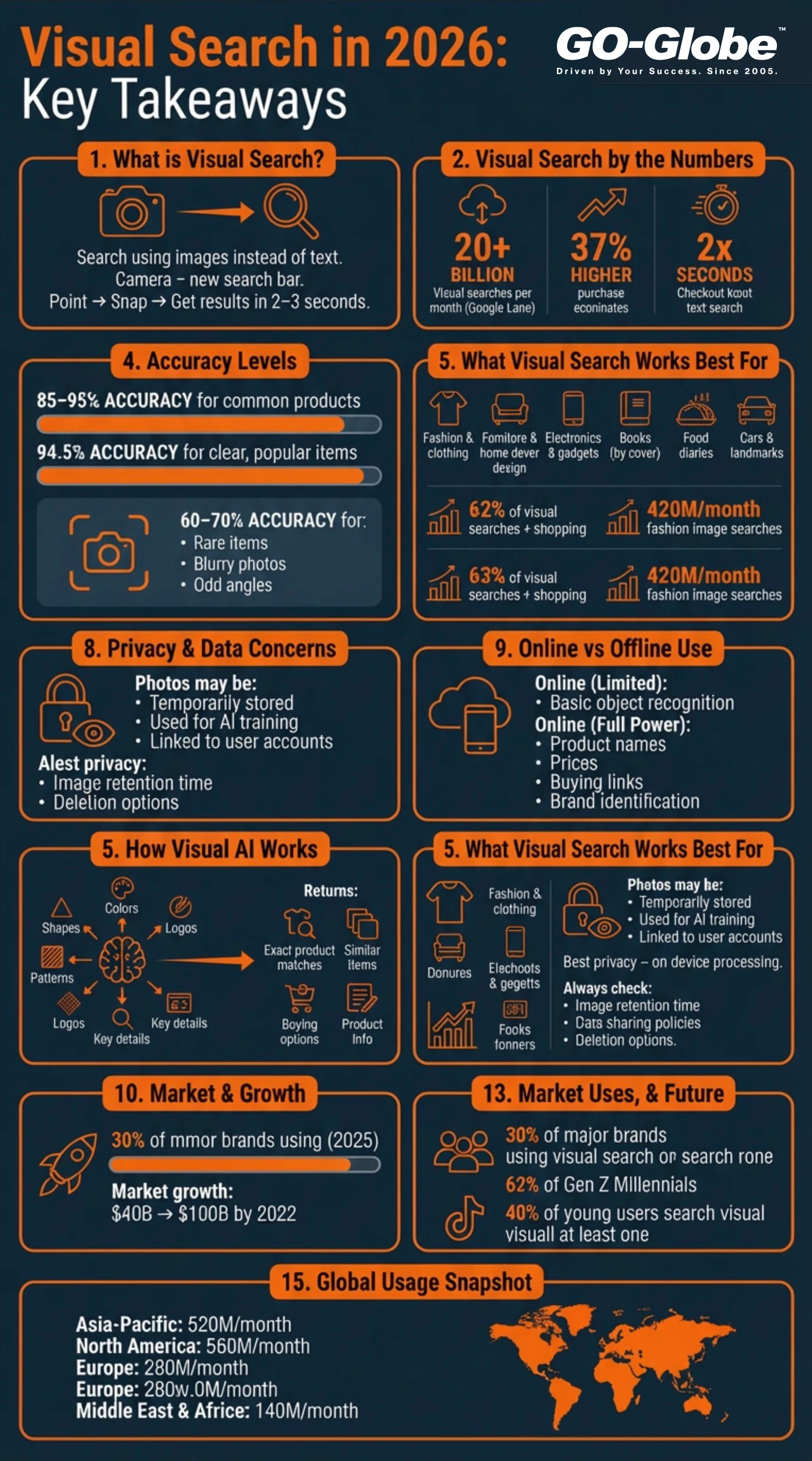
What Can I Realistically Search For?
This question matters because "find anything" sounds too good to be true. Here's the honest truth. Camera-based search works really well for manufactured products, common objects, landmarks, plants, animals, and text. It struggles with abstract ideas, heavily customized items, or things without clear features.
Products That Work Best
You can successfully search for:
- Clothing and fashion items
- Furniture pieces
- Electronics and gadgets
- Books by their covers
- Artwork and paintings
- Home decorations
- Car models
- Food dishes at restaurants
- Branded products
For personalized home decor and custom photo displays, users can explore Wall Pics to turn their favorite images into high-quality wall art.
Current statistics show that 62% of total visual searches happen for shopping and retail purposes. Fashion searches alone generate 420 million image queries every month. That's massive! The technology recognizes patterns really well. If something has been photographed and posted online before, your chances of finding it are high.
Items That Are Harder to Find
But here's the catch. That completely custom handmade necklace from a small local artist? That probably won't show up in results. The technology needs reference points. If an item exists mainly offline or hasn't been documented online much, reverse image search can't magically create information about it.
The best results come from popular products that many people have photographed. Rare or one-of-a-kind items are much harder to identify. Understanding this helps you use these tools more effectively.
Privacy Concerns: What Happens to My Photos?
You should definitely ask this question. Every photo you upload gets processed somewhere. Most big companies say they keep your images temporarily for processing. Then they delete them. But "say" is the important word here.
How Different Services Handle Your Data
Different services handle privacy very differently. Some keep your search history connected to your account forever. Others process images right on your phone when possible. They only send the important data points to their computers, not your actual photo. A few companies keep everything permanently to train their AI automation systems.
Before using any image recognition search service, read their privacy policy. Look for these specific details:
- How long do they keep your images?
- Do they use your photos to train their AI?
- Do they share your data with other companies?
- Can you delete your search history?
Protecting Your Privacy
The safest options do all processing on your device. But this sometimes means slower results or lower accuracy. Your photos contain personal information about where you've been, what you own, and what interests you. Companies really want this data.
According to privacy experts, always know what you're agreeing to before you start snapping pictures for searches. Read those terms carefully!
Does Visual Search Work Offline?
Short answer: kind of. Some apps download basic recognition tools to your phone. This lets you identify simple objects without the internet. But real visual product discovery needs an active internet connection to search through huge online databases.
What Works Without Internet
Think about it this way. Your phone can recognize you're looking at a chair without the internet using basic AI. But to tell you it's an "Eames Lounge Chair" worth $5,000 and show you where to buy it? That needs online access. Basic identification happens locally on your phone. The detailed search absolutely requires connectivity.
Tips for Travelers
If you travel a lot, plan ahead. Download apps that work offline before trips to places with bad cell signals. Some services let you take photos offline. Then they automatically search for answers once you reconnect to wifi. This compromise works well for most people who occasionally need visual search without immediate internet access.
How Accurate Is Image Recognition Search Really?
Let's talk about real numbers that matter. Current visual search technology gets things right about 85-95% of the time for common consumer products with clear photos. That accuracy drops to 60-70% for rare items, blurry pictures, or objects photographed from weird angles.
Recent Accuracy Improvements
Recent industry reports show that visual recognition algorithms now achieve 94.5% accuracy. That's a huge jump! This improvement has helped retailers reduce product return rates by 23% on average. When customers see exactly what they're buying through accurate visual search, they make better decisions.
What Affects Accuracy
Lighting matters enormously. A bright, well-lit photo of a dress gives you excellent results. That same dress photographed in dim lighting with lots of shadows might return completely wrong matches. Background mess also confuses the systems. A clean image with your target object centered in the frame works best every time.
Brand logos help a ton. If you're searching for Nike shoes, that swoosh logo helps the visual AI narrow things down immediately. Plain items without distinctive features don't work as well. A basic white t-shirt might match thousands of products online. That makes exact identification basically impossible.
Pro Tips for Better Results
Here's a helpful tip from experts: take multiple photos from different angles. This gives the system more information to work with. Better photos equal better results every single time. The average visual search takes only 18 seconds from photo to finding the product. That's incredibly fast!
GO-Globe's Visual Search Solutions for Businesses
Companies like GO-Globe understand that businesses need reliable visual search solutions built into their websites and apps. Whether you run an e-commerce platform or help customers find products, adding camera-based search capabilities keeps you competitive in 2026.
Market Growth and Opportunities
Industry forecasts show that 30% of major online brands will use visual search by the end of this year. By 2032, the global visual search market will grow to over $150 billion. That's growing at about 17-18% each year! Smart businesses are getting ahead of this trend now.
Implementation Benefits
The setup process usually connects your website to established visual search providers through simple code integration. This lets your customers take photos of products and find them directly in your catalog. Sales go up when mobile shopping becomes this easy. Instead of typing "blue floral summer dress size medium," customers snap a photo and land right on your product page.
Retailers using visual search see a 16% increase in customer engagement and a 9% bigger average purchase amount. Those numbers add up fast! This technology isn't just for giant companies anymore. Small and medium businesses can add it too through custom e-commerce solutions. The cost has come down significantly, and setup is much easier than before.
Can You Search Your Own Photo Library?
Yes, and this feature has become incredibly useful! Visual search in 2026 works both directions. You can search the internet with your photos. Or you can search your own massive photo collection using another picture as reference.
Personal Photo Organization
Imagine having 15,000 photos on your phone. You want to find that specific picture from your beach vacation two years ago where everyone wore matching blue shirts. Instead of scrolling endlessly through thousands of images, you show the app another photo with similar colors, people, or beach settings. The reverse image search technology finds matches within your personal library in seconds.
Available Tools and Features
Apple Photos, Google Photos, and similar apps now do this automatically. Third-party apps make it even more powerful. They let you search across different devices and all your cloud storage services at once. This transforms messy, disorganized photo collections into searchable, organized libraries.
You can find all photos of a specific person, all photos from a certain place, all photos with similar colors or moods. It's like having a super smart filing system for your memories. No more endless scrolling to find that one special picture!
Fake Results and Sponsored Content Issues
Here's something tricky you need to know. When you use visual product discovery to shop, you often see results that companies paid to show you. That "perfect match" at the top? It might actually be a paid advertisement, not the closest visual match to what you photographed.
Identifying Sponsored Results
Good, honest platforms clearly mark sponsored results with labels. Others blur the lines on purpose. They make it really confusing to tell real matches from paid ads. Always check multiple sources when shopping with visual search. Compare prices across different sites. Read actual customer reviews. Make sure you're getting the actual product you photographed, not just something similar.
Smart Shopping Strategies
Some visual AI tools have started adding verification badges. These show "exact match" versus "similar items." Look for these helpful indicators. They tell you whether the computer found precisely what you photographed or just something that looks kind of close.
Don't assume the first result is automatically the best one. Scroll down through results. Check different options. Companies pay serious money to appear first in visual search results. Sometimes the third or fourth result is actually better or cheaper!
Integration With Existing Tools
Most visual search happens through dedicated apps right now. But integration is getting much better and easier. Camera apps on newer phones from the last 2-3 years include built-in visual search. They partner with Google Lens, Pinterest Lens, or similar services. You don't always need a separate download anymore.
Browser and Mobile Integration
Browser extensions let you right-click any image you see online and instantly search for it. This works great for finding original sources of images, locating better quality versions, or finding shopping alternatives. The technology fits smoothly into what you already do online through mobile app development and existing workflows.
The Future: Smart Glasses
Smart glasses represent the exciting next step. Instead of pulling out your phone, you'll just look at objects through your glasses. You'll get instant information appearing right in your field of view. Several major tech companies are testing this technology right now. Broader commercial availability is expected within the next two years.
The overall goal? Making visual search as natural and easy as asking a simple question. Point, look, or snap. Get your answer immediately without interrupting your day.
Cost and Global Availability
Basic visual search costs absolutely nothing for regular people. Google Lens, Pinterest Lens, and similar tools are completely free to use. You don't pay with money. But you do pay with your personal information and attention to ads. That's the trade-off.
Pricing Models
Premium services charge around $5-15 per month. You get unlimited searches, no annoying ads, much faster processing, and special features for business use. Companies adding camera-based search to their own websites pay based on how many people use it. Usually $0.001-0.01 per search depending on total volume.
Also check Custom AI vs Off-the-Shelf: The Decision Framework for 2026
Regional Availability
Where you live in the world matters quite a bit. Visual search works best in North America, Europe, and big cities across Asia. Those regions have the most comprehensive product databases online. Rural areas or developing countries might see fewer, less accurate results. Simply because fewer products from those places get photographed and indexed online.
Language also matters for accuracy. The technology performs better when product descriptions match your phone's language settings. If you're searching in English but products are described in another language, results won't be as good.
Usage Statistics by Region
Current data shows North America processes about 560 million visual searches monthly. Asia-Pacific handles 620 million searches. Europe sees 280 million. The Middle East and Africa combined see about 140 million monthly searches. These numbers keep growing every month!
Who's Actually Using Visual Search?
The statistics about who uses this technology are really interesting. Younger people absolutely love visual search. About 62% of Gen Z and Millennials prefer visual search over any other new technology. They want to search with images, not words.
Demographic Trends
Here's a surprising fact: almost 40% of young people now use TikTok or Instagram for searches instead of Google. They prefer the completely visual nature of these results. When looking for product recommendations, step-by-step instructions, or travel ideas, they want to see videos and photos, not text links.
The demographic aged 18 to 24 uses Google Lens the most. But it's not just young people. Over 36% of all online shoppers have used visual search at least once. More than half of all shoppers say visual information is more important than text when making buying decisions online.
Conversion Impact
People who search visually convert to actual purchases 37% more often than people using text search. That's a huge difference! The visual format helps people feel more confident about what they're buying. Retail mobile apps that integrate visual search see significantly higher customer satisfaction rates.
Ready to Transform How You Search?
Visual search in 2026 isn't perfect yet. But it's definitely powerful enough to change your daily shopping and discovery habits. Instead of bookmarking items, taking screenshots, or hoping you remember where you saw something cool, you can capture and find it instantly.
The technology will only improve as image recognition search becomes even more sophisticated. Industry experts predict massive growth. The visual search market is expected to grow from $40 billion this year to over $150 billion by 2032. That's incredible growth driven by how much people love this technology!
Start experimenting with visual AI today. Download a visual search app right now. Try photographing random products around your home. See what results pop up. Test it next time you're in stores before buying something. Compare prices online instantly by snapping a photo in the store. The more you use these tools, the more clever ways you'll discover to save time and money.
You might find that an expensive couch costs way less online. You might finally identify that mystery plant you've wondered about for months. You might discover exactly where to buy those amazing shoes you saw someone wearing on the street. The possibilities grow literally every day as more products get added to visual search databases.
Want to add visual search capabilities to your business website or app? Contact GO-Globe today to discuss integration options that perfectly match your specific needs and budget. Stay ahead of your competition in 2026!
Frequently Asked Questions About Visual Search
Can visual search identify people's faces?
No, most consumer visual search tools deliberately block face recognition for important privacy reasons. You can search for objects, products, landmarks, and places. But you cannot and should not identify unknown strangers in your photos. This protects everyone's privacy.
Does visual search work for artwork and paintings?
Yes, really well! Museums and art apps use visual search to provide detailed information about paintings, sculptures, and historical artifacts. Point your camera at artwork in a museum to instantly learn about the artist, the time period, historical significance, and related pieces. Over 90% accuracy for famous artworks!
How do I get better, more accurate results from my visual searches?
Take clear, bright, well-lit photos with minimal background clutter and distractions. Center your target object right in the middle of the frame. Make sure to capture any brand logos or distinctive features clearly. Avoid blurry, dark, or messy images for best accuracy. Take photos from multiple angles for even better results!
Can companies track me through visual search?
Potentially yes, if you're logged into an account while searching. That company can definitely see and store your complete visual search history. Use private browsing mode or search while logged out for more anonymous, private searching. Read privacy policies carefully before uploading personal photos.
Will visual search completely replace traditional text-based search engines?
No, they work together and complement each other perfectly. Visual search is absolutely fantastic when you can see something but don't know what to call it or how to describe it in words. Text search remains much better for abstract concepts, specific detailed questions, and in-depth research topics.
Does visual search work on all smartphones?
Most smartphones from the last 3-4 years fully support visual search technology. Older phones from before 2020 might not have enough processing power or the right camera capabilities. Check your phone's app store to see if major visual search apps work on your specific device.
How fast is visual search compared to typing?
Visual searches average only 18 seconds from taking a photo to finding the exact product. That's way faster than typing descriptions, scrolling through search results, and clicking multiple links. People using visual search reach checkout twice as fast as people typing their searches!
What makes visual search different from regular image search?
Regular image search uses text keywords to find pictures. Visual search uses the actual picture itself as the search query. You're searching with images, not words about images. It's like showing someone what you want instead of trying to describe it. Much more accurate and faster!